
How to Generate B-Roll Footage Using Free AI Video Tools
How to generate B-roll footage using free AI video tools:
Creating engaging videos isn’t just about talking to the camera. Professional creators know that B-roll footage is what transforms ordinary videos into visually appealing content. Whether you’re producing YouTube videos, documentaries, tutorials, product reviews, travel vlogs, or social media reels, adding high-quality B-roll helps keep viewers interested.
In the past, creating B-roll required expensive cameras, travel, stock footage subscriptions, or hours of manual editing. Today, artificial intelligence has completely changed the process. With the help of free AI video tools, creators can generate cinematic B-roll footage in minutes using nothing more than a text prompt or script.
From AI-generated cityscapes and nature scenes to animated product showcases and realistic backgrounds, AI can now create visuals that were once only possible with professional production teams.
In this guide, you’ll learn how to generate B-roll footage using free AI video tools, discover the best platforms available in 2026, and learn practical techniques for making your videos more engaging.
What Is B-Roll Footage?
B-roll is supplementary footage that supports the main video (often called A-roll). Instead of continuously showing the speaker, B-roll displays visuals that illustrate what is being discussed.
For example:
- A travel vlogger talks about Paris while showing the Eiffel Tower.
- A tech reviewer explains smartphone features while showing close-up product shots.
- A cooking creator discusses ingredients while viewers watch food preparation.
- A business coach explains teamwork while office scenes play on screen.
- A fitness creator talks about healthy habits while workout clips are displayed.
These supporting visuals improve storytelling and make videos far more engaging.
Why Is B-Roll Important?
Many viewers lose interest when they only see a talking head for several minutes. B-roll adds movement, context, and visual variety that keeps audiences watching longer.
Benefits include:
- Higher audience retention
- Better storytelling
- More professional-looking videos
- Increased watch time
- Improved YouTube engagement
- Enhanced educational content
- Better social media performance
- Stronger emotional impact
- Easier explanation of complex ideas
For creators aiming to grow on YouTube or social platforms, effective B-roll can significantly improve viewer experience.
What Is AI-Generated B-Roll?
AI-generated B-roll is video footage created or suggested by artificial intelligence based on your script, prompt, or narration.
Instead of filming every scene yourself, you simply describe what you need.
For example:
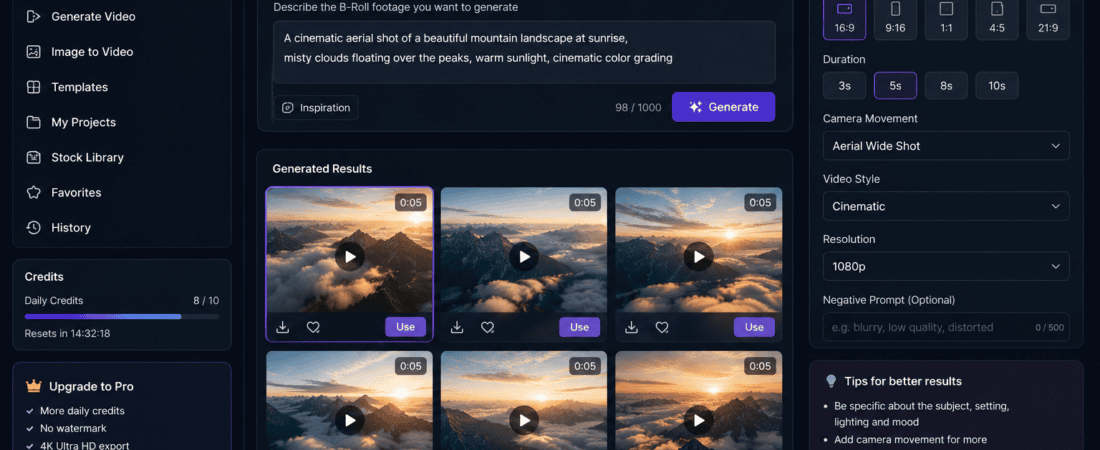
Prompt:
“Drone shot of mountains during sunrise with soft morning fog.”
The AI generates a cinematic video matching your description.
Similarly:
“Modern office employees collaborating around a conference table.”
Within minutes, AI creates professional-looking footage suitable for business presentations or marketing videos.
This technology saves both time and production costs.
How AI Creates B-Roll Videos
Modern AI video generators rely on deep learning models trained on massive datasets of videos and images. These systems understand natural language prompts and transform them into dynamic scenes.
The typical workflow includes:
1. Understanding the Prompt
The AI analyzes your description, identifying key objects, locations, actions, lighting, camera angles, and styles.
2. Scene Planning
It predicts how the scene should look and how elements should move naturally.
3. Motion Generation
AI creates realistic camera movement, object animation, lighting changes, and environmental effects.
4. Video Rendering
The final video is rendered in high quality, often within a few minutes.
Advantages of Using Free AI Video Tools
AI-powered B-roll generation offers several advantages over traditional production.
Save Time
Instead of spending hours filming multiple locations, you can generate relevant visuals almost instantly.
Reduce Costs
Hiring videographers, renting equipment, and purchasing stock footage can become expensive. Many AI tools provide generous free plans that are ideal for beginners and small businesses.
Create Anywhere
You don’t need a studio, camera crew, or travel budget. AI lets you produce professional-looking B-roll from your computer.
Endless Creativity
Need futuristic cities, underwater scenes, fantasy landscapes, or historical environments? AI can create visuals that would be difficult or impossible to film.
Faster Content Production
Creators can publish videos more consistently by reducing the time spent gathering footage.
Best Free AI Video Tools for Generating B-Roll
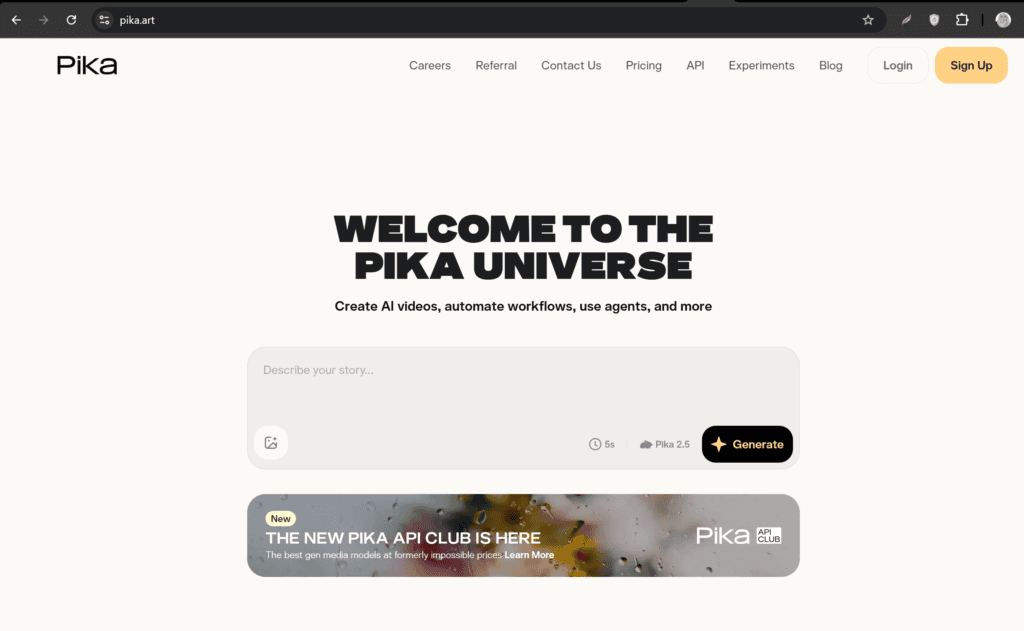
1. Pika
Pika is one of the most popular AI video generators for creating short cinematic clips from text prompts.
Key Features
- Text-to-video generation
- Image-to-video animation
- Cinematic camera movement
- HD export
- Easy-to-use interface
Best For
- YouTube creators
- Product videos
- Social media reels
- Marketing campaigns
Free Plan
Offers free daily credits for generating videos.
2. Luma Dream Machine
Luma Dream Machine produces realistic AI videos with smooth camera movement and excellent visual quality.
Features
- Highly realistic motion
- Fast rendering
- Dynamic camera effects
- Text prompt support
- Natural lighting simulation
Best For
- Travel videos
- Nature footage
- Documentary B-roll
- Cinematic storytelling
3. Runway
Runway has become one of the leading AI video editing platforms.
It combines traditional editing with AI-generated video creation.
Features
- Text-to-video
- Image-to-video
- AI background replacement
- Motion tracking
- Video enhancement
- AI editing tools
Best For
- Professional creators
- Agencies
- Marketing teams
- YouTubers
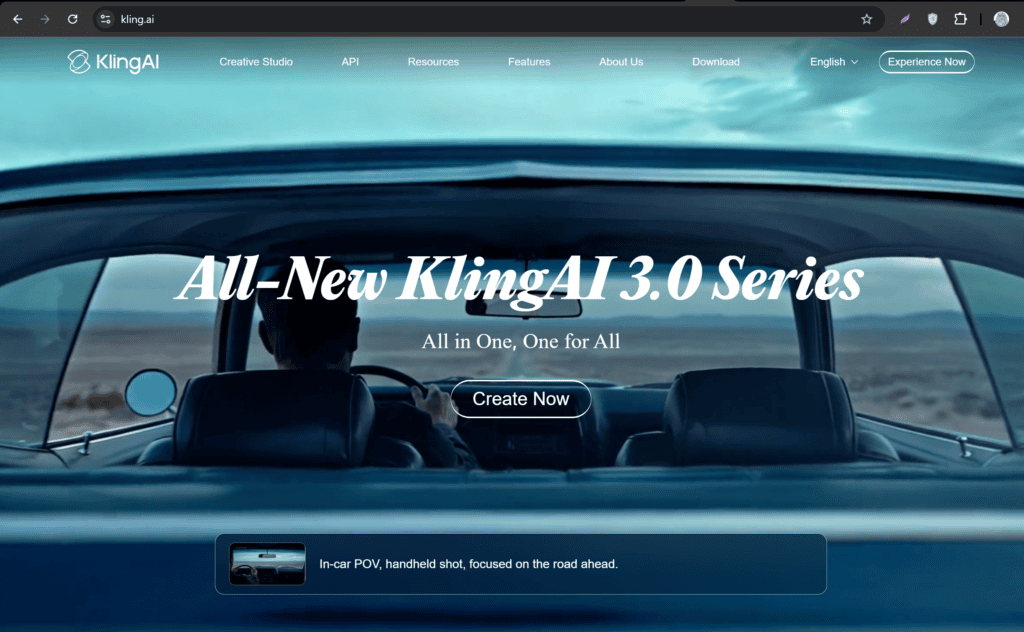
4. Kling AI
Kling AI has gained popularity because of its realistic animations and detailed scene generation.
It performs particularly well for:
- Landscape videos
- Lifestyle content
- Product showcases
- Commercial advertisements
- Storytelling sequences
Its free credits make it a strong option for experimenting with AI-generated B-roll.
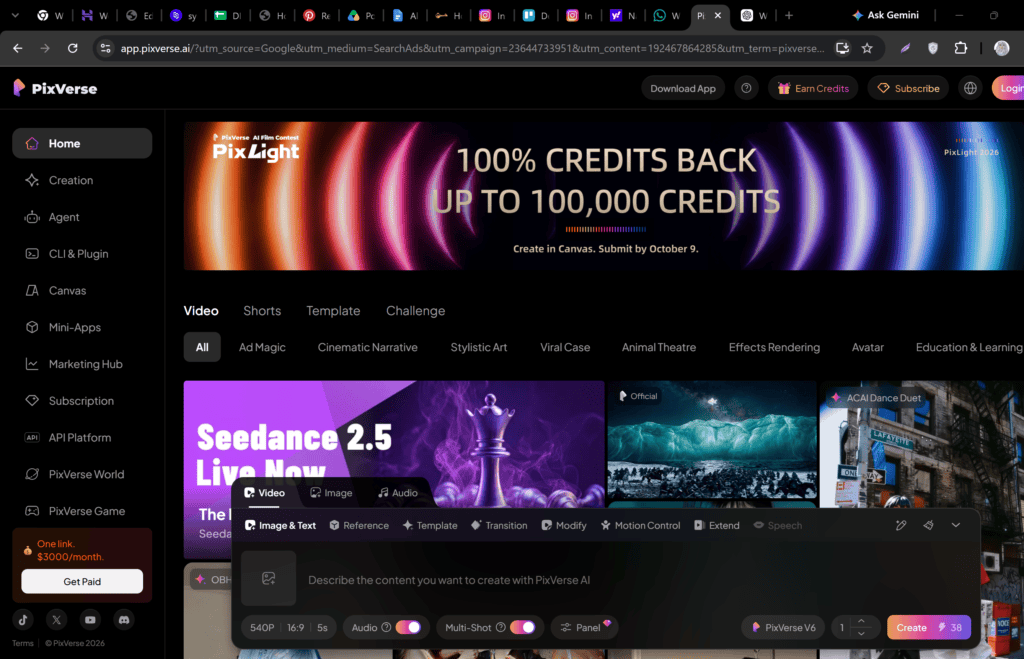
5. PixVerse AI
PixVerse AI specializes in generating visually attractive short-form videos.
Features
- AI motion generation
- Character animation
- Cinematic transitions
- Fast rendering
- Multiple visual styles
Ideal for creators producing Instagram Reels, TikTok videos, and YouTube Shorts.
6. Hailuo AI
Hailuo AI is another excellent free AI video generator capable of producing realistic and artistic B-roll.
Features
- Text-to-video
- Smooth camera movement
- High-quality visuals
- Creative scene generation
- Quick processing
This platform works well for educational content, travel videos, and marketing projects.
Which Free AI Tool Is Best?
The best choice depends on your needs:
| Tool | Best For | Free Version |
|---|---|---|
| Pika | Beginners | ✅ Yes |
| Luma Dream Machine | Cinematic scenes | ✅ Yes |
| Runway | Professional editing | ✅ Yes |
| Kling AI | Realistic videos | ✅ Yes |
| PixVerse AI | Short-form content | ✅ Yes |
| Hailuo AI | Creative B-roll | ✅ Yes |
Each of these platforms offers enough free functionality to help creators produce impressive B-roll without investing in expensive equipment or software.
Step-by-Step Guide to Generate AI B-Roll Footage
Creating professional B-roll with AI is easier than ever. Most AI video generators follow a similar workflow, making them beginner-friendly while still offering advanced features for experienced creators.
Step 1: Plan Your Video Script
Before generating any footage, outline your video’s main talking points. Read through your script and identify sections where supporting visuals would improve the viewer’s understanding.
For example:
- Travel videos → landmarks, streets, beaches, aerial views
- Technology reviews → product close-ups, animated interfaces
- Business presentations → office environments, teamwork, graphs
- Educational content → diagrams, laboratory scenes, historical locations
- Food videos → cooking process, ingredients, restaurant atmosphere
Planning ahead helps ensure your AI-generated B-roll aligns with your narrative.
Step 2: Break Your Script into Visual Scenes
Rather than creating one long AI video, divide your content into several short scenes lasting between 3 and 8 seconds.
Example:
Narration:
“Artificial intelligence is changing video editing.”
Possible B-roll:
- AI robot working on a computer
- Video editing timeline
- Motion graphics
- Digital data animation
Short clips create a more dynamic and engaging viewing experience.
Step 3: Write Detailed AI Prompts
The quality of your AI-generated footage depends heavily on the prompts you provide. Instead of using short descriptions, include details about the subject, setting, lighting, camera movement, and style.
Weak Prompt
“Office”
Better Prompt
“Modern glass office with professionals collaborating around a conference table, cinematic lighting, slow camera dolly movement, realistic, 4K.”
The more descriptive your prompt, the better the generated result.
Best AI Prompt Examples for B-Roll
Technology
Close-up of hands typing on a futuristic keyboard, glowing monitors, cyberpunk lighting, cinematic camera movement, ultra-realistic, 4K.
Business
Diverse team discussing marketing strategy in a modern office with natural sunlight and smooth camera pan.
Education
Students learning in a bright classroom with interactive digital screens, shallow depth of field, realistic style.
Healthcare
Professional doctor reviewing patient reports on a digital tablet inside a modern hospital, soft lighting.
Finance
Stock market charts displayed on multiple monitors with traders analyzing financial data, cinematic atmosphere.
Travel
Drone flying over tropical islands during sunrise, crystal-clear ocean water, golden sunlight, realistic cinematic footage.
Nature
Waterfall surrounded by lush green forest, mist rising, slow-motion camera movement, ultra-HD.
Food
Chef preparing gourmet pasta in a modern kitchen with close-up shots of fresh ingredients and steam.
Fitness
Athlete running outdoors at sunrise with dramatic lighting and smooth tracking camera.
Marketing
Professional content creator recording a promotional video in a bright studio with multiple cameras.
Step 4: Generate Multiple Versions
Don’t settle for the first result. AI tools typically let you regenerate a scene several times.
Compare different versions and choose the clip that best matches your video’s tone and message.
Step 5: Download and Organize Your Clips
Create folders based on categories such as:
- Nature
- Technology
- Business
- Education
- Lifestyle
- Products
- Social Media
- Travel
Keeping your AI-generated assets organized will save time on future projects.
Step 6: Edit Your Video
Import your B-roll into your preferred editing software, such as Adobe Premiere Pro, DaVinci Resolve, CapCut Desktop, or Final Cut Pro.
Position the B-roll over your main footage wherever it enhances the story or explains a concept. Add transitions, adjust clip speed, and include color correction to create a polished final video.
Best Practices for AI-Generated B-Roll
Following these tips will help your videos look more professional and cohesive.
Use High-Quality Prompts
Include details about:
- Camera angle
- Lens type
- Lighting
- Subject
- Environment
- Mood
- Motion
- Color palette
- Resolution
Rich prompts lead to richer visuals.
Match Your Brand Style
Maintain consistency across your videos by using similar color grading, pacing, and visual themes.
For example, if your YouTube channel uses warm cinematic tones, generate B-roll with similar lighting and atmosphere.
Keep Clips Short
Most effective B-roll clips last between 3 and 7 seconds. Shorter clips keep viewers engaged and maintain a steady pace.
Mix AI and Real Footage
Combining AI-generated visuals with your own recordings creates a more authentic and visually interesting final product.
Use Motion Wisely
Camera movements such as slow zooms, pans, and tracking shots add energy without distracting from the narration.
Common Mistakes to Avoid
Many beginners make simple mistakes that reduce the quality of their videos.
Using Generic Prompts
Simple prompts often produce bland or repetitive results.
Generating Long Clips
Very long AI clips can become inconsistent. Generate shorter scenes instead.
Ignoring Lighting Consistency
If your main footage is bright and warm, avoid inserting dark, moody AI scenes unless it fits the story.
Overusing AI Effects
Too many dramatic transitions or unrealistic visuals can make a video feel artificial.
Skipping Manual Review
Always watch each generated clip carefully for visual glitches or unnatural motion before publishing.
Use Cases for AI B-Roll
AI-generated B-roll is useful across many industries.
YouTube Videos
Enhance tutorials, reviews, documentaries, explainers, and commentary with relevant visuals.
Marketing Campaigns
Create promotional scenes for products and services without hiring a production crew.
Social Media Content
Generate eye-catching visuals for Instagram Reels, TikTok, Facebook, LinkedIn, and YouTube Shorts.
Online Courses
Illustrate complex topics with AI-generated animations, diagrams, and contextual scenes.
Corporate Training
Replace expensive stock footage with custom AI-generated business environments and workplace scenarios.
Real Estate
Generate neighborhood highlights, lifestyle visuals, and architectural concepts to support property listings.
Travel Content
Show scenic landscapes, city skylines, and cultural landmarks—even when you haven’t visited those locations.
Product Demonstrations
Highlight product features using cinematic close-ups and AI-generated lifestyle scenes.
Comparison of Popular Free AI B-Roll Tools
| Tool | Best For | Text-to-Video | Image-to-Video | Free Plan | Ease of Use |
|---|---|---|---|---|---|
| Pika | Beginners | ✅ | ✅ | ✅ | ⭐⭐⭐⭐⭐ |
| Luma Dream Machine | Cinematic scenes | ✅ | ✅ | ✅ | ⭐⭐⭐⭐☆ |
| Runway | Professional editing | ✅ | ✅ | ✅ | ⭐⭐⭐⭐☆ |
| Kling AI | Realistic motion | ✅ | ✅ | ✅ | ⭐⭐⭐⭐☆ |
| PixVerse AI | Short-form content | ✅ | ✅ | ✅ | ⭐⭐⭐⭐⭐ |
| Hailuo AI | Creative visuals | ✅ | ✅ | ✅ | ⭐⭐⭐⭐☆ |
Tips for Faster AI Video Production
To streamline your workflow:
- Save your best prompts for reuse.
- Build a library of AI-generated B-roll clips.
- Generate scenes in batches for multiple projects.
- Use consistent aspect ratios for each platform.
- Review clips immediately after rendering.
- Keep backup versions of your favorite assets.
- Pair AI B-roll with captions and background music for greater impact.
Frequently Asked Questions (FAQs)
Can AI generate B-roll footage for free?
Yes. Many AI video platforms offer free plans or free daily credits that allow you to generate B-roll footage from text prompts. While free versions may have limitations such as watermarks, lower resolution, or daily credit caps, they are more than sufficient for learning, testing, and creating short videos.
Which AI tool is best for generating B-roll?
Some of the best free AI video generators for B-roll include:
- Pika
- Luma Dream Machine
- Runway
- Kling AI
- PixVerse AI
- Hailuo AI
Each platform has different strengths, so the best choice depends on your project and preferred style.
Can I use AI-generated B-roll for YouTube?
Yes. AI-generated B-roll can be used in YouTube videos, tutorials, documentaries, reviews, and educational content, provided you comply with the licensing and commercial-use terms of the AI platform you use.
Is AI-generated B-roll copyright-free?
Ownership and licensing vary between tools. Many platforms allow commercial use on paid plans, while free plans may have restrictions. Always review the platform’s terms of service before publishing client work or monetized content.
Do I need video editing skills?
No. Most AI video generators are designed for beginners. They use simple text prompts, and many also include drag-and-drop editors, making them accessible even if you have little or no editing experience.
Can AI generate realistic cinematic videos?
Absolutely. Modern AI models can produce realistic lighting, camera movement, depth of field, slow-motion effects, and natural environments. The quality largely depends on how detailed your prompts are.
How long does AI take to generate a video?
Most AI platforms generate short clips within 30 seconds to 5 minutes, depending on video length, resolution, server load, and the complexity of the scene.
Future of AI-Generated B-Roll
AI video technology is advancing rapidly, and the next few years are expected to bring even more powerful capabilities.
Future improvements may include:
- Longer, more consistent AI-generated video sequences
- Real-time B-roll generation during editing
- Improved physics and natural motion
- More accurate human expressions
- 4K and 8K AI video generation
- Better prompt understanding
- Voice-controlled video creation
- Personalized visual styles
- Faster rendering speeds
- Easier integration with professional editing software
As these tools continue to evolve, creating high-quality B-roll will become faster, more affordable, and more accessible to creators of all skill levels.
Final Thoughts
AI has transformed the way creators produce supporting footage. Instead of spending hours filming, traveling, or searching through stock libraries, you can now generate cinematic B-roll with just a well-written prompt.
Whether you’re a YouTuber, educator, marketer, freelancer, or business owner, free AI video tools make it possible to create engaging visuals with minimal effort and cost.
If you’re just getting started, try beginner-friendly platforms like Pika, PixVerse AI, or Luma Dream Machine. As your projects grow, you can explore more advanced tools such as Runway and Kling AI for additional creative control.
Checkout here if you want to know about Best Free AI Video Lip Sync Tools for Dubbed Content (2026 Guide)