
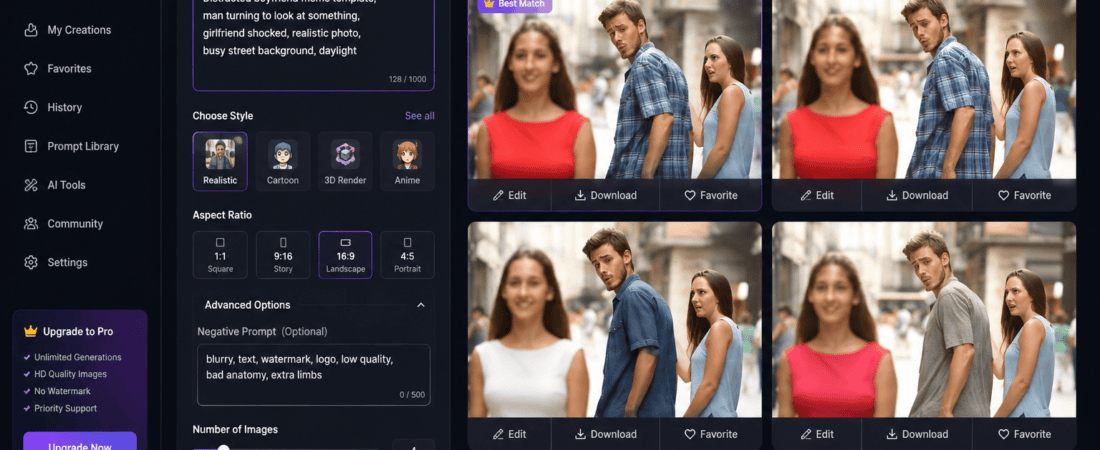
How to Generate Trending Meme Templates Using Free AI Image Generators
Memes have become one of the most powerful forms of online communication. Whether you’re a content creator, social media manager, marketer, YouTuber, or business owner, memes help increase engagement, shares, comments, and brand awareness.
The best part? You no longer need Photoshop or advanced graphic design skills.
Thanks to free AI image generators, anyone can create professional-quality meme templates in minutes. AI can generate funny characters, expressive faces, trending situations, and even custom meme formats that have never existed before.
In this complete guide, you’ll learn how to generate trending meme templates using free AI image generators, which AI tools work best, prompt-writing tips, and how to create viral memes that people actually share.
Why AI is Changing Meme Creation
Traditional meme creation required:
- Finding a trending image
- Editing it manually
- Adding text
- Resizing
- Exporting
Now AI performs most of these tasks automatically.
Modern AI tools can:
- Generate original meme characters
- Create expressive facial reactions
- Produce high-quality illustrations
- Design realistic or cartoon memes
- Create meme templates from text prompts
- Generate multiple variations instantly
- Remove image backgrounds
- Upscale low-quality meme images
Instead of spending an hour creating a meme, AI reduces the process to just a few minutes.
Why Original AI Memes Perform Better
Many meme pages reuse the same old templates.
Examples include:
- Distracted Boyfriend
- Drake Hotline Bling
- Woman Yelling at Cat
- Success Kid
While these are still popular, social media algorithms increasingly reward fresh, original content.
AI allows creators to produce unique meme templates that haven’t been overused.
Benefits include:
- Higher engagement
- Better reach
- Increased shares
- Brand uniqueness
- Better copyright safety
- More creative freedom
Original memes often outperform recycled templates because audiences enjoy seeing something new.
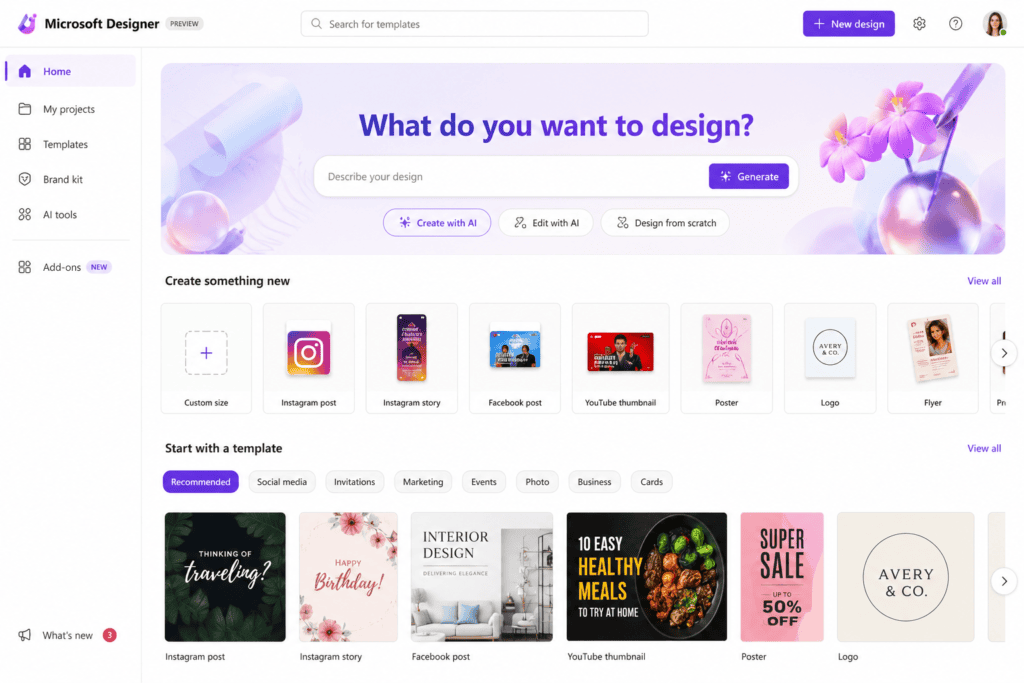
Best Free AI Image Generators for Meme Templates
1. Microsoft Designer (Image Creator)
Microsoft Designer offers one of the easiest ways to generate meme-worthy images.
Features include:
- Free daily image generations
- Fast AI rendering
- High-quality artwork
- Cartoon and realistic styles
- Easy downloads
- Excellent prompt understanding
Best for:
- Funny reaction images
- Cartoon memes
- Office humor
- Animal memes
2. Google Gemini Image Generation
Google Gemini now creates surprisingly detailed images.
Advantages:
- Excellent realism
- Accurate human expressions
- High-resolution outputs
- Multiple image styles
- Fast generation
Perfect for:
- Relatable workplace memes
- Educational memes
- Business humor
- Social media content
3. Adobe Firefly (Free Credits)
Adobe Firefly focuses on commercial-safe AI images.
Benefits:
- Clean artwork
- Excellent typography support
- High-resolution generation
- Commercial-friendly outputs
Ideal for:
- Brand memes
- Marketing content
- Instagram posts
- LinkedIn humor
4. Canva AI Image Generator
Canva combines AI image generation with drag-and-drop editing.
Advantages include:
- Meme templates
- Built-in fonts
- Stickers
- Animation
- Social media resizing
Perfect for beginners.
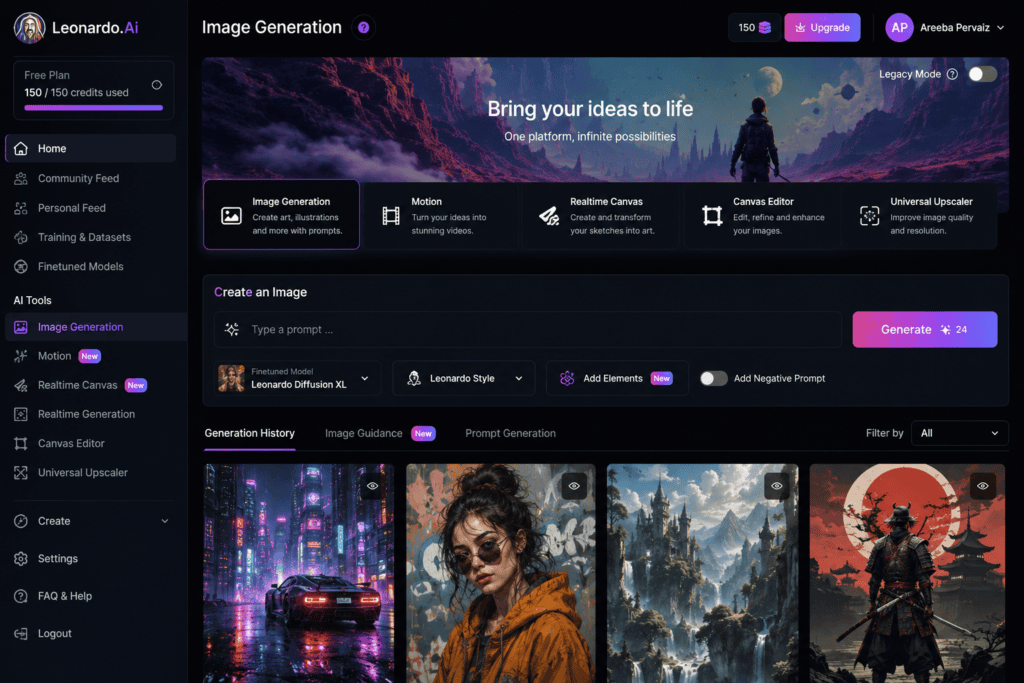
5. Leonardo AI (Free Tier)
Leonardo AI is popular among professional creators.
Strengths:
- Highly detailed artwork
- Character consistency
- Multiple artistic styles
- Realistic faces
- Funny illustrations
Great for viral meme pages.
Step-by-Step: Create a Meme Template Using AI
Creating an AI meme is easier than most people think.
Step 1: Choose a Trending Topic
Start by identifying trends.
Look for:
- Viral news
- Sports moments
- Gaming updates
- Celebrity reactions
- AI developments
- Workplace struggles
- Student life
- Everyday relatable situations
The more relatable the topic, the more likely people are to share it.
Step 2: Write a Detailed AI Prompt
Your prompt determines image quality.
Example prompt:
“A confused office worker staring at five computer monitors while coffee spills everywhere, exaggerated facial expression, cinematic lighting, humorous, ultra realistic, meme format, white background.”
Instead of writing:
“Funny office.”
Provide details about:
- Character
- Emotion
- Environment
- Camera angle
- Lighting
- Style
- Colors
- Expression
Detailed prompts almost always generate better memes.
Best AI Prompt Formula
Use this structure:
Character + Emotion + Situation + Environment + Style + Camera Angle + Lighting + Meme Style
Example:
“An exhausted college student surrounded by books, dramatic facial expression, messy room, cartoon illustration, colorful background, meme template, expressive eyes, vibrant lighting.”
This simple framework consistently produces high-quality meme images.
Types of Meme Templates AI Can Generate
Free AI generators are capable of producing many meme styles.
Popular categories include:
Reaction Memes
Examples:
- Shocked face
- Angry expression
- Confused look
- Happy celebration
- Crying reaction
These work well across every social media platform.
Workplace Memes
Examples:
- Monday mornings
- Endless meetings
- Deadlines
- Office politics
- Remote work
These are highly relatable and frequently shared by professionals.
Student Memes
Popular ideas include:
- Exams
- Homework
- Group projects
- Online classes
- Late-night studying
Students love sharing content they can relate to.
Pet Memes
AI creates amazing:
- Dogs
- Cats
- Birds
- Hamsters
- Exotic animals
Funny pet expressions almost always perform well.
Gaming Memes
Gamers actively share memes featuring:
- Rage moments
- Winning reactions
- Multiplayer fails
- Character expressions
- Streaming humor
Gaming memes continue to dominate platforms like Reddit, Discord, Instagram, and X.
Why Prompt Engineering Matters
Many beginners blame AI tools for poor results.
In reality, the prompt is usually the problem.
For example:
Bad prompt:
“Funny man.”
Better prompt:
“A businessman confidently presenting a completely blank PowerPoint slide to a confused audience, exaggerated facial expressions, cinematic office lighting, humorous, ultra realistic, meme template.”
The second prompt gives AI enough context to create a much stronger image.
20 Ready-to-Use AI Prompts for Trending Meme Templates
One of the biggest advantages of AI image generators is that you can create completely original meme templates with the right prompt. Instead of copying existing memes, use these prompts as inspiration to generate fresh, shareable content.
1. The Monday Morning Meme
Prompt:
“An exhausted office worker holding an oversized coffee mug with messy hair, dark circles under the eyes, sitting in front of a glowing computer screen, humorous expression, cinematic lighting, ultra-realistic, meme template.”
2. Low Battery Human
Prompt:
“A cartoon character walking slowly while a giant battery icon above their head flashes 1% remaining, colorful background, funny expression, meme format.”
3. Student Before and After Exams
Prompt:
“Split-screen illustration showing a happy student before exams and an exhausted student after exams, expressive faces, cartoon style, bright colors, meme template.”
4. Waiting for Salary
Prompt:
“A man dramatically staring out of a rainy window while checking an empty bank account on his phone, cinematic mood, humorous realism, meme template.”
5. Wi-Fi Goes Down
Prompt:
“A shocked family frozen in silence after losing internet connection, dramatic expressions, realistic living room, cinematic lighting.”
6. Online Meeting
Prompt:
“Employee smiling confidently during a video meeting while secretly wearing pajamas underneath the desk, humorous office setting.”
7. AI vs Human
Prompt:
Prompt:
“A man dramatically staring out of a rainy window while checking an empty bank account on his phone, cinematic mood, humorous realism, meme template.”
8. Gym Motivation
Prompt:
“Person buying expensive gym clothes but sleeping on workout day, split-screen cartoon illustration.”
9. Food Delivery
Prompt:
“Someone checking the delivery app every 10 seconds while standing at the front door, exaggerated facial expression.”
10. Weekend Plans
Prompt:
“Two-panel meme showing exciting weekend plans versus sleeping all day, colorful cartoon style.”
11. Social Media Addiction
Prompt:
“Person endlessly scrolling through social media while ignoring everything around them, humorous modern illustration.”
12. Coffee Lover
Prompt:
“Happy before coffee versus angry without coffee, split-screen meme template.”
13. Group Project
“One student carrying an entire group project while four teammates celebrate, exaggerated cartoon expressions.”
Prompt:
14. Shopping Online
Prompt:
“Expectation versus reality after ordering clothes online, humorous split image.”
15. Cat Judgment
Prompt:
“A cat giving an extremely disappointed look while sitting like a manager in an office chair.”
16. Dog Excitement
Prompt:
“Golden Retriever celebrating wildly because someone said the word ‘walk,’ colorful cartoon illustration.”
17. Gaming Rage
Prompt:
“Professional gamer screaming after losing because of internet lag, RGB gaming room, dramatic lighting.”
18. Freelancer Life
Prompt:
“Freelancer working peacefully until a client sends ‘One Small Change,’ exaggerated humorous reaction.”
19. Chat Notification
Prompt:
“Excited person grabbing their phone only to discover it’s a food delivery notification instead of a message.”
20. Sleeping Schedule
Prompt:
“Split-screen showing sleeping early plan versus watching videos until 3 AM, cartoon illustration.”
How to Make AI Memes Look Like Viral Templates
Simply generating an image isn’t enough. Viral memes usually have a recognizable structure.
Follow these design principles:
Use Strong Facial Expressions
People instantly connect with emotions.
Generate expressions like:
- Shock
- Confusion
- Happiness
- Fear
- Pride
- Regret
- Anger
- Excitement
The more expressive the face, the better the meme performs.
Keep Backgrounds Simple
Busy backgrounds distract viewers.
Instead, use:
- White background
- Office
- Bedroom
- Classroom
- Park
- Plain wall
- Living room
Simple scenes help viewers focus on the joke.
Leave Space for Text
Many beginners ask AI to include captions.
Avoid this.
Instead, generate the image with empty space at the top or bottom so you can add text later using Canva or another editor.
Choose Bright Colors
Bright, colorful images stop people from scrolling.
Use prompt phrases such as:
- Vibrant colors
- High contrast
- Bright lighting
- Colorful background
- Sharp focus
Generate Multiple Versions
Never settle for the first result.
Create:
- Different facial expressions
- Various camera angles
- Different art styles
- Alternate poses
- New backgrounds
This increases your chances of getting a viral-worthy template.
Best Aspect Ratios for Every Platform
Different social media platforms display images differently. Choosing the correct aspect ratio improves visibility and engagement.
| Platform | Recommended Size |
|---|---|
| Instagram Feed | 1080 × 1350 |
| Instagram Square | 1080 × 1080 |
| Instagram Story | 1080 × 1920 |
| 1200 × 1200 | |
| X (Twitter) | 1600 × 900 |
| 1200 × 1200 | |
| 1000 × 1500 | |
| 1200 × 1200 |
Best Art Styles for AI Meme Generation
Experimenting with different art styles can make your memes stand out.
Cartoon Style
Great for:
- Relatable jokes
- School humor
- Family memes
- Social media posts
Ultra-Realistic
Ideal for:
- Workplace memes
- Business humor
- Lifestyle content
- Marketing campaigns
3D Render
Perfect for:
- Gaming memes
- Tech humor
- AI-related content
Comic Book Style
Excellent for:
- Superhero jokes
- Action scenes
- Dramatic reactions
Pixar-Inspired Style
Works well for:
- Family-friendly memes
- Cute characters
- Pet memes
Anime Style
Popular among:
- Gamers
- Anime fans
- Gen Z audiences
Common Mistakes to Avoid
Even with powerful AI tools, these mistakes can reduce your meme’s impact.
Writing Very Short Prompts
Avoid prompts like:
“Funny cat.”
Instead, describe the scene, emotions, lighting, style, and setting in detail.
Overloading the Image
Too many characters or objects can make the meme confusing.
Focus on one clear idea.
Copying Existing Memes
Creating direct copies of famous meme templates may reduce originality and could raise copyright concerns. Use AI to create fresh concepts inspired by trends instead.
Ignoring Image Quality
Always choose the highest available resolution or use an AI upscaler if needed. High-quality visuals look more professional and perform better on social media.
Advanced Prompt Engineering for Better AI Meme Templates
If you want your AI-generated memes to stand out, mastering prompt engineering is essential. The more specific your prompt, the better the AI understands your vision.
A well-crafted prompt should include:
- Subject
- Emotion
- Environment
- Art style
- Camera angle
- Lighting
- Color palette
- Image quality
- Composition
Example of a Weak Prompt
“Funny office worker”
Example of a Strong Prompt
“An exhausted office employee buried under paperwork, oversized coffee mug, dramatic facial expression, modern office background, cinematic lighting, ultra-realistic, high detail, shallow depth of field, meme template with empty space at the top for text.”
The second prompt provides enough context for the AI to create a more engaging and visually appealing meme template.
Add Negative Prompts for Cleaner Results
Many AI image generators support negative prompts, which tell the AI what to avoid.
Example negative prompt:
“blurry, watermark, text, logo, low quality, extra fingers, distorted face, cropped, duplicate objects”
Using negative prompts helps reduce common AI image issues and improves the overall quality of your meme templates.
Edit Your AI Meme with Free Design Tools
Once you’ve generated the perfect meme image, you can enhance it with free editing tools.
Canva
Use Canva to:
- Add meme captions
- Insert emojis
- Apply filters
- Resize for different platforms
- Add stickers and icons
Photopea
A free browser-based editor that offers Photoshop-like features:
- Layer editing
- Text effects
- Background removal
- Image adjustments
- Export in multiple formats
Pixlr
Great for quick edits:
- Brightness and contrast
- Cropping
- AI background removal
- Color correction
- Sharpening
Best Fonts for Meme Captions
Typography plays a huge role in meme readability.
Popular meme fonts include:
- Impact
- Anton
- Bangers
- Luckiest Guy
- Bebas Neue
- Montserrat Extra Bold
For maximum readability:
- Use bold white text.
- Add a black outline or shadow.
- Keep captions short and punchy.
- Avoid long paragraphs on the image.
Where to Find Trending Meme Ideas
Staying updated with internet culture helps you create memes that resonate with audiences.
Social Media Platforms
Watch trending topics on:
- Instagram Explore
- X (formerly Twitter)
- Facebook Reels
- TikTok Discover
- YouTube Shorts
Reddit Communities
Popular communities often inspire new meme formats:
- r/memes
- r/dankmemes
- r/funny
- r/me_irl
Observe what people are sharing and create original AI-generated versions inspired by current trends.
Google Trends
Use Google Trends to identify rising topics in entertainment, technology, sports, movies, gaming, and global events. Turning trending discussions into relatable memes can significantly boost engagement.
Tips to Make Your AI Memes Go Viral
Creating a funny meme is only half the battle. Distribution and timing are equally important.
1. Keep It Relatable
The best-performing memes reflect everyday experiences.
Examples include:
- Office life
- Student struggles
- Parenting
- Online shopping
- Gaming
- Fitness
- Remote work
- Coffee addiction
When people see themselves in a meme, they’re more likely to share it.
2. Use Short Captions
Aim for one clear joke.
Long explanations reduce the impact.
A concise caption paired with a strong visual often performs best.
3. Post Consistently
Posting regularly helps build audience recognition.
A simple schedule could be:
- 1–2 memes daily on Instagram
- Multiple posts on X
- A few quality uploads each week on Reddit
- Repurpose the same meme for Facebook and LinkedIn where appropriate
4. Follow Current Trends
Memes based on trending events tend to gain traction quickly. However, ensure your content remains respectful and avoid using sensitive or tragic events for humor.
5. Optimize for Mobile Viewing
Most users view memes on smartphones.
Make sure:
- Text is large enough to read.
- Important elements aren’t cut off.
- Images remain clear on small screens.
Can You Monetize AI Meme Content?
Yes, but focus on creating original content and respecting platform policies.
Potential monetization methods include:
- Building themed social media pages
- Driving traffic to a blog
- Selling print-on-demand merchandise
- Creating branded meme campaigns
- Offering meme design services to businesses
- Growing a newsletter or community around your niche
Original AI-generated visuals combined with your own captions are generally a stronger long-term strategy than reposting existing memes.
Frequently Asked Questions (FAQ)
Are free AI image generators good enough for meme creation?
Yes. Many free AI tools produce high-quality images suitable for social media, especially when you use detailed prompts.
Which AI image generator is best for memes?
It depends on your style:
- Microsoft Designer – Easy and beginner-friendly
- Google Gemini – Realistic results
- Adobe Firefly – Commercial-friendly images
- Canva AI – Fast editing workflow
- Leonardo AI – Highly detailed artwork
Can I use AI-generated memes commercially?
Check the licensing terms of the AI tool you use. Many platforms allow commercial use under specific conditions, while others have limitations or require attribution.
How can I make my AI memes unique?
Instead of copying existing formats:
- Create original characters.
- Use unique scenarios.
- Write your own captions.
- Experiment with different art styles.
- Combine current trends with your niche.
Do AI-generated memes help increase engagement?
They can. Memes that are original, relevant, and well-designed often receive more likes, comments, and shares than standard promotional posts.
Final Thoughts
AI image generators have made meme creation faster, easier, and more accessible than ever. Whether you’re a beginner experimenting with social media or a marketer looking to increase engagement, these tools allow you to produce creative, eye-catching meme templates without advanced design skills.
The key to success is originality. Focus on writing detailed prompts, creating relatable scenarios, using clean and readable designs, and staying informed about current trends. By combining AI-generated visuals with your own creative ideas and captions, you can build a consistent stream of engaging content that stands out across platforms.
As AI technology continues to evolve, creators who embrace these tools while maintaining authenticity and originality will be well-positioned to grow their audience and keep up with the fast-moving world of internet culture.
Checkout here if you want to know about Free AI Tools to Create Animated Avatars for Talking Head Videos (2026 Guide)