
Introduction
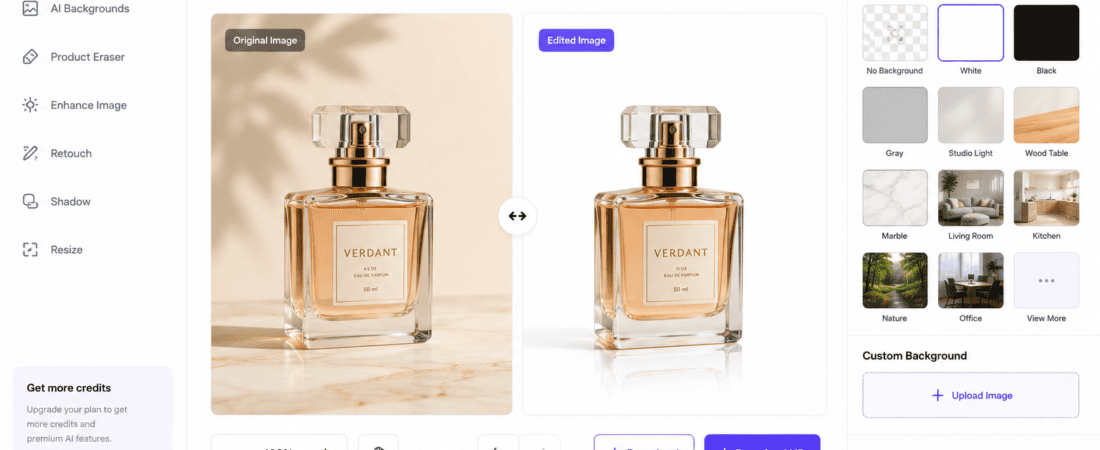
AI product photography background changers: High-quality product photography plays a crucial role in the success of every e-commerce business. Whether you sell products on Shopify, Amazon, Etsy, eBay, WooCommerce, or your own online store, professional-looking product images can significantly improve customer trust and increase conversions.
Traditionally, creating studio-quality product photos required expensive cameras, lighting equipment, professional photographers, and advanced photo editing software. However, artificial intelligence (AI) has revolutionized product photography by making it possible to remove and replace backgrounds automatically within seconds.
Modern AI background changers can detect products with impressive accuracy, remove distracting backgrounds, and replace them with clean white backgrounds, lifestyle scenes, gradients, or custom designs—all without requiring Photoshop skills.
Whether you’re an online seller, dropshipper, digital marketer, small business owner, or content creator, AI product photography tools can help you create attractive product images quickly and affordably.
In this guide, you’ll discover the best free AI product photography background changers for e-commerce, learn how they work, compare their features, and choose the best solution for your online business.
What Is AI Product Photography Background Replacement?
AI product photography background replacement is a technology that uses artificial intelligence to automatically remove the original background from a product image and replace it with a new one.
Unlike traditional editing methods that require manual selections, masking, or clipping paths, AI recognizes the product automatically and separates it from the background with remarkable precision.
You can replace backgrounds with:
- White backgrounds
- Transparent backgrounds
- Lifestyle scenes
- Office environments
- Wooden tables
- Marble surfaces
- Color gradients
- Studio backdrops
- AI-generated backgrounds
The result is a clean, professional-looking product image suitable for online stores and advertisements.
Why E-commerce Businesses Need AI Background Changers
Product images directly influence purchasing decisions.
Customers are more likely to buy products that look clean, professional, and visually appealing.
AI background changers help businesses create consistent product catalogs without spending thousands of dollars on professional photography.
Common uses include:
- Amazon listings
- Shopify stores
- WooCommerce products
- Etsy shops
- eBay listings
- Facebook Marketplace
- Instagram Shops
- Google Shopping Ads
- Product catalogs
Professional product images improve brand credibility and increase click-through rates.
Benefits of AI Product Photography Background Changers
AI-powered background replacement offers several advantages.
1. Save Time
Manual background removal can take 15–30 minutes per image.
AI tools usually complete the process in under one minute.
2. Reduce Photography Costs
Instead of renting a photo studio or hiring editors, businesses can generate professional product photos using AI at little or no cost.
3. Improve Product Listings
Clean backgrounds make products stand out and create a consistent shopping experience across your online store.
4. Increase Conversion Rates
Professional product photos help build customer confidence, which can lead to higher sales and fewer returns.
5. No Design Skills Required
Most AI background changers use simple drag-and-drop interfaces.
Users simply upload an image and let the AI do the work.
How AI Background Changers Work
Modern AI image editors rely on deep learning models trained on millions of product photos.
Here’s how the process works.
Step 1: Product Detection
The AI identifies the main object in the image, such as:
- Shoes
- Clothing
- Electronics
- Jewelry
- Furniture
- Cosmetics
- Food items
- Accessories
Step 2: Background Removal
The AI separates the product from the background while preserving fine details like edges, reflections, shadows, and transparent objects.
Step 3: Background Generation
Users can:
- Upload a custom background
- Choose a solid color
- Select a studio scene
- Generate an AI background using text prompts
Step 4: Lighting Adjustment
Many AI tools automatically adjust brightness, shadows, and colors to ensure the new background looks natural.
Step 5: Final Export
The completed image can be downloaded in formats such as:
- PNG
- JPG
- WEBP
Some tools also support transparent PNG exports for additional editing.
Best Free AI Product Photography Background Changers
Below are some of the best free AI tools available for e-commerce product photography.
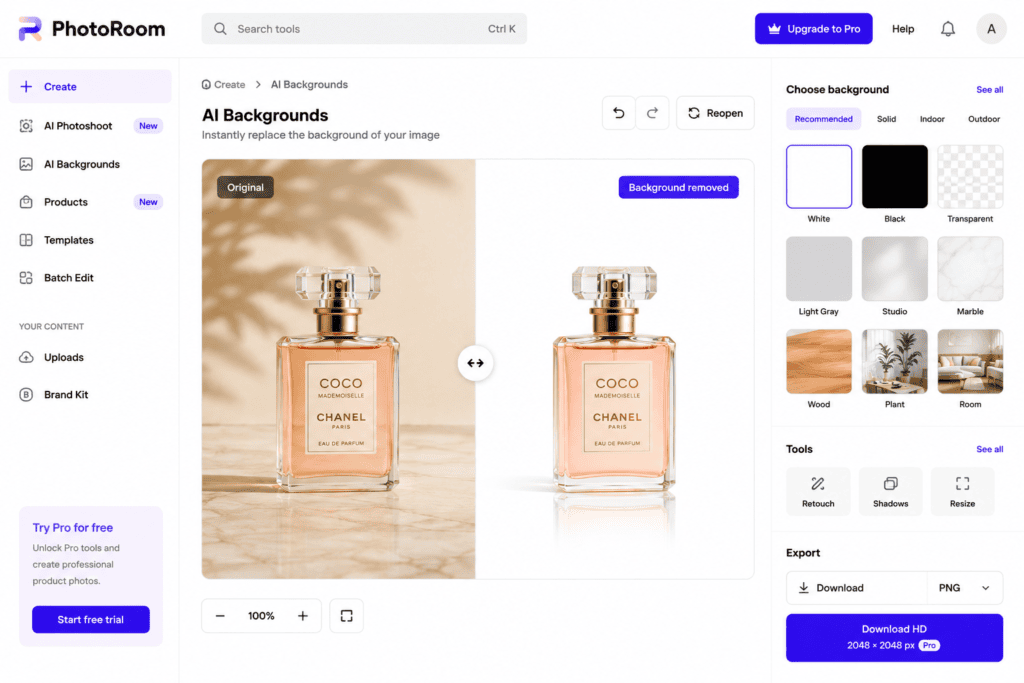
1. PhotoRoom
PhotoRoom is one of the most popular AI-powered product photography tools. It automatically removes backgrounds, creates studio-quality product photos, and generates professional backgrounds for online stores.
It is widely used by Amazon sellers, Shopify merchants, Etsy store owners, and social media marketers.
Key Features
- AI background removal
- AI background generation
- White background creator
- Product templates
- Batch editing
- Shadow generation
- Mobile and web support
Pros
- Excellent AI accuracy
- Beginner-friendly interface
- Fast processing
- Professional product templates
- Free version available
Cons
- Premium templates require a subscription
- High-resolution exports may be limited on the free plan
Best For
- Amazon sellers
- Shopify stores
- Etsy businesses
- E-commerce marketing
- Product catalogs
2. Remove.bg
Remove.bg is a powerful AI background removal platform that quickly isolates products from their backgrounds with high accuracy. It works well with clothing, electronics, accessories, and other product categories.
Key Features
- One-click background removal
- Transparent PNG export
- Automatic edge detection
- API integration
- Batch processing
- Cloud-based editing
Pros
- Extremely accurate
- Fast processing
- Easy to use
- Supports bulk editing
- Free version available
Cons
- High-resolution downloads require credits
- Limited editing features beyond background removal
Best For
- Product listings
- Online stores
- Marketing graphics
- Product photography
3. Adobe Express Background Remover
Adobe Express includes an AI-powered Background Remover that lets users create clean product images with transparent or custom backgrounds. Its integration with Adobe’s design tools makes it ideal for creating promotional content and branded visuals.
Key Features
- AI background removal
- Transparent PNG export
- Built-in design editor
- Product photo enhancement
- Cloud storage
- Browser-based workflow
Pros
- High-quality cutouts
- Easy-to-use interface
- Trusted Adobe technology
- Great for marketing materials
Cons
- Some premium features require an Adobe account
- Free AI usage limits apply
Best For
- Branding
- Product promotions
- Online advertisements
- Social media content
4. Clipdrop by Stability AI
Clipdrop provides advanced AI tools for removing and replacing product backgrounds while maintaining realistic shadows, reflections, and fine details. It also includes image enhancement and relighting features, making it a favorite among professional designers.
Key Features
- AI background remover
- AI background replacement
- Relight AI
- Image upscaler
- Smart edge detection
- Browser-based editing
Pros
- Outstanding image quality
- Excellent edge preservation
- Realistic lighting adjustments
- Multiple AI editing tools
Cons
- Limited free credits
- Premium subscription unlocks additional features
Best For
- Professional product photography
- Creative agencies
- High-end e-commerce stores
- Marketing campaigns
5. Canva Background Remover
Canva offers an AI-powered Background Remover integrated into its design platform. Users can quickly remove backgrounds, add custom scenes, and design product advertisements without switching between multiple applications.
Key Features
- AI background remover
- Transparent PNG export
- Drag-and-drop editor
- Product design templates
- Team collaboration
- Brand kit integration
Pros
- Extremely beginner-friendly
- Excellent for social media marketing
- Integrated design tools
- Cloud-based editing
Cons
- Background Remover is mainly available with Canva Pro
- Limited AI features on the free plan
Best For
- Social media managers
- Small businesses
- Branding
- Promotional graphics
- Product advertisements
6. Microsoft Designer
Microsoft Designer offers AI-powered background removal and image editing tools that help online sellers create clean, professional product photos. Users can replace backgrounds with solid colors, lifestyle scenes, or custom designs while maintaining high image quality.
Key Features
- AI background remover
- AI background replacement
- Transparent PNG export
- Product image enhancement
- Browser-based editing
- Smart subject detection
Pros
- Easy-to-use interface
- Fast AI processing
- High-quality results
- Free to get started
- Excellent for marketing visuals
Cons
- Some premium AI features require a Microsoft account
- Daily AI usage limits
Best For
- Product catalogs
- Online marketplaces
- Social media ads
- Website banners

7. Pixlr AI
Pixlr AI combines AI-powered background removal with advanced photo editing tools. It allows users to replace backgrounds, enhance product images, and create professional visuals without installing software.
Key Features
- AI background remover
- Background replacement
- Layer editing
- Image enhancement
- Browser-based editor
- Transparent PNG export
Pros
- Free version available
- Beginner-friendly
- Multiple editing tools
- Fast cloud processing
Cons
- Advertisements in the free version
- Daily AI generation limits
Best For
- Shopify stores
- WooCommerce products
- Blog graphics
- Marketing images
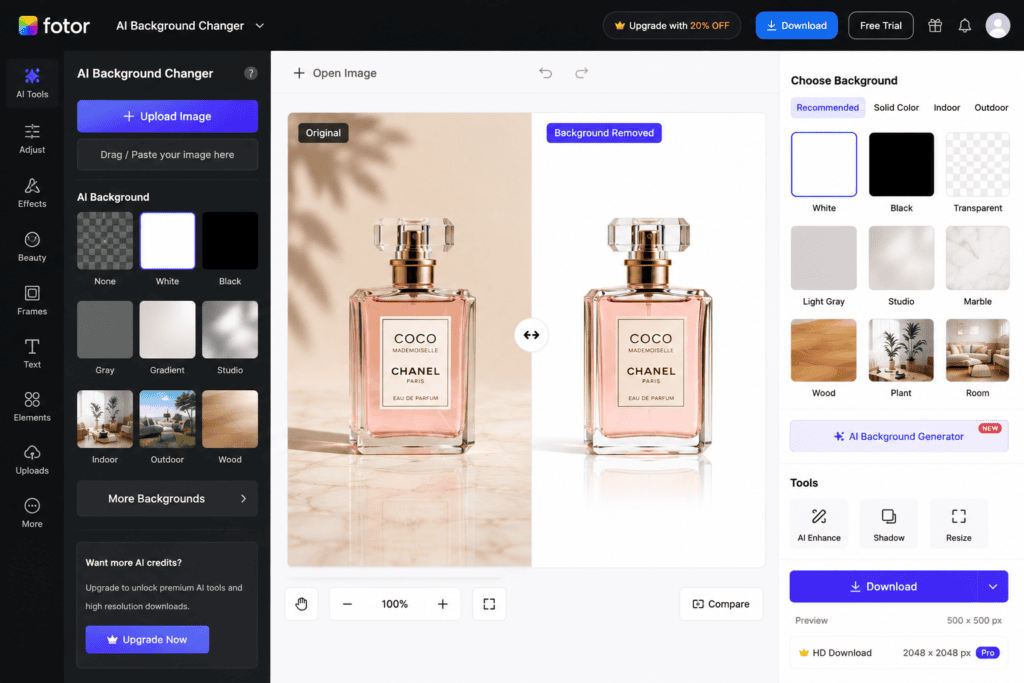
8. Fotor AI Product Photo Editor
Fotor AI helps businesses improve product photography by removing backgrounds, adjusting lighting, enhancing image quality, and replacing backgrounds with AI-generated scenes.
Key Features
- AI background remover
- AI image enhancement
- AI background generation
- Product photo templates
- Batch processing
- Cloud-based editor
Pros
- High-quality AI results
- Beginner-friendly
- Quick processing
- Free plan available
Cons
- Watermarks on some free exports
- Premium features require a subscription
Best For
- Small businesses
- Online stores
- Product catalogs
- Marketing campaigns
Comparison of the Best AI Product Photography Background Changers
| Tool | Free Version | AI Background Removal | AI Background Generation | Best For |
|---|---|---|---|---|
| PhotoRoom | Yes | ✔ | ✔ | E-commerce |
| Remove.bg | Yes | ✔ | Limited | Product Photos |
| Adobe Express | Yes | ✔ | ✔ | Marketing |
| Clipdrop | Yes | ✔ | ✔ | Professional Editing |
| Canva | Limited | ✔ | ✔ | Social Media |
| Microsoft Designer | Yes | ✔ | ✔ | Business Graphics |
| Pixlr AI | Yes | ✔ | Limited | Online Stores |
| Fotor AI | Yes | ✔ | ✔ | Product Marketing |
Step-by-Step Guide to Change Product Backgrounds Using AI
Creating professional product photos with AI is quick and easy.
Step 1: Select an AI Tool
Choose a platform based on your business needs.
Popular options include:
- PhotoRoom
- Remove.bg
- Adobe Express
- Clipdrop
- Microsoft Designer
Step 2: Upload Your Product Photo
Supported formats usually include:
- JPG
- PNG
- WEBP
Use high-resolution product images with proper lighting for the best results.
Step 3: Remove the Original Background
The AI automatically detects your product and removes the background while preserving fine details such as edges, shadows, reflections, and transparent elements.
Step 4: Choose a New Background
Most AI editors allow you to:
- Add a white background
- Use a transparent background
- Upload your own background
- Select a lifestyle scene
- Generate an AI background using text prompts
Choose a background that complements your product and matches your brand identity.
Step 5: Enhance the Product Image
Many AI tools include built-in enhancement features, such as:
- Brightness adjustment
- Contrast optimization
- Color correction
- Shadow refinement
- Sharpness improvement
These adjustments help create more appealing product images.
Step 6: Export the Final Image
Download your edited product photo in the desired format.
Common options include:
- PNG
- JPG
- WEBP
Use PNG when you need transparency and JPG for smaller file sizes on websites.
Best Practices for Professional Product Photography
Follow these recommendations to maximize the quality of your AI-edited product photos.
Use High-Resolution Images
The AI performs better with clear, detailed product photos.
Avoid blurry or pixelated source images.
Maintain Consistent Backgrounds
Using the same background style across all products creates a professional and trustworthy online store.
Use Soft Lighting
Even lighting reduces harsh shadows and improves AI detection accuracy.
Natural daylight or diffused lighting often works best.
Keep Products Centered
Centering the product helps the AI detect edges more accurately and produces cleaner cutouts.
Optimize Image Size
Compress images without sacrificing quality to improve website loading speed and user experience.
Common Mistakes to Avoid
Avoid these common issues when creating AI product photos.
Using Cluttered Backgrounds
Busy backgrounds make it more difficult for AI to separate the product accurately.
Ignoring Edge Quality
Always zoom in and inspect:
- Hair-like textures
- Glass items
- Transparent packaging
- Jewelry
- Reflective surfaces
Clean edges create a more professional appearance.
Using Low-Resolution Images
Poor-quality images often result in rough edges and less realistic background replacements.
Overediting
Applying excessive filters or enhancements can make product images look artificial.
Aim for a natural, consistent appearance.
Forgetting Platform Requirements
Different marketplaces have different image requirements.
For example:
- Amazon often requires a pure white background for the main product image.
- Etsy allows more creative lifestyle backgrounds.
- Shopify offers flexibility depending on your brand style.
Always review the image guidelines for the platform where you plan to sell.
Frequently Asked Questions (FAQs)
1. What is the best free AI product photography background changer?
Some of the best free AI tools include PhotoRoom, Remove.bg, Adobe Express, Clipdrop, Microsoft Designer, Pixlr AI, Canva, and Fotor AI. The right choice depends on your business needs and preferred workflow.
2. Can AI automatically remove product backgrounds?
Yes. AI can detect the product, separate it from the background, preserve fine details, and replace the background automatically within seconds.
3. Are AI background changers free?
Most AI platforms offer free plans with limitations such as daily credits, lower-resolution downloads, or restricted premium features. Paid plans provide more exports and advanced editing capabilities.
4. Which AI tool is best for Amazon sellers?
PhotoRoom, Remove.bg, and Clipdrop are excellent options for creating clean product images that meet Amazon’s image quality requirements.
Frequently Asked Questions (FAQs)
1. What is the best free AI product photography background changer?
Some of the best free AI tools include PhotoRoom, Remove.bg, Adobe Express, Clipdrop, Microsoft Designer, Pixlr AI, Canva, and Fotor AI. The right choice depends on your business needs and preferred workflow.
2. Can AI automatically remove product backgrounds?
Yes. AI can detect the product, separate it from the background, preserve fine details, and replace the background automatically within seconds.
3. Are AI background changers free?
Most AI platforms offer free plans with limitations such as daily credits, lower-resolution downloads, or restricted premium features. Paid plans provide more exports and advanced editing capabilities.
4. Which AI tool is best for Amazon sellers?
PhotoRoom, Remove.bg, and Clipdrop are excellent options for creating clean product images that meet Amazon’s image quality requirements.
5. Can AI create white backgrounds?
Yes. Most AI product photography tools allow you to replace backgrounds with pure white, which is commonly required for many e-commerce marketplaces.
6. Can AI generate lifestyle backgrounds?
Yes. Many AI editors can create realistic backgrounds such as kitchens, offices, living rooms, wooden tables, marble surfaces, and outdoor scenes using AI-generated imagery.
7. Does AI preserve product shadows?
Advanced AI tools like Clipdrop and PhotoRoom can retain or recreate natural-looking shadows to make products appear more realistic after the background is changed.
8. What file formats are supported?
Most AI tools support:
- JPG
- JPEG
- PNG
- WEBP
Some platforms also offer transparent PNG exports for further editing.
9. Do I need Photoshop?
No. These browser-based AI tools are designed to perform professional background removal and replacement without requiring Adobe Photoshop.
10. Can I use AI-generated product photos commercially?
Many AI platforms allow commercial use, but licensing terms vary. Always review the platform’s commercial usage policy before publishing or selling AI-edited product images.
11. Which AI tool is best for Shopify?
PhotoRoom, Canva, and Adobe Express integrate well into Shopify workflows, making them ideal for creating product listings and promotional graphics.
12. Can AI improve product image quality?
Yes. Many AI editors include image enhancement features such as sharpening, brightness adjustment, color correction, and noise reduction.
13. Why does my edited image look unrealistic?
This can happen if:
- The source image is low quality.
- Lighting doesn’t match the new background.
- Shadows are missing.
- The selected background doesn’t fit the product.
Using high-resolution photos and realistic backgrounds usually improves the result.
14. Can I edit product photos on my phone?
Yes. Most leading AI tools provide mobile apps or mobile-friendly websites, allowing you to edit product photos directly from your smartphone or tablet.
15. Which AI tool is best for beginners?
PhotoRoom, Microsoft Designer, Canva, and Remove.bg are among the easiest options because they provide one-click background removal with simple interfaces.
Best AI Tool Based on Your Needs
| Use Case | Recommended Tool |
|---|---|
| Best Overall | PhotoRoom |
| Best Free Option | Remove.bg |
| Best for Beginners | Microsoft Designer |
| Best for Amazon Sellers | PhotoRoom |
| Best for Shopify Stores | Canva |
| Best for Professional Editing | Clipdrop |
| Best for Marketing Graphics | Adobe Express |
| Best for Website Images | Pixlr AI |
| Best for Product Catalogs | Fotor AI |
| Best Browser-Based Tool | Remove.bg |
Pro Tips for Professional Product Photography
To create product images that stand out in a competitive e-commerce market, follow these best practices:
- Use high-resolution product photos with sharp focus.
- Capture images in soft, even lighting to minimize harsh shadows.
- Maintain a consistent background style across your entire product catalog.
- Choose backgrounds that complement your brand identity.
- Inspect product edges carefully before exporting.
- Use PNG files for transparent images and JPG files for standard product listings.
- Optimize image size to improve website loading speed without sacrificing quality.
These practices help create polished product photos that inspire customer confidence.
Final Verdict
AI-powered background changers have transformed product photography by making professional image editing accessible to businesses of all sizes. What once required expensive software and specialized skills can now be achieved in minutes using browser-based AI tools.
For the best overall experience, PhotoRoom delivers outstanding product-focused features and realistic background generation. Remove.bg is ideal for fast, accurate background removal, while Clipdrop excels in advanced editing and relighting. Adobe Express is a strong choice for marketing materials, and Microsoft Designer offers an intuitive experience for beginners.
Choose the platform that aligns with your workflow, product type, and budget to create high-quality visuals that help your online store stand out.
Conclusion
Professional product photography is essential for building trust, improving click-through rates, and increasing sales in e-commerce. Thanks to AI-powered background changers, you no longer need expensive studio equipment or advanced editing skills to produce clean, attractive product images.
The tools covered in this guide make it easy to remove backgrounds, generate realistic scenes, enhance product quality, and prepare images for platforms such as Shopify, Amazon, WooCommerce, Etsy, and eBay.
As AI technology continues to evolve, these tools will become even more accurate and efficient, helping online businesses create better product photos in less time.
Key Takeaways
- AI background changers simplify professional product photography.
- PhotoRoom, Remove.bg, Clipdrop, Adobe Express, Microsoft Designer, Pixlr AI, Canva, and Fotor AI are among the best free options.
- White and lifestyle backgrounds can improve the visual appeal of product listings.
- High-resolution source images produce better AI editing results.
- Consistent product photography strengthens brand identity and customer trust.
Check out here if you want to know about How to Use Free AI to Generate Transparent PNG Images (2026 Guide)