
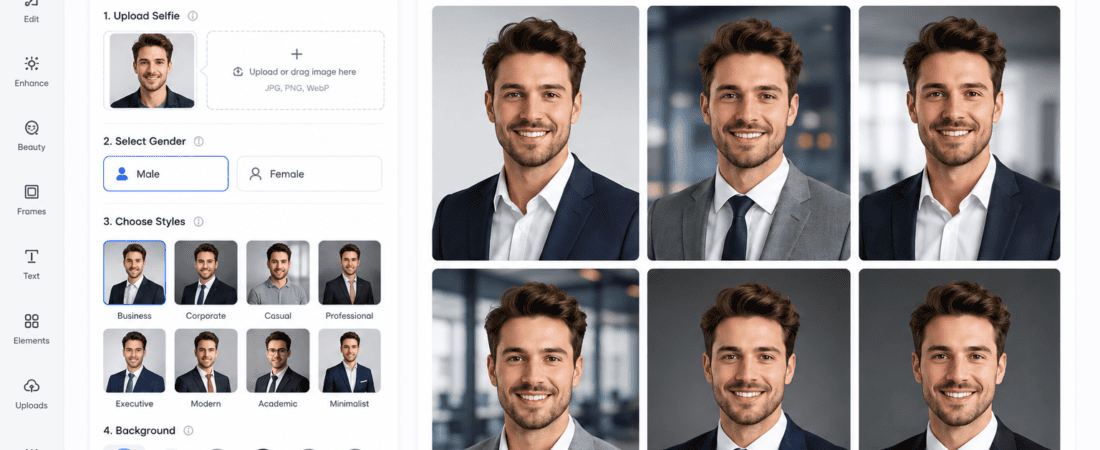
Best Free AI Headshot Generators for Professional LinkedIn Profiles (2026 Guide)
AI Headshot Generators: Your LinkedIn profile photo is one of the first things recruiters, clients, and employers notice. Studies consistently show that profiles with professional-looking headshots receive significantly more profile views and connection requests than those with casual selfies or no photo at all.
Hiring a professional photographer can cost anywhere from $100 to $500 or more. Fortunately, AI headshot generators have changed everything. Today, you can transform ordinary selfies into polished, business-quality portraits within minutes—often for free or with generous free trials.
In this guide, you’ll discover the best free AI headshot generators for professional LinkedIn profiles, compare their features, learn how they work, and find tips to create a headshot that makes a lasting first impression.
Whether you’re a student, freelancer, entrepreneur, or job seeker, these AI tools can help you build a stronger professional image without spending a fortune.
Why Your LinkedIn Headshot Matters
Your profile picture communicates professionalism before anyone reads your experience or skills.
A high-quality headshot helps you:
- Build trust
- Look approachable
- Increase profile engagement
- Improve networking opportunities
- Attract recruiters
- Strengthen your personal brand
- Stand out from competitors
- Make a memorable first impression
A blurry selfie taken in poor lighting can unintentionally reduce your professional credibility.
What is an AI Headshot Generator?
An AI headshot generator uses artificial intelligence to convert ordinary photos into realistic professional portraits.
Instead of hiring a photographer, AI can automatically improve:
- Lighting
- Background
- Skin tone
- Sharpness
- Facial details
- Clothing
- Camera angle
- Portrait quality
Many tools can even generate studio-style business photos that resemble professionally photographed headshots.
Benefits of AI Headshot Generators
Using AI provides numerous advantages.
Affordable
Many platforms offer free plans or free image credits.
Fast Results
Most AI tools generate images within minutes.
Professional Appearance
They simulate expensive studio lighting and photography.
No Photography Skills Needed
Anyone can upload selfies and receive polished results.
Multiple Styles
Generate:
- Corporate portraits
- Startup founder photos
- Creative professional portraits
- Executive business photos
- Remote work profiles
- Freelancer branding images
Features to Look For
Before choosing an AI headshot generator, consider these features:
- Free usage
- High-resolution exports
- Realistic facial rendering
- Professional clothing options
- Background customization
- Lighting enhancement
- Minimal artifacts
- Fast processing
- Privacy protection
- Commercial usage rights
Best Free AI Headshot Generators
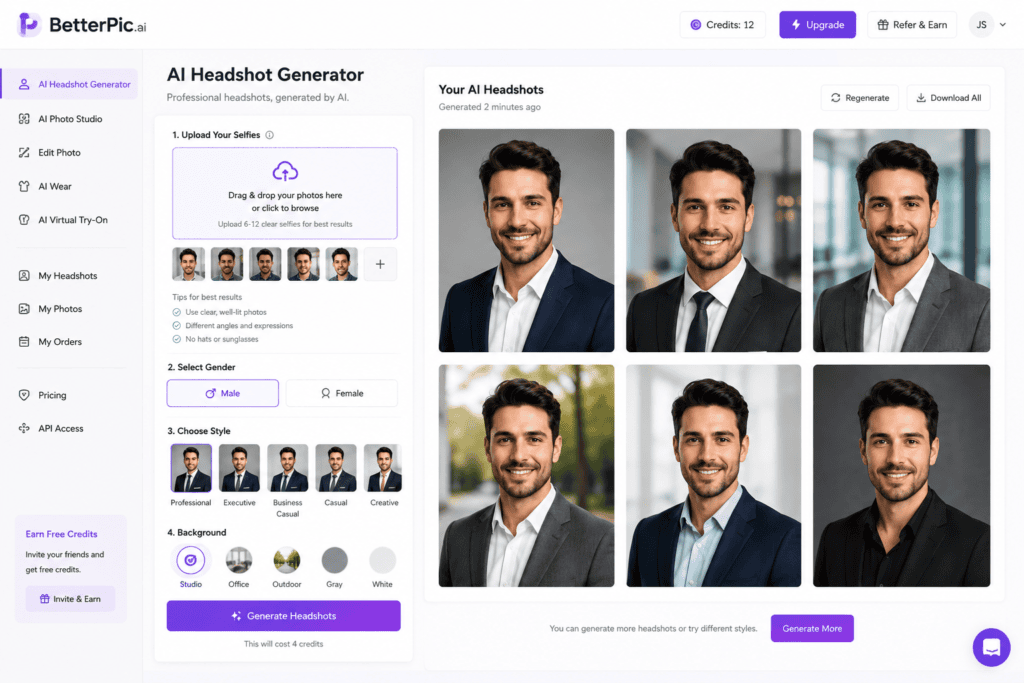
1. BetterPic AI
BetterPic specializes in realistic business headshots.
Best For
Professionals seeking premium-quality LinkedIn portraits.
Features
- Corporate styles
- Natural lighting
- Business attire
- High realism
- Multiple backgrounds
Pros
- Excellent image quality
- Realistic facial details
- Studio-level portraits
Cons
- Limited free options
2. Aragon AI
Aragon AI is popular among professionals and executives.
Features
- Corporate portraits
- Executive headshots
- High-resolution images
- AI enhancement
- Business clothing generation
Pros
- Outstanding realism
- Great lighting
- Fast generation
Cons
- Small free trial
3. Canva AI
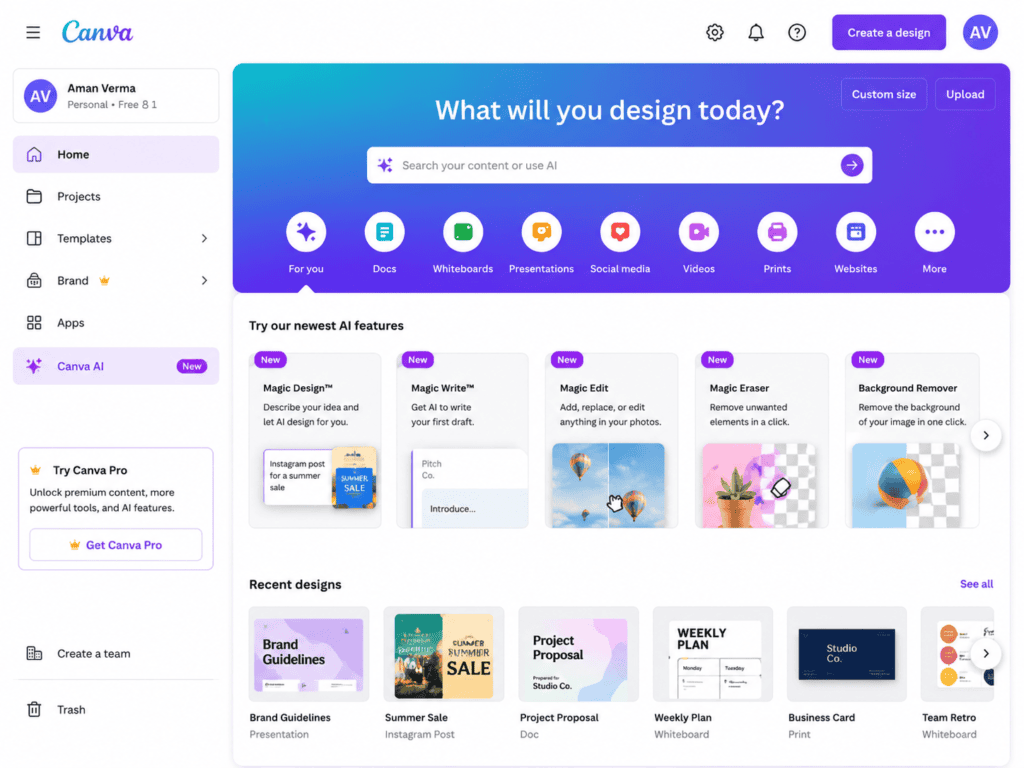
Canva now includes several AI-powered image generation features.
Why Choose Canva
If you already design resumes, presentations, and LinkedIn banners in Canva, keeping everything in one platform is convenient.
Features
- AI Magic Media
- Background removal
- Portrait editing
- Image enhancement
- AI-generated backgrounds
Pros
- Beginner-friendly
- Free plan
- Huge template library
Cons
- Less realistic than dedicated headshot AI
4. Fotor AI Headshot Generator
Fotor is one of the easiest AI portrait tools.
Features
- One-click enhancement
- Background replacement
- AI portrait generation
- Face retouching
- Professional filters
Pros
- Easy interface
- Free credits
- Quick processing
Cons
- Watermark on some free exports
5. Remini AI
Originally designed for photo enhancement, Remini has become an excellent AI portrait creator.
Features
- Face restoration
- AI sharpening
- Portrait enhancement
- Professional quality
- HD export
Pros
- Incredible detail
- Natural skin texture
- Perfect for improving existing photos
Cons
- Limited free credits
6. Dreamwave AI
Dreamwave focuses on highly realistic professional portraits.
Features
- Business clothing
- Studio lighting
- AI-generated backgrounds
- Corporate style
Pros
- Realistic output
- Premium appearance
Cons
- Mostly paid
7. LightX AI
LightX includes AI portrait generation alongside powerful editing tools.
Features
- AI headshots
- Portrait enhancement
- Background removal
- Lighting adjustment
Pros
- Free options
- Easy editing
Cons
- Fewer corporate presets
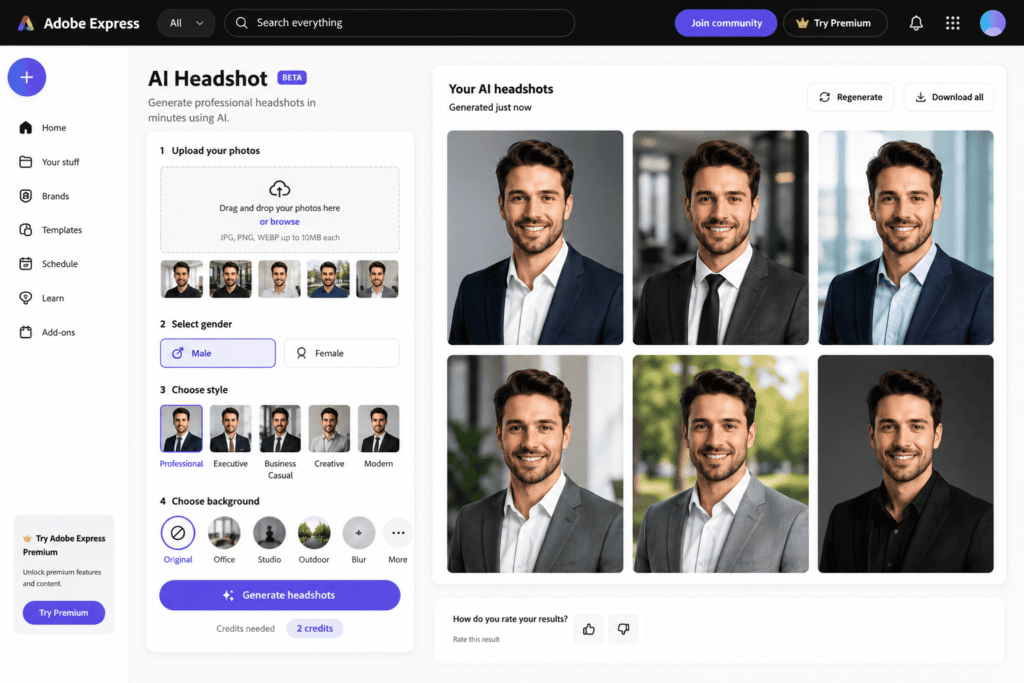
8. Adobe Express AI
Adobe Express offers AI editing tools suitable for LinkedIn profile images.
Features
- Remove background
- Enhance portrait
- AI editing
- Smart resizing
Pros
- Trusted brand
- Excellent editing quality
Cons
- Doesn’t generate fully AI headshots like specialized tools
9. PhotoRoom AI
Known for background removal, PhotoRoom now includes AI portrait features.
Features
- Background replacement
- Professional office backgrounds
- Portrait enhancement
Pros
- Fast workflow
- Great for profile pictures
Cons
- Limited portrait customization
10. Microsoft Designer
Microsoft Designer integrates AI image creation with editing capabilities.
Features
- AI-generated portraits
- Business backgrounds
- Professional styles
- Image enhancement
Pros
- Free usage
- Modern interface
Cons
- Portrait realism varies
Comparison Table
| Tool | Free Plan | Best For | HD Export |
|---|---|---|---|
| BetterPic | Limited | Executive portraits | Yes |
| Aragon AI | Trial | Business headshots | Yes |
| Canva AI | Yes | Beginners | Yes |
| Fotor | Yes | Quick editing | Yes |
| Remini | Yes | Photo enhancement | Yes |
| Dreamwave | Trial | Premium portraits | Yes |
| LightX | Yes | Editing | Yes |
| Adobe Express | Yes | Designers | Yes |
| PhotoRoom | Yes | Background editing | Yes |
| Microsoft Designer | Yes | AI creation | Yes |
How to Create a Professional AI LinkedIn Headshot
Step 1
Take 10–20 selfies in good natural lighting.
Avoid:
- Sunglasses
- Hats
- Heavy shadows
- Low-quality cameras
Step 2
Upload your images to the AI tool.
More reference images usually produce better results.
Step 3
Choose a business style.
Examples include:
- Executive
- Startup Founder
- Corporate
- Office
- Consultant
- Modern Professional
Step 4
Generate multiple versions.
Most tools create several portraits.
Step 5
Select the most natural-looking image.
Avoid images with:
- Over-smoothed skin
- Unrealistic eyes
- Distorted hands
- Odd clothing
- Strange backgrounds
Step 6
Upload the final image to LinkedIn.
Use a square image with at least 800 × 800 pixels.
Tips for Better AI Headshots
Wear Professional Clothing
Choose:
- Blazers
- Dress shirts
- Business casual attire
- Solid colors
Smile Naturally
A relaxed smile appears approachable and trustworthy.
Keep Eye Contact
Looking directly at the camera increases engagement.
Use Simple Backgrounds
Professional backgrounds include:
- Office
- Neutral gray
- White
- Soft blue
- Modern workspace
Avoid Heavy Filters
Natural skin tones perform better than overly edited portraits.
Common Mistakes to Avoid
Many users generate unrealistic portraits because they:
- Upload blurry selfies
- Use poor lighting
- Wear sunglasses
- Mix very different hairstyles
- Upload too few images
- Choose unrealistic AI styles
- Over-edit facial features
AI Headshot vs Professional Photographer
AI Headshot
Advantages:
- Free or inexpensive
- Fast
- Multiple styles
- Easy updates
- Home convenience
Disadvantages:
- May create occasional artifacts
- Less personalized
Professional Photographer
Advantages:
- Authentic
- Personalized
- Consistent lighting
- Natural posing
Disadvantages:
- Expensive
- Requires scheduling
- Limited outfit changes
Are AI Headshots Good for LinkedIn?
Yes.
Many recruiters cannot distinguish high-quality AI headshots from professional photography when the images are realistic.
The key is choosing natural-looking portraits instead of heavily stylized AI artwork.
Privacy Considerations
Before uploading personal photos, always check the platform’s privacy policy.
Look for tools that:
- Delete uploaded images after processing
- Offer secure storage
- Allow account deletion
- Explain how training data is handled
Avoid uploading sensitive personal images unless you trust the provider.
Frequently Asked Questions
Are free AI headshot generators really free?
Many tools offer free credits, limited daily generations, or trial versions. Premium plans usually unlock higher-resolution images and more customization.
Can I use AI headshots on LinkedIn?
Yes. AI-generated headshots are acceptable as long as they accurately represent your current appearance and are not misleading.
Which AI headshot generator looks the most realistic?
Dedicated headshot tools such as BetterPic, Aragon AI, and Dreamwave generally produce the most realistic business portraits, while Canva and Adobe Express are excellent for enhancing existing photos.
Do I need professional photography skills?
No. Most AI headshot generators are designed for beginners and require only a few clear selfies.
Can I use AI headshots on resumes and portfolios?
Absolutely. They work well for resumes, portfolios, personal websites, speaker profiles, freelance marketplaces, and company directories.
How to Choose the Right AI Headshot Generator
Not every AI headshot generator is the same. Some focus on creating completely new AI-generated portraits, while others specialize in enhancing your existing photos. Choosing the right tool depends on your goals, budget, and the level of realism you need.
Choose a Dedicated Headshot Generator If:
- You need a professional LinkedIn profile photo.
- You’re applying for jobs or internships.
- You want executive-style business portraits.
- You need multiple outfit and background options.
Examples include BetterPic, Aragon AI, and Dreamwave AI.
Choose an AI Photo Editor If:
- You already have a good selfie.
- You only need lighting improvements.
- You want to remove or replace the background.
- You need quick edits for social media.
Tools like Canva AI, Adobe Express, Fotor, and PhotoRoom are ideal for these tasks.
How AI Headshot Technology Works
Modern AI headshot generators use deep learning models trained on millions of human portraits. These models understand facial structures, lighting, clothing, expressions, and photography composition to create realistic images.
The typical process involves:
1. Photo Upload
You upload several selfies from different angles. The AI analyzes your face, hairstyle, skin tone, and facial features.
2. Facial Mapping
The AI creates a digital representation of your face, identifying important landmarks such as:
- Eyes
- Nose
- Lips
- Jawline
- Hairline
- Facial symmetry
3. Style Generation
Based on your selected style, the AI generates portraits with:
- Studio lighting
- Business attire
- Office backgrounds
- Professional poses
- Enhanced image quality
4. Image Refinement
The system improves details like:
- Skin texture
- Hair definition
- Color balance
- Contrast
- Sharpness
- Noise reduction
The result is a polished portrait suitable for LinkedIn, resumes, and professional websites.
Best Backgrounds for LinkedIn Headshots
The background of your profile picture plays a significant role in how professional you appear. AI tools make it easy to replace distracting environments with clean, business-friendly settings.
Neutral White Background
A white background is timeless and works well across industries. It creates a clean, distraction-free appearance.
Light Gray Background
Gray offers a modern, corporate look that complements business attire.
Office Environment
A subtle office background conveys professionalism without drawing attention away from your face.
Soft Blue Background
Blue is often associated with trust, confidence, and reliability, making it a popular choice for LinkedIn profiles.
Blurred Workspace
A softly blurred office or coworking space provides context while maintaining focus on the subject.
What to Wear for an AI LinkedIn Headshot
Even though many AI tools can generate business clothing, uploading selfies in appropriate attire usually produces more realistic results.
Recommended Clothing
- Blazer
- Suit jacket
- Dress shirt
- Polo shirt
- Smart blouse
- Business casual sweater
Best Colors
- Navy blue
- Charcoal
- White
- Black
- Dark green
- Beige
Avoid
- Bright neon colors
- Busy patterns
- Hoodies
- Sports jerseys
- Graphic T-shirts
- Wrinkled clothing
Lighting Tips Before Uploading Photos
AI performs best when your original photos are clear and well-lit.
Use Natural Daylight
Stand near a large window with soft daylight for balanced lighting.
Face the Light Source
Avoid standing with your back to the window, as this creates unwanted shadows.
Avoid Harsh Sunlight
Direct sunlight can produce overexposed areas and strong shadows, making AI processing less accurate.
Keep the Camera Steady
Use a tripod or stable surface to reduce blur.
Use the Rear Camera
Rear smartphone cameras generally provide higher image quality than front-facing cameras.
Best Facial Expressions for LinkedIn
Your expression influences how others perceive you professionally.
Gentle Smile
A slight smile appears approachable and confident.
Relaxed Face
Avoid exaggerated expressions. A calm, natural look is ideal.
Direct Eye Contact
Looking toward the camera builds trust and engagement.
Natural Posture
Keep your shoulders relaxed and your head straight.
Industries That Benefit Most from AI Headshots
AI-generated professional portraits are valuable across many careers.
Software Developers
Recruiters often review LinkedIn profiles before scheduling interviews. A polished headshot helps create a positive first impression.
Graphic Designers
Design professionals benefit from visually appealing personal branding, including a modern profile photo.
Marketing Professionals
A professional image supports credibility when networking with clients and employers.
Freelancers
Platforms like Upwork and Fiverr reward trustworthy profiles. A high-quality headshot can improve client confidence.
Real Estate Agents
Clients often choose agents they feel comfortable with. A professional portrait enhances trust.
Consultants
Business consultants rely on authority and professionalism, making a polished headshot essential.
Entrepreneurs
Founders frequently appear on company websites, investor presentations, and LinkedIn. A consistent, high-quality headshot strengthens personal branding.
AI Headshots for Different Platforms
Although this guide focuses on LinkedIn, the same AI-generated portraits can be used across multiple platforms.
Resume
A professional headshot can enhance resumes in industries where photos are common.
Portfolio Website
Adding a polished portrait to your personal website helps visitors connect with you.
Company Profile
Many businesses use employee headshots on team pages and internal directories.
Speaking Engagements
Conference organizers often request speaker photos. AI headshots provide a polished option.
Email Signature
Including a professional portrait in your email signature adds credibility to business communication.
Online Course Platforms
If you teach online, a clean and approachable headshot can help build trust with students.
Tips to Make Your LinkedIn Profile More Professional
A great headshot works best when paired with a well-optimized LinkedIn profile.
Write a Strong Headline
Instead of simply listing your job title, highlight your expertise.
Example:
Graphic Designer | Motion Graphics Artist | AI Content Creator | Social Media Strategist
Create a Professional Banner
Use a clean LinkedIn banner that reflects your industry or personal brand.
Optimize Your About Section
Write a concise summary of your experience, skills, and career goals using relevant keywords.
Highlight Key Skills
Add technical and soft skills that align with your target role, such as:
- Graphic Design
- Adobe Photoshop
- Motion Graphics
- Video Editing
- Artificial Intelligence
- Social Media Marketing
- Branding
- Content Creation
Request Recommendations
Recommendations from colleagues or clients increase credibility and strengthen your profile.
Advanced Tips for Creating Realistic AI Headshots
The quality of your AI-generated headshot depends heavily on the photos you upload. Even the most advanced AI tools perform better when they receive high-quality reference images.
Follow these expert tips for the best results.
Upload Multiple Photos
Instead of uploading just one selfie, provide 10–20 photos taken from different angles. Include a mix of:
- Front-facing photos
- Slight left and right angles
- Smiling and neutral expressions
- Indoor and outdoor lighting
- Different outfits (if supported)
This gives the AI a better understanding of your facial features and produces more consistent results.
Use High-Resolution Images
Avoid blurry or heavily compressed photos. Clear, high-resolution images allow the AI to preserve facial details and create sharper professional portraits.
Keep Your Appearance Consistent
If your uploaded photos show different hairstyles, facial hair, or glasses, the AI may generate inconsistent results. Use recent photos that reflect your current appearance.
Avoid Heavy Beauty Filters
Images that have already been edited with beauty filters can confuse AI models and result in unnatural-looking portraits.
Common Mistakes to Avoid
Many users are disappointed with AI-generated headshots because they overlook a few important details.
Avoid these common mistakes:
Using Low-Quality Selfies
Dark, grainy, or pixelated photos reduce the quality of the final output.
Wearing Casual Clothing
A hoodie or graphic T-shirt may not align with a professional LinkedIn image. Business attire usually produces better results.
Choosing Unrealistic Styles
Some AI generators offer artistic or fantasy styles. While visually interesting, they are not suitable for professional networking platforms.
Ignoring Image Resolution
Always export the highest resolution available. LinkedIn profile photos look much sharper when uploaded in HD quality.
Over-Retouching
Excessive skin smoothing or facial alterations can make your headshot appear artificial. Aim for a polished but authentic look.
AI Headshots vs Traditional Photo Editing
AI headshot generators and traditional photo editors serve different purposes.
| Feature | AI Headshot Generator | Traditional Photo Editor |
|---|---|---|
| Creates new portraits | ✅ | ❌ |
| Enhances existing photos | ✅ | ✅ |
| Generates business attire | ✅ | ❌ |
| Changes backgrounds | ✅ | ✅ |
| Requires editing skills | ❌ | ✅ |
| Fast results | ✅ | ❌ |
| Beginner-friendly | ✅ | Moderate |
For most LinkedIn users, AI headshot generators are the faster and more accessible option.
Privacy and Ethical Considerations
Before uploading your photos to any AI service, take a moment to review its privacy practices.
Consider the following:
- Read the platform’s privacy policy.
- Check whether uploaded photos are deleted after processing.
- Understand how your images are stored and protected.
- See whether your photos may be used to improve AI models.
- Delete your account and uploaded data if you no longer use the service.
Using trusted AI platforms helps protect your personal information.
The Future of AI Headshot Technology
AI image generation is evolving rapidly. In the coming years, users can expect even more advanced capabilities, including:
- Hyper-realistic portrait generation
- Better facial accuracy
- Faster image processing
- Personalized business attire suggestions
- AI-generated corporate branding kits
- Automatic resume and LinkedIn photo optimization
- Consistent profile photos across multiple platforms
- One-click background and lighting adjustments
As these tools improve, creating a professional online presence will become even easier and more affordable.
Frequently Asked Questions (FAQ)
Which free AI headshot generator is best for LinkedIn?
For beginners, Canva AI, Fotor AI, and Microsoft Designer are excellent free options. If you’re looking for highly realistic business portraits, BetterPic and Aragon AI are among the strongest choices, though their free features may be limited.
Can AI replace a professional photographer?
For many LinkedIn profiles, AI-generated headshots are a practical and affordable alternative. However, photographers still offer greater creative control and personalized direction for branding, executive portraits, and commercial use.
Are AI-generated headshots accepted by recruiters?
Yes. Recruiters generally value a clear, professional, and authentic-looking profile photo. As long as the AI image accurately represents your appearance, it is suitable for LinkedIn and professional networking.
Can I use AI headshots for my resume?
Yes. In regions and industries where resume photos are common, an AI-generated professional headshot can also be used on resumes, portfolios, speaker bios, and personal websites.
How many selfies should I upload?
Most AI tools recommend uploading between 10 and 20 high-quality photos from different angles to achieve the most accurate and realistic results.
Are AI headshots safe?
Reputable AI platforms use secure processing and provide information about how uploaded images are stored or deleted. Always review the privacy policy before uploading personal photos.
Final Verdict
AI headshot generators have made professional photography more accessible than ever. Whether you’re searching for a new job, building a freelance portfolio, growing your personal brand, or expanding your professional network, a polished LinkedIn headshot can significantly improve your online presence.
If you want the most realistic business portraits, dedicated tools like BetterPic, Aragon AI, and Dreamwave AI deliver impressive results. For users who prefer free and beginner-friendly solutions, Canva AI, Fotor AI, Adobe Express, Microsoft Designer, and PhotoRoom provide excellent editing and enhancement features.
The key to achieving a great AI headshot is using clear, high-quality selfies, selecting a natural business style, and avoiding excessive editing. A realistic, approachable image paired with a complete and optimized LinkedIn profile can help you stand out to recruiters, clients, and potential employers.
As AI technology continues to improve, professional-quality headshots will become even easier to create, making personal branding more accessible to everyone.
Conclusion
A strong LinkedIn profile begins with a professional first impression, and your profile photo is one of its most important elements. Free AI headshot generators allow anyone to create polished, studio-style portraits without expensive equipment or photography sessions.
By choosing the right AI tool, uploading high-quality reference photos, and following best practices for lighting, clothing, and composition, you can create a headshot that reflects confidence, credibility, and professionalism.
Whether you’re a student, job seeker, entrepreneur, freelancer, or experienced professional, investing a few minutes in creating a high-quality AI-generated headshot can improve your personal brand and increase your visibility on LinkedIn. Explore the tools covered in this guide, compare their features, and select the one that best matches your goals to elevate your online presence.
Check out here if you want to know about Best Free AI Product Photography Background Changers for E-commerce (2026 Guide)