
Design Custom Sticker Introduction
Design Custom Sticker: Custom sticker packs have become one of the fastest-growing forms of digital and printable content. Whether you’re creating stickers for WhatsApp, Telegram, iMessage, Discord, planners, laptops, journals, Cricut projects, or print-on-demand stores like Etsy and Redbubble, eye-catching sticker designs can attract a wide audience.
In the past, designing professional stickers required advanced illustration skills and expensive software such as Adobe Illustrator or Photoshop. Today, free AI art tools make it possible for anyone to generate unique, high-quality sticker artwork in minutes. With just a text prompt, AI can create cute animals, anime characters, emojis, food illustrations, aesthetic icons, and countless other sticker styles.
This guide explains how to design custom sticker packs using free AI art tools, introduces the best free platforms, and shares practical tips for creating stickers that look professional and are ready for digital or print use.
Why AI Is Transforming Sticker Design
Artificial intelligence has changed the creative process by making illustration faster and more accessible. Instead of drawing every element manually, you can describe the design you want and let AI generate multiple versions in seconds.
Benefits of Using AI for Sticker Design
- No drawing experience required
- Generate original artwork quickly
- Save time compared to manual illustration
- Experiment with different art styles
- Create consistent sticker collections
- Suitable for digital and printable stickers
- Free tools are available online
AI allows beginners and professionals alike to turn ideas into polished designs with minimal effort.
What Makes a Good Sticker Pack?
Successful sticker packs share several characteristics.
Consistent Style
All stickers should follow the same visual theme, color palette, and illustration style.
Transparent Background
Transparent PNG files make stickers easy to use across messaging apps and printing workflows.
Bold Outlines
A white or colored outline helps stickers stand out on different backgrounds.
Simple Details
Small, clean illustrations are easier to recognize and more effective at sticker size.
High Resolution
Design your stickers at a high resolution so they remain sharp when printed or resized.
Best Free AI Art Tools for Designing Sticker Packs
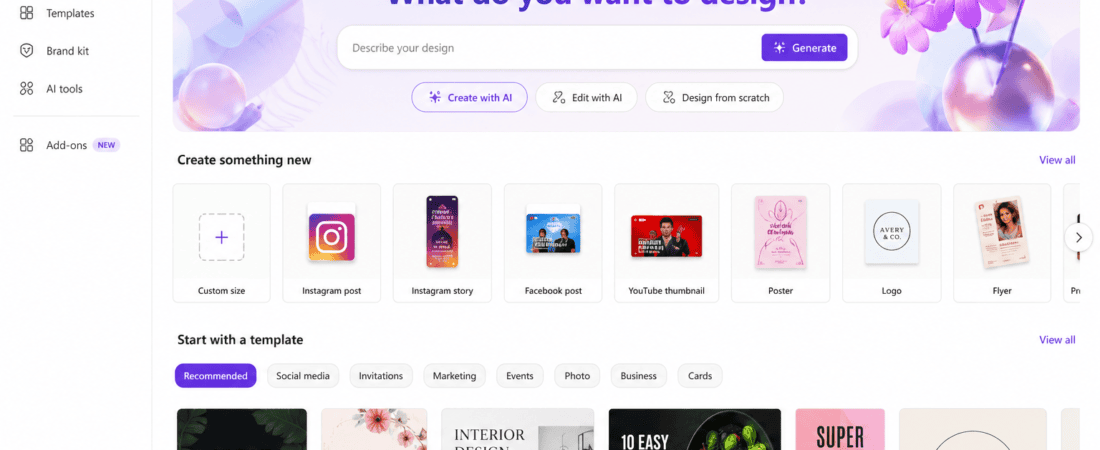
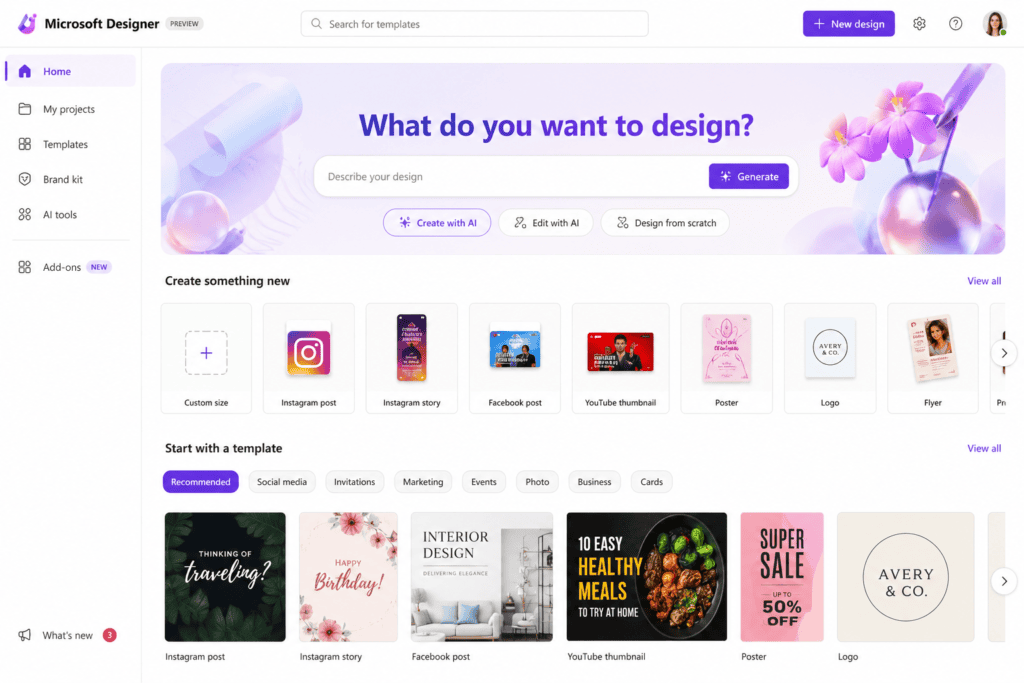
1. Microsoft Designer
Microsoft Designer uses AI to generate illustrations, graphics, and digital artwork from text prompts. It is ideal for beginners who want a simple interface.
Features
- AI image generation
- Transparent background support
- Built-in design editor
- Quick resizing
- Free cloud-based access
Pros
- Easy to use
- Fast image generation
- Integrated editing tools
Cons
- Daily generation limits
- Some advanced features require a Microsoft account
Best For: Social media stickers, planners, and printable designs.
2. Adobe Firefly
Adobe Firefly offers high-quality AI image generation with excellent control over styles, colors, and compositions.
Key Features
- Text-to-image generation
- Vector-inspired artwork
- Style customization
- Commercial-friendly outputs (subject to Adobe’s terms)
- High-quality exports
Pros
- Excellent illustration quality
- Clean graphic styles
- Reliable prompt interpretation
Cons
- Credit-based free usage
- Requires an Adobe account
Best For: Professional-looking sticker artwork and branding.
3. Canva AI
Canva combines AI image generation with an easy-to-use design editor, making it simple to arrange sticker sheets and prepare printable layouts.
Features
- AI image generator
- Drag-and-drop editor
- Transparent background (plan dependent)
- Text and shapes
- Ready-made templates
Pros
- Beginner friendly
- Excellent for sticker sheets
- Easy export options
Cons
- Some premium assets require a subscription
- Advanced editing features are limited in the free version
Best For: Printable sticker packs and social media assets.
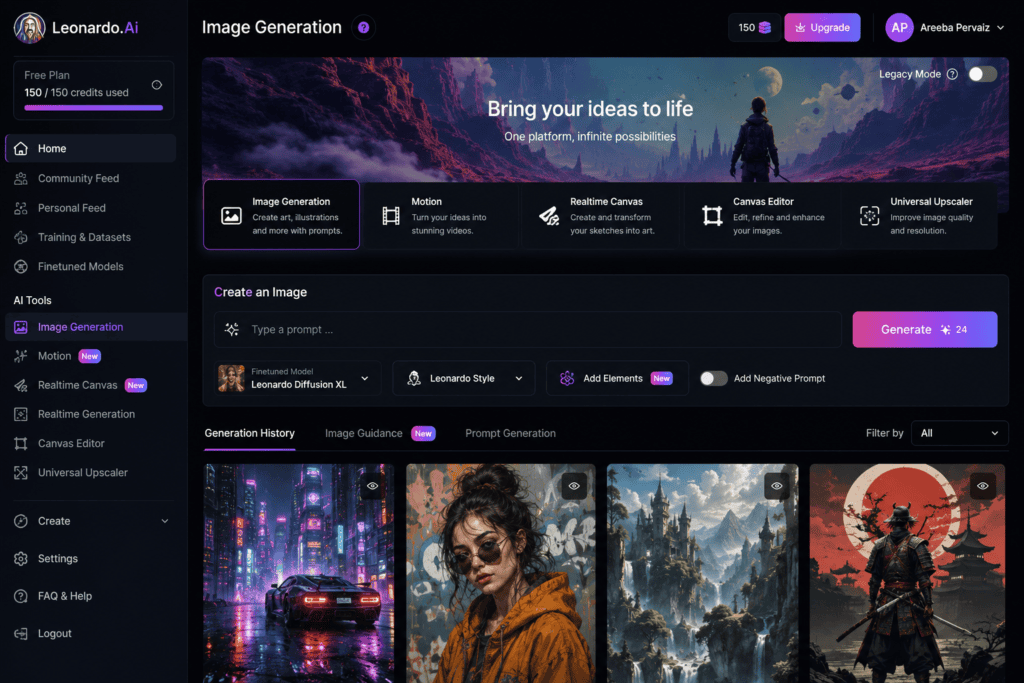
4. Leonardo AI
Leonardo AI is popular for creating detailed illustrations and character designs. It offers a variety of models that work well for cute, cartoon, anime, and fantasy sticker styles.
Features
- Multiple AI models
- Prompt enhancement
- Fine-tuned image generation
- Community inspiration
- Daily free tokens
Pros
- High-quality artwork
- Wide variety of styles
- Great prompt accuracy
Cons
- Token limits for free users
- Learning curve for beginners
Best For: Character stickers, gaming themes, and fantasy artwork.
5. Mage.Space
Mage.Space is a browser-based AI image generator that offers free image creation without complicated setup.
Features
- Text-to-image generation
- Multiple artistic styles
- Fast rendering
- No software installation
- Community models
Pros
- Free to use
- Simple interface
- Supports creative experimentation
Cons
- Results can vary depending on the selected model
- Some advanced models may require sign-in
Best For: Quick concept stickers and experimenting with different artistic styles.
Popular Sticker Pack Ideas
If you’re unsure where to start, consider these themes:
- Cute animals
- Food and drinks
- Kawaii characters
- Motivational quotes
- Emoji reactions
- Office humor
- Gaming icons
- Travel stickers
- Floral illustrations
- Seasonal holidays
- Study planner icons
- Fitness stickers
- Pet stickers
- Cartoon monsters
- Coffee-themed packs
- Space and galaxy designs
- Fantasy creatures
- Minimal aesthetic icons
- Retro illustrations
- Hand-drawn doodles
Choosing a clear theme helps create a cohesive pack that users are more likely to download or purchase.
Planning Your Sticker Pack
Before generating artwork, spend a few minutes planning.
Ask yourself:
- Who is the target audience?
- Will the stickers be digital, printable, or both?
- What illustration style do you want?
- How many stickers will be included?
- Which colors fit the theme?
- Do you want speech bubbles or text?
A simple plan ensures your designs remain consistent and professional.
More Free AI Art Tools for Sticker Design
6. Ideogram AI
Ideogram AI is well known for producing high-quality illustrations and accurately generating text within images. It’s an excellent choice if your stickers include captions, quotes, or labels.
Features
- AI text-to-image generation
- Excellent text rendering
- Multiple artistic styles
- Community gallery
- Free daily generations
Pros
- Great for quote stickers
- Sharp illustrations
- Easy-to-use interface
Cons
- Limited free generations
- Advanced options require sign-in
Best For: Quote stickers, planner stickers, and branding elements.
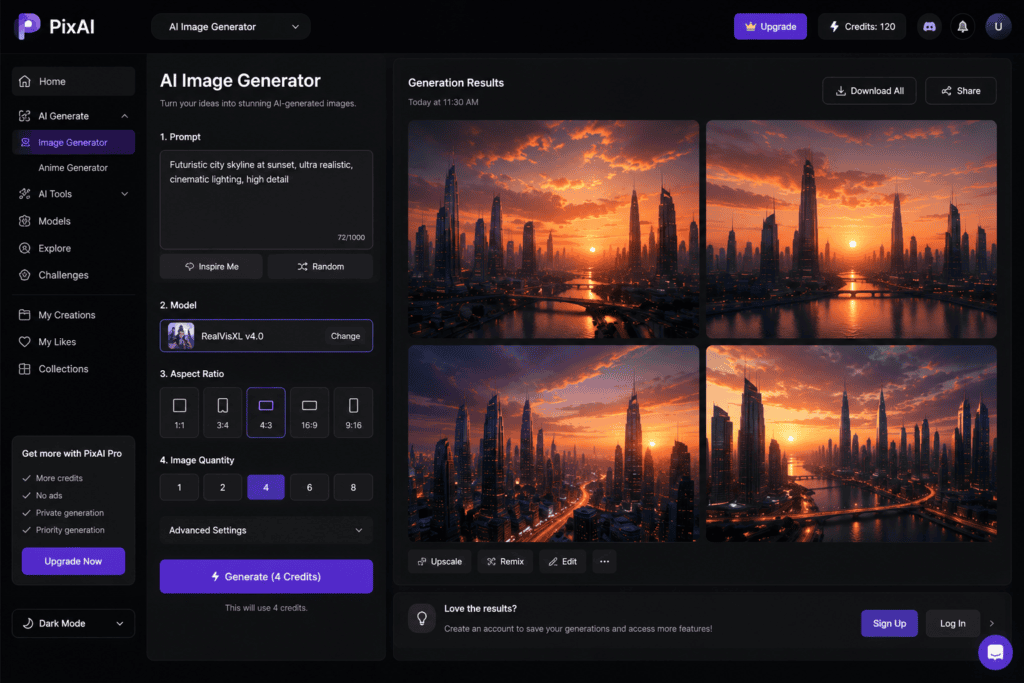
7. Playground AI
Playground AI combines AI image generation with editing capabilities, making it easy to refine sticker designs without switching between multiple tools.
Features
- Text-to-image generation
- AI image editing
- Background removal
- Image expansion
- Layer editing
Pros
- Beginner-friendly
- Fast workflow
- Good image quality
Cons
- Daily generation limits
- Some premium features locked
Best For: Printable sticker sheets and creative illustrations.
8. PixAI
PixAI specializes in anime and manga-inspired artwork, making it ideal for creators targeting anime fans.
Features
- Anime AI models
- Character customization
- Style presets
- Daily free credits
- Community inspiration
Pros
- Excellent anime quality
- Consistent character generation
- Fast rendering
Cons
- Less suitable for realistic styles
- Free credits are limited
Best For: Anime sticker packs and gaming-themed designs.
9. Stable Diffusion Web
Stable Diffusion-based web apps provide extensive creative flexibility through custom AI models and prompt controls.
Features
- Text-to-image generation
- Community models
- Style customization
- Negative prompts
- High-resolution output
Pros
- Highly customizable
- Wide range of artistic styles
- Strong community support
Cons
- More advanced interface
- Results depend on prompt quality
Best For: Professional creators seeking greater control.
10. Bing Image Creator (Microsoft Copilot)
Powered by advanced AI image generation, Bing Image Creator is a free option for creating colorful illustrations suitable for stickers.
Features
- Free AI image generation
- Fast processing
- Multiple image variations
- Browser-based
- Easy sharing
Pros
- Free to use
- Good prompt understanding
- High-quality illustrations
Cons
- Daily boost limits
- Limited editing options
Best For: Beginners and hobbyists.
Comparison Table
| AI Tool | Free Version | Best For | Transparent Background | Ease of Use |
|---|---|---|---|---|
| Microsoft Designer | Yes | Beginners | Limited | ⭐⭐⭐⭐⭐ |
| Adobe Firefly | Yes | Professional artwork | Yes | ⭐⭐⭐⭐ |
| Canva AI | Yes | Sticker sheets | Limited | ⭐⭐⭐⭐⭐ |
| Leonardo AI | Yes | Character stickers | No | ⭐⭐⭐⭐ |
| Mage.Space | Yes | Creative concepts | No | ⭐⭐⭐⭐ |
| Ideogram AI | Yes | Text stickers | No | ⭐⭐⭐⭐ |
| Playground AI | Yes | Editing | Yes | ⭐⭐⭐⭐ |
| PixAI | Yes | Anime stickers | No | ⭐⭐⭐⭐ |
| Stable Diffusion Web | Yes | Advanced users | Depends on model | ⭐⭐⭐ |
| Bing Image Creator | Yes | General illustrations | No | ⭐⭐⭐⭐⭐ |
Step-by-Step Guide to Creating AI Sticker Packs
Step 1: Choose a Theme
A focused theme makes your sticker pack more attractive.
Examples include:
- Cute cats
- Coffee lovers
- Travel icons
- Food emojis
- Study planner stickers
- Kawaii animals
- Gaming expressions
- Floral designs
- Fitness motivation
- Seasonal holidays
Step 2: Write Effective AI Prompts
The quality of your sticker depends heavily on the prompt.
Good Prompt Example
Cute smiling panda holding bubble tea, kawaii style, white outline, pastel colors, vector illustration, transparent background, sticker design
Another Example
Cartoon avocado with sunglasses, happy expression, thick white border, clean vector art, isolated sticker
Include details such as:
- Art style
- Character
- Pose
- Colors
- Background
- Outline
- Lighting
- Quality
Specific prompts usually produce better results than short, generic ones.
Step 3: Generate Multiple Variations
Instead of accepting the first image, generate several versions.
Compare:
- Facial expressions
- Colors
- Composition
- Line quality
- Details
- Sticker readability
Choose the strongest design before moving on.
Step 4: Remove the Background
Most messaging apps and print workflows require transparent backgrounds.
If your AI tool doesn’t generate transparent images, use a free background remover.
A transparent PNG makes your sticker more versatile.
Step 5: Add a White Outline
Professional stickers almost always include a bold outline.
Benefits include:
- Better visibility
- Cleaner appearance
- Easier cutting for printable stickers
- Improved contrast on dark backgrounds
Many design tools let you add an outline with just a few clicks.
Step 6: Resize Your Stickers
Common sizes include:
| Platform | Recommended Size |
|---|---|
| 512 × 512 px | |
| Telegram | 512 × 512 px |
| Discord | 320 × 320 px or higher |
| 300 DPI at desired dimensions | |
| Cricut | High-resolution PNG |
Always export at the highest quality available.
Step 7: Organize a Sticker Pack
A typical sticker pack contains between 16 and 30 stickers that follow the same visual style.
Example set:
- Happy
- Sad
- Angry
- Laughing
- Thinking
- Love
- Celebration
- Sleepy
- Crying
- Excited
- Confused
- Thumbs up
- Thank you
- Good morning
- Good night
- Congratulations
Consistent expressions make sticker packs more useful in daily conversations.
Tips for Better AI Sticker Designs
Improve your results with these best practices:
- Use simple backgrounds or transparent backgrounds.
- Maintain one consistent art style.
- Avoid cluttered compositions.
- Keep text large and readable.
- Use bright, harmonious colors.
- Add bold outlines.
- Test stickers at small sizes.
- Save editable versions for future updates.
Can You Sell AI-Generated Sticker Packs?
Yes, many creators sell AI-generated sticker packs online. However, always review the licensing terms of the AI platform you use to ensure commercial use is allowed.
Popular marketplaces include:
- Etsy
- Redbubble
- Gumroad
- Creative Market
- Shopify
- Ko-fi
You can also distribute digital sticker packs for messaging apps or offer printable sticker sheets for home cutting machines.
5. Ignoring Licensing Terms
Before selling AI-generated stickers, review the commercial use policy of the AI tool you’re using. Some platforms have restrictions or require paid plans for commercial projects.
Expert Tips for Professional Sticker Packs
Use these techniques to make your stickers stand out:
Keep a Consistent Color Palette
Using the same colors across your collection creates a polished and recognizable style.
Add Personality
Facial expressions, gestures, and playful poses make stickers more engaging and fun to use.
Test on Multiple Devices
Preview your stickers on phones, tablets, and desktops to ensure they remain clear at different sizes.
Create Matching Sets
Offer themed packs such as:
- Food lovers
- Cute pets
- Office reactions
- Study motivation
- Gaming emotions
- Holiday celebrations
- Travel adventures
- Fitness goals
Matching collections encourage users to download or purchase multiple packs.
Save Editable Files
Keep original AI images and editable project files so you can update or expand your sticker packs later.
Where to Use AI Sticker Packs
AI-generated stickers are useful for a variety of digital and print applications.
Messaging Apps
- Telegram
- iMessage
- Discord
Print Projects
- Planner stickers
- Scrapbooks
- Journals
- Gift packaging
- Water bottles
- Laptops
- Notebooks
- Phone cases
Online Content
- Instagram Stories
- Pinterest Pins
- YouTube thumbnails
- Digital planners
- Blog graphics
Print-on-Demand Products
- Sticker sheets
- Die-cut stickers
- Vinyl decals
- Magnets
- Greeting cards
Monetizing AI Sticker Packs
If you want to turn your creativity into income, AI sticker packs can be a great digital product.
Popular monetization methods include:
- Selling printable sticker sheets on Etsy.
- Offering digital downloads through Gumroad or Ko-fi.
- Launching a Shopify store with themed collections.
- Selling print-on-demand stickers through Redbubble or similar platforms.
- Creating custom sticker packs for businesses or influencers.
- Designing branded sticker sets for social media creators.
To increase sales, optimize your product titles, use relevant keywords, and showcase high-quality preview images.
Frequently Asked Questions (FAQs)
1. Can I create stickers with AI for free?
Yes. Many AI art tools provide free image generation with daily limits or credit-based systems, making them suitable for personal projects and experimentation.
2. Which AI tool is best for sticker design?
Microsoft Designer, Adobe Firefly, Canva AI, Leonardo AI, and Ideogram AI are among the best free options, depending on your preferred style and workflow.
3. Do I need graphic design experience?
No. AI tools allow beginners to create professional-looking sticker artwork simply by writing detailed text prompts.
4. What file format should I use?
PNG with a transparent background is the preferred format for both digital messaging apps and printable stickers.
5. Can I print AI-generated stickers?
Yes. Export high-resolution images (preferably 300 DPI) for crisp, high-quality printed stickers.
6. How many stickers should a pack include?
Most successful sticker packs contain between 16 and 30 coordinated designs, though you can create larger themed collections.
7. Can I sell AI-generated sticker packs?
In many cases, yes. However, always verify the commercial licensing terms of the AI platform you use before selling your artwork.
8. What size should WhatsApp stickers be?
WhatsApp recommends 512 × 512 pixels with a transparent background.
9. Can I edit AI-generated stickers later?
Absolutely. You can enhance colors, add outlines, remove backgrounds, resize images, or combine AI artwork with traditional design software.
10. Are AI-generated stickers unique?
AI creates new images based on your prompts, but uniqueness depends on the specificity of your prompts and the platform’s generation process. Adding your own edits helps create a more distinctive final product.
Final Thoughts
AI has made sticker design more accessible than ever. Whether you’re creating fun reaction stickers, printable planner icons, or products to sell online, free AI art tools let you produce high-quality artwork in a fraction of the time required by traditional illustration methods.
The key to professional-looking sticker packs is consistency. Choose a clear theme, write detailed prompts, use transparent backgrounds, apply bold outlines, and organize your designs into cohesive collections. With practice, you can build a portfolio of sticker packs that are both visually appealing and commercially valuable.
Conclusion
Designing custom sticker packs no longer requires advanced artistic skills or expensive software. Free AI art tools empower anyone to transform creative ideas into polished digital or printable stickers within minutes.
Experiment with different platforms, refine your prompts, and compare results to discover which AI tool best matches your style. Whether you’re making stickers for personal use, messaging apps, social media, or online marketplaces, AI can dramatically simplify the design process while helping you create eye-catching, high-quality collections.
Start with a small themed pack, gather feedback, and continue improving your designs. As AI technology evolves, creating unique sticker packs will become even faster and more creative.
Checkout here if you want to know about 10 Best Free AI Tools to Colorize Old Black and White Photos Automatically