
Interactive Quiz Content: Getting people to stop scrolling is difficult.
Getting them to actually interact with your content is even harder.
A person might watch a Reel for five seconds, skim a blog post, or scroll past an Instagram carousel without doing anything. But a quiz creates a different kind of response.
Instead of simply consuming content, people have to choose an answer, make a prediction, test their knowledge, or compare themselves with others.
That is why interactive quizzes have become such a useful content format for marketers, bloggers, educators, creators, coaches, and businesses.
The good news is that you don’t need to spend hours writing questions manually.
Free AI tools can help brainstorm quiz topics, generate questions, create answer choices, write explanations, develop personality quizzes, and even turn existing content into interactive quiz ideas.
I’ve found that the most useful way to approach AI quiz creation isn’t to ask an AI tool to simply “make a quiz.”
A better workflow is to give it the audience, subject, difficulty level, objective, and desired format.
That produces content that feels much more intentional.
In this guide, I’ll explain the best free AI tools for generating interactive quiz content, how I would use each one, useful prompts, quiz formats, engagement strategies, common mistakes, and a complete workflow for turning one piece of content into multiple interactive quizzes.
Why Interactive Quizzes Work So Well
Traditional content is usually passive.
A blog post says:
“Here are five things you should know.”
A quiz says:
“How many of these five things do you already know?”
That small difference changes the user’s role.
They become a participant.
Quizzes can be used for:
- Audience engagement
- Lead generation
- Education
- Entertainment
- Product recommendations
- Market research
- Social media engagement
- Email marketing
- Website interaction
- Customer segmentation
- Brand awareness
For example, a skincare brand could publish:
“What’s Your Skin-Care Routine Type?”
A marketing agency could create:
“How Strong Is Your Social Media Strategy?”
A food blog could publish:
“Can You Identify These Popular Dishes?”
An AI tools blog could create:
“Which AI Tool Is Best for Your Workflow?”
The possibilities are practically endless.
How AI Helps With Quiz Creation
Creating a good quiz involves more than writing questions.
You need to think about:
- The topic
- The audience
- Question difficulty
- Answer options
- Correct answers
- Explanations
- Quiz length
- Personality or scoring system
- Introduction
- Results
- Call to action
AI can help with almost every part of this process.
For example, I could give an AI assistant this prompt:
“Create a 10-question beginner-friendly quiz about social media marketing for small-business owners. Each question should have four answer choices, one correct answer, and a short explanation. Keep the language conversational and avoid overly technical terminology.”
That is already much more useful than simply saying:
“Make a social media quiz.”
What Makes a Good Interactive Quiz?
Before choosing an AI tool, it’s important to understand what makes a quiz engaging.
Keep questions short
Long questions can feel like homework.
Short questions are easier to answer.
Use believable options
If three answers are obviously wrong, people don’t have to think.
Add curiosity
A question such as:
“Which of these is actually hurting your Instagram reach?”
creates curiosity.
Give feedback
Don’t just say:
Correct.
Explain why.
Make the result meaningful
A personality quiz should tell users something useful or entertaining about themselves.
Keep the pace moving
For most social and marketing quizzes, 5–15 questions is a practical range.
1. ChatGPT — My Flexible Choice for Quiz Brainstorming
ChatGPT is one of the most flexible options when I want to develop a quiz from scratch.
The main advantage is that I can keep refining the quiz through conversation.
How I would use it
I start with the audience.
For example:
“I run an AI tools blog for beginners. Give me 20 interactive quiz ideas that would be interesting to readers who want to learn about free AI tools.”
Then I choose one.
Suppose I like:
“How Good Are You at Using AI?”
I can ask:
“Turn this into a 10-question quiz with four answer options per question. Make the questions practical rather than theoretical.”
Then I can improve it further:
“Make the wrong answers realistic enough that beginners might genuinely choose them.”
This is where conversational AI becomes useful.
I can keep adjusting:
- Difficulty
- Tone
- Question length
- Audience
- Number of questions
- Scoring
- Explanations
What I like about this workflow
I’m not limited to one generation.
I can develop the quiz in stages.
Best for
- Quiz brainstorming
- Knowledge quizzes
- Personality quizzes
- Educational content
- Social media quiz ideas
- Blog quizzes
2. Google Gemini — Useful for Turning Topics Into Quiz Questions
Gemini can be useful when I already have a topic and want to generate multiple question angles.
How I would use it
Suppose the topic is:
“Email marketing.”
Instead of immediately requesting a quiz, I might ask:
“List 30 interesting questions an email marketing beginner might enjoy answering. Divide them into beginner, intermediate, and advanced levels.”
Then I select the strongest questions.
After that:
“Turn questions 1, 4, 7, 11, and 18 into a conversational quiz with four answer choices and explanations.”
This gives me more control over the final result.
I can also ask Gemini to identify questions that are too obvious or repetitive.
What I like about this workflow
It allows me to explore a topic before committing to the final quiz.
Best for
- Topic research
- Question brainstorming
- Educational quizzes
- Difficulty-based quizzes
- Content repurposing
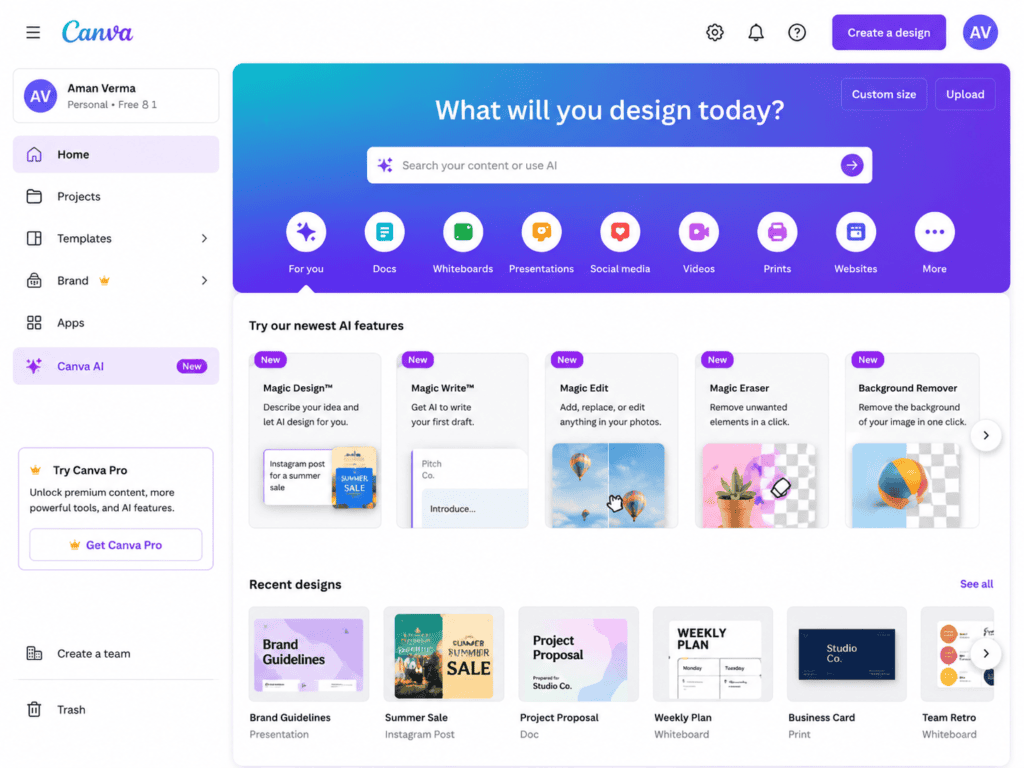
3. Canva — My Choice When the Quiz Needs Visual Appeal
Canva becomes particularly useful when quiz content needs to look good on social media.
A great quiz can lose engagement if the design is difficult to read.
How I would use it
I would first generate the questions with AI.
Then I would turn them into visual content.
For example:
Slide 1:
“Can You Guess Which AI Tool Does This?”
Slide 2:
Question + four options
Slide 3:
Answer + explanation
Slide 4:
“How many did you get right?”
This format can work particularly well for Instagram carousels, Pinterest graphics, presentations, and educational posts.
I can also use AI-generated copy to create several visual quiz styles:
- Minimal
- Colorful
- Corporate
- Educational
- Playful
- Luxury
- Gen Z-style
What I like about this workflow
The quiz becomes something people can actually interact with visually instead of remaining a block of text.
Best for
- Instagram quizzes
- Facebook posts
- Educational graphics
- Quiz carousels
- Branded content
4. Quizizz — Useful for Educational and Knowledge Quizzes
Quizizz is particularly useful when the goal is to turn questions into an actual interactive quiz experience.
How I would use it
I would first generate the questions using AI.
For example:
“Create 15 multiple-choice questions about basic digital marketing. Include four answer options, one correct answer, and a one-sentence explanation.”
Then I would transfer the questions into an interactive quiz platform.
This is useful for:
- Teachers
- Trainers
- Online courses
- Workshops
- Employee training
- Educational creators
The important part is not to rely blindly on AI-generated answers.
I would check every question before publishing, especially for technical or factual topics.
What I like about this workflow
It moves the quiz from an ordinary content document into something an audience can actively participate in.
Best for
- Education
- Training
- Classroom quizzes
- Workshops
- Knowledge testing
5. Kahoot! — Great for Live Audience Engagement
Kahoot! is another well-known platform for interactive quizzes and live participation.
How I would use it
If I were creating a live workshop, I’d use AI to prepare questions first.
For example:
“Create 10 quick marketing questions for a live audience of beginner entrepreneurs. Keep each question answerable in under 20 seconds.”
That’s important because live quizzes shouldn’t feel like exams.
The questions should be quick enough to keep the energy moving.
I could then create questions around:
- Marketing myths
- Social media
- Branding
- AI tools
- Business basics
A live quiz can also be used as an icebreaker.
For example:
“Which social platform do you use most?”
or:
“How many AI tools have you used this month?”
Not every question has to test knowledge.
What I like about this workflow
It combines AI-assisted preparation with real-time audience participation.
Best for
- Workshops
- Webinars
- Classes
- Events
- Team training
- Live presentations
6. Typeform — Useful for Personality and Lead-Generation Quizzes
Typeform is particularly useful when the quiz needs to feel polished and conversational.
How I would use it
I would use AI to design the quiz logic first.
For example, imagine I’m running a digital marketing agency.
I could create:
“What Type of Marketing Strategy Does Your Business Need?”
Questions could ask:
- Business size
- Current marketing channels
- Main challenge
- Monthly budget range
- Content frequency
- Primary goal
AI can help me develop the questions and map possible results.
For example:
Result A: Content Growth Strategy
Result B: Paid Advertising Strategy
Result C: Brand Awareness Strategy
Result D: Conversion Optimization Strategy
The quiz becomes more than entertainment.
It becomes a useful diagnostic tool.
What I like about this workflow
The question-and-answer format can feel more like a conversation than a traditional questionnaire.
Best for
- Lead generation
- Business quizzes
- Personality quizzes
- Product recommendations
- Customer segmentation
7. Jotform — Useful for Practical Quiz and Form Workflows
Jotform can be useful when I want quiz content combined with forms, submissions, or business workflows.
How I would use it
I could ask AI to create:
10 questions → scoring rules → result categories → recommendation
Then build that structure into a form.
For example, a web design agency could create:
“How Ready Is Your Website for More Customers?”
The results could categorize users into:
- Beginner
- Needs Improvement
- Good Foundation
- Conversion Ready
The final result could provide practical recommendations.
What I like about this workflow
It can turn a quiz into something connected to a larger lead or information-gathering process.
Best for
- Business websites
- Lead generation
- Assessments
- Surveys
- Customer forms
8. Microsoft Copilot — Useful for Quiz Ideas From Existing Content
Microsoft Copilot can be helpful when I already have content and want to repurpose it.
Imagine I’ve written a 2,000-word article about:
“How to Use AI for Social Media Marketing.”
Instead of creating a new quiz from nothing, I can ask:
“Create 15 quiz questions based only on the information in this article. Use four answer choices and include the correct answer and a short explanation.”
This is a great content-repurposing workflow.
One article can become:
- Blog post
- Quiz
- Instagram carousel
- Poll
- Newsletter
- Short video
- FAQ
What I like about this workflow
It saves time because I’m getting additional content from material I’ve already created.
Best for
- Content repurposing
- Blog quizzes
- Educational content
- Business training
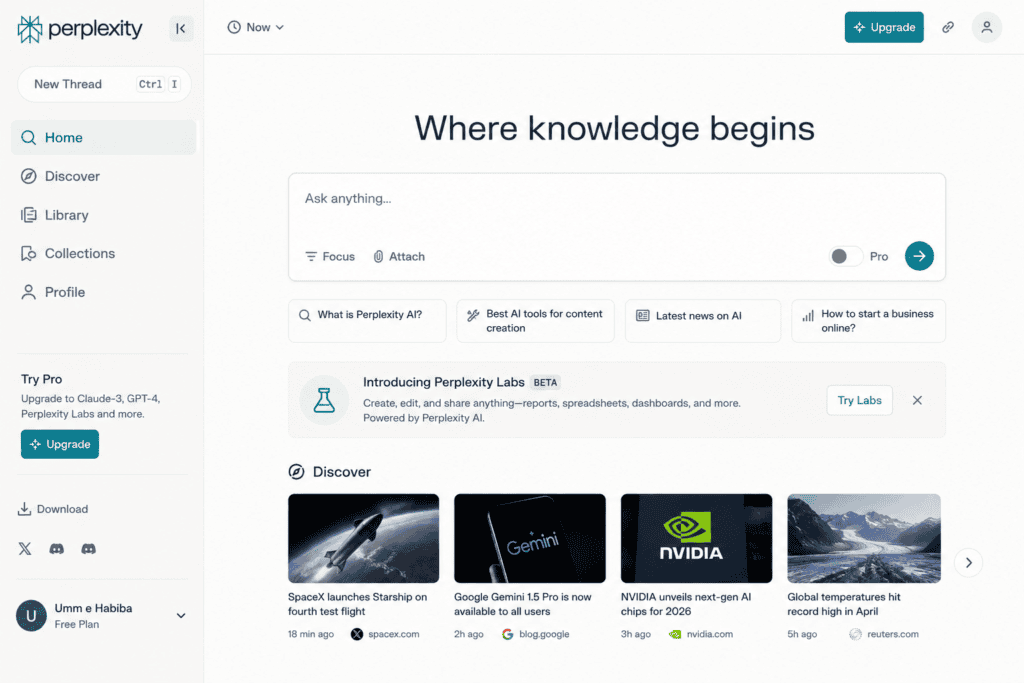
9. Perplexity — Useful for Research-Heavy Quiz Topics
Perplexity can be useful when I want to create quizzes around factual subjects that require research.
For example:
“How Much Do You Know About Artificial Intelligence?”
Before writing questions, I would research the facts.
Then I would ask AI to help turn verified information into quiz questions.
A useful prompt would be:
“Based on the verified information provided, create 12 multiple-choice questions. Avoid ambiguous questions and make sure every correct answer is directly supported by the source material.”
That’s important.
AI-generated quizzes can contain incorrect facts if the source material isn’t checked.
What I like about this workflow
It encourages me to build factual quizzes around researched information rather than relying entirely on memory.
Best for
- Research quizzes
- Current topics
- Educational content
- Fact-based quizzes
10. Adobe Express — Useful for Branded Quiz Graphics
Adobe Express can be useful when I’m turning quiz questions into branded social content.
How I would use it
I would create a consistent template containing:
- Brand logo
- Brand colors
- Question area
- Answer options
- CTA
Then I can create multiple quiz posts using the same visual system.
For example:
Question:
“Which of these is NOT a good email subject line?”
A
B
C
D
Then the next slide reveals the answer.
What I like about this workflow
Consistency matters when creating a series of interactive posts.
People should recognize the content as belonging to the same brand.
Best for
- Social media graphics
- Branded quizzes
- Educational posts
- Visual content series
How to Create Different Types of AI Quizzes
AI becomes much more useful when you understand the different quiz formats.
Knowledge quizzes
These test what the audience knows.
Example:
“How Much Do You Know About SEO?”
Personality quizzes
These categorize people.
Example:
“What Type of Content Creator Are You?”
Product recommendation quizzes
These help people choose products.
Example:
“Which Skincare Product Is Right for You?”
Trivia quizzes
These are designed primarily for entertainment.
Assessment quizzes
These identify strengths and weaknesses.
Example:
“How Strong Is Your Website’s SEO?”
Poll-style quizzes
These encourage opinions rather than right or wrong answers.
How to Write Better AI Quiz Prompts
The quality of your prompt strongly affects the quality of the quiz.
Instead of:
“Make a quiz about Instagram.”
Use:
“Create a 10-question interactive Instagram marketing quiz for small-business owners who have basic knowledge of social media. Use four realistic answer choices per question. Include one correct answer, a short explanation, and a difficulty rating. Make the questions practical and conversational. Avoid questions that depend on rapidly changing Instagram features.”
That’s much more specific.
Prompt for a Personality Quiz
“Create a 10-question personality quiz that identifies which type of content creator a person is. Each question should have four answer choices. Each choice should contribute to one of four personality types. At the end, provide a short description, strengths, weaknesses, and recommended content strategy for each type.”
This gives AI a scoring framework instead of just questions.
Prompt for a Product Recommendation Quiz
“Create a 7-question product recommendation quiz for an online skincare store. Questions should cover skin concerns, preferred routine length, product preferences, and budget. Create four possible result categories. Avoid making medical claims and make the recommendations informational rather than diagnostic.”
This can be adapted to:
- Clothing
- Cosmetics
- Software
- Fitness products
- Home decor
- Food
- Travel
Prompt for a Social Media Quiz
“Create 12 short Instagram quiz questions about digital marketing. Make the questions suitable for entrepreneurs and freelancers. Each should contain four answer options and one correct answer. Add a one-sentence explanation after each answer. Make at least three questions surprising enough to encourage people to share their scores.”
Turn a Blog Post Into a Quiz
This is one of the easiest content repurposing strategies.
Suppose you already have a blog post titled:
“10 Free AI Tools for Content Creators.”
Ask AI:
“Read this article and identify 10 facts that can be turned into quiz questions. Then create a 10-question multiple-choice quiz based only on the article. Don’t introduce information that isn’t present in the source.”
Now you have a new content asset without starting from scratch.
Create a Quiz Funnel
Quizzes can also become part of a marketing funnel.
For example:
Instagram Post
↓
Interactive Quiz
↓
Result
↓
Personalized Recommendation
↓
Email Signup
This is particularly useful for businesses.
Imagine a clothing brand.
The quiz could be:
“Find Your Personal Style.”
After answering the questions, the user receives:
Your style: Minimalist Classic
Then the brand can recommend products matching that style.
The key is to make the result genuinely useful.
Use AI to Create Quiz Results
Many creators focus heavily on questions and neglect the results.
That’s a mistake.
The result should make people feel that completing the quiz was worthwhile.
For a personality quiz, ask AI:
“Write four engaging quiz results. Each result should include a title, two-sentence personality description, three strengths, one potential weakness, and three practical recommendations.”
Now the result becomes content in itself.
Make Wrong Answers More Interesting
One common AI quiz problem is obviously incorrect answers.
For example:
What does SEO stand for?
A. Search Engine Optimization
B. Super Easy Online
C. Social Engagement Option
D. Search Email Organization
Most people immediately know the answer.
Instead, make the choices more realistic:
A. Search Engine Optimization
B. Search Experience Optimization
C. Search Engagement Optimization
D. Search Engine Outreach
Now the user has to think.
The question becomes more engaging.
Avoid Ambiguous Questions
AI sometimes creates questions where two answers could technically be correct.
For example:
“Which platform is best for marketing?”
There is no universal answer.
Instead, ask:
“Which platform is commonly associated with professional networking and B2B content?”
Now the question has a clear context.
Always review AI-generated quizzes before publishing.
Add Explanations After Answers
A quiz becomes more valuable when users learn something.
Instead of:
Correct!
write:
Correct! SEO stands for Search Engine Optimization, which refers to techniques used to improve a website’s visibility in search results.
The user receives an educational payoff.
How to Increase Quiz Completion Rates
Keep the introduction short
Don’t write a giant paragraph before the first question.
Show progress
People like knowing how far they are through the quiz.
Use curiosity
Tell users what they will discover.
Keep questions varied
Don’t make ten questions feel identical.
Make results shareable
A result such as:
“You’re a Strategic Creator 🚀”
is more shareable than:
“Score: 7/10.”
Add a CTA
After the result, give users a logical next step.
Use Quizzes on Social Media
Quizzes don’t have to live on your website.
You can adapt them into social content.
Instagram Stories
Ask one question per Story.
Instagram Reels
Reveal the answer at the end.
Publish a question and ask people to comment.
TikTok
Create a “Can you guess?” video.
Create quiz-style pins.
Use professional knowledge questions.
For example:
“Which of these LinkedIn profile mistakes hurts credibility the most?”
Turn One Quiz Into 10 Pieces of Content
Suppose I create a 10-question quiz.
I can repurpose it into:
- Ten Instagram Stories
- One carousel
- One Reel
- One TikTok
- One blog post
- One newsletter
- Ten social posts
- One Pinterest graphic
- One downloadable worksheet
- One audience poll
This is one of the biggest advantages of using AI for quiz content.
The quiz becomes a content source rather than a single post.
Use AI to Generate Quiz Hooks
The quiz itself isn’t enough.
You need a reason for someone to participate.
I can ask:
“Write 20 short hooks for a social media quiz. Make them curiosity-driven without using clickbait. The audience is small-business owners.”
Examples of useful structures include:
- “Can you get 8/10?”
- “Most beginners get this wrong.”
- “How well do you really know SEO?”
- “Test your marketing knowledge.”
- “Which strategy would you choose?”
Quiz Ideas for Different Industries
E-commerce
“Which Product Is Right for You?”
Digital Marketing
“How Strong Is Your Marketing Strategy?”
Education
“Can You Score 10/10?”
Travel
“Which Destination Matches Your Personality?”
Food
“Can You Identify These Dishes?”
Fashion
“What’s Your Personal Style?”
Beauty
“Which Beauty Routine Fits You?”
SaaS
“Which Tool Is Best for Your Workflow?”
Finance
“How Strong Are Your Money Habits?”
For sensitive financial or health-related subjects, quiz results should remain educational and avoid presenting AI-generated content as professional advice.
Common Mistakes With AI-Generated Quizzes
1. Publishing without fact-checking
AI can make mistakes.
Check factual questions.
2. Making every question obvious
The audience loses interest.
3. Making every question difficult
People may quit.
Aim for a mixture.
4. Writing too much
Quizzes should feel quick.
5. Using generic questions
Tie the quiz to the audience’s interests.
6. Ignoring the results
Make the result useful.
7. Forgetting the CTA
Tell people what to do next.
8. Making the quiz all about your product
A quiz should provide value before asking for something.
My Recommended AI Quiz Creation Workflow
If I were creating a quiz from scratch, I’d use this process.
Step 1: Define the audience
Who is going to take it?
Step 2: Choose the goal
Do I want:
- Engagement?
- Education?
- Leads?
- Product recommendations?
- Entertainment?
Step 3: Choose the quiz type
Knowledge, personality, assessment, recommendation, or trivia.
Step 4: Brainstorm topics
Use ChatGPT or Gemini.
Step 5: Generate questions
Ask AI for multiple versions.
Step 6: Fact-check
Verify important information.
Step 7: Create answer explanations
Make the quiz educational.
Step 8: Build the interactive version
Use a suitable quiz or form platform.
Step 9: Design promotional content
Use Canva or Adobe Express.
Step 10: Publish
Share across relevant platforms.
Step 11: Measure engagement
Track:
- Views
- Starts
- Completions
- Shares
- Comments
- Clicks
- Leads
Step 12: Improve
Look at where users stop answering.
Which Free AI Quiz Tool Should You Choose?
Different tools work better for different jobs.
| Tool | Best Use |
|---|---|
| ChatGPT | Quiz creation and brainstorming |
| Gemini | Question generation and topic exploration |
| Canva | Visual quiz content |
| Quizizz | Educational interactive quizzes |
| Kahoot! | Live audience quizzes |
| Typeform | Personality and lead-generation quizzes |
| Jotform | Forms and assessments |
| Microsoft Copilot | Content repurposing |
| Perplexity | Research-based quizzes |
| Adobe Express | Branded quiz graphics |
You don’t need all of them.
In fact, using too many tools can make the process slower.
I would choose one AI writing assistant, one interactive quiz platform, and one design tool.
That’s enough for most creators.
Frequently Asked Questions
What is the best free AI tool for creating quizzes?
ChatGPT and Gemini are flexible options for brainstorming questions, while dedicated platforms such as Quizizz, Kahoot!, Typeform, and Jotform are useful for turning questions into interactive experiences.
Can AI generate a complete quiz?
Yes. AI can generate questions, answer choices, correct answers, explanations, scoring ideas, and result descriptions. You should still review the content before publishing.
Can AI turn a blog post into a quiz?
Yes. You can provide the article and ask an AI tool to extract key facts and turn them into multiple-choice questions.
How many questions should an interactive quiz have?
There isn’t one universal number, but around 5–15 questions is often a practical range for audience engagement. Educational assessments may need more.
Can quizzes generate leads?
Yes. A quiz can be placed before an optional signup or connected to a lead-generation workflow. Make sure users understand what information you’re collecting and why.
Are AI-generated quiz questions accurate?
Not always. AI can produce incorrect or ambiguous information, especially for technical, historical, scientific, financial, or rapidly changing subjects. Review important facts before publishing.
Can I use AI quizzes on Instagram?
Yes. You can turn quiz questions into Stories, Reels, carousels, polls, and other interactive formats.
Can AI create personality quizzes?
Yes. AI can help create questions, scoring categories, personality types, and result descriptions. The scoring system should be reviewed carefully so the results are internally consistent.
Final Thoughts
Interactive quizzes are one of those content formats that look simple but can be surprisingly powerful.
A normal post asks people to read.
A quiz asks them to participate.
That difference can turn passive viewers into active users.
And AI makes the creation process considerably faster.
I can start with a basic idea, ask AI for 20 possible quiz concepts, select one, generate questions, improve the answer choices, write explanations, create result categories, and then move the finished content into an interactive platform.
The important thing is not to let AI do everything blindly.
I use AI as the content development assistant.
I still decide:
- Who the quiz is for
- Why it exists
- What the audience should learn
- Which questions are worth asking
- Whether the answers are accurate
- What the results mean
- What action users should take afterward
The best quiz isn’t necessarily the one with the most questions.
It’s the one where the audience thinks:
“I actually want to know my result.”
That curiosity is what drives participation.
If you’re starting today, I’d keep the workflow simple:
Choose an audience → Pick one quiz concept → Use AI to generate questions → Fact-check → Build the interactive version → Create social promotion → Publish → Measure completion and shares → Improve the next quiz.
You don’t need an expensive content team to begin.
With a free AI assistant, a quiz platform, and a basic design tool, you can create interactive content that gives your audience something most ordinary posts don’t:
a reason to participate.
Check out here if you want to know about Best Free AI Pitch Deck Builders for Pitching to Brand Sponsors