
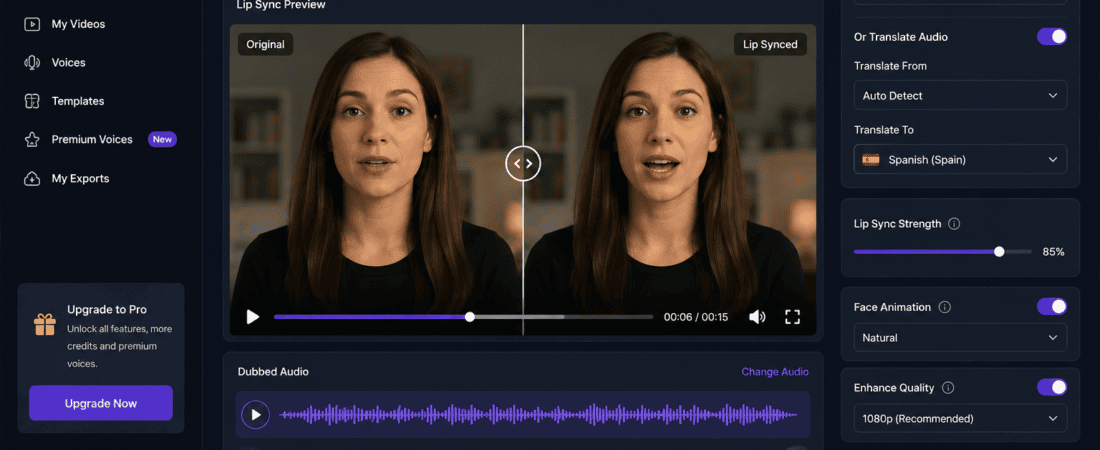
Best Free AI Video Lip Sync Tools for Dubbed Content
Artificial Intelligence has completely changed the way creators produce videos. One of the biggest breakthroughs is AI-powered lip sync technology, which automatically adjusts a speaker’s mouth movements to match translated or dubbed audio.
Whether you’re a YouTuber, educator, filmmaker, marketer, or social media creator, AI lip sync tools help your dubbed videos look natural and professional without expensive editing software.
The best part? Many excellent AI lip sync tools now offer free plans that allow creators to test their features before upgrading.
In this comprehensive guide, we’ll explore the best free AI video lip sync tools for dubbed content, compare their features, discuss their pros and cons, and help you choose the perfect solution for your workflow.
What Is AI Video Lip Sync?
AI video lip sync technology uses machine learning and facial recognition to modify mouth movements in a video so they perfectly match new speech.
Instead of manually animating every frame, AI automatically:
- Detects facial landmarks
- Tracks mouth movement
- Matches new audio
- Creates realistic facial animation
- Preserves natural expressions
The result is a video where the speaker appears to naturally speak another language.
Why Use AI Lip Sync for Dubbed Videos?
Traditional dubbing often looks unnatural because the mouth movements don’t match the translated audio.
AI lip sync solves this problem by creating realistic mouth animations.
Benefits include:
- Better viewer engagement
- Higher watch time
- Professional localization
- Improved educational videos
- Better international marketing
- Faster video production
- Reduced editing costs
Who Should Use AI Lip Sync Tools?
These tools are perfect for:
- YouTubers
- Online teachers
- Marketing agencies
- Businesses
- Course creators
- Documentary creators
- Influencers
- Podcast creators
- Filmmakers
- News publishers
Features to Look for in an AI Lip Sync Tool
Before selecting any software, consider these features:
Accurate Lip Matching
The AI should produce natural mouth movement without noticeable errors.
Multiple Language Support
Choose software supporting many languages for global audiences.
AI Voice Integration
Some tools generate translated AI voices automatically.
Fast Rendering
Cloud-based rendering can significantly reduce processing time.
High Resolution Export
Look for HD or 4K exports.
Easy-to-Use Interface
A simple interface saves time for beginners.
Subtitle Support
Automatic subtitles improve accessibility and SEO.
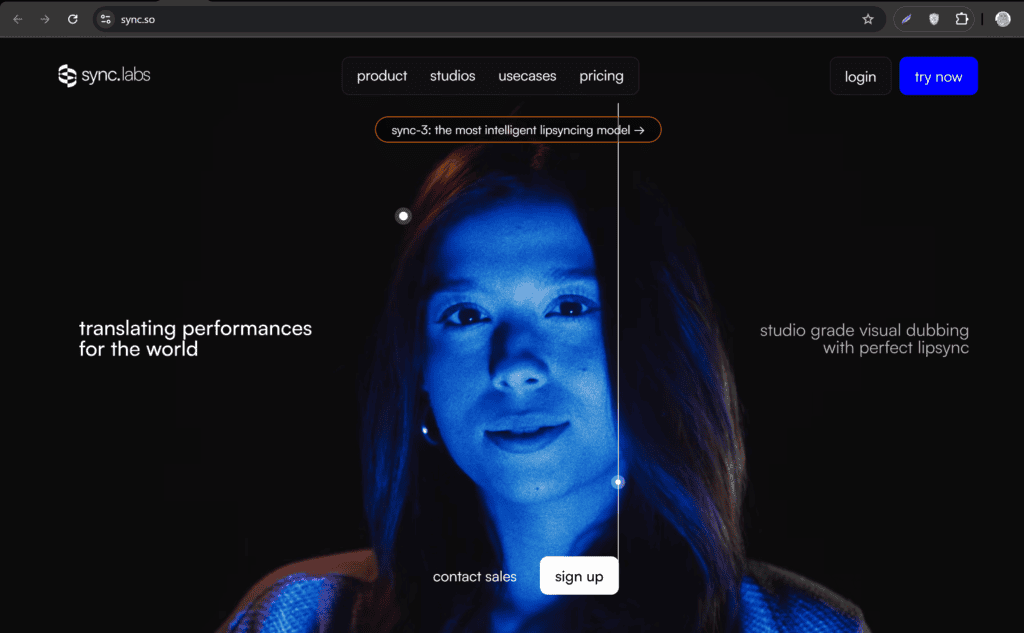
1. Sync.so
Sync.so is one of the newest AI lip sync tools designed specifically for realistic dubbing.
Key Features
- AI lip synchronization
- Realistic facial animation
- Multiple language support
- Fast cloud processing
- High-quality output
Free Plan
Offers limited free credits for testing.
Best For
- YouTube localization
- Educational videos
- Corporate training
Pros
- Excellent accuracy
- Modern interface
- Fast processing
Cons
- Limited free usage
2. Hedra
Hedra has become popular among creators for AI-generated talking characters and lip synchronization.
Features
- AI avatar creation
- Lip sync
- Voice integration
- Character animation
- Fast rendering
Free Version
Provides free credits for new users.
Best For
- AI influencers
- Social media content
- Marketing videos
3. HeyGen
HeyGen is among the most powerful AI video localization platforms available today.
It supports:
- AI translation
- Voice cloning
- Lip synchronization
- AI avatars
- Video dubbing
Why Creators Love It
HeyGen produces highly realistic mouth movements across many languages.
Free Plan
Includes limited monthly credits.
4. Dubformer
Dubformer focuses specifically on multilingual AI dubbing.
Features include:
- AI translation
- Lip sync
- Voice cloning
- Subtitle generation
- Team collaboration
Ideal for businesses localizing content worldwide.
5. D-ID
D-ID specializes in AI talking head videos.
Features:
- Facial animation
- Lip sync
- AI avatars
- Voice upload
- API access
Free users receive trial credits.
6. Captions AI
Captions AI has evolved into a complete AI video editing platform.
It includes:
- AI dubbing
- Automatic subtitles
- Lip synchronization
- AI eye contact
- Background noise removal
Ideal for social media creators.

7. Wondershare Virbo
Virbo provides AI presenters with realistic lip movements.
Features include:
- AI avatars
- Lip sync
- Multilingual voices
- Presentation videos
- Marketing templates
Free version available with limitations.
8. Akool
Akool offers enterprise-level AI face animation.
Features include:
- Face swapping
- Lip sync
- AI avatars
- Translation
- Marketing videos
Great for advertising agencies.
9. Rask AI
Rask AI is one of the fastest-growing AI localization platforms.
Highlights:
- AI dubbing
- Lip synchronization
- Voice cloning
- Translation
- Subtitle generation
Supports dozens of languages.
10. DeepBrain AI
DeepBrain AI is widely used for corporate and educational videos.
Features include:
- AI avatars
- Lip sync
- Video translation
- AI presenters
- Presentation creation
Suitable for businesses and training organizations.
| Tool | Free Plan | Lip Sync | Voice Cloning | Translation |
|---|---|---|---|---|
| Sync.so | Yes | Excellent | No | Yes |
| Hedra | Yes | Very Good | Yes | Limited |
| HeyGen | Yes | Excellent | Yes | Yes |
| Dubformer | Yes | Excellent | Yes | Yes |
| D-ID | Trial | Good | Yes | Limited |
| Captions AI | Yes | Good | Limited | Yes |
| Virbo | Yes | Good | Yes | Yes |
| Akool | Trial | Excellent | Yes | Yes |
| Rask AI | Trial | Excellent | Yes | Yes |
| DeepBrain AI | Trial | Excellent | Yes | Yes |
How AI Lip Sync Works
Most AI lip sync tools follow these steps:
Step 1
Upload your original video.
Step 2
Upload translated audio or generate AI voice.
Step 3
AI analyzes facial landmarks.
Step 4
The software adjusts mouth movements.
Step 5
Render the final dubbed video.
The entire process often takes only a few minutes.
Best Free Tool for Beginners
If you’re new to AI video editing:
- Captions AI
- HeyGen
- Hedra
These platforms have intuitive interfaces and require no editing experience.
Best Tool for YouTubers
For YouTube creators, consider:
- HeyGen
- Rask AI
- Sync.so
These platforms deliver professional-quality localized videos with realistic lip synchronization.
Best Tool for Businesses
Businesses often prefer:
- DeepBrain AI
- Dubformer
- Akool
They offer collaboration, API integrations, and enterprise-level security.
Tips for Better AI Lip Sync Results
Follow these practices:
- Use high-resolution videos.
- Record clean audio.
- Avoid covering the speaker’s face.
- Keep lighting consistent.
- Minimize background noise.
- Use professional translations.
- Review the output before publishing.
Common Challenges
Although AI has improved dramatically, creators may still experience:
Slight Mouth Misalignment
Very fast speech can occasionally create minor mismatches.
Facial Occlusions
Hands, microphones, or objects covering the mouth reduce accuracy.
Emotional Expressions
Highly expressive faces may require manual review.
Long Videos
Rendering time increases with video length.
Future of AI Lip Sync Technology
The future looks incredibly promising.
Upcoming improvements include:
- Real-time multilingual conversations
- Live streaming lip sync
- Better emotion preservation
- Near-perfect voice cloning
- Instant localization
- AI-generated facial expressions
- 8K video support
Within the next few years, AI dubbing could become nearly indistinguishable from native recordings.
Frequently Asked Questions
Are free AI lip sync tools worth using?
Yes. Most free plans are excellent for testing workflows and creating short projects before upgrading.
Can AI lip sync translate videos automatically?
Many platforms combine AI translation, voice synthesis, and lip synchronization into one workflow.
Which AI lip sync tool is best for YouTube?
HeyGen, Rask AI, and Sync.so are among the strongest choices for YouTube localization.
Do these tools support multiple languages?
Yes. Most leading AI lip sync platforms support dozens of languages and regional accents.
Can I use AI lip sync for commercial projects?
Most platforms allow commercial use on paid plans. Always review each tool’s licensing terms before publishing client work.
Final Thoughts
AI lip sync technology has transformed video localization by making dubbed content look far more natural than traditional methods. Whether you’re creating educational videos, YouTube content, marketing campaigns, or multilingual training materials, today’s AI tools can save countless hours while improving viewer engagement.
If you’re just getting started, HeyGen, Captions AI, and Hedra offer beginner-friendly experiences with free tiers. For more advanced workflows, Rask AI, Dubformer, and DeepBrain AI provide powerful features such as voice cloning, multilingual translation, and enterprise-grade collaboration.
As AI continues to improve, realistic lip synchronization will become a standard part of video production, making it easier than ever to reach audiences around the world.
Checkout here if you want to know about Free AI Tools to Generate Text-to-Speech Corporate Voices (2026 Guide)