
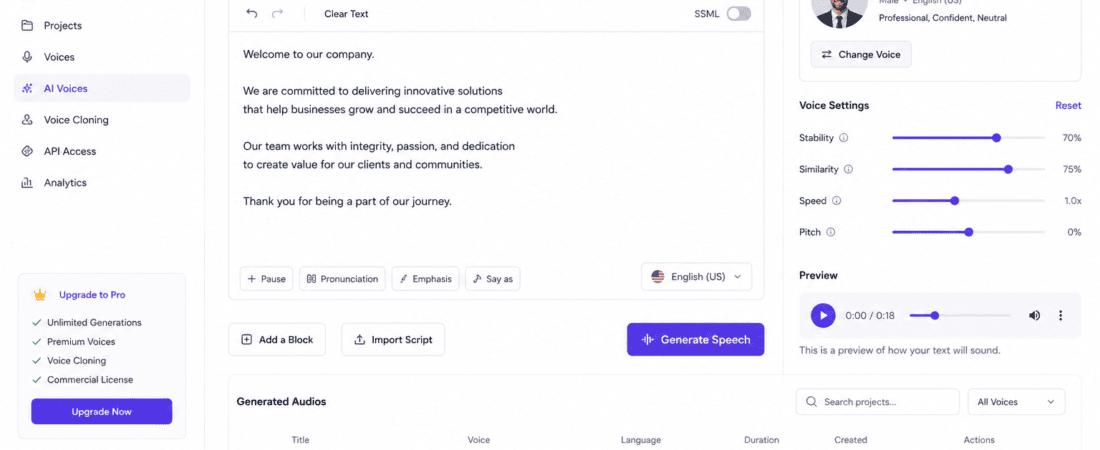
Free AI Tools to Generate Text-to-Speech Corporate Voices:
Professional voiceovers are essential for modern businesses. Whether you’re creating employee training videos, product demonstrations, explainer videos, corporate presentations, customer support content, or marketing campaigns, high-quality narration helps your content sound more credible and engaging.
Hiring professional voice actors can be expensive and time-consuming. Fortunately, artificial intelligence (AI) has made it possible to generate realistic, natural-sounding corporate voices within minutes.
Modern AI text-to-speech (TTS) tools can convert written text into lifelike speech using advanced neural voice technology. Many of these tools offer free plans, making them ideal for startups, freelancers, educators, and businesses with limited budgets.
In this guide, you’ll discover the best free AI tools to generate text-to-speech corporate voices, compare their features, explore their advantages, and learn how to choose the right AI voice generator for your projects.
What Is AI Text-to-Speech?
AI Text-to-Speech (TTS) is a technology that converts written text into realistic spoken audio using artificial intelligence.
Unlike older robotic voice generators, modern AI voices understand:
- Sentence structure
- Natural pronunciation
- Emotional tone
- Speech rhythm
- Pauses
- Intonation
- Human-like expression
As a result, AI-generated voices sound much more natural and are suitable for professional business applications.
Why Businesses Use AI Corporate Voices
Companies increasingly rely on AI voice generation because it offers several advantages over traditional voice recording.
Faster Content Creation
Generate voiceovers within minutes instead of scheduling recording sessions.
Lower Production Costs
Avoid expensive studio rentals and professional voice actor fees.
Consistent Brand Voice
Maintain the same voice across presentations, advertisements, onboarding videos, and customer support materials.
Easy Updates
Need to change one sentence? Simply edit the text and generate a new voiceover without re-recording the entire project.
Multilingual Support
Many AI voice generators support dozens of languages and accents, making global communication much easier.
Benefits of AI Text-to-Speech Tools
AI voice generators provide numerous advantages for content creators and businesses.
- Professional voice quality
- Human-like pronunciation
- Fast generation
- Multiple languages
- Male and female voices
- Voice customization
- Commercial usage options
- Cloud-based editing
- Affordable pricing
- Free plans available
Best Free AI Tools to Generate Text-to-Speech Corporate Voices
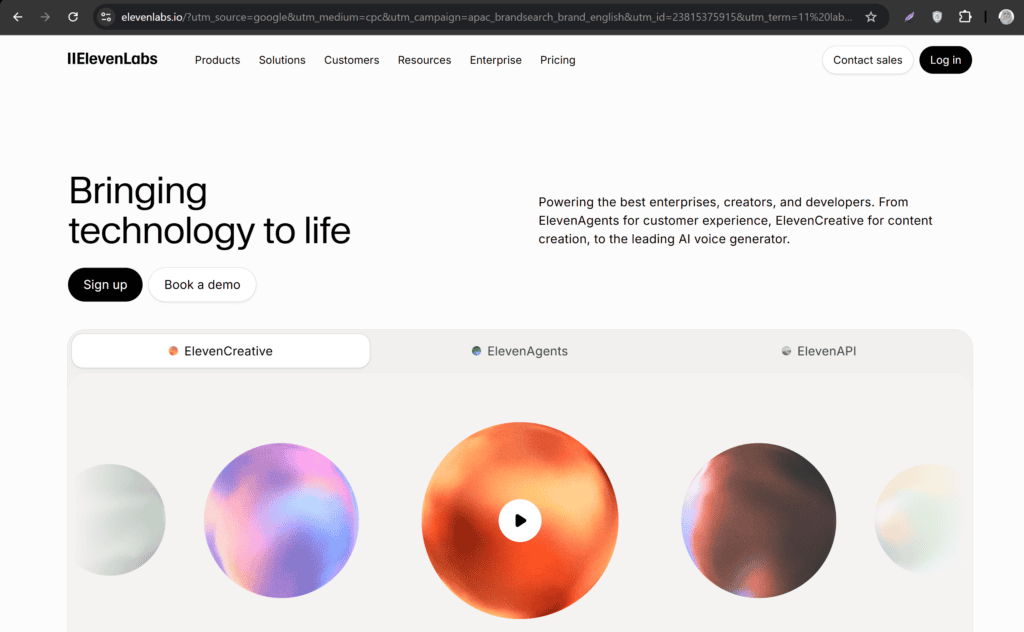
1. ElevenLabs
ElevenLabs is widely regarded as one of the best AI voice generation platforms available today. Its neural voices sound remarkably natural and expressive, making them ideal for professional corporate content.
Best For
- Corporate training
- Marketing videos
- Audiobooks
- Product demos
- Business presentations
Features
- Ultra-realistic AI voices
- Voice cloning
- Multiple languages
- Emotion control
- Voice customization
- API integration
Pros
- Outstanding voice quality
- Natural pronunciation
- Beginner-friendly interface
- High-quality exports
Cons
- Free plan has monthly character limits
- Some premium voices require a paid subscription
2. Microsoft Clipchamp AI Voice Generator
Clipchamp includes an AI text-to-speech feature that integrates seamlessly with its video editor. It offers professional voices suitable for business presentations, tutorials, and promotional videos.
Best For
- Training videos
- YouTube content
- Business presentations
- Social media marketing
Features
- AI voice generation
- Video editing
- Screen recording
- Multiple accents
- Subtitle generation
Pros
- Easy to use
- Browser-based
- Multiple language options
- Integrated video editing
Cons
- Some voices require a Microsoft account
- Advanced features may be limited on the free plan
3. PlayHT
PlayHT is a popular AI voice generator known for its realistic business voices and extensive language support.
Best For
- Corporate e-learning
- Podcasts
- Marketing videos
- Customer support audio
- Professional voiceovers
Features
- AI-generated speech
- Commercial voices
- Multiple accents
- Voice styles
- Cloud storage
Pros
- Excellent voice quality
- Large voice library
- Fast rendering
- Commercial-friendly
Cons
- Character limits on free accounts
- Premium features require payment
4. Murf AI
Murf AI has become one of the most widely used AI voice generators for corporate communication. It offers hundreds of realistic voices suitable for presentations, training materials, advertisements, and explainer videos.
Best For
- Business presentations
- Online courses
- Product demonstrations
- Marketing videos
- Corporate training
Features
- AI voice generation
- Voice customization
- Background music
- Team collaboration
- Script editing
Pros
- Professional voice quality
- Easy editing tools
- Excellent corporate voices
- Multiple export options
Cons
- Free exports are limited
- Premium plans unlock advanced features
5. Google AI Studio Text-to-Speech
Google AI Studio provides advanced AI capabilities, including high-quality text-to-speech models suitable for developers and businesses. Its AI-generated voices are natural, clear, and well-suited for professional applications.
Best For
- Business applications
- Software developers
- AI-powered products
- Corporate presentations
- Customer support systems
Features
- Natural AI voices
- Multiple languages
- Fast speech generation
- API integration
- Cloud-based processing
Pros
- Excellent voice quality
- Reliable performance
- Supports many languages
- Developer-friendly
Cons
- Some features require API setup
- Better suited for technical users
6. Amazon Polly
Amazon Polly is a cloud-based AI text-to-speech service that converts written content into realistic speech using neural voice technology.
It is widely used for enterprise applications, e-learning platforms, IVR systems, and customer service solutions.
Best For
- Enterprise businesses
- Online education
- Customer service
- Voice assistants
- Mobile applications
Features
- Neural text-to-speech
- Multiple languages
- SSML support
- Voice customization
- Cloud integration
Pros
- Highly reliable
- Enterprise-grade performance
- Scalable
- Natural pronunciation
Cons
- API knowledge may be required
- Usage-based pricing beyond the free tier
7. Speechify
Speechify began as an AI reading assistant but has evolved into a powerful text-to-speech platform with realistic voices for professional use.
Best For
- Business documents
- Presentations
- Training materials
- Educational content
- Productivity
Features
- Human-like AI voices
- Speed adjustment
- Multiple languages
- Cross-platform support
- Mobile apps
Pros
- Easy to use
- Clear pronunciation
- Fast processing
- Great accessibility features
Cons
- Limited free voices
- Premium subscription for advanced features
8. LOVO AI
LOVO AI is designed for creators who need expressive, high-quality AI voiceovers. It offers hundreds of voices across different languages and styles.
Best For
- Corporate videos
- Marketing campaigns
- YouTube videos
- E-learning
- Product explainers
Features
- AI voice generation
- Voice cloning
- Emotional voice styles
- Team collaboration
- Script editor
Pros
- Realistic voice output
- Large voice library
- Professional editing tools
- Supports commercial projects
Cons
- Character limits on free plans
- Some premium voices require a subscription
9. Canva AI Voice Generator
Canva includes AI voice generation within its video editing platform, allowing users to create presentations and videos with professional narration.
Best For
- Presentations
- Social media videos
- Marketing content
- Business proposals
- Educational videos
Features
- AI voiceovers
- Presentation editor
- Video editing
- Templates
- Team collaboration
Pros
- Very beginner-friendly
- Integrated with Canva projects
- Quick voice generation
- Great for business presentations
Cons
- Limited voice customization
- Some AI features require Canva Pro
Comparison Table
| AI Tool | Free Plan | Languages | Voice Quality | Best For |
|---|---|---|---|---|
| ElevenLabs | ✅ | 30+ | Excellent | Corporate voiceovers |
| Microsoft Clipchamp | ✅ | Multiple | Very Good | Training videos |
| PlayHT | ✅ Limited | 100+ | Excellent | Marketing |
| Murf AI | ✅ Limited | 20+ | Excellent | Business presentations |
| Google AI Studio | ✅ | Multiple | Excellent | Developers |
| Amazon Polly | ✅ Free Tier | 60+ | Excellent | Enterprise |
| Speechify | ✅ | 30+ | Very Good | Documents & training |
| LOVO AI | ✅ Limited | 100+ | Excellent | Professional videos |
| Canva AI Voice | ✅ | Multiple | Very Good | Presentations |
How to Generate a Corporate AI Voice
Creating a professional AI voiceover takes only a few minutes.
Step 1: Choose an AI Voice Generator
Select the platform that best matches your needs. Beginners often prefer Canva or Clipchamp, while businesses may benefit from ElevenLabs or Murf AI.
Step 2: Write Your Script
Keep your script concise, conversational, and easy to understand.
For example:
“Welcome to our employee onboarding program. In this training session, you’ll learn about our company values, workplace policies, and best practices.”
Step 3: Select a Voice
Choose a voice based on your audience.
Consider:
- Male or female
- Formal or conversational tone
- Accent (US, UK, Australian, etc.)
- Speaking speed
Step 4: Adjust Voice Settings
Many AI tools allow you to customize:
- Speaking speed
- Pitch
- Pauses
- Emphasis
- Pronunciation
- Emotional tone
Small adjustments can make the narration sound more natural and aligned with your brand.
Step 5: Generate and Review
Click Generate and listen to the result.
If needed, edit your script or adjust the voice settings until you’re satisfied.
Step 6: Export the Audio
Download the voiceover in your preferred format, such as MP3 or WAV, and use it in your presentations, videos, or training materials.
Tips for Creating Professional Corporate Voiceovers
To make AI-generated voices sound more polished:
- Write short, clear sentences.
- Avoid overly complex language.
- Add punctuation to improve pacing.
- Break long paragraphs into smaller sections.
- Choose a voice that matches your brand identity.
- Preview the voiceover before exporting.
- Keep background music subtle so the narration remains clear.
- Maintain consistent terminology across all business content.
These best practices help create professional, engaging voiceovers that enhance your audience’s experience.
Common Mistakes to Avoid When Using AI Text-to-Speech Tools
Even the best AI voice generators require thoughtful use to achieve professional results. Avoid these common mistakes:
1. Choosing the Wrong Voice
A casual or overly expressive voice may not suit formal corporate presentations. Select a voice that matches your brand’s tone and audience.
2. Writing Long, Complex Sentences
AI voices sound more natural with shorter, well-punctuated sentences. Break lengthy paragraphs into smaller sections for smoother narration.
3. Ignoring Pronunciation Settings
Some company names, acronyms, or technical terms may be mispronounced. Use pronunciation controls or phonetic spelling where available.
4. Speaking Too Fast
Many AI tools allow speed adjustments. A moderate speaking pace improves clarity, especially for training videos and educational content.
5. Skipping a Final Review
Always listen to the complete voiceover before publishing. Small edits to punctuation or wording can significantly improve the natural flow.
How to Choose the Best AI Text-to-Speech Tool
Different AI tools excel in different scenarios.
Choose ElevenLabs if:
- You want the most realistic AI voices.
- You create premium business videos.
- You need multilingual voiceovers.
Choose Murf AI if:
- You produce training materials.
- You create corporate presentations.
- You need collaboration features.
Choose PlayHT if:
- You require a wide variety of voices.
- You produce marketing content.
- You need commercial voiceovers.
Choose Amazon Polly if:
- You build enterprise applications.
- You need API integration.
- You require scalable cloud-based speech generation.
Choose Canva AI Voice if:
- You already use Canva.
- You create business presentations.
- You need quick voiceovers for social media and marketing.
Choose Clipchamp if:
- You edit videos in one place.
- You want integrated AI voice generation.
- You create tutorials and product demos.
Frequently Asked Questions (FAQs)
1. What is the best free AI tool to generate corporate voices?
ElevenLabs is one of the best options because of its realistic voice quality, natural pronunciation, and user-friendly interface. Murf AI and PlayHT are also excellent choices for business content.
2. Can AI-generated voices be used commercially?
Many platforms allow commercial use, but licensing varies by provider and subscription plan. Always review the tool’s terms before using voiceovers in client work or commercial projects.
3. Are AI voices realistic?
Yes. Modern neural text-to-speech technology produces voices with natural rhythm, pauses, and pronunciation that are often difficult to distinguish from human narration.
4. Can AI generate voices in different languages?
Yes. Most leading AI voice generators support multiple languages and accents, making them suitable for international audiences.
5. Which AI voice generator is best for YouTube?
ElevenLabs, Murf AI, PlayHT, and Canva AI Voice are popular choices among YouTubers because they offer natural narration and simple workflows.
6. Do I need recording equipment?
No. AI text-to-speech tools generate voiceovers directly from text, eliminating the need for microphones or recording studios.
7. Can I customize AI voices?
Yes. Many platforms let you adjust speed, pitch, pauses, pronunciation, emphasis, and emotional tone to match your project’s style.
8. Is there a free AI text-to-speech tool for beginners?
Yes. ElevenLabs, Canva AI Voice, Clipchamp, and Google AI Studio all provide free options that are suitable for beginners, though they may include usage limits.
Final Verdict
AI text-to-speech technology has transformed the way businesses create voiceovers. From employee training and corporate presentations to marketing campaigns and customer support content, AI voice generators provide an affordable and efficient alternative to traditional recording.
For overall voice quality, ElevenLabs stands out as the top choice. Murf AI is excellent for business presentations, PlayHT offers a broad voice library, Clipchamp integrates well with video editing, and Canva AI Voice is ideal for creators already working within the Canva ecosystem.
Choose the platform that best aligns with your workflow, language requirements, and budget.
Conclusion
Professional voiceovers no longer require expensive studios or voice actors. Thanks to AI-powered text-to-speech technology, businesses of every size can create high-quality, natural-sounding narration in minutes.
Whether you’re producing onboarding videos, e-learning courses, product demonstrations, corporate presentations, or marketing content, the tools featured in this guide can help you save time, reduce costs, and maintain a consistent brand voice.
By selecting the right AI text-to-speech platform and following best practices, you can create engaging audio that enhances your content and improves communication with your audience.
Checkout here if you want to know about 9 Free AI Tools to Auto Cut Silence from Long Podcast Videos (2026 Guide)