
Best Free AI Music Generators for Copyright-Free Background Music
AI Music Generators: Finding the perfect background music used to be one of the biggest challenges for content creators. Whether you’re making YouTube videos, Instagram Reels, TikTok clips, podcasts, advertisements, presentations, or online courses, using copyrighted music can result in demonetization, copyright claims, or even content removal.
Fortunately, Artificial Intelligence has completely changed music creation. Today, free AI music generators allow anyone to produce high-quality, copyright-free background music in just a few minutes. These tools use machine learning to compose original tracks in different genres, moods, and lengths—without requiring any musical knowledge.
Many AI music platforms even let users customize tempo, instruments, mood, and style, making them ideal for creators, marketers, freelancers, and businesses.
In this comprehensive guide, you’ll discover:
- What AI music generators are
- How AI-generated music works
- Benefits of AI music creation
- The best free AI music generators
- How to create copyright-free music
- Tips for getting professional results
- Common mistakes to avoid
- Frequently asked questions
Let’s dive in.
What Is an AI Music Generator?
An AI music generator is a software tool powered by artificial intelligence that automatically composes original music based on user preferences.
Instead of writing notes, arranging instruments, or recording musicians, users simply choose options such as:
- Mood
- Genre
- Tempo
- Instruments
- Duration
- Energy level
The AI then creates an entirely new music track within seconds.
Unlike copying existing songs, AI-generated music is newly composed, making it suitable for royalty-free projects depending on the tool’s licensing terms.
Why Use AI Music Generators?
AI music tools save both time and money while giving creators unlimited inspiration.
Save Time
Traditional music production can take hours or even days.
AI generates complete tracks in less than a minute.
Reduce Costs
Hiring composers or purchasing premium music libraries can be expensive.
Many AI music generators offer generous free plans that are perfect for beginners and small creators.
Avoid Copyright Claims
Using copyrighted songs on YouTube, Facebook, Instagram, or TikTok may lead to:
- Copyright strikes
- Muted audio
- Revenue loss
- Video removal
AI-generated copyright-free music helps reduce these risks, though you should always verify each platform’s licensing rules before commercial use.
Unlimited Creativity
Generate multiple versions until you find the perfect soundtrack.
You are no longer limited by existing music libraries.
How AI Music Generators Work
AI music generation typically follows these steps:
Step 1: Choose a Genre
Examples include:
- Pop
- Rock
- Hip-Hop
- Classical
- Cinematic
- Lo-fi
- Electronic
- Jazz
Step 2: Select Mood
Popular moods include:
- Happy
- Emotional
- Relaxing
- Dramatic
- Inspirational
- Epic
- Calm
- Energetic
Step 3: Set Duration
Choose how long the music should be.
Examples:
- 15 seconds
- 30 seconds
- 1 minute
- 3 minutes
- 5 minutes
Step 4: AI Composition
The AI analyzes musical patterns and creates an original composition.
Step 5: Download
Export your music as MP3, WAV, or other supported formats.
Best Free AI Music Generators
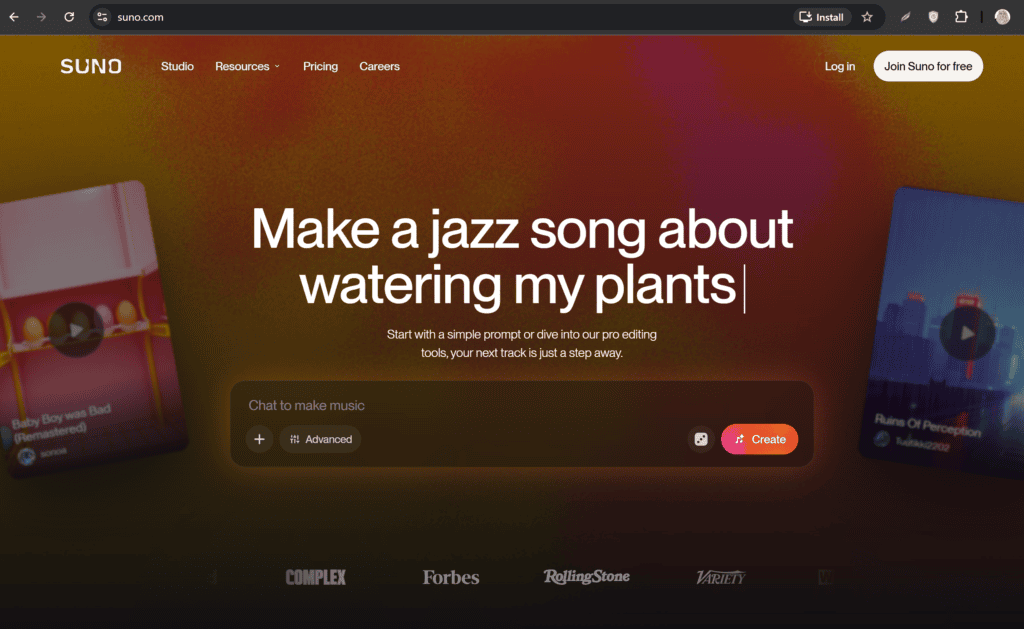
1. Suno AI
Suno AI has become one of the most popular AI music generators.
Features
- Text-to-music generation
- Vocal creation
- Instrumental tracks
- Multiple genres
- Fast generation
Best For
- YouTube creators
- Social media content
- Personal projects
2. Udio
Udio produces realistic songs with excellent audio quality.
Features
- AI-generated vocals
- Instrumental music
- Multiple styles
- High-quality output
Best For
- Songwriters
- Creators
- Podcasts
3. Stable Audio
Stable Audio specializes in professional-quality background music.
Features
- Sound effects
- Instrumentals
- Commercial-friendly workflow
- Custom durations
Best For
- Video editors
- Advertisements
- Business presentations
4. AIVA
AIVA is one of the oldest AI music composition platforms.
Features
- Classical music
- Cinematic music
- Emotional scores
- Orchestra arrangements
Best For
- Films
- Documentaries
- Storytelling
5. Soundraw
Soundraw allows users to customize AI-generated music.
Features
- Adjustable mood
- Tempo control
- Instrument selection
- Dynamic editing
Best For
- YouTube
- Gaming
- Marketing videos
6. Beatoven.ai
Beatoven.ai creates emotional background music using AI.
Features
Mood selection
Scene-based music
Royalty-free tracks
Simple editing
Best For
Short films
Tutorials
Explainer videos
7. Mubert
Mubert generates endless royalty-free music streams.
Features
- AI loops
- Livestream music
- Podcasts
- App integration
Best For
- Livestreams
- Businesses
- Background ambience
8. Loudly
Loudly combines AI generation with music editing.
Features
- Genre selection
- AI remixing
- Commercial music
- Fast rendering
Best For
- Social media
- Marketing campaigns
- Promotional videos
How to Create Copyright-Free Background Music Using AI
Step 1: Choose an AI Music Generator
Select the platform that best matches your project.
Step 2: Describe Your Music
Example prompt:
“Create a calm cinematic piano soundtrack with soft strings for a five-minute YouTube tutorial.”
Detailed prompts often produce better results.
Step 3: Customize the Style
Adjust:
- Tempo
- Energy
- Mood
- Genre
- Instruments
Step 4: Generate Multiple Versions
Create several variations before making your final choice.
Step 5: Download the Best Track
Choose the highest-quality export available.
Step 6: Add Music to Your Video
Import the music into your preferred editor such as:
- CapCut
- DaVinci Resolve
- Adobe Premiere Pro
- Final Cut Pro
Lower the music volume so it doesn’t overpower dialogue.
Best Use Cases for AI Music
YouTube Videos
Enhance tutorials, reviews, vlogs, and documentaries with unique background music.
Podcasts
Create intro, outro, and ambient tracks without licensing headaches.
Instagram Reels
Use short AI-generated tracks to improve engagement.
TikTok Videos
Produce original music that helps your content stand out.
Online Courses
Add subtle background music to keep learners engaged.
Advertisements
Generate brand-specific music for marketing campaigns.
Business Presentations
Create professional soundtracks for corporate videos and slideshows.
Games
Use AI-generated ambient music for indie games and prototypes.
Advantages of AI Music Generators
Fast Music Production
Generate music in seconds instead of days.
Beginner-Friendly
No music production skills are required.
Affordable
Many tools include useful free plans.
Endless Variations
Generate unlimited creative ideas and styles.
Professional Quality
Modern AI can produce polished tracks suitable for many content types.
Consistent Output
Maintain a consistent musical style across multiple videos.
Tips for Better AI-Generated Music
Write Detailed Prompts
Instead of:
Happy music
Use:
Upbeat acoustic guitar with light drums and cheerful piano for a travel vlog.
Match the Mood
Choose music that complements your content.
Examples:
- Tutorials → Calm
- Action videos → Energetic
- Motivation → Inspirational
- Horror → Suspenseful
Keep Music Subtle
Background music should enhance the video, not distract from the main message.
Generate Several Versions
The first result isn’t always the best. Compare multiple versions to find the strongest fit.
Check Licensing
Even when a tool advertises “royalty-free” music, review its licensing terms for commercial use, monetized YouTube videos, and client projects.
Common Mistakes to Avoid
Ignoring Licensing Terms
Always read the platform’s usage policy before publishing commercial content.
Using Music That Is Too Loud
Balance audio levels carefully to keep speech clear.
Choosing the Wrong Genre
A mismatch between visuals and music can reduce viewer engagement.
Not Editing the Track
Trim intros, fade endings, or loop sections for a smoother listening experience.
Using the Same Music Repeatedly
Refresh your soundtrack regularly to keep your content feeling new.
AI Music vs Traditional Music Production
| Feature | AI Music | Traditional Music |
|---|---|---|
| Speed | Minutes | Days or Weeks |
| Cost | Low or Free | Expensive |
| Musical Knowledge | Not Required | Required |
| Customization | High | Very High |
| Copyright Risk | Lower (license dependent) | Depends on ownership |
| Scalability | Excellent | Limited by production time |
Who Should Use AI Music Generators?
AI music generators are valuable for:
- YouTubers
- Video editors
- Social media managers
- Podcasters
- Freelancers
- Digital marketers
- Teachers
- Online course creators
- Small businesses
- Agencies
- Indie game developers
- Content creators of all skill levels
Future of AI Music Generation
AI music technology is advancing rapidly. In the coming years, creators can expect:
- More realistic instruments
- Better vocal synthesis
- Emotion-aware music composition
- Personalized soundtracks
- Real-time music generation
- Seamless integration with video editing software
- Greater creative control over arrangements and mixing
As these tools improve, producing high-quality background music will become even faster and more accessible.
Frequently Asked Questions (FAQs)
Are AI-generated songs copyright-free?
Many AI tools generate original music, but licensing varies by platform. Always read the terms of use before using tracks in commercial or monetized content.
Can I use AI music on YouTube?
Yes, provided the platform’s license allows YouTube usage. Verify whether attribution or a paid plan is required for monetization.
Which free AI music generator is best?
Popular choices include Suno AI, Udio, Stable Audio, Beatoven.ai, Soundraw, AIVA, and Mubert. The best option depends on whether you need vocals, instrumentals, cinematic music, or ambient tracks.
Can AI generate instrumental music?
Yes. Most AI music generators support instrumental-only compositions in a wide range of genres.
Do I need music production skills?
No. Most AI music generators are designed for beginners and use simple prompts or preset controls.
Can I edit AI-generated music?
Yes. You can trim, loop, fade, or combine tracks using standard audio or video editing software.
Final Thoughts
AI music generators have revolutionized the way creators produce background music. Instead of searching through massive music libraries or hiring composers, you can now generate original, high-quality soundtracks tailored to your project in minutes.
Whether you’re creating YouTube videos, podcasts, Instagram Reels, TikTok content, online courses, advertisements, or business presentations, free AI music generators offer a fast and cost-effective way to enhance your content. By choosing the right tool, writing detailed prompts, and understanding each platform’s licensing terms, you can create engaging, professional-quality videos with confidence.
As AI continues to evolve, these tools will become even more powerful, making custom music production accessible to everyone—from beginners to experienced content creators.
Check out here if you want to know about Best Free AI Tools for Scheduling Automated Social Media Posts for Free