
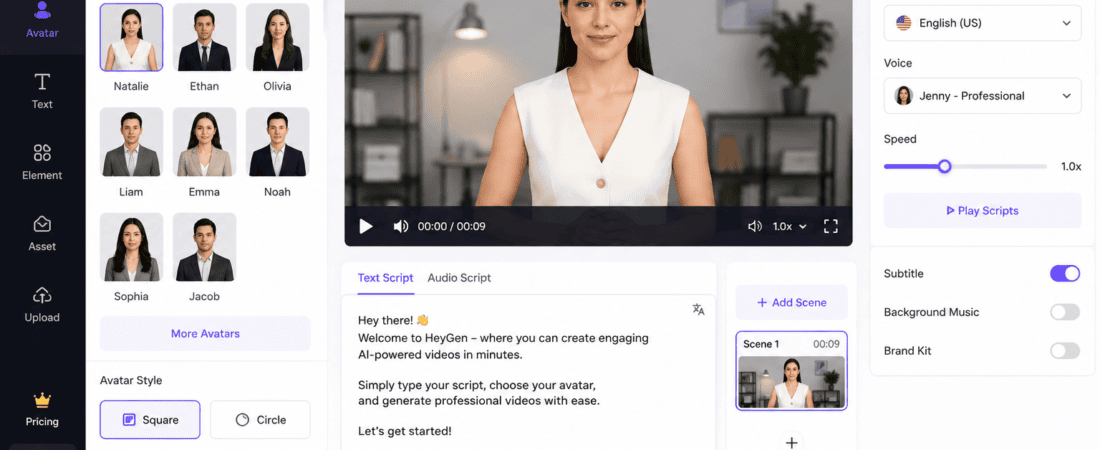
Free AI Tools to Create Animated Avatars for Talking Head Videos
Animated AI avatars have transformed the way creators produce videos. Instead of appearing on camera, you can use realistic digital presenters that speak naturally, lip-sync with your script, and deliver professional-looking content within minutes.
Whether you’re creating YouTube videos, online courses, marketing campaigns, product demonstrations, TikTok videos, Instagram Reels, or business presentations, AI avatar generators help you save time while producing engaging content.
The best part is that many AI avatar tools offer free plans or trials, allowing beginners and professionals to experiment before upgrading.
In this comprehensive guide, you’ll learn about the best free AI tools to create animated avatars for talking head videos, their key features, advantages, limitations, and tips for choosing the right platform.
What Are AI Animated Avatars?
AI animated avatars are computer-generated digital presenters that mimic human speech and facial expressions. Users simply enter a script or upload audio, and the AI creates a talking head video with synchronized lip movements and natural animations.
Many platforms also support multilingual voices, custom avatars, and branded templates.
Why Use AI Avatar Generators?
AI avatars provide several advantages over traditional video production.
Save Time
You don’t need to spend hours recording multiple takes.
Lower Production Costs
No expensive cameras, studios, or lighting equipment are required.
Consistent Branding
AI avatars maintain the same appearance and voice across every video.
Faster Content Creation
Generate multiple videos from a single script in minutes.
Multilingual Content
Many AI tools can produce videos in dozens of languages, helping you reach a global audience.
Features to Look for in an AI Avatar Tool
Before selecting a platform, consider these features:
- Realistic facial expressions
- Accurate lip synchronization
- AI voice generation
- Multiple language support
- Avatar customization
- Background editing
- Script-to-video conversion
- HD video export
- Team collaboration
- Easy editing interface
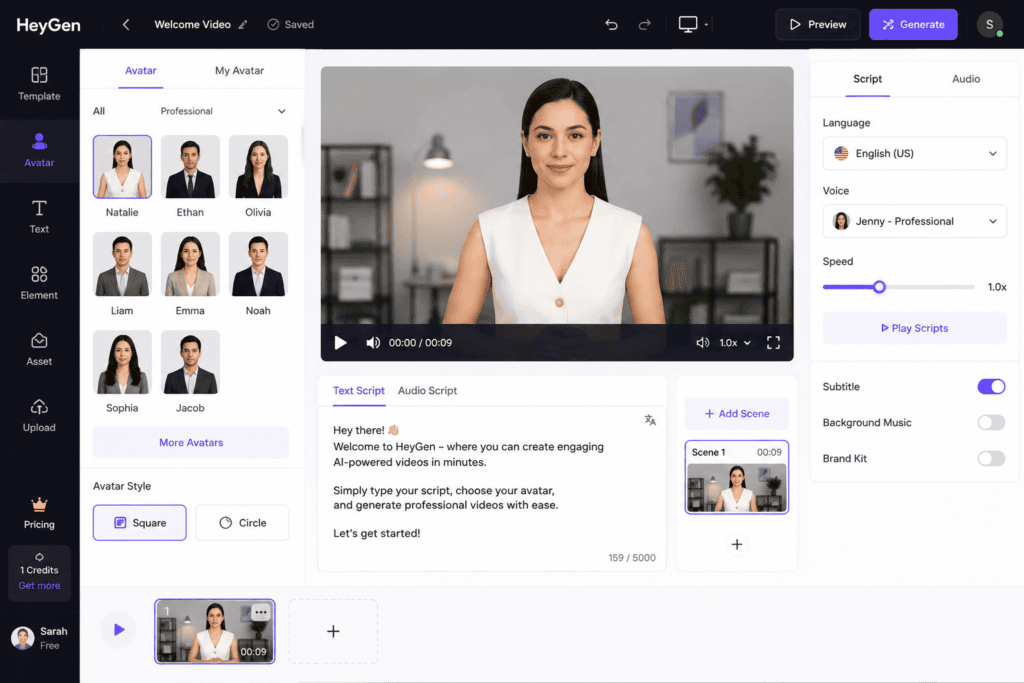
1. HeyGen
HeyGen is one of the most popular AI avatar generators available today. It allows users to create realistic talking head videos using AI presenters in just a few clicks.
Simply type your script, choose an avatar, and generate a professional video without recording yourself.
Key Features
- AI talking avatars
- Script-to-video generation
- Voice cloning
- Lip-sync technology
- Multiple languages
- Custom avatars
- Brand templates
Best For
- Businesses
- Marketing teams
- Online educators
- YouTube creators
Free Plan
Yes, with limited monthly video credits.
Pros
- High-quality avatars
- Excellent lip synchronization
- Easy-to-use interface
- Supports many languages
Cons
- Advanced features require a paid subscription.
2. Synthesia
Synthesia is one of the industry’s leading AI video generation platforms. It offers a large collection of realistic avatars suitable for training videos, business presentations, and educational content.
Features
- AI presenters
- Text-to-video conversion
- Multiple languages
- Professional templates
- Screen recording
- AI voiceovers
Best For
- Corporate training
- Educational videos
- Business communication
- Internal documentation
Free Version
Free demo and limited trial available.
Advantages
- Professional output
- High-quality avatars
- Excellent multilingual support
- Fast rendering
Drawbacks
- Most premium avatars require a paid plan.
3. D-ID
D-ID specializes in transforming photos into realistic talking avatars. Users can upload a portrait and animate it using AI-generated speech.
This makes it particularly useful for storytelling, historical presentations, educational content, and personalized marketing.
Features
- Photo animation
- AI talking head videos
- Voice generation
- Lip synchronization
- Custom avatars
- API access
Best For
- Storytelling
- Historical content
- Education
- Marketing
Free Plan
Limited trial available.
Pros
- Upload your own photo
- Natural facial movements
- Fast processing
- Creative flexibility
Cons
- Free usage is limited.
4. Vidnoz AI
Vidnoz AI offers one of the most generous free plans among AI avatar platforms. It includes a library of AI presenters, templates, and voices suitable for social media and business videos.
Features
- AI avatars
- Video templates
- Text-to-video
- AI voices
- Subtitle generation
- Screen recording
- Background customization
Best For
- Social media creators
- Small businesses
- YouTubers
- Online educators
Free Plan
Yes.
Advantages
- Large collection of free avatars
- Beginner-friendly
- Fast rendering
- Multiple templates
Disadvantages
- Premium templates require payment.
5. Elai.io
Elai.io enables users to transform written content into professional talking head videos using AI-generated presenters.
It is widely used for training, e-learning, and marketing.
Features
- AI presenters
- Script-to-video
- Voice synthesis
- Translation
- Screen recording
- PowerPoint conversion
Best For
- Online courses
- Businesses
- Corporate communication
- Educational creators
Free Plan
Limited trial available.
Pros
- Easy script conversion
- Multiple language support
- Professional templates
Cons
- Limited free exports.
Benefits of AI Talking Head Videos
Using AI avatars offers several practical benefits:
- Produce videos without appearing on camera.
- Maintain consistent branding.
- Scale content creation efficiently.
- Create multilingual videos quickly.
- Reduce production costs.
- Generate videos for marketing, education, and customer support.
- Save time on recording and editing.
- Improve accessibility with AI-generated voiceovers and subtitles.
Tips for Better AI Avatar Videos
To create engaging AI talking head videos:
- Write concise, conversational scripts.
- Choose an avatar that matches your audience.
- Use clear and natural AI voices.
- Add subtitles for accessibility.
- Keep videos focused on one main topic.
- Use high-quality visuals and branding.
- Review lip synchronization before publishing.
- Optimize videos for vertical platforms like TikTok and Instagram Reels when needed.
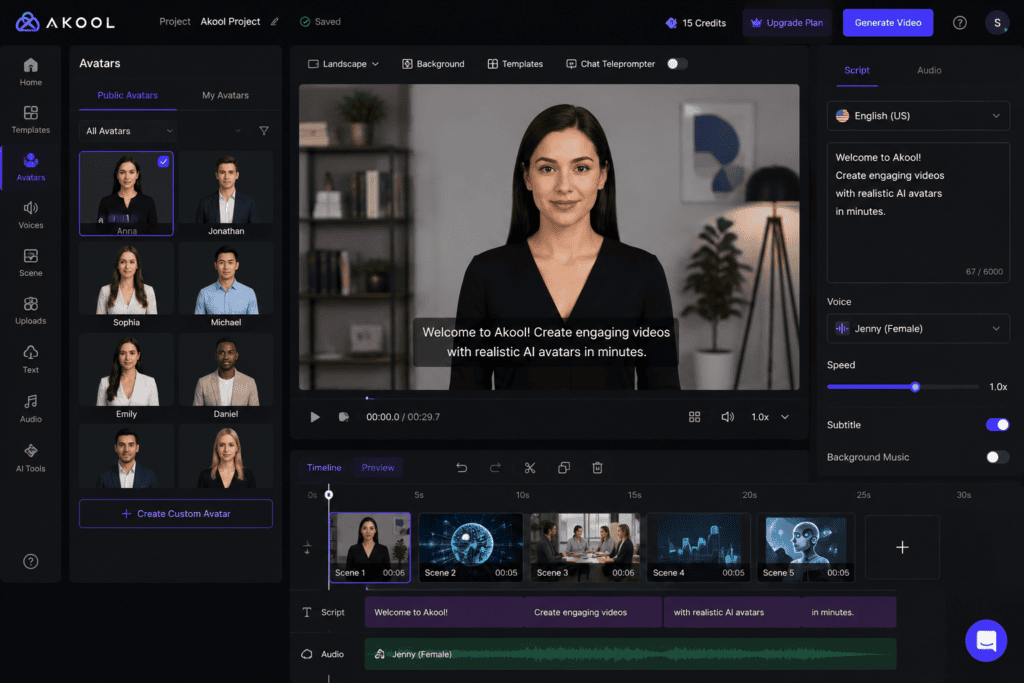
6. Akool
Akool is an AI-powered content creation platform that offers realistic talking avatars, face swapping, image generation, and multilingual voice synthesis. It is designed for businesses, educators, and marketers who need professional-looking AI videos.
Key Features
- AI talking avatars
- Face swap technology
- AI voice generation
- Lip synchronization
- Image-to-video conversion
- Multilingual support
Best For
- Marketing campaigns
- Corporate training
- Social media creators
- Educational videos
Free Plan
Limited free credits available.
Pros
- Realistic facial expressions
- High-quality lip sync
- Multiple AI tools in one platform
- Easy-to-use interface
Cons
- Free credits are limited.
7. Colossyan
Colossyan is a professional AI video platform that converts text into talking-head videos using realistic AI presenters. It is especially useful for training materials and business communication.
Features
- AI presenters
- Script-to-video
- Screen recording
- Interactive video support
- Team collaboration
- Multiple languages
Best For
- Corporate learning
- HR training
- Product demonstrations
- Educational institutions
Free Version
Trial available.
Advantages
- Professional templates
- High-quality avatars
- Supports team workflows
- Easy editing
Drawbacks
- Full features require a paid subscription.
8. DeepBrain AI
DeepBrain AI is widely used for generating AI news presenters, educational videos, customer service content, and corporate presentations. It provides highly realistic avatars with natural voice synthesis.
Features
- AI human presenters
- Text-to-video
- AI voices
- Voice cloning
- Multiple language support
- Custom avatars
Best For
- Businesses
- News channels
- Online education
- Marketing teams
Free Plan
Limited trial available.
Pros
- Professional-quality avatars
- Smooth lip synchronization
- Supports many languages
- High-quality video output
Cons
- Advanced features require a subscription.
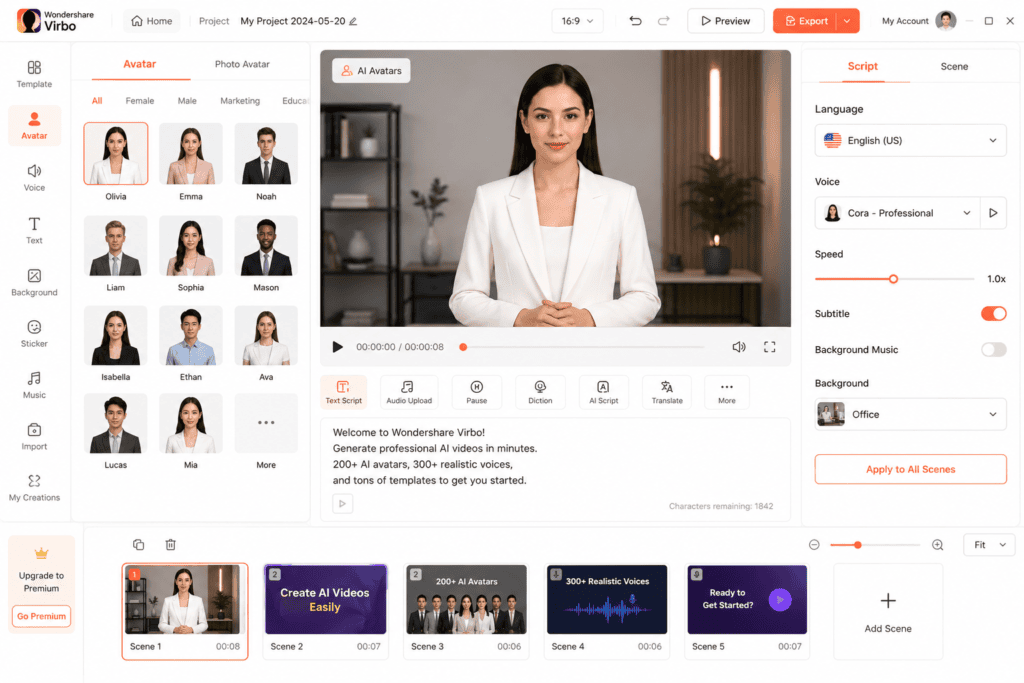
9. Wondershare Virbo
Virbo is Wondershare’s AI avatar platform designed for creators who want to generate talking videos quickly. It includes ready-made avatars and supports multiple languages.
Features
- AI avatars
- Text-to-speech
- Video templates
- Subtitle generation
- Voice cloning
- Background editing
Best For
- Small businesses
- Influencers
- Social media marketers
- YouTube creators
Free Plan
Yes, with limited exports.
Advantages
- Beginner-friendly
- Good template library
- Fast video generation
- Multiple voice options
Drawbacks
- Watermark on some free exports.
10. Canva AI
Canva has expanded beyond graphic design to include AI-powered video creation. Its Magic Media features and presentation tools make it easy to produce talking-head-style content using avatars, voiceovers, and animations.
Features
- AI presentation tools
- Text-to-video
- AI voiceovers
- Video editing
- Animation effects
- Brand Kit integration
Best For
- Educators
- Social media managers
- Small businesses
- Marketing teams
Free Plan
Yes.
Pros
- Familiar interface
- Extensive design assets
- Easy collaboration
- Great for branded content
Cons
- Advanced AI video features may require Canva Pro.
11. InVideo AI
InVideo AI combines script generation, AI voiceovers, stock media, and video editing into one platform. It can also create avatar-style videos using templates and AI narration.
Features
- AI video generator
- AI script writing
- Voiceovers
- Stock footage
- Text-to-video
- Social media templates
Best For
- YouTubers
- Agencies
- Marketing professionals
- Content creators
Free Plan
Yes.
Advantages
- Quick video creation
- Large media library
- Beginner-friendly
- Supports vertical video formats
Drawbacks
- Some premium templates are locked behind paid plans.
Comparison Table
| AI Tool | Free Plan | Talking Avatar | Multilingual Support | Best For |
|---|---|---|---|---|
| HeyGen | Yes | ✅ | ✅ | Marketing & Business |
| Synthesia | Trial | ✅ | ✅ | Corporate Training |
| D-ID | Trial | ✅ | ✅ | Photo Animation |
| Vidnoz AI | Yes | ✅ | ✅ | Social Media |
| Elai.io | Trial | ✅ | ✅ | E-learning |
| Akool | Limited | ✅ | ✅ | Marketing |
| Colossyan | Trial | ✅ | ✅ | Corporate Learning |
| DeepBrain AI | Trial | ✅ | ✅ | Professional Videos |
| Wondershare Virbo | Yes | ✅ | ✅ | Beginners |
| Canva AI | Yes | Limited | Limited | Presentations |
| InVideo AI | Yes | Limited | Yes | Content Creation |
Step-by-Step Guide to Create AI Talking Head Videos
Step 1: Choose an AI Avatar Platform
Select a tool that fits your goals. For example:
- HeyGen for realistic presenters
- Vidnoz AI for free avatar creation
- D-ID for animated photos
- Synthesia for training videos
- Canva AI for presentations
Step 2: Write Your Script
Keep your script concise and conversational.
A good structure includes:
- Attention-grabbing hook
- Main message
- Supporting points
- Clear call-to-action
Step 3: Select an Avatar
Choose an avatar that aligns with your brand and audience.
Consider:
- Age
- Clothing style
- Facial expressions
- Professional appearance
- Language support
Step 4: Choose an AI Voice
Most platforms provide a range of AI voices.
Look for:
- Natural pronunciation
- Appropriate speaking speed
- Emotional tone
- Accent options
- Multilingual support
Step 5: Customize the Background
Enhance your video with:
- Office backgrounds
- Studio scenes
- Solid brand colors
- Presentation slides
- Product visuals
- Custom images or videos
Step 6: Generate the Video
Click the generate button and let the AI render your talking-head video. Rendering time varies depending on the platform and video length.
Step 7: Review and Edit
Before publishing:
- Check lip synchronization.
- Verify pronunciation.
- Correct script errors.
- Ensure branding is consistent.
- Add subtitles if needed.
Step 8: Export Your Video
Export in the resolution that best fits your platform:
- 1080p Full HD
- 4K (if available)
- Vertical (9:16) for Shorts and Reels
- Landscape (16:9) for YouTube
Tips for More Realistic AI Avatar Videos
Improve the quality of your videos by following these recommendations:
- Use short, natural sentences.
- Avoid complicated words if your audience is broad.
- Choose a voice that matches your avatar.
- Keep the pacing conversational.
- Add background music subtly.
- Include captions for better accessibility.
- Use branding elements consistently.
- Test different avatars to see which performs best.
Common Mistakes to Avoid
Many beginners make these mistakes when creating AI talking-head videos:
- Using scripts that are too long.
- Choosing an avatar that doesn’t match the target audience.
- Ignoring pronunciation issues.
- Publishing without reviewing lip sync.
- Using distracting backgrounds.
- Overloading videos with text.
- Forgetting subtitles.
- Not optimizing videos for mobile viewing.
Why AI Talking Head Videos Are Growing in Popularity
Businesses and creators are increasingly using AI avatars because they offer a faster and more scalable way to produce video content.
Some of the biggest advantages include:
- Consistent branding across every video.
- Reduced production costs.
- Faster content creation.
- Easy localization into multiple languages.
- No need for expensive recording equipment.
- Professional presentation quality.
- Ability to produce videos at scale.
As AI continues to improve, talking-head videos are becoming more realistic and accessible than ever before.
SEO Benefits of AI Avatar Videos
Using AI avatars can support your overall video marketing strategy and help improve discoverability when paired with strong optimization practices.
1. Publish More Content Consistently
AI tools reduce production time, making it easier to maintain a regular publishing schedule, which can help build audience engagement over time.
2. Reach Global Audiences
Many AI avatar platforms support multiple languages, enabling you to create localized versions of the same video for different markets.
3. Improve Viewer Engagement
Professional visuals, synchronized speech, and clear presentations can encourage viewers to watch longer and interact with your content.
4. Enhance Accessibility
Adding subtitles and multilingual voiceovers makes videos easier to understand for a wider audience.
5. Strengthen Brand Identity
Using the same AI presenter, voice, colors, and messaging across videos creates a consistent brand experience.
Best Practices for AI Talking Head Videos
Follow these recommendations to improve the quality of your videos.
Write for Spoken Delivery
Use simple, conversational language instead of long or complex sentences.
Choose the Right Avatar
Select an avatar that fits your audience, industry, and brand personality.
Keep Videos Focused
Cover one primary topic per video to keep viewers engaged.
Add Captions
Subtitles improve accessibility and help viewers who watch videos without sound.
Maintain Strong Branding
Use consistent logos, fonts, colors, and visual styles across all videos.
Optimize for Mobile
If you’re creating videos for TikTok, Instagram Reels, or YouTube Shorts, export them in a vertical (9:16) format.
AI Talking Head Video Workflow
A structured workflow can help you create high-quality videos more efficiently.
Step 1: Plan Your Content
Choose a topic that addresses your audience’s needs.
Step 2: Write a Script
Use an AI writing assistant or create your own concise script.
Step 3: Select an Avatar
Choose a presenter that matches your brand.
Step 4: Generate AI Voice
Select a natural-sounding voice in your preferred language.
Step 5: Customize the Video
Add branding, visuals, animations, and subtitles.
Step 6: Review the Output
Check lip sync, pronunciation, timing, and overall quality.
Step 7: Export and Publish
Export the video in the appropriate format for your target platform.
Common Mistakes to Avoid
Avoid these issues when producing AI talking-head videos:
- Using robotic or unnatural voice settings.
- Selecting an avatar that doesn’t fit the content.
- Ignoring pronunciation errors.
- Publishing without reviewing lip synchronization.
- Creating scripts that are too long.
- Overloading slides with text.
- Using distracting backgrounds.
- Forgetting to include a clear call-to-action.
Frequently Asked Questions (FAQs)
What is the best free AI tool for creating talking-head videos?
Vidnoz AI, Canva AI, and InVideo AI offer free plans that are suitable for beginners. HeyGen and Synthesia also provide limited free access or trials with professional-quality avatars.
Can AI avatars replace human presenters?
AI avatars are excellent for tutorials, training videos, product demonstrations, and informational content. However, many audiences still value authentic human presence, especially for personal storytelling and relationship-driven content.
Do AI avatar tools support multiple languages?
Yes. Most leading AI avatar platforms support multiple languages and accents, making it easier to create localized content for international audiences.
Can I create YouTube Shorts with AI avatars?
Yes. Most AI avatar generators allow you to export videos in a vertical (9:16) format, making them suitable for YouTube Shorts, TikTok, Instagram Reels, and Facebook Reels.
Are AI-generated avatars realistic?
Modern AI avatars have become highly realistic, with natural lip synchronization, facial expressions, and voice synthesis. The quality varies depending on the platform and subscription plan.
Do I need video editing skills?
No. Many AI avatar platforms are designed for beginners and include drag-and-drop editors, templates, and automated workflows that require little or no prior editing experience.
Final Verdict
AI avatar generators have made professional video creation more accessible than ever. Whether you’re producing educational content, business presentations, product demonstrations, or social media videos, these tools can significantly reduce production time while maintaining a polished appearance.
For creators looking for generous free features, Vidnoz AI is a strong choice. HeyGen and Synthesia are excellent for realistic business presentations, while D-ID is ideal for animating photos. Canva AI and InVideo AI work well for creators who want an all-in-one content creation platform.
The best results come from combining AI efficiency with your own creativity. Use AI to automate repetitive tasks, but always review the final output to ensure it reflects your brand voice, messaging, and quality standards.
Conclusion
Free AI tools for creating animated avatars have transformed the way creators produce talking-head videos. They eliminate the need for expensive studios, simplify multilingual content creation, and enable individuals and businesses to produce professional videos at scale.
Whether you’re a YouTuber, educator, entrepreneur, marketer, or social media creator, AI avatar platforms can help you save time while delivering engaging, high-quality content. As AI technology continues to evolve, realistic digital presenters will become an even more valuable part of modern video production.
Explore different platforms, experiment with various avatars and voices, and refine your workflow to create videos that inform, engage, and grow your audience.
Check Out here if you want to know about How to Auto Generate Subtitles in Multiple Languages Using AI (2026 Complete Guide)