
How to Create Consistent Characters in Free AI Image Models
One of the biggest challenges in AI image generation is creating the same character repeatedly. Whether you’re designing a comic book hero, a YouTube mascot, a game character, a children’s book protagonist, or a social media brand ambassador, maintaining consistent facial features, clothing, hairstyle, and overall appearance across multiple images can be difficult.
Fortunately, modern free AI image generators have improved significantly. By using the right prompts, reference images, character sheets, and AI settings, you can generate characters that remain remarkably consistent across different poses, expressions, and backgrounds.
In this complete guide, you’ll learn how to create consistent characters in free AI image models, discover the best free AI tools, and explore proven techniques used by professional creators.
Why Character Consistency Matters
Consistent characters strengthen visual storytelling and make your content more recognizable.
A consistent AI character helps you:
- Build a memorable brand identity
- Create engaging comic books
- Design animated storyboards
- Produce YouTube thumbnails
- Develop children’s books
- Create visual novels
- Generate game assets
- Improve marketing campaigns
- Maintain audience recognition
If your character changes in every image, your audience may lose the connection you’re trying to build.
What Is Character Consistency?
Character consistency means generating the same person or fictional character repeatedly while preserving important visual details.
These details include:
- Face shape
- Eye color
- Hairstyle
- Hair color
- Skin tone
- Clothing
- Accessories
- Body proportions
- Facial expressions
- Art style
The goal is to ensure the character remains recognizable regardless of the scene or pose.
How AI Image Models Generate Characters
AI image models generate images by interpreting text prompts and learned visual patterns. Unless guided carefully, each generation may introduce small changes to facial features, clothing, or proportions.
To improve consistency, many AI tools now support:
- Reference images
- Character references
- Style references
- Seed values
- Prompt weighting
- Image-to-image generation
- Fine-tuned models
These features help reduce unwanted variations and maintain a consistent look.
Benefits of Creating Consistent AI Characters
Using a consistent AI character offers several advantages.
Stronger Brand Recognition
A recurring character becomes associated with your business, making your content instantly recognizable.
Better Storytelling
Readers and viewers can easily follow a character throughout comics, animations, or educational content.
Faster Content Creation
Once you’ve established a character, you can reuse it across multiple projects instead of starting from scratch.
Professional Appearance
Consistency gives your work a polished, high-quality look that builds trust with your audience.
Best Free AI Image Models for Consistent Characters
1. ChatGPT Image Generation
ChatGPT’s image generation capabilities can help maintain character details across multiple prompts, especially when you describe the character consistently or use reference images where supported.
Best For
- Story illustrations
- Marketing characters
- Children’s books
- Social media content
Pros
- High-quality results
- Natural prompt understanding
- Strong visual consistency with detailed prompts
Cons
- Best consistency often requires careful prompting or reference images
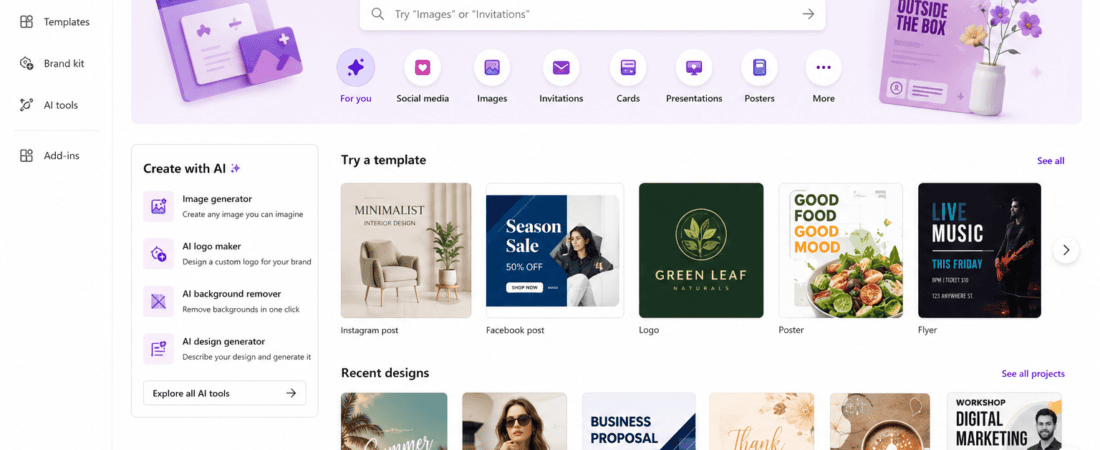
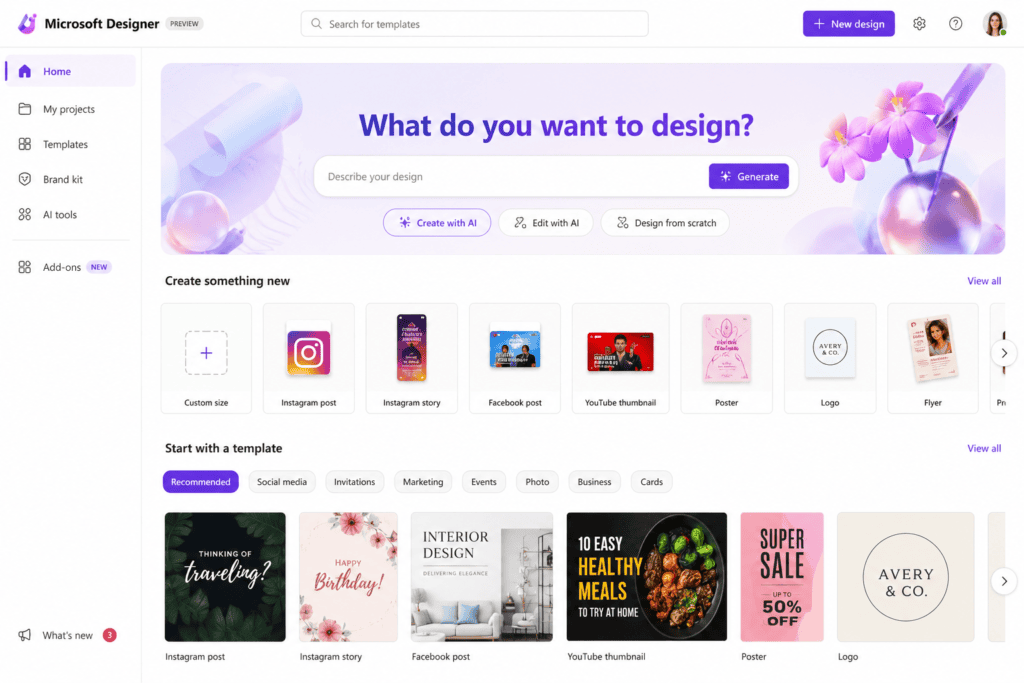
2. Microsoft Designer
Microsoft Designer offers free AI image creation and is suitable for generating recurring character concepts.
Features
- AI image generation
- Prompt-based editing
- Fast rendering
- Beginner-friendly interface
Pros
- Free to use
- Easy for beginners
- Good image quality
Cons
- Limited advanced consistency controls
3. Leonardo AI
Leonardo AI is one of the most popular platforms for creating consistent characters thanks to its AI models, image guidance, and reusable assets.
Features
- Character reference tools
- Image guidance
- Prompt optimization
- Multiple art styles
- Fine-tuned models
Pros
- Excellent character consistency
- High-quality images
- Great for game assets
Cons
- Daily free credits are limited
4. Playground AI
Playground AI allows users to generate and refine characters with image editing features.
Features
- Image-to-image generation
- Prompt editing
- Style presets
- Canvas editing
Pros
- Flexible workflow
- Good free plan
- Easy editing tools
Cons
- Some premium features require a subscription
5. Mage.Space
Mage.Space provides free AI image generation using multiple open-source models.
Features
- Unlimited prompt experimentation
- Multiple AI models
- Negative prompts
- Artistic flexibility
Pros
- Free access
- Fast image generation
- Supports different styles
Cons
- Consistency depends heavily on prompt quality
6. Tensor.Art
Tensor.Art is a growing AI image platform that supports community-trained models and character-focused workflows.
Best For
- Anime characters
- Game assets
- Story illustrations
- Digital artists
Features
- Community AI models
- Character LoRA support
- Image-to-image generation
- Prompt templates
- Style customization
Pros
- Large collection of AI models
- Excellent character consistency
- Free daily credits
Cons
- Beginners may find the interface overwhelming
7. SeaArt AI
SeaArt AI has become popular for generating highly detailed and consistent AI characters using reference images.
Features
- Character reference mode
- Style transfer
- Image enhancement
- Multiple AI models
- Daily free generations
Pros
- High-quality images
- Beginner-friendly
- Strong consistency features
Cons
- Some advanced models require premium credits
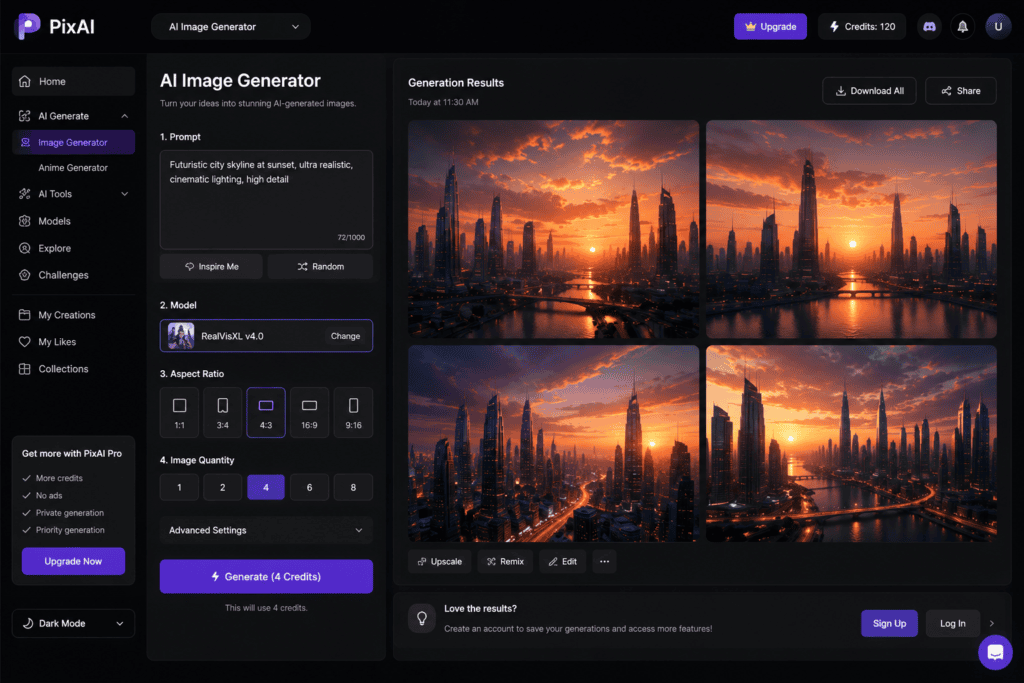
8. PixAI
PixAI focuses on anime and stylized character creation while maintaining consistent facial features across generations.
Features
- Character templates
- Prompt enhancement
- Image editing
- Style presets
- Community models
Pros
- Excellent anime results
- Easy workflow
- Free daily credits
Cons
- Less suitable for realistic portraits
9. Ideogram AI
Ideogram AI is known for combining accurate text rendering with AI-generated illustrations and characters.
Features
- Prompt-based generation
- Style presets
- High-quality illustrations
- Fast image creation
Pros
- Clean interface
- Great for branding projects
- Free plan available
Cons
- Limited character memory compared to specialized tools
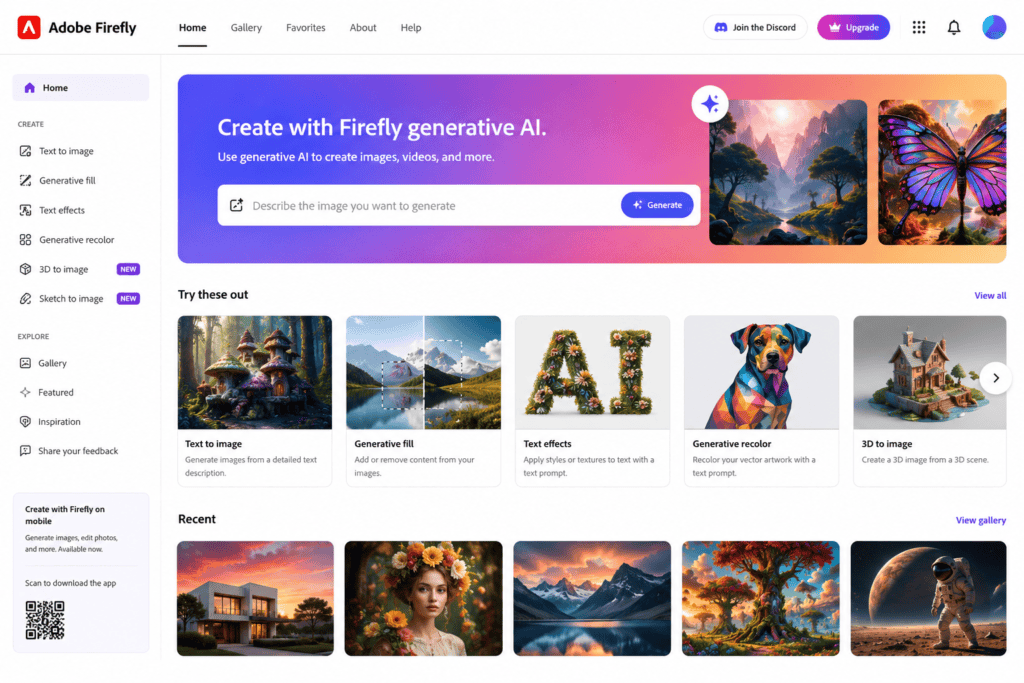
10. Adobe Firefly
Adobe Firefly offers AI image generation and editing features that help maintain visual consistency in professional creative projects.
Features
- Generative Fill
- Text-to-image
- Style reference
- Image editing
- Commercial-friendly outputs
Pros
- Professional-quality results
- Excellent editing tools
- Trusted Adobe ecosystem
Cons
- Free generations are limited each month
Comparison Table
| AI Tool | Free Plan | Character Consistency | Best For |
|---|---|---|---|
| ChatGPT Image Generation | Yes | Excellent | Storytelling & Branding |
| Microsoft Designer | Yes | Good | Beginners |
| Leonardo AI | Yes | Excellent | Games & Illustrations |
| Playground AI | Yes | Very Good | Creative Projects |
| Mage.Space | Yes | Good | Experimentation |
| Tensor.Art | Yes | Excellent | Anime & LoRA Models |
| SeaArt AI | Yes | Excellent | Character References |
| PixAI | Yes | Excellent | Anime Characters |
| Ideogram AI | Yes | Good | Branding & Posters |
| Adobe Firefly | Yes | Very Good | Professional Design |
Step-by-Step Guide to Creating Consistent AI Characters
Step 1: Define Your Character
Before generating images, write a detailed description of your character.
Include:
- Gender
- Age
- Height
- Hair color
- Hairstyle
- Eye color
- Skin tone
- Clothing
- Accessories
- Personality
- Art style
Example:
“A 28-year-old woman with shoulder-length black hair, green eyes, fair skin, wearing a navy blazer, white shirt, black trousers, and silver glasses in a modern semi-realistic style.”
The more specific your description, the more consistent the results will be.
Step 2: Save Your Prompt
Use exactly the same base prompt every time.
Changing only the scene while keeping the character description identical helps preserve facial features and clothing.
For example:
- Walking in a park
- Sitting in an office
- Speaking at a conference
- Drinking coffee
- Working on a laptop
Everything changes except the character description.
Step 3: Use Reference Images
Many AI image generators now support reference images.
After generating a character you like, upload that image as a reference for future generations. This significantly improves consistency in facial structure, hairstyle, and clothing.
Step 4: Keep the Same Art Style
Switching between styles such as anime, watercolor, realism, and 3D can dramatically alter your character’s appearance.
Choose one style and use it consistently throughout your project.
Examples include:
- Realistic photography
- Pixar-style 3D
- Anime
- Comic book
- Cartoon
- Oil painting
- Digital illustration
Step 5: Maintain the Same Camera Angle
For maximum consistency, begin with similar camera compositions such as:
- Front portrait
- Half-body shot
- Full-body view
- Side profile
Once your character is established, you can experiment with more dynamic poses.
Step 6: Use Seeds (When Available)
Some AI models allow you to reuse the same seed number. The seed controls the random starting point for image generation.
Using the same seed while making only small prompt changes often results in a character that looks nearly identical across multiple images.
Prompt Writing Tips for Consistent Characters
A well-written prompt is the foundation of character consistency.
Be Specific
Instead of writing:
“A woman wearing a jacket.”
Write:
“A confident 30-year-old woman with shoulder-length brown hair, blue eyes, light freckles, wearing a navy business blazer over a white shirt, black trousers, and black leather shoes.”
Describe Fixed Features
Always include details that should never change, such as:
- Hair color
- Eye color
- Clothing style
- Accessories
- Facial features
- Body type
Describe Only the Scene Separately
Keep your character description constant while changing only the environment or activity.
For example:
- Standing in a modern office
- Walking through a forest
- Sitting in a coffee shop
- Presenting on stage
Create a Character Sheet
Professional illustrators often use a character sheet to maintain consistency.
Include:
- Front view
- Side profile
- Back view
- Close-up portrait
- Facial expressions
- Color palette
- Clothing details
- Accessories
This sheet becomes your visual reference for future generations.
Organize Your AI Assets
Store your prompts, reference images, and generated artwork in organized folders.
Suggested folder structure:
- Character Prompts
- Reference Images
- Character Sheets
- Expressions
- Action Poses
- Background Scenes
- Final Artwork
Keeping your assets organized makes it much easier to maintain consistency throughout long-term projects.
Advanced Techniques for Better Character Consistency
Once you’ve created a strong base character, you can use advanced techniques to make your AI-generated images even more consistent across different scenes and projects.
Use Negative Prompts
Negative prompts tell the AI what to avoid during image generation. This helps reduce unwanted variations and improves consistency.
Example Negative Prompt:
- blurry
- low quality
- extra fingers
- extra limbs
- different hairstyle
- different eye color
- cropped face
- duplicate person
- distorted anatomy
- bad hands
- watermark
- text
- logo
Using negative prompts consistently can greatly improve the quality of your results.
Keep the Same Aspect Ratio
Changing the image dimensions can sometimes alter the composition and character proportions.
For example:
- 1:1 – Profile pictures and avatars
- 3:4 – Portrait illustrations
- 16:9 – Story scenes and YouTube thumbnails
- 9:16 – Social media reels and shorts
If you’re creating a series, stick to the same aspect ratio whenever possible.
Maintain Consistent Lighting
Lighting has a significant impact on how a character appears.
Choose one lighting style and reuse it across generations, such as:
- Soft studio lighting
- Natural daylight
- Golden hour
- Cinematic lighting
- Indoor office lighting
Consistent lighting helps maintain a cohesive visual identity.
Reuse the Same Color Palette
A fixed color palette strengthens recognition and branding.
For example:
- Navy blue jacket
- White shirt
- Black trousers
- Brown shoes
- Silver glasses
Keeping these colors consistent reinforces your character’s identity.
Best Practices for AI Storytelling
If you’re creating comics, children’s books, animations, or visual stories, follow these best practices.
Build a Character Bible
A character bible is a document that includes:
- Name
- Age
- Personality
- Physical appearance
- Clothing
- Accessories
- Speech style
- Strengths
- Weaknesses
- Background story
This ensures consistency not only in visuals but also in storytelling.
Plan Every Scene
Before generating images, outline your story so you know:
- Which characters appear
- Their emotions
- Camera angles
- Backgrounds
- Lighting
- Actions
Planning ahead reduces unnecessary revisions.
Keep a Prompt Library
Save successful prompts in a document or spreadsheet. Organize them by:
- Character
- Outfit
- Expression
- Pose
- Environment
- Art style
A prompt library saves time and improves consistency across future projects.
Common Mistakes to Avoid
Even experienced creators make mistakes that reduce character consistency.
Changing Too Many Details
Altering hair, clothing, facial features, and style all at once can produce a completely different character.
Using Different AI Models
Different AI models interpret prompts differently. For a consistent series, stick with the same model whenever possible.
Switching Art Styles
Moving between realistic, anime, watercolor, or 3D styles can drastically change your character’s appearance.
Ignoring Reference Images
Reference images are one of the most effective tools for preserving facial features and clothing. Use them whenever supported.
Overloading the Prompt
Adding too many unnecessary details can confuse the AI. Keep prompts clear, specific, and focused.
Future of AI Character Generation
AI character generation is advancing rapidly. Upcoming features are expected to make consistency even easier.
Persistent Character Memory
Future AI systems are likely to remember a character across multiple sessions, reducing the need to repeat detailed prompts.
Improved Reference Systems
AI models will become better at preserving facial features, clothing, and proportions using just one or two reference images.
3D Character Integration
Many platforms are beginning to support consistent 3D characters for games, animations, and virtual reality experiences.
One-Click Character Sheets
AI tools may soon generate complete character sheets automatically, including multiple poses, expressions, and outfit variations.
Better Animation Support
Consistent AI characters will increasingly be used in animated videos, virtual influencers, and AI-powered storytelling.
Frequently Asked Questions (FAQ)
Which free AI tool is best for creating consistent characters?
Leonardo AI, SeaArt AI, Tensor.Art, Playground AI, and ChatGPT Image Generation are among the best options for maintaining character consistency. The ideal choice depends on whether you need realistic portraits, anime characters, or illustrated artwork.
Can I create the same character in different poses?
Yes. By keeping the core character description unchanged and modifying only the pose or environment, you can generate the same character in a wide variety of scenes.
Do I need reference images?
While not always required, reference images significantly improve consistency by helping the AI preserve facial features, hairstyles, clothing, and proportions.
What is a character sheet?
A character sheet is a visual reference that includes multiple views, expressions, outfits, and color details for a character. It serves as a guide for maintaining consistency across different images and projects.
Can I use AI-generated characters commercially?
Commercial usage depends on the licensing terms of the AI platform you use. Always review the platform’s usage policy before using generated images for business or client work.
Why does my AI character keep changing?
Common reasons include:
- Changing prompts too much
- Using different AI models
- Switching art styles
- Not using reference images
- Omitting key character details
Keeping these elements consistent greatly improves the results.
Final Verdict
Creating consistent characters with free AI image models is now easier than ever. By using detailed prompts, saving your best prompt templates, reusing reference images, maintaining the same art style, and organizing your character assets, you can build professional-quality characters for a wide range of creative projects.
Whether you’re designing a comic series, a YouTube mascot, a game protagonist, a children’s book hero, or a brand ambassador, consistency is the key to building recognition and trust. Free AI tools like ChatGPT Image Generation, Leonardo AI, Microsoft Designer, Playground AI, SeaArt AI, Tensor.Art, and PixAI provide powerful features that help you create recognizable characters without expensive software.
As AI technology continues to evolve, maintaining the same character across hundreds of images will become faster, simpler, and more accurate.
Conclusion
Consistent AI characters are essential for professional storytelling, branding, marketing, education, and digital content creation. While AI image models naturally introduce variation, the techniques covered in this guide—such as detailed prompts, reference images, character sheets, consistent lighting, fixed color palettes, and reusable workflows—can dramatically improve consistency.
Start by defining your character clearly, keep your prompts organized, and build a library of successful references. Over time, you’ll develop a reliable workflow that allows you to create engaging, recognizable characters for any project.
As free AI image generators continue to improve, creators of all skill levels will be able to produce high-quality, consistent characters that were once possible only with dedicated illustrators and expensive design software.
Check out here if you want to know about Free AI Tools to Design Professional Logos for Brands