
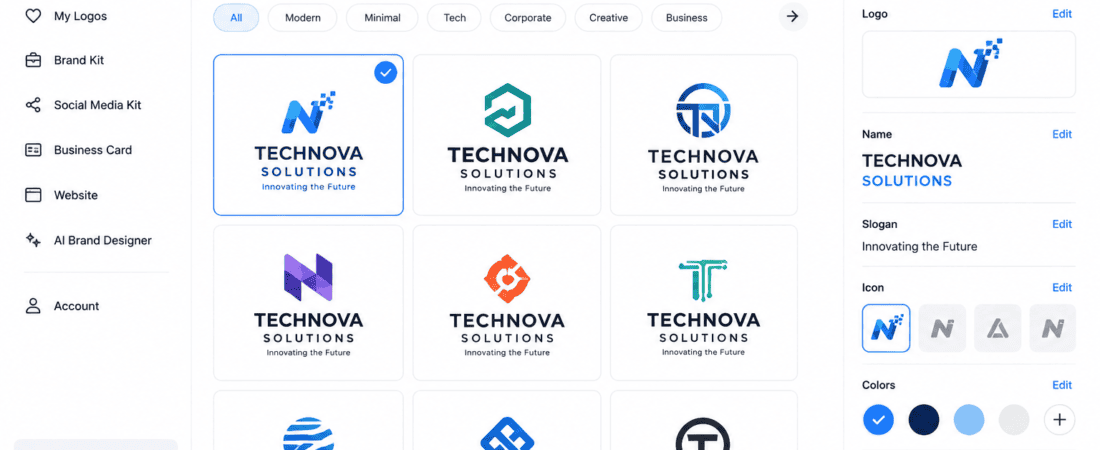
Free AI Tools to Design Professional Logos for Brands
A logo is the face of a brand. Whether you’re launching a startup, opening an online store, creating a YouTube channel, or building a personal brand, a professional logo helps people recognize and remember your business. In the past, creating a high-quality logo required hiring a graphic designer or learning complex software like Adobe Illustrator. Today, AI logo generators make the process much faster, easier, and more affordable.
With just a few prompts, artificial intelligence can generate modern, professional-looking logo concepts in minutes. Many AI tools also let you customize fonts, colors, icons, and layouts without requiring any design experience.
In this guide, you’ll discover the best free AI tools to design professional logos for brands, compare their features, understand their strengths and limitations, and learn expert tips for creating a memorable logo that represents your business.
Why Every Brand Needs a Professional Logo
A logo is much more than a simple graphic. It represents your company’s identity and helps build trust with customers.
A professional logo can:
- Increase brand recognition
- Build customer trust
- Create a memorable first impression
- Improve marketing consistency
- Differentiate your business from competitors
- Enhance your website and social media presence
- Support long-term brand growth
Whether you’re a freelancer, entrepreneur, eCommerce seller, or content creator, a strong logo is one of the most valuable branding assets you can create.
What Is an AI Logo Generator?
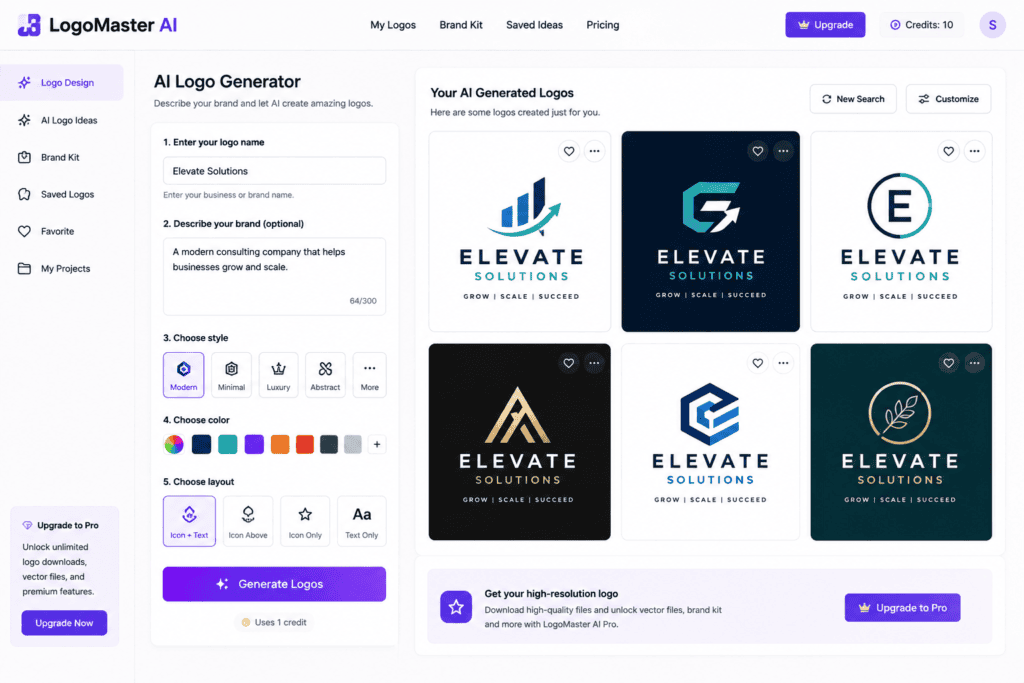
An AI logo generator is an online tool that uses artificial intelligence to create logo designs based on your business name, industry, preferred colors, style, and design preferences.
Instead of starting from a blank canvas, AI analyzes your input and generates multiple logo concepts automatically. You can then customize the designs by changing icons, typography, colors, layouts, and spacing before downloading the final logo.
Many AI logo makers also generate complete brand kits, including social media assets, business cards, and color palettes.
Benefits of Using AI Logo Design Tools
AI-powered logo creators offer several advantages over traditional design methods.
Affordable
Many platforms provide free logo creation with optional premium downloads, making them ideal for startups and small businesses.
Fast Results
Generate dozens of logo concepts in just a few minutes.
Beginner-Friendly
No graphic design skills are required. Most tools guide users through a simple step-by-step process.
Highly Customizable
Edit fonts, colors, icons, layouts, and shapes to match your brand identity.
Great for Inspiration
Even if you hire a professional designer later, AI-generated concepts can provide a strong creative starting point.
Features to Look for in an AI Logo Generator
Before choosing an AI logo tool, consider the following features:
- Free logo generation
- High-resolution downloads
- SVG or vector file support
- Extensive icon library
- Font customization
- Color palette editing
- Transparent background export
- Commercial usage rights
- Brand kit creation
- Easy-to-use interface
Best Free AI Logo Design Tools
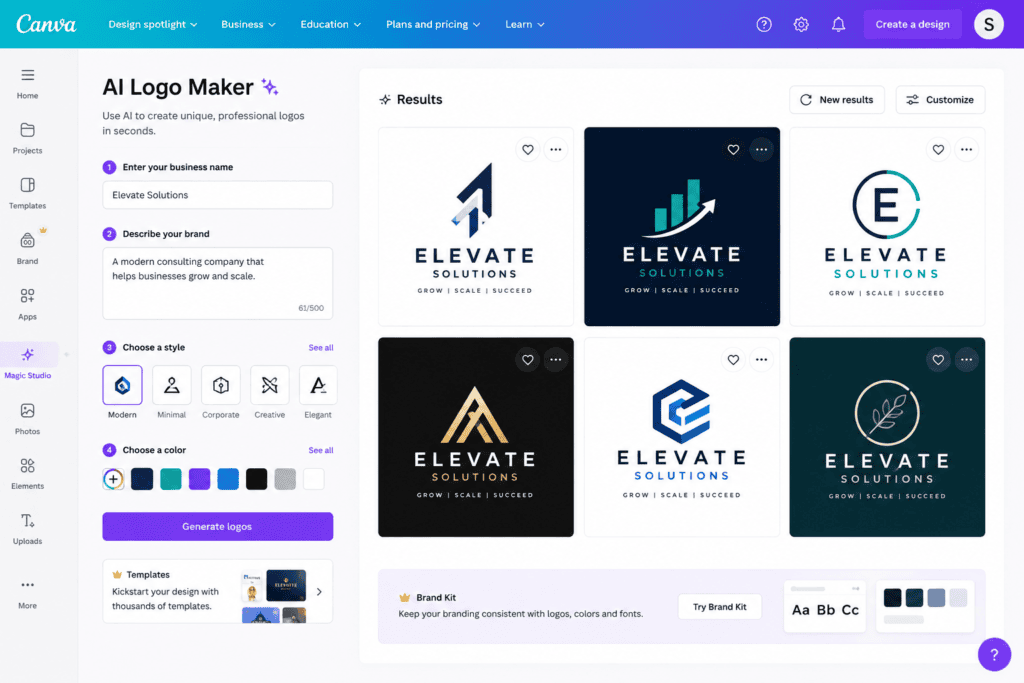
1. Canva AI Logo Maker
Canva combines AI-powered design suggestions with an intuitive drag-and-drop editor.
Best For
Beginners, small businesses, and social media creators.
Features
- AI logo generation
- Thousands of editable templates
- Huge icon library
- Brand color customization
- Transparent background (Pro feature)
Pros
- Easy to use
- Excellent free plan
- Massive design library
Cons
- Some premium elements require a subscription
2. Microsoft Designer
Microsoft Designer uses AI to generate modern logo ideas quickly.
Features
- AI-powered design suggestions
- Editable templates
- Font recommendations
- Color customization
- Fast export options
Pros
- Free to use
- Beginner-friendly
- Modern interface
Cons
- Limited advanced customization
3. Adobe Express AI
Adobe Express helps users create clean and professional logos with AI assistance.
Features
- AI design recommendations
- Professional typography
- Brand kit integration
- Social media graphics
- High-quality templates
Pros
- Trusted Adobe ecosystem
- Easy editing
- Professional results
Cons
- Some advanced features require a premium plan
4. Looka
Looka is one of the most popular AI logo generators for startups and entrepreneurs.
Features
- AI-generated logos
- Brand kit creation
- Business card designs
- Social media branding
- Website assets
Pros
- High-quality concepts
- Professional branding tools
Cons
- Premium downloads only
5. LogoAI
LogoAI creates professional logo designs based on your business information.
Features
- AI logo generation
- Brand identity kit
- Color palette suggestions
- Font pairing
- Social media branding
Pros
- Excellent branding tools
- Modern logo styles
Cons
- Free downloads are limited
6. Hatchful by Shopify
Hatchful is a free AI-powered logo maker developed by Shopify. It is designed for entrepreneurs, eCommerce stores, and small businesses that need a professional logo without any design experience.
Best For
- Online stores
- Small businesses
- Dropshipping brands
- Startups
Features
- Hundreds of logo templates
- Industry-specific designs
- Social media logo sizes
- Easy customization
- Free downloads
Pros
- Completely free
- Beginner-friendly
- Fast logo creation
- Excellent for eCommerce brands
Cons
- Limited advanced editing options
7. DesignEvo
DesignEvo offers thousands of professionally designed logo templates that can be customized using AI-assisted tools.
Best For
Businesses looking for creative logo inspiration.
Features
- 10,000+ logo templates
- Millions of icons
- Font customization
- Color editing
- SVG export (Premium)
Pros
- Huge template collection
- Easy customization
- Free version available
Cons
- High-resolution downloads require payment
8. Fotor AI Logo Generator
Fotor combines AI-powered logo generation with a complete online design editor.
Features
- AI logo creator
- Background removal
- Icon library
- Typography customization
- Color palette generator
Pros
- Easy to use
- Modern logo styles
- Beginner-friendly interface
Cons
- Premium assets require a subscription
9. BrandCrowd
BrandCrowd is a powerful AI logo generator with thousands of professionally designed templates.
Features
- AI-generated logo concepts
- Business card creator
- Social media branding
- Website branding assets
- Font editing
Pros
- Large template library
- High-quality branding resources
Cons
- Downloads require a paid plan
10. Logomaster.ai
Logomaster.ai enables users to generate professional business logos in just a few clicks.
Features
- AI logo generation
- Color customization
- Professional icons
- Font selection
- High-resolution exports
Pros
- Quick workflow
- Clean interface
- Modern logo styles
Cons
- Limited free downloads
Comparison Table
| AI Tool | Free Plan | Best For | Vector Export |
|---|---|---|---|
| Canva AI | Yes | Beginners | Pro Only |
| Microsoft Designer | Yes | Small businesses | No |
| Adobe Express | Yes | Professional branding | Limited |
| Looka | Trial | Brand identity | Paid |
| LogoAI | Limited | Startups | Paid |
| Hatchful | Yes | eCommerce | PNG |
| DesignEvo | Yes | Logo templates | Paid |
| Fotor AI | Yes | Quick logos | Limited |
| BrandCrowd | Trial | Branding | Paid |
| Logomaster.ai | Trial | Business logos | Paid |
How to Design a Professional Logo Using AI
Creating a logo with AI takes only a few minutes. Follow these simple steps:
Step 1: Choose an AI Logo Generator
Select a tool that fits your needs. Beginners may prefer Canva AI or Hatchful, while startups seeking complete branding can explore Looka or LogoAI.
Step 2: Enter Your Brand Name
Provide your business or brand name exactly as you want it to appear in the logo.
Example:
- PixelCraft Studio
- GreenNest Organics
- NovaTech Solutions
Step 3: Select Your Industry
Most AI tools ask you to choose an industry such as:
- Technology
- Restaurant
- Fashion
- Healthcare
- Education
- Real Estate
- Travel
- Finance
This helps the AI generate relevant design styles.
Step 4: Choose Your Preferred Style
Popular logo styles include:
- Minimalist
- Modern
- Luxury
- Vintage
- Corporate
- Creative
- Geometric
- Elegant
Step 5: Customize the Design
Refine the AI-generated logo by adjusting:
- Fonts
- Colors
- Icons
- Shapes
- Layout
- Spacing
- Background
Step 6: Download Your Logo
Export your logo in the highest quality available. If possible, choose vector formats like SVG or PDF for scalability.
Essential Elements of a Great Logo
The most successful logos share several common characteristics.
Simplicity
Simple logos are easier to recognize and remember.
Scalability
A logo should look great on:
- Business cards
- Websites
- Social media profiles
- Billboards
- Product packaging
Memorability
Unique shapes and typography help customers remember your brand.
Versatility
Your logo should work equally well in color, black and white, and on light or dark backgrounds.
Relevance
The design should reflect your brand’s personality and industry.
Best Color Choices for Brand Logos
Different colors evoke different emotions and can influence how people perceive your brand.
| Color | Meaning |
|---|---|
| Blue | Trust, professionalism, reliability |
| Green | Nature, health, sustainability |
| Red | Energy, passion, excitement |
| Orange | Creativity, friendliness |
| Yellow | Optimism, innovation |
| Black | Luxury, elegance, authority |
| White | Simplicity, cleanliness |
| Purple | Creativity, premium quality |
Choose a color palette that aligns with your brand values and target audience.
Typography Tips for AI-Generated Logos
Fonts play a crucial role in brand identity.
Sans-Serif Fonts
Ideal for modern and technology brands due to their clean and minimalist appearance.
Serif Fonts
Suitable for law firms, financial institutions, and luxury brands that want to convey tradition and trust.
Script Fonts
Best for beauty, fashion, or creative businesses seeking a more elegant and personal touch.
Display Fonts
Useful for entertainment and youth-focused brands but should be used sparingly to maintain readability.
Advanced Tips for Designing Professional Logos with AI
While AI can generate impressive logo concepts in seconds, the best results come from combining AI creativity with thoughtful branding decisions. Follow these expert tips to create a logo that remains effective for years.
Keep Your Design Simple
The world’s most recognizable logos are usually simple. Avoid adding too many icons, gradients, or decorative elements. A clean design is easier to remember and works well across different platforms.
Make It Scalable
Your logo should look sharp whether it’s displayed on:
- Business cards
- Websites
- Social media profiles
- Mobile apps
- Product packaging
- Billboards
- T-shirts
- Signboards
If available, download your logo in vector formats such as SVG, EPS, or PDF for unlimited scalability.
Limit Your Color Palette
Use two or three primary colors to maintain a clean and professional appearance. Too many colors can make your brand look inconsistent.
Choose Readable Fonts
Avoid overly decorative fonts that are difficult to read. Your business name should remain clear even when the logo is displayed in smaller sizes.
Test on Different Backgrounds
Before finalizing your design, preview it on:
- White backgrounds
- Black backgrounds
- Transparent backgrounds
- Light-colored surfaces
- Dark-colored surfaces
A versatile logo should remain recognizable in every situation.
Common Logo Design Mistakes to Avoid
Many new businesses make avoidable mistakes when creating logos. Being aware of these pitfalls can help you build a stronger brand identity.
Copying Existing Brands
Avoid creating a logo that closely resembles a well-known company. Originality helps build trust and reduces the risk of trademark issues.
Following Short-Term Trends
Design trends change quickly. Focus on creating a timeless logo rather than one that may look outdated in a few years.
Using Too Many Fonts
Limit your logo to one or two complementary fonts. Too many font styles can make the design look cluttered.
Overcomplicating the Design
Adding too many icons, shapes, or effects can reduce readability and brand recognition.
Ignoring Brand Identity
Your logo should reflect your company’s mission, values, and target audience. For example, a law firm typically requires a more formal style than a gaming channel.
AI Logo Design Trends in 2026
Artificial intelligence continues to reshape branding and logo design. Here are some of the biggest trends this year.
Minimalist Logos
Simple typography and clean geometric shapes remain the most popular choice for modern businesses.
Gradient Color Schemes
Soft gradients add depth while maintaining a modern appearance.
AI-Generated Brand Kits
Many AI platforms now generate complete branding packages, including logos, color palettes, typography, business cards, social media templates, and marketing assets.
Responsive Logos
Responsive logos automatically adapt to different screen sizes and digital platforms without losing clarity.
Personalized AI Suggestions
Advanced AI tools now analyze your industry, audience, and brand personality to recommend colors, fonts, and icons that best match your business.
Who Should Use AI Logo Generators?
AI logo makers are suitable for a wide range of users.
Small Business Owners
Create a professional brand identity without hiring a designer.
Startups
Launch quickly with affordable branding solutions.
Freelancers
Design logos for personal branding, portfolios, and client projects.
Content Creators
Build recognizable branding for YouTube channels, podcasts, blogs, and social media accounts.
eCommerce Sellers
Design logos for Shopify stores, Amazon brands, Etsy shops, and WooCommerce websites.
Students
Develop logos for academic projects, competitions, and startup ideas.
Nonprofit Organizations
Create professional branding while staying within a limited budget.
AI Logo Generator vs Hiring a Graphic Designer
| Feature | AI Logo Generator | Professional Designer |
|---|---|---|
| Cost | Free or Low | High |
| Speed | Minutes | Days or Weeks |
| Design Skills Needed | No | No |
| Unlimited Concepts | Yes | Limited |
| Brand Strategy | Basic | Advanced |
| Custom Illustration | Limited | Yes |
| Personal Consultation | No | Yes |
| Best For | Startups & Small Businesses | Established Brands |
If you’re launching a new business or testing an idea, AI logo generators provide excellent value. As your brand grows, you may later invest in custom branding from a professional designer.
Frequently Asked Questions (FAQ)
Are AI-generated logos free?
Many AI logo generators allow you to create and preview logos for free. Some platforms also offer free PNG downloads, while high-resolution or vector files may require a premium purchase.
Can I use AI-generated logos commercially?
It depends on the platform’s licensing terms. Always review the commercial usage policy before using a logo for business purposes.
Which free AI logo generator is best for beginners?
Canva AI, Microsoft Designer, Hatchful by Shopify, and Fotor AI are among the easiest tools for beginners thanks to their intuitive interfaces and free design options.
Can AI create unique logos?
Yes. AI generates logo concepts based on your brand name, industry, style preferences, and selected colors. However, reviewing the design for originality and checking for trademark conflicts is always recommended.
Can I edit my AI-generated logo later?
Yes. Most AI logo makers let you modify fonts, colors, layouts, icons, and spacing before downloading. Save editable versions whenever possible for future updates.
What file format should I download?
For online use, PNG with a transparent background is ideal. For printing and resizing, choose vector formats such as SVG, EPS, or PDF whenever available.
Final Verdict
AI logo generators have transformed the branding process by making professional logo design accessible to everyone. Whether you’re launching a startup, opening an online store, building a personal brand, or creating content for social media, these tools can produce attractive logo concepts within minutes.
For users seeking a complete design platform, Canva AI, Microsoft Designer, and Adobe Express are excellent choices. Entrepreneurs looking for advanced branding features may prefer Looka, LogoAI, or BrandCrowd, while Hatchful remains a strong free option for eCommerce businesses.
The best logo is not necessarily the most complex—it’s the one that clearly communicates your brand’s identity, remains memorable, and works across all digital and print platforms. Use AI as a creative assistant, refine the design thoughtfully, and you’ll have a logo that supports your business for years to come.
Conclusion
A professional logo is one of the most valuable assets a brand can have. Thanks to AI-powered logo generators, creating a polished and memorable identity no longer requires advanced design skills or a large budget.
The tools covered in this guide offer a range of features, from instant logo generation to complete brand kits, making them suitable for startups, freelancers, eCommerce businesses, content creators, and established companies alike.
When designing your logo, prioritize simplicity, readability, scalability, and consistency. Pair your logo with a cohesive color palette and typography to strengthen your overall brand identity.
As AI technology continues to evolve, logo creation will become even more intelligent, personalized, and accessible. By choosing the right AI tool and following branding best practices, you can build a professional visual identity that helps your business stand out in a competitive market.
Check out here if you want to know about Best Free AI Headshot Generators for Professional LinkedIn Profiles