
AI Comic Book and Manga Panel Generators:
AI Comic Book and Manga Panel Generators: Comic books and manga have always required artistic talent, storytelling skills, and countless hours of drawing. Today, artificial intelligence is changing the way creators produce comics. Whether you’re an independent comic artist, manga enthusiast, YouTuber, storyteller, student, or content creator, AI comic generators can help you turn your ideas into visually stunning comic panels within minutes.
The best part is that many AI comic book generators offer free plans, allowing beginners to experiment without spending money.
In this comprehensive guide, you’ll discover the best free AI comic book and manga panel generators, their features, strengths, limitations, and how to choose the right one for your creative projects.
What Is an AI Comic Book Generator?
An AI comic generator is an artificial intelligence tool that converts text prompts into comic-style illustrations or manga panels.
Instead of drawing every scene manually, users simply describe:
- Characters
- Backgrounds
- Emotions
- Camera angles
- Lighting
- Art style
- Dialogue scene
The AI creates comic-style artwork in seconds.
Many modern AI tools also support:
- Speech bubbles
- Multiple character consistency
- Manga black-and-white styles
- Colored comic pages
- Storyboards
- Graphic novels
- Webtoon layouts
Why AI Comic Generators Are Becoming Popular
AI comic creation is becoming popular because it saves both time and money.
Benefits include:
- No drawing skills required
- Fast panel creation
- Professional-quality artwork
- Character consistency
- Easy revisions
- Multiple art styles
- Great for beginners
- Ideal for indie creators
Features to Look For
Before choosing an AI comic generator, consider whether it offers:
- Free version
- Manga art style
- Comic art style
- Storyboard generation
- Multiple panel layouts
- Character consistency
- Speech bubble support
- High-resolution export
- Commercial license
- Prompt editing

1. Microsoft Designer (Image Creator)
Microsoft Designer includes AI image generation powered by advanced image models.
Best For
- Comic covers
- Character creation
- Fantasy comics
- Superhero art
Pros
- Free credits
- Excellent image quality
- Easy interface
- Fast generation
Cons
- Doesn’t automatically create comic pages
- Speech bubbles require editing
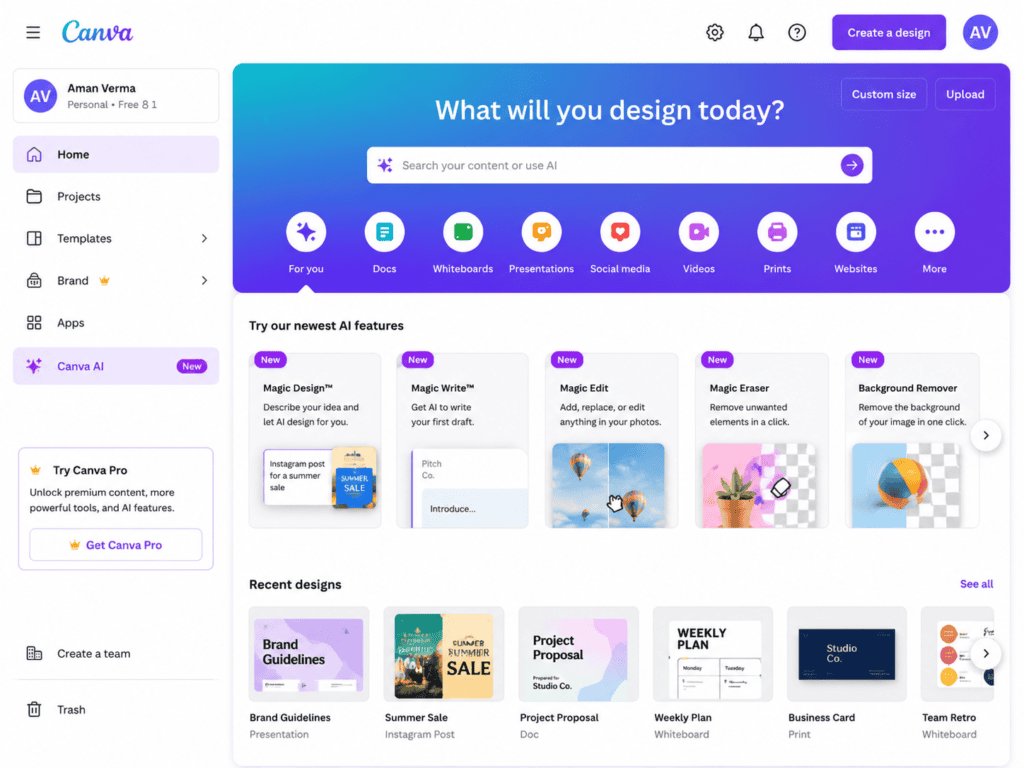
2. Canva AI
Canva has introduced several AI features that help creators build comic pages easily.
Features include:
- AI image generation
- Drag-and-drop comic layouts
- Speech bubbles
- Fonts
- Templates
- Background remover
Perfect for beginners.
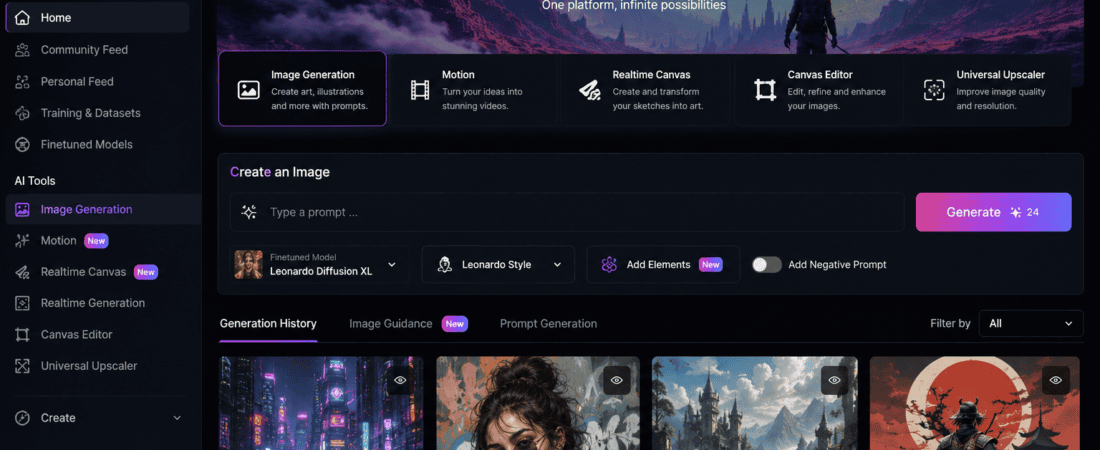
3. Leonardo AI
Leonardo AI has become one of the favorite platforms among comic creators.
It provides:
- Anime styles
- Manga models
- Comic illustration
- Character consistency
- Prompt enhancement
The free plan includes daily tokens.
4. Mage.Space
Mage.Space is an excellent free AI image generator with multiple comic models.
Users can create:
- Manga pages
- Anime scenes
- Comic panels
- Character concepts
- Graphic novel artwork
Advantages:
- Unlimited free generations (with some limitations)
- Multiple AI models
- NSFW filter options
- Fast rendering
5. Playground AI
Playground AI allows users to generate and edit comic artwork.
Features:
- Canvas editing
- AI inpainting
- Comic illustrations
- Character redesign
- Background editing
Free users receive daily image generations.
6. NightCafe
NightCafe is one of the easiest AI art generators.
Comic creators can generate:
- Manga characters
- Comic villains
- Fantasy heroes
- Story illustrations
- Cover art
Its community also shares prompt ideas.
7. SeaArt AI
SeaArt offers numerous anime and manga models.
Highlights:
- Beautiful anime styles
- Character reference
- Fast generation
- Free credits daily
- Large community
Excellent for manga artists.
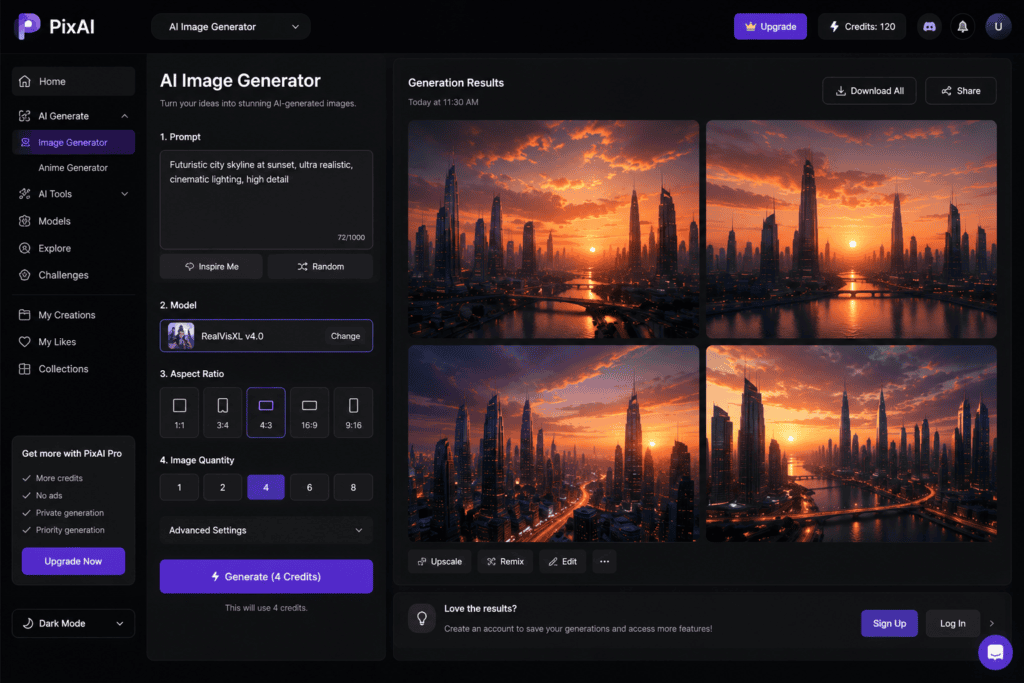
8. PixAI
PixAI specializes in anime artwork.
Ideal for:
- Manga panels
- Webtoon scenes
- Character expressions
- Anime storytelling
Its models produce highly detailed manga illustrations.
9. Dezgo
Dezgo offers free Stable Diffusion-based image generation.
Users can create:
- Black-and-white manga
- Comic concept art
- Character sheets
- Fantasy comics
No complicated interface.
10. Tensor.Art
Tensor.Art hosts thousands of community-trained models.
Comic creators can select models specifically built for:
- Manga
- Comics
- Anime
- Webtoons
- Graphic novels
The free plan is generous.
AI Comic Workflow
Most creators follow this process:
Step 1
Write your story.
Example:
A teenage ninja discovers an ancient sword hidden beneath a ruined temple.
Step 2
Break it into scenes.
Scene 1:
Temple entrance
Scene 2:
Dark hallway
Scene 3:
Sword glowing
Scene 4:
Monster appears
Step 3
Generate each panel.
Example prompt:
“Young anime ninja holding a glowing sword inside ancient temple, dramatic lighting, manga style, black and white, cinematic composition.”
Step 4
Generate facial expressions.
Examples:
- Angry
- Happy
- Sad
- Shocked
- Fear
- Determined
Step 5
Create backgrounds.
Examples:
- City
- Forest
- School
- Space
- Castle
- Dungeon
Step 6
Arrange panels.
Use:
- Canva
- Photoshop
- Photopea
- Comic Life
Step 7
Add speech bubbles.
Examples:
“I won’t lose!”
“What is this power?”
“Run!”
Step 8
Export your comic.
Formats:
- PNG
- JPG
Best Prompt Tips
Good prompts generate better comics.
Include:
Character
Example:
Female samurai
Emotion
Example:
Determined
Pose
Example:
Running with sword
Camera
Example:
Close-up
Lighting
Example:
Moonlight
Style
Example:
Japanese manga
Quality
Example:
Highly detailed
Example Prompt:
Female samurai running through a rainy Japanese village at night, dramatic lighting, black and white manga, detailed ink lines, cinematic angle, emotional expression.
Manga vs Comic Styles
Manga
Characteristics:
- Black and white
- Speed lines
- Large expressive eyes
- Emotional faces
- Japanese storytelling
Western Comics
Characteristics:
- Colorful
- Bold outlines
- Dynamic action
- Superheroes
- Cinematic lighting
Tips for Better Character Consistency
One challenge with AI is maintaining the same character appearance across panels. Improve consistency by:
- Reusing the same detailed prompt for every panel.
- Mentioning specific hairstyle, clothing, accessories, and facial features.
- Using image reference features when available.
- Saving seed numbers if the platform supports them.
- Creating a character reference sheet before generating scenes.
Consistent characters make your comic feel professional and easier to follow.
Common Mistakes to Avoid
Many beginners struggle because they:
- Write prompts that are too short.
- Change character descriptions in every scene.
- Ignore lighting and camera angles.
- Generate every panel in a different art style.
- Forget to plan the story before creating artwork.
Avoiding these mistakes can dramatically improve the quality of your comic.
AI Tools for Dialogue and Story Writing
Visuals are only half of a great comic. You can combine image generators with AI writing assistants to create:
- Character backstories
- Dialogue
- Scene descriptions
- Plot twists
- Chapter outlines
- Comic scripts
This combination speeds up the entire comic production process.
Can You Publish AI-Generated Comics?
Yes, many creators publish AI-assisted comics as:
- Webtoons
- Graphic novels
- Digital comics
- Print-on-demand books
- Educational comics
- Marketing comics
However, always review the licensing terms of the AI tool you use, especially if you plan to sell your work commercially.
Future of AI Comic Creation
AI is evolving rapidly. In the near future, comic generators are expected to offer:
- Automatic multi-panel page creation
- Consistent recurring characters
- Built-in dialogue generation
- AI lettering
- Automatic page layouts
- Motion comic support
- Voice integration
- One-click webtoon formatting
These advancements will make comic creation even more accessible for independent creators.
Detailed Comparison of the Best Free AI Comic and Manga Generators
| AI Tool | Free Plan | Best For | Character Consistency | Manga Style | Comic Style | Ease of Use |
|---|---|---|---|---|---|---|
| Microsoft Designer | Yes | Comic covers | Medium | ⭐⭐⭐ | ⭐⭐⭐⭐ | ⭐⭐⭐⭐⭐ |
| Canva AI | Yes | Comic layouts | Medium | ⭐⭐⭐ | ⭐⭐⭐⭐ | ⭐⭐⭐⭐⭐ |
| Leonardo AI | Yes | Professional comics | ⭐⭐⭐⭐⭐ | ⭐⭐⭐⭐⭐ | ⭐⭐⭐⭐⭐ | ⭐⭐⭐⭐ |
| PixAI | Yes | Anime & manga | ⭐⭐⭐⭐⭐ | ⭐⭐⭐⭐⭐ | ⭐⭐⭐ | ⭐⭐⭐⭐ |
| SeaArt AI | Yes | Character art | ⭐⭐⭐⭐ | ⭐⭐⭐⭐⭐ | ⭐⭐⭐ | ⭐⭐⭐⭐ |
| Playground AI | Yes | Comic editing | ⭐⭐⭐⭐ | ⭐⭐⭐ | ⭐⭐⭐⭐⭐ | ⭐⭐⭐⭐ |
| NightCafe | Yes | Concept art | ⭐⭐⭐ | ⭐⭐⭐⭐ | ⭐⭐⭐⭐ | ⭐⭐⭐⭐ |
| Mage.Space | Yes | Fast generations | ⭐⭐⭐ | ⭐⭐⭐⭐ | ⭐⭐⭐⭐ | ⭐⭐⭐⭐ |
| Tensor.Art | Yes | Advanced users | ⭐⭐⭐⭐⭐ | ⭐⭐⭐⭐⭐ | ⭐⭐⭐⭐⭐ | ⭐⭐⭐ |
| Dezgo | Yes | Simple image generation | ⭐⭐⭐ | ⭐⭐⭐ | ⭐⭐⭐⭐ | ⭐⭐⭐⭐⭐ |
Which AI Tool Should You Choose?
Different creators have different needs.
Beginners
If you’re creating your first comic, start with:
- Canva AI
- Microsoft Designer
- Dezgo
These tools require almost no learning curve.
Manga Artists
If your goal is Japanese manga artwork, choose:
- PixAI
- Leonardo AI
- SeaArt AI
- Tensor.Art
These platforms specialize in anime-inspired illustrations.
Professional Comic Creators
If you’re creating graphic novels or commercial comics, try:
- Villain attacks
Chapter 4
- Final battle
Step 2: Break Chapters into Panels
Page One
Panel 1
Hero walking through a rainy village.
Panel 2
Old man warns him.
Panel 3
Castle appears.
Panel 4
Hero enters.
AI works much better with small scenes.
Step 3: Generate Characters First
Don’t immediately generate comic pages.
First create:
Main Hero
Prompt Example
Teenage warrior, black hair, blue jacket, leather boots, determined face, anime style, full body, character sheet, front view.
Villain
Prompt Example
Evil emperor wearing black armor with glowing red eyes, dark fantasy manga style, full body character design.
Supporting Characters
Repeat the process.
Save every successful image.
Create Character Reference Sheets
Professional comic creators usually generate:
Front View
Side View
Back View
Action Pose
Smiling Face
Angry Face
Sad Face
Surprised Face
These references help maintain visual consistency across your story.
Generate Background Assets
Instead of creating complete panels first, generate reusable backgrounds.
Examples
Forest
Japanese School
Cyberpunk City
Ancient Temple
Fantasy Castle
Marketplace
Space Station
You’ll save a lot of time by reusing these assets.
Create Action Scenes
Action scenes require detailed prompts.
Instead of:
Hero fighting monster
Write:
Young swordsman jumping toward a giant dragon while swinging a glowing katana, dynamic pose, speed lines, dramatic perspective, cinematic lighting, detailed manga ink drawing.
Much better results.
Designing Emotional Scenes
Good comics depend on emotion.
Generate close-up expressions.
Examples
Happy
Anime girl smiling with sparkling eyes.
Fear
Young boy shocked after seeing a ghost.
Anger
Samurai shouting while holding a sword.
Sadness
Girl crying under heavy rain.
Determination
Hero staring toward battlefield.
These close-ups add depth to your story.
AI Prompt Formula for Comic Panels
Use this simple structure:
Character + Action + Background + Camera Angle + Lighting + Art Style + Quality
Example
Female detective investigating an abandoned warehouse, cinematic perspective, rainy atmosphere, dramatic shadows, noir comic style, ultra detailed, high quality.
This formula works with most AI image generators.
Tips for Better Manga Panels
To create authentic manga artwork:
Use prompts like:
- Black and white
- Manga ink
- Screentones
- Speed lines
- Dynamic composition
- Japanese comic
- Shonen style
- Shojo style
- Seinen illustration
- Hand-drawn ink
These keywords help the AI produce manga-inspired visuals.
Tips for Better Western Comic Art
For American-style comics include:
- Comic book illustration
- Bold outlines
- Vibrant colors
- Dynamic action
- Marvel-inspired style (avoid copying copyrighted characters)
- Graphic novel
- Dramatic lighting
- Cinematic perspective
Creating Webtoons with AI
Webtoons use vertical scrolling instead of traditional pages.
Best practices:
- Create tall panels.
- Leave space between scenes.
- Use expressive character close-ups.
- Keep dialogue easy to read.
- Maintain consistent lighting and colors.
Canva AI is particularly useful for arranging vertical layouts.
Best Prompt Keywords
Improve your results by adding keywords like:
- Ultra detailed
- High resolution
- Masterpiece
- Professional illustration
- Cinematic
- Dynamic composition
- Sharp focus
- Highly detailed face
- Expressive eyes
- Dramatic lighting
- Beautiful background
- Intricate details
- Storybook illustration
- Ink drawing
- Manga shading
AI Comic Genres You Can Create
AI tools support almost every genre.
Popular categories include:
- Superhero comics
- Fantasy adventures
- Romance manga
- Horror stories
- Mystery thrillers
- Historical fiction
- Sci-fi epics
- Slice of life
- Comedy comics
- Educational comics
- Children’s books
- Business explainer comics
- Marketing comics
- Health awareness comics
- Travel comics
Using AI Comics for Business
Businesses also benefit from AI-generated comics.
Examples include:
- Social media storytelling
- Product explainers
- Employee training materials
- Customer onboarding guides
- Educational infographics
- Brand mascots
- Promotional campaigns
- Digital advertisements
Comic-style content often attracts higher engagement than plain text.
Free vs Paid AI Comic Generators
Free Plans
Pros
- No cost
- Great for learning
- Daily image credits
- Basic editing features
- Fast experimentation
Cons
- Limited generations
- Lower resolution exports
- Watermarks on some platforms
- Fewer customization options
Paid Plans
Pros
- Faster generation
- Higher image quality
- More daily credits
- Advanced editing tools
- Better commercial licensing
- Priority access to new models
For most beginners, the free versions are more than enough to start building a portfolio or webcomic.
20 Expert AI Comic and Manga Prompts
Use these prompts as inspiration and customize them for your own stories.
1. Fantasy Hero
Young knight standing on a mountain cliff holding a glowing sword, dramatic sunset, fantasy comic book style, ultra detailed, cinematic lighting.
2. Cyberpunk Detective
Female detective walking through a neon-lit cyberpunk city in heavy rain, futuristic comic illustration, highly detailed.
3. Horror Mansion
Abandoned haunted mansion surrounded by thick fog, eerie atmosphere, horror manga, black and white ink drawing.
4. School Romance
Two anime students meeting beneath cherry blossom trees, soft lighting, romantic manga illustration.
5. Samurai Battle
Ancient samurai fighting multiple enemies using katana, dynamic action pose, speed lines, Japanese manga.
6. Space Adventure
Astronaut exploring an abandoned alien spaceship, sci-fi comic artwork, cinematic perspective.
7. Superhero Entrance
Powerful superhero landing in a destroyed city, dramatic smoke effects, comic book illustration.
8. Medieval Kingdom
Beautiful medieval castle surrounded by mountains, fantasy comic background, detailed architecture.
9. Dragon Battle
Giant dragon breathing fire while a young warrior charges forward, epic fantasy manga.
10. Ninja Chase
Ninja jumping across rooftops during a rainy night, cinematic angle, manga ink style.
11. Detective Office
Private detective examining mysterious documents inside a dark office, noir comic style.
12. Pirate Adventure
Pirate captain standing on a wooden ship during a storm, dramatic comic artwork.
13. Alien Planet
Futuristic city on an alien planet with glowing plants and flying vehicles, sci-fi comic concept art.
14. Zombie Apocalypse
Survivors escaping through an abandoned city, dramatic horror comic illustration.
15. Magical Library
Ancient library filled with floating books and magical light, fantasy manga style.
16. Cute Animal Story
Little fox wearing a backpack walking through a magical forest, children’s comic illustration.
17. Robot Companion
Friendly robot helping a young inventor inside a futuristic laboratory, colorful comic style.
18. Viking Warrior
Viking holding a giant axe on a snowy battlefield, highly detailed graphic novel artwork.
19. Desert Adventure
Explorer discovering hidden ruins beneath desert sands, cinematic comic illustration.
20. Final Boss
Dark emperor sitting on a giant throne surrounded by flames, epic manga illustration, dramatic lighting.
Common Mistakes Beginners Make
Many new creators expect perfect results from their first prompt. AI works best when you refine your instructions.
Avoid these common mistakes:
- Writing prompts that are too short.
- Changing character descriptions between panels.
- Mixing multiple art styles in one story.
- Ignoring lighting and camera angles.
- Generating entire pages before designing characters.
- Forgetting to save successful prompts and seed values.
- Using very low-resolution images for print.
A consistent workflow produces much better comics.
Best Practices for AI Comic Creation
To achieve professional-looking results:
- Plan your story before generating artwork.
- Create character reference sheets first.
- Keep a document of your favorite prompts.
- Reuse backgrounds whenever possible.
- Generate facial expressions separately.
- Maintain one visual style throughout the project.
- Review and edit every panel before publishing.
- Add dialogue manually for better readability.
Can You Sell AI-Generated Comics?
Yes, many creators earn income from AI-assisted comics. However, always review the commercial licensing terms of the AI platform you use.
Popular ways to monetize include:
- Selling digital comic books.
- Publishing print-on-demand graphic novels.
- Creating webcomics with ad revenue.
- Offering custom comic commissions.
- Designing marketing comics for businesses.
- Selling comic assets on online marketplaces.
- Launching crowdfunding campaigns.
- Building a paid membership with exclusive chapters.
High-quality storytelling and original characters are still the biggest factors in long-term success.
AI Comic Generator FAQs
Are AI comic generators free?
Many AI comic generators provide free plans with daily credits or limited image generations. Paid plans usually unlock higher limits, faster generation, and advanced editing features.
Can AI generate manga pages?
Yes. Several AI tools can produce manga-style illustrations, but you’ll often get the best results by generating individual panels and arranging them into pages yourself.
Do I need drawing skills?
No. AI allows beginners to create impressive comic artwork using detailed text prompts. Basic knowledge of storytelling and composition will still improve your results.
Which AI tool is best for beginners?
Canva AI and Microsoft Designer are excellent starting points because of their simple interfaces and built-in design tools.
Which AI tool is best for manga?
Leonardo AI, PixAI, SeaArt AI, and Tensor.Art are among the strongest options for manga-inspired artwork thanks to their anime-focused models.
Can AI create consistent characters?
Yes, especially when you use detailed prompts, character reference images, and consistent descriptions across every panel.
Can I publish AI-generated comics?
In many cases, yes. Check each platform’s licensing and terms of use before distributing or selling your work commercially.
Are AI comics suitable for children’s books?
Absolutely. AI can help create colorful illustrations, educational stories, and engaging characters for children’s books when used responsibly and reviewed by the creator.
Final Thoughts
AI comic book and manga panel generators have transformed the creative process by making visual storytelling accessible to everyone. Whether you’re an aspiring manga artist, an independent comic creator, a teacher, a marketer, or a content creator, today’s free AI tools allow you to bring ideas to life with remarkable speed.
Platforms like Leonardo AI, Canva AI, Microsoft Designer, PixAI, SeaArt AI, Tensor.Art, Playground AI, NightCafe, Mage.Space, and Dezgo each offer unique strengths. Some focus on anime aesthetics, others excel at comic layouts, while a few provide advanced customization for experienced users.
The key to producing high-quality AI comics is not simply choosing the right tool—it is developing compelling stories, crafting detailed prompts, maintaining consistent character designs, and refining your pages through editing. AI accelerates the creative process, but your imagination remains the driving force behind memorable characters and engaging narratives.
As AI technology continues to evolve, creators can expect even more advanced features such as automatic multi-panel generation, improved character consistency, AI-assisted dialogue, smart page layouts, and integrated publishing tools. By learning these tools now, you’ll be well-positioned to take advantage of the future of digital storytelling.
Whether your goal is to publish a webtoon, print a graphic novel, create educational comics, or simply enjoy visual storytelling as a hobby, free AI comic generators provide an excellent starting point. Experiment with different platforms, refine your workflow, and let your creativity shape stories that readers will remember.
Check out here if you want to know about How to Use Free AI Tools for Virtual Real Estate Staging