

How to Use Free AI Tools for Virtual Real Estate Staging
Real Estate Staging: The real estate industry has changed dramatically with the rise of artificial intelligence (AI). Today, you no longer need expensive furniture rentals, interior designers, or professional staging companies to make a property look attractive. With free AI virtual staging tools, you can transform an empty room into a beautifully furnished space within minutes.
Virtual staging has become one of the most effective ways to attract buyers online. Since most property searches begin on websites and mobile apps, high-quality images play a crucial role in generating interest. AI-powered staging tools help real estate agents, property investors, homeowners, Airbnb hosts, and interior designers create realistic room designs without the high costs of traditional staging.
In this complete guide, you’ll learn how free AI tools work, discover the best platforms available, and follow a step-by-step process to create professional virtual staging images that increase engagement and improve property sales.
What Is AI Virtual Real Estate Staging?
AI virtual staging is the process of using artificial intelligence to digitally furnish empty or outdated rooms. Instead of physically moving furniture into a property, AI analyzes a photo of the space and automatically adds realistic furniture, decorations, lighting, rugs, paintings, and accessories.
The result is a natural-looking interior that helps buyers visualize how the property could look when furnished.
Unlike traditional staging, AI virtual staging is:
- Fast
- Affordable
- Easy to use
- Fully digital
- Suitable for remote work
It can transform living rooms, bedrooms, kitchens, bathrooms, dining rooms, offices, and even outdoor spaces.
Why Virtual Staging Matters
Many buyers struggle to imagine the potential of an empty property. Bare rooms often appear smaller, colder, and less inviting than furnished spaces.
AI virtual staging solves this problem by helping buyers emotionally connect with a home.
Benefits include:
- Higher click-through rates on listings
- More inquiries from buyers
- Better social media engagement
- Faster property sales
- Improved online presentation
- Lower marketing costs
- Enhanced property value perception
Whether you’re selling a luxury villa or a small apartment, professionally staged images can make your listing stand out.
Traditional Staging vs AI Virtual Staging
| Feature | Traditional Staging | AI Virtual Staging |
|---|---|---|
| Cost | High | Free or Low Cost |
| Time Required | Several Days | Minutes |
| Furniture Rental | Required | Not Needed |
| Interior Designer | Often Required | Optional |
| Flexibility | Limited | High |
| Multiple Design Styles | Difficult | Easy |
| Online-Friendly | Moderate | Excellent |
AI provides a practical alternative for budget-conscious sellers while still delivering visually appealing results.
Benefits of Using Free AI Tools for Virtual Staging
1. Save Thousands of Dollars
Traditional staging can cost hundreds or even thousands of dollars depending on the property size.
Many AI staging tools offer free plans or trial credits, allowing users to create professional images without hiring furniture rental companies or designers.
2. Faster Property Marketing
Instead of waiting several days for staging and photography, AI can furnish rooms in just a few minutes.
This means your property can be listed much sooner.
3. Experiment with Different Styles
AI allows you to test multiple interior themes, such as:
- Modern
- Scandinavian
- Luxury
- Minimalist
- Industrial
- Rustic
- Contemporary
- Bohemian
- Farmhouse
- Mid-century modern
You can create several versions of the same room to appeal to different buyer preferences.
4. Easy for Beginners
Most AI staging tools are web-based and require no graphic design experience.
Simply upload a room photo, choose a design style, and let AI generate the staged version.
5. Increase Buyer Engagement
Beautifully staged images tend to receive more attention on:
- Zillow
- Realtor websites
- Airbnb listings
- Facebook Marketplace
- Property portals
Well-designed visuals encourage buyers to spend more time exploring your listing.
How AI Virtual Staging Works
Most AI staging platforms follow a simple workflow:
Step 1: Upload an Image
Take a high-quality photo of an empty or lightly furnished room.
The better the original image, the more realistic the AI-generated result.
Step 2: AI Detects the Room
The AI automatically recognizes:
- Walls
- Windows
- Doors
- Floors
- Ceiling
- Existing furniture
It understands the room layout before generating new elements.
Step 3: Select a Design Style
Choose from popular interior themes such as:
- Modern
- Luxury
- Scandinavian
- Coastal
- Traditional
- Minimalist
- Industrial
The selected style influences furniture, colors, and décor.
Step 4: Generate the Design
AI adds:
- Sofas
- Beds
- Dining tables
- Chairs
- Lamps
- Curtains
- Rugs
- Artwork
- Plants
- Decorative accessories
Within moments, you’ll have a professionally staged room.
Step 5: Download the Final Image
Export the staged image in high resolution for use on property listings, websites, or social media.

Best Free AI Virtual Staging Tools
1. Canva AI
Canva’s AI-powered Magic Design features make it easy to enhance property images, add décor elements, and create polished real estate marketing materials.
Best for:
- Social media property posts
- Flyers
- Real estate brochures
- Marketing graphics
2. Microsoft Designer
Microsoft Designer uses AI to create visually appealing room concepts and promotional visuals.
Features include:
- AI image generation
- Layout suggestions
- Background editing
- Fast design workflow
3. Adobe Express AI
Adobe Express provides AI-assisted editing tools for enhancing interior photos, removing distractions, and creating attractive marketing images.
Ideal for:
- Real estate advertisements
- Listing presentations
- Promotional graphics
4. RoomGPT
RoomGPT is designed specifically for room redesign and virtual staging.
It can generate multiple furnishing styles from a single photo, making it a popular choice for homeowners and real estate professionals.
5. REimagineHome AI
REimagineHome AI specializes in virtual staging, renovation concepts, landscaping, and interior redesign.
Popular features include:
- Empty room staging
- Furniture replacement
- Exterior improvements
- Landscape visualization
- Room remodeling concepts
6. Interior AI
Interior AI transforms room photos into realistic interior designs using various architectural and décor styles.
Suitable for:
- Living rooms
- Bedrooms
- Offices
- Kitchens
- Commercial spaces
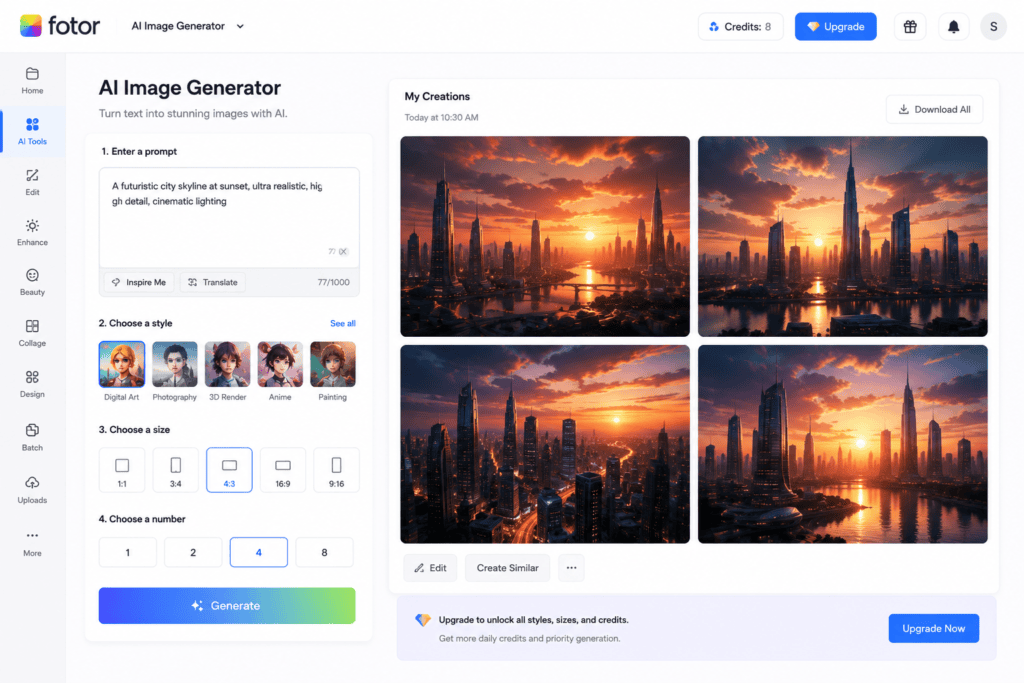
7. Fotor AI
Fotor combines AI image enhancement with editing features that help improve real estate listing photos.
Useful tools include:
- AI enhancement
- Background cleanup
- Lighting adjustments
- Color correction
8. Pixlr AI
Pixlr AI is ideal for quick edits before or after virtual staging.
You can:
- Remove unwanted objects
- Improve lighting
- Resize images
- Add text overlays
- Enhance image quality
Tips for Better Virtual Staging Results
To achieve realistic and professional-looking staged images:
- Use high-resolution photos.
- Capture rooms in natural daylight.
- Keep walls and floors visible.
- Remove clutter before taking photos.
- Choose furniture that matches the property’s size.
- Avoid overcrowding the room with décor.
- Select colors that appeal to a broad audience.
- Compare multiple AI-generated versions before choosing the final design.
Common Use Cases
AI virtual staging is useful for:
- Residential property listings
- Luxury homes
- Apartments
- Vacation rentals
- Airbnb properties
- Commercial offices
- Model homes
- New construction projects
- Interior design portfolios
- Home renovation planning
Advanced Tips for Creating Realistic AI Virtual Staging
Once you understand the basics, you can use advanced techniques to create staging images that look even more professional and convincing.
1. Keep Room Proportions Accurate
AI performs best when the original photo clearly shows the room’s dimensions.
Avoid:
- Cropped corners
- Tilted camera angles
- Blurry images
- Extremely wide-angle distortion
Straight, well-lit photos help AI place furniture naturally.
2. Match Furniture to Property Style
Every property has its own character.
Examples:
Luxury Villa
- Premium leather sofas
- Marble tables
- Elegant chandeliers
- Modern artwork
Urban Apartment
- Minimal furniture
- Neutral colors
- Compact layouts
Farmhouse
- Wooden furniture
- Rustic lighting
- Warm color palettes
Using the right style creates a more believable presentation.
3. Don’t Overcrowd the Room
Many beginners add excessive furniture and décor.
Instead, focus on:
- Open walking space
- Balanced layouts
- Functional furniture
- Minimal accessories
A spacious room generally appears more attractive to buyers.
4. Use Neutral Color Schemes
Neutral interiors appeal to the widest audience.
Popular colors include:
- White
- Beige
- Gray
- Light brown
- Soft blue
- Cream
These shades make rooms appear larger, brighter, and more inviting.
5. Highlight Key Selling Features
Use AI staging to emphasize the property’s strengths, such as:
- Large windows
- Fireplaces
- Balcony views
- Hardwood floors
- High ceilings
- Open-plan living areas
Arrange furniture so these features remain visible rather than hidden.
AI Prompt Examples for Virtual Staging
Many AI image tools allow text prompts. Here are some effective examples.
Modern Living Room
Modern Scandinavian living room with beige sofa, wooden coffee table, indoor plants, natural lighting, minimalist décor, realistic interior photography.
Luxury Bedroom
Luxury master bedroom with king-size bed, elegant lighting, marble side tables, warm neutral colors, premium décor, ultra-realistic interior.
Home Office
Contemporary home office with wooden desk, ergonomic chair, bookshelves, indoor plants, large window, clean minimalist style.
Dining Room
Elegant dining room with wooden table, six chairs, modern pendant lights, decorative centerpiece, bright natural light.
Apartment Kitchen
Modern apartment kitchen with white cabinets, marble countertop, stainless steel appliances, soft lighting, realistic photography.
Best Practices for Real Estate Listings
High-quality staging is only one part of a successful property listing.
To maximize results:
- Upload high-resolution images.
- Include multiple angles of each room.
- Showcase every major living space.
- Use consistent editing across all photos.
- Write clear and informative property descriptions.
- Include floor plans if available.
- Highlight nearby amenities and neighborhood features.
A complete listing builds trust and encourages more inquiries.

Common Mistakes to Avoid
Using Unrealistic Furniture
Oversized sofas, floating furniture, or oddly placed decorations reduce credibility.
Choose furnishings that match the room’s dimensions.
Ignoring Lighting
Furniture should match the room’s natural lighting direction.
Inconsistent shadows can make AI-generated objects appear fake.
Mixing Too Many Styles
Avoid combining modern, rustic, industrial, and luxury elements in the same room.
Maintain a consistent design theme throughout the property.
Excessive Editing
Too many visual effects can make photos look artificial.
Aim for realistic, subtle enhancements.
Misrepresenting the Property
Virtual staging should illustrate possibilities—not hide defects or structural issues.
Transparency helps build buyer confidence and avoids misleading marketing.
Can AI Virtual Staging Increase Property Sales?
Professionally staged images often generate:
- More listing views
- Increased buyer inquiries
- Longer time spent viewing listings
- Higher social media engagement
- Better overall presentation
While staging alone cannot guarantee a sale, attractive visuals can significantly improve a property’s online appeal and encourage more potential buyers to schedule viewings.
Who Can Benefit from AI Virtual Staging?
These tools are useful for:
- Real estate agents
- Property developers
- Homeowners
- House flippers
- Airbnb hosts
- Interior designers
- Architects
- Property photographers
- Real estate marketing agencies
- Home builders
Whether you’re selling one home or managing hundreds of listings, AI can streamline your visual marketing workflow.
AI Virtual Staging vs Traditional Home Staging
| Feature | AI Virtual Staging | Traditional Staging |
|---|---|---|
| Cost | Free or low-cost | Expensive |
| Setup Time | Minutes | Several days |
| Furniture Rental | Not required | Required |
| Physical Labor | None | Significant |
| Design Variations | Unlimited | Limited |
| Remote Workflow | Yes | No |
| Easy Updates | Yes | Difficult |
For online listings, AI staging offers a fast and affordable alternative, while physical staging may still be beneficial for in-person showings in certain markets.
Can AI Replace Interior Designers?
AI is an excellent tool for generating ideas and marketing visuals, but it does not replace the expertise of professional interior designers.
Interior designers contribute:
- Personalized layouts
- Functional planning
- Material selection
- Lighting design
- Client consultation
- Construction knowledge
AI works best as a creative assistant that speeds up visualization and content creation.
Frequently Asked Questions (FAQs)
Are free AI virtual staging tools really free?
Many platforms offer free plans, free trial credits, or limited monthly generations. Premium subscriptions usually provide higher-resolution exports, more styles, and additional editing features.
Do I need design experience?
No. Most AI staging tools are beginner-friendly and only require you to upload a room photo, choose a design style, and generate the staged version.
Can AI stage occupied rooms?
Yes. Some AI tools can remove existing furniture and replace it with new furnishings or redesign partially furnished spaces.
Which rooms can be virtually staged?
AI can stage:
- Living rooms
- Bedrooms
- Kitchens
- Bathrooms
- Dining rooms
- Home offices
- Outdoor patios
- Commercial spaces
Can I use AI-staged images for real estate listings?
Yes, provided you follow local regulations and platform policies. Many professionals disclose when images have been virtually staged to maintain transparency with buyers.
What image quality is best?
For the most realistic results:
- Use high-resolution photos.
- Ensure good lighting.
- Keep the camera level.
- Minimize clutter before taking pictures.
Future of AI in Real Estate Marketing
Artificial intelligence is rapidly transforming the real estate industry. In the coming years, AI-powered tools are expected to offer:
- Interactive virtual home tours
- AI-generated renovation previews
- Personalized interior design suggestions
- Automated property marketing campaigns
- AI-powered buyer recommendations
- Smart furniture placement based on room dimensions
- Real-time visualization using augmented reality (AR)
As these technologies continue to improve, virtual staging will become even more realistic, accessible, and valuable for real estate professionals.
Final Thoughts
Free AI tools for virtual real estate staging have made professional property marketing more accessible than ever. Instead of spending significant time and money on traditional staging, sellers and agents can transform empty rooms into inviting, fully furnished spaces in just a few minutes.
Tools such as Canva AI, Microsoft Designer, Adobe Express AI, RoomGPT, REimagineHome AI, Interior AI, Fotor AI, and Pixlr AI enable users to create visually appealing listing images without advanced design skills. By combining high-quality property photos with thoughtful AI-generated staging, consistent design styles, and realistic furniture placement, you can capture buyer attention and enhance the overall presentation of your listings.
Whether you’re marketing a family home, an investment property, a vacation rental, or a commercial space, AI virtual staging can help showcase the property’s full potential while reducing marketing costs. Used responsibly and transparently, it is a powerful addition to any modern real estate marketing strategy.
Check out here if you want to know about Free AI Book Cover Generators for Self-Published Authors