
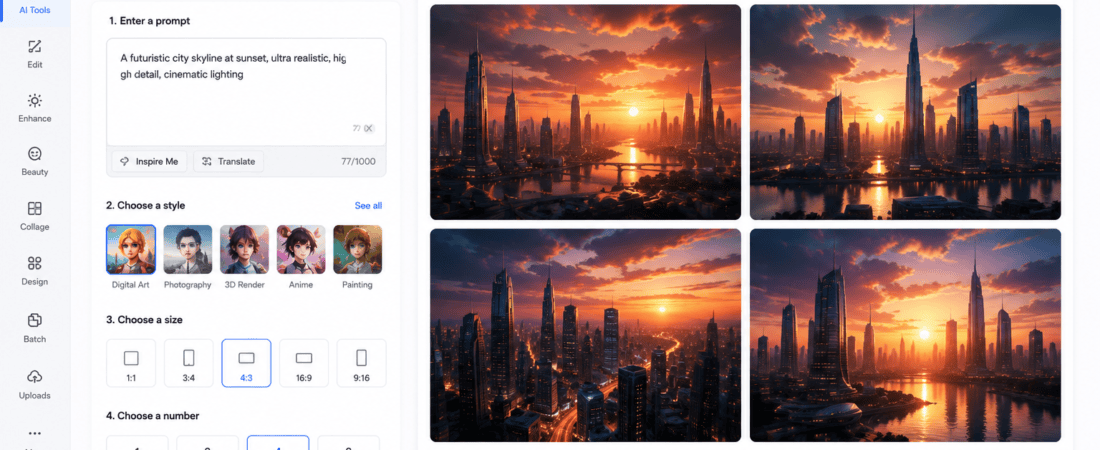
TAI Book Cover Generators: he saying “Don’t judge a book by its cover” rarely applies in today’s digital publishing world. Whether you’re selling your novel on Amazon Kindle Direct Publishing (KDP), Google Play Books, Apple Books, Kobo, or your personal website, your cover is the very first thing readers notice.
A professionally designed cover can significantly improve your click-through rate, increase downloads, and boost book sales. Unfortunately, hiring an experienced designer often costs between $100 and $800, making it difficult for new self-published authors working on a limited budget.
Thankfully, AI book cover generators have changed the game.
Today, free AI design tools can generate beautiful, eye-catching, and market-ready book covers in just a few minutes. Even if you’ve never used Photoshop or Canva before, these AI-powered platforms can help you create stunning covers suitable for fiction, non-fiction, children’s books, romance, fantasy, business books, and more.
In this comprehensive guide, you’ll discover:
- Why book covers matter
- How AI book cover generators work
- The best free AI book cover generators
- Tips for creating bestselling covers
- Common mistakes to avoid
- AI vs professional designers
- Frequently Asked Questions
Let’s begin.
Why Your Book Cover Matters
Your book cover acts as your marketing tool.
Readers scrolling through Amazon usually spend only 2–3 seconds deciding whether to click a book.
A poor cover often results in:
- Low CTR (Click Through Rate)
- Lower conversions
- Fewer downloads
- Poor first impression
- Reduced credibility
A professional cover instantly communicates:
- Genre
- Mood
- Quality
- Target audience
- Professionalism
This is exactly where AI helps.
What Is an AI Book Cover Generator?
An AI book cover generator is software that uses artificial intelligence to create professional book covers from simple text prompts or templates.
Instead of manually designing everything, AI can automatically generate:
- Background artwork
- Typography suggestions
- Color palettes
- Character illustrations
- Layouts
- Shadows
- Effects
- Modern compositions
Most AI generators require only a few inputs:
- Book title
- Subtitle
- Author name
- Genre
- Style
- Prompt
Within seconds, multiple cover variations are created.
Benefits of Using Free AI Book Cover Generators
1. Saves Money
Hiring designers is expensive.
AI tools let you create attractive covers without paying hundreds of dollars.
2. Saves Time
Traditional design may take days.
AI completes the process within minutes.
3. Beginner Friendly
You don’t need graphic design experience.
Most tools include drag-and-drop editors.
4. Multiple Design Ideas
AI instantly creates dozens of concepts.
You simply choose your favorite.
5. Easy Customization
Change:
- Fonts
- Colors
- Images
- Backgrounds
- Effects
- Text placement
without starting over.
6. Commercial Use
Many AI platforms allow commercial usage.
Always read licensing terms before publishing.
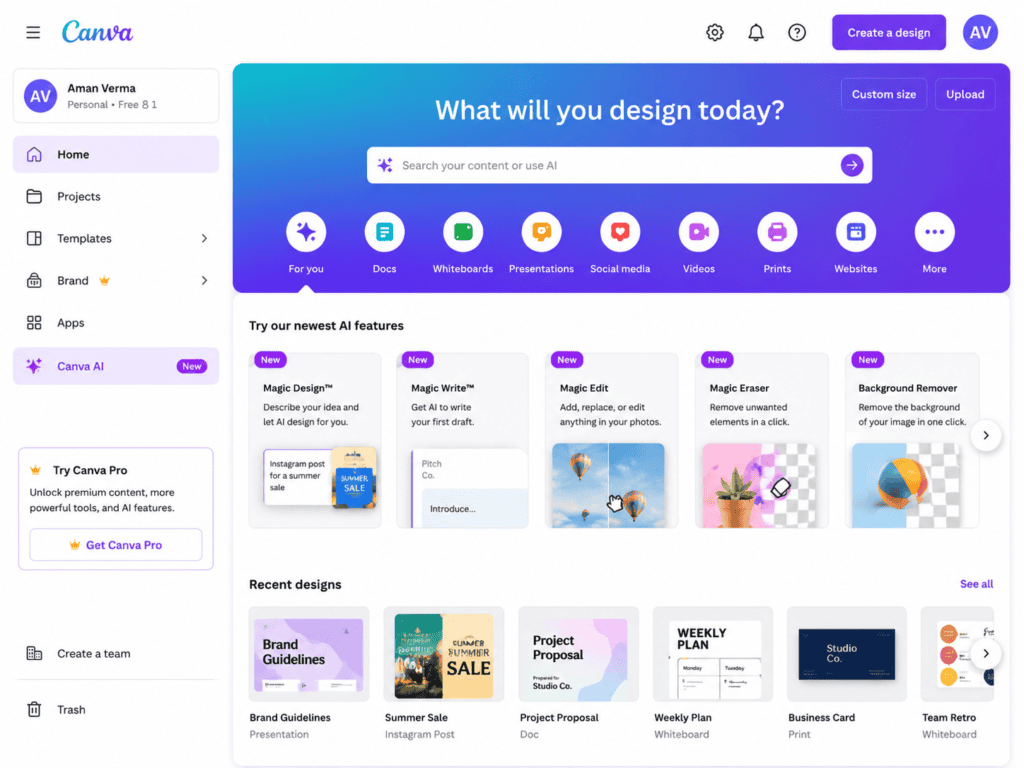
Best Free AI Book Cover Generators for Self-Published Authors
1. Canva AI
Canva has become one of the easiest platforms for beginners.
Its AI features include:
- Magic Design
- AI Image Generator
- Background Remover
- Text Effects
- Book Cover Templates
Pros
- Free plan available
- Thousands of templates
- Easy customization
- Huge font collection
- Excellent for KDP covers
Best For
- Fiction
- Romance
- Children’s books
- Business books
- Educational books
2. Adobe Express AI
Adobe Express offers powerful AI-assisted design tools that simplify professional cover creation.
Features include:
- AI image generation
- Text effects
- Background editing
- Premium templates
- Quick resizing
Pros:
- High-quality output
- Easy editing
- Fast workflow
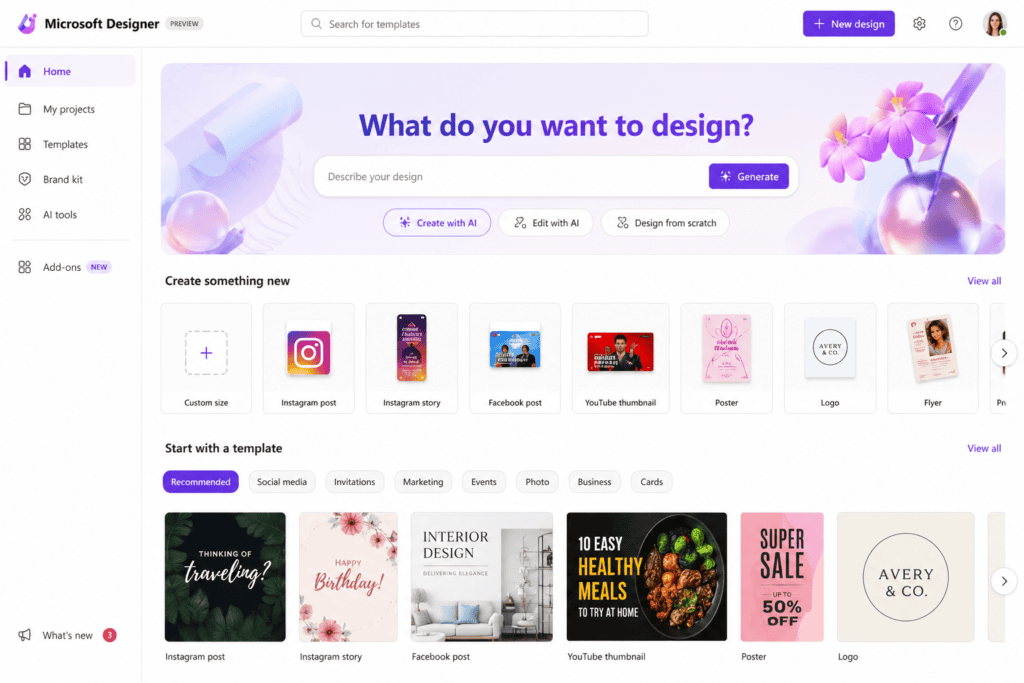
3. Microsoft Designer
Microsoft Designer uses AI to generate creative layouts based on your prompt.
It automatically recommends:
- Images
- Fonts
- Color schemes
- Layouts
Ideal for modern non-fiction and business books.
4. Leonardo AI
Leonardo AI excels at generating detailed fantasy and sci-fi artwork.
Popular genres include:
- Fantasy
- Horror
- Action
- Adventure
- Historical fiction
It creates highly realistic illustrations perfect for dramatic book covers.
5. Ideogram AI
Ideogram is known for generating readable typography directly inside AI images.
Perfect for:
- Bold titles
- Minimalist covers
- Poster-style books
- Graphic novels
6. Playground AI
Playground AI combines AI image generation with editing capabilities.
Users can:
- Remove objects
- Add effects
- Change backgrounds
- Blend styles
- Expand images
Great for custom artwork.
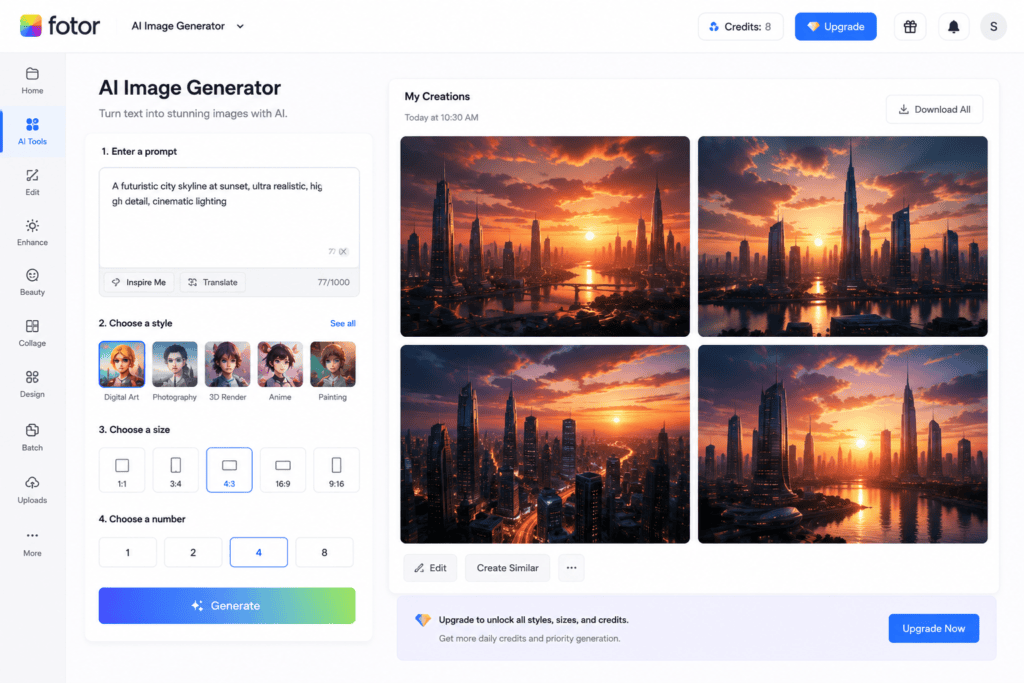
7. Fotor AI
Fotor includes AI-powered graphic design features specifically useful for publishing.
Features:
- Book cover templates
- AI art
- One-click enhancement
- Background replacement
- Text customization
Perfect for beginners.
8. Pixlr AI
Pixlr AI offers lightweight online editing tools with AI assistance.
Useful for:
- Quick edits
- Cover resizing
- AI image generation
- Text overlays
- Photo enhancement
9. NightCafe Creator
NightCafe specializes in artistic AI-generated illustrations.
Excellent for:
- Fantasy novels
- Poetry books
- Story collections
- Children’s books
10. Mage.Space
Mage.Space creates unique AI-generated artwork with no complicated setup.
Authors can quickly produce:
- Fantasy characters
- Landscapes
- Abstract artwork
- Horror scenes
- Magical environments
Features to Look for in an AI Book Cover Generator
Not every AI tool offers the same quality.
Choose platforms with:
High Resolution Export
Amazon recommends high-quality images.
Look for exports above 1600 pixels.
Editable Templates
Templates save hours of design work.
AI Image Generation
Instead of stock photos, AI creates unique artwork.
Typography Options
Fonts strongly influence reader perception.
Good tools include:
- Serif fonts
- Sans-serif fonts
- Decorative fonts
- Handwritten fonts
Commercial License
Always verify whether commercial publishing is allowed.
Fast Rendering
Waiting several minutes for every design slows productivity.
Choose platforms with quick generation times.
How to Create an AI Book Cover
Step 1
Choose your AI tool.
Step 2
Enter:
- Book title
- Author name
- Subtitle
Step 3
Select your genre.
Step 4
Describe your idea.
Example prompt:
“Dark fantasy forest with glowing castle, cinematic lighting, epic atmosphere, magical blue sky, ultra detailed.”
Step 5
Generate several versions.
Step 6
Edit fonts and layout.
Step 7
Export the final design.
Best Cover Styles by Genre
Romance
Use:
- Warm colors
- Elegant typography
- Soft lighting
- Emotional imagery
Thriller
Include:
- Dark backgrounds
- High contrast
- Bold titles
- Suspenseful scenes
Fantasy
Focus on:
- Dragons
- Magic
- Castles
- Epic landscapes
Business
Keep it:
- Minimal
- Clean
- Professional
- Modern
Children’s Books
Choose:
- Bright colors
- Cartoon illustrations
- Friendly typography
- Fun characters
AI Prompt Examples
Fantasy
Ancient castle above the clouds, glowing moonlight, cinematic fantasy artwork, highly detailed.
Romance
Couple walking in golden sunset with flowers, elegant atmosphere, soft pastel colors.
Horror
Haunted forest, abandoned house, dark fog, cinematic horror lighting.
Business
Minimal blue geometric design, clean typography, professional layout.
Science Fiction
Futuristic city, neon lights, flying cars, cyberpunk atmosphere.
Tips to Make Your Book Cover Stand Out
- Study the top-selling books in your genre.
- Keep the title readable even at thumbnail size.
- Use high-contrast colors.
- Limit the number of fonts.
- Leave enough white space.
- Choose imagery that matches your story.
- Test multiple AI-generated versions before deciding.
- Ensure your cover looks good on both desktop and mobile.
Comparing Popular Free AI Book Cover Generators
Choosing the right AI book cover generator depends on your book genre, design skills, and publishing platform. Here’s a comparison of some of the most popular free tools.
| AI Tool | Free Plan | Best For | Ease of Use | AI Image Generation |
|---|---|---|---|---|
| Canva AI | ✅ Yes | All genres | ⭐⭐⭐⭐⭐ | ✅ |
| Adobe Express AI | ✅ Yes | Professional covers | ⭐⭐⭐⭐☆ | ✅ |
| Microsoft Designer | ✅ Yes | Business & Non-fiction | ⭐⭐⭐⭐⭐ | ✅ |
| Leonardo AI | ✅ Limited | Fantasy & Sci-Fi | ⭐⭐⭐⭐☆ | ✅ |
| Ideogram AI | ✅ Yes | Typography-heavy covers | ⭐⭐⭐⭐⭐ | ✅ |
| Playground AI | ✅ Yes | Custom artwork | ⭐⭐⭐⭐☆ | ✅ |
| Fotor AI | ✅ Yes | Beginners | ⭐⭐⭐⭐⭐ | ✅ |
| Pixlr AI | ✅ Yes | Quick editing | ⭐⭐⭐⭐⭐ | Limited |
| NightCafe | ✅ Limited | Artistic covers | ⭐⭐⭐⭐☆ | ✅ |
| Mage.Space | ✅ Yes | Creative illustrations | ⭐⭐⭐⭐☆ | ✅ |
How AI Improves Book Marketing
A professional book cover isn’t just about aesthetics—it plays a vital role in marketing.
Benefits include:
- Higher click-through rates
- Better first impressions
- Improved credibility
- Increased reader trust
- More social media shares
- Higher conversion rates
- Better Amazon rankings through improved engagement
A visually appealing cover can make the difference between someone scrolling past your book or clicking to learn more.
Tips for Creating a Bestselling Book Cover with AI
1. Research Your Genre
Every genre has unique design trends.
Examples:
Fantasy
- Magical landscapes
- Dragons
- Castles
- Mystical lighting
Romance
- Soft colors
- Couples
- Elegant typography
- Warm lighting
Thriller
- Dark backgrounds
- High contrast
- Minimal colors
- Suspenseful imagery
Business
- Clean layouts
- Blue or black color palettes
- Professional fonts
- Minimal design
2. Write Better AI Prompts
The quality of your prompt directly affects your results.
Instead of writing:
Forest
Write:
Mystical fantasy forest at sunrise with glowing trees, cinematic lighting, ultra-realistic, detailed digital painting, magical atmosphere.
Specific prompts produce much better artwork.
3. Choose Readable Fonts
Many authors make the mistake of selecting decorative fonts that become unreadable in thumbnail size.
Good practices:
- Use bold titles
- Limit yourself to one or two font families
- Ensure strong contrast between text and background
- Test readability on mobile devices
4. Maintain Color Harmony
Color influences emotions.
Popular choices include:
- Blue for business and technology
- Red for action and thrillers
- Purple for fantasy
- Pink for romance
- Green for nature
- Black for mystery and horror
A consistent color palette creates a polished look.
5. Keep the Design Simple
Avoid overcrowding your cover with too many elements.
Focus on:
- One clear focal point
- Readable typography
- Balanced spacing
- Clean composition
Minimalist designs often perform better than cluttered ones.
Amazon KDP Book Cover Requirements
If you’re publishing through Amazon Kindle Direct Publishing (KDP), make sure your cover meets these common requirements:
- High-resolution image
- JPEG or TIFF format
- Recommended aspect ratio close to 1.6:1
- RGB color mode
- Clear, readable title
- No blurry images or pixelation
- Professional-quality artwork
Always check the latest KDP guidelines before uploading, as requirements may change over time.
Common Mistakes to Avoid
Using Low-Resolution Images
Blurry or pixelated covers look unprofessional and may discourage potential readers.
Too Many Fonts
Stick to one or two fonts for a clean and cohesive appearance.
Ignoring Genre Expectations
A romance novel should not resemble a horror book, and a business guide should not look like a fantasy adventure.
Match your cover to reader expectations.
Poor Contrast
If the title blends into the background, readers won’t notice it.
Ensure strong contrast between text and imagery.
Overusing AI Effects
Too many glowing effects, filters, or visual elements can make the cover look unrealistic.
Balance creativity with clarity.
AI vs Hiring a Professional Designer
| Feature | AI Generator | Professional Designer |
|---|---|---|
| Cost | Free or low-cost | Expensive |
| Speed | Minutes | Days or weeks |
| Beginner Friendly | Yes | No |
| Unlimited Variations | Yes | Limited revisions |
| Creative Control | High | Collaborative |
| Unique Illustrations | Yes | Yes |
| Human Artistic Insight | Limited | Excellent |
AI tools are perfect for first-time authors or those on a budget. For major commercial releases, many authors still choose professional designers for highly customized artwork.
Can AI Covers Be Used Commercially?
Many AI platforms allow commercial use of the images you create, but licensing varies by provider.
Before publishing your book:
- Read the platform’s licensing agreement.
- Verify commercial usage rights.
- Check whether attribution is required.
- Confirm that generated assets comply with your publishing platform’s policies.
This helps avoid copyright or licensing issues later.
Who Should Use AI Book Cover Generators?
These tools are ideal for:
- Self-published authors
- Kindle Direct Publishing (KDP) creators
- Children’s book writers
- Fiction and non-fiction authors
- Bloggers creating eBooks
- Course creators
- Coaches and consultants
- Students publishing projects
- Independent publishers
- Content marketers
Whether you’re releasing your first eBook or your tenth novel, AI can significantly reduce design costs and production time.
Frequently Asked Questions (FAQs)
Are free AI book cover generators really free?
Most offer free plans with limited daily generations, templates, or exports. Premium subscriptions unlock additional features and higher usage limits.
Can I publish an AI-generated cover on Amazon KDP?
Yes, provided the cover meets Amazon’s quality requirements and you have the appropriate commercial rights for the generated content.
Which AI tool is best for beginners?
Canva AI, Microsoft Designer, and Fotor AI are among the easiest platforms for beginners because they combine AI assistance with intuitive drag-and-drop editing.
Can AI create covers for every book genre?
Yes. AI can generate covers for romance, fantasy, mystery, horror, business, children’s books, science fiction, memoirs, cookbooks, educational titles, and many other genres.
Do I still need Photoshop?
Not necessarily. Most AI book cover generators include built-in editing tools that allow you to adjust text, colors, layouts, and backgrounds without advanced design software.
Can AI generate unique artwork?
Yes. Modern AI models can create original illustrations based on your prompts, making it easier to produce distinctive covers instead of relying solely on stock images.
Final Thoughts
Free AI book cover generators have transformed the publishing process for independent authors. Instead of spending hundreds of dollars or learning complex graphic design software, you can now create professional-looking covers in minutes using AI-powered tools.
Platforms like Canva AI, Adobe Express AI, Microsoft Designer, Leonardo AI, Ideogram AI, Playground AI, Fotor AI, Pixlr AI, NightCafe, and Mage.Space make it possible to design eye-catching covers for nearly every genre. By pairing high-quality AI artwork with clear typography, thoughtful color choices, and genre-appropriate layouts, you can create a cover that attracts readers and strengthens your book’s market appeal.
While AI is an excellent solution for many self-published authors, remember that the cover is part of your book’s brand. Review the design carefully, test it at thumbnail size, and ensure you understand the licensing terms before publishing. With the right approach, AI can help you launch a professional-looking book while keeping your production costs low.
Check out here if you want to know about Best Free AI Tools for Generating Presentation Slides from Text