
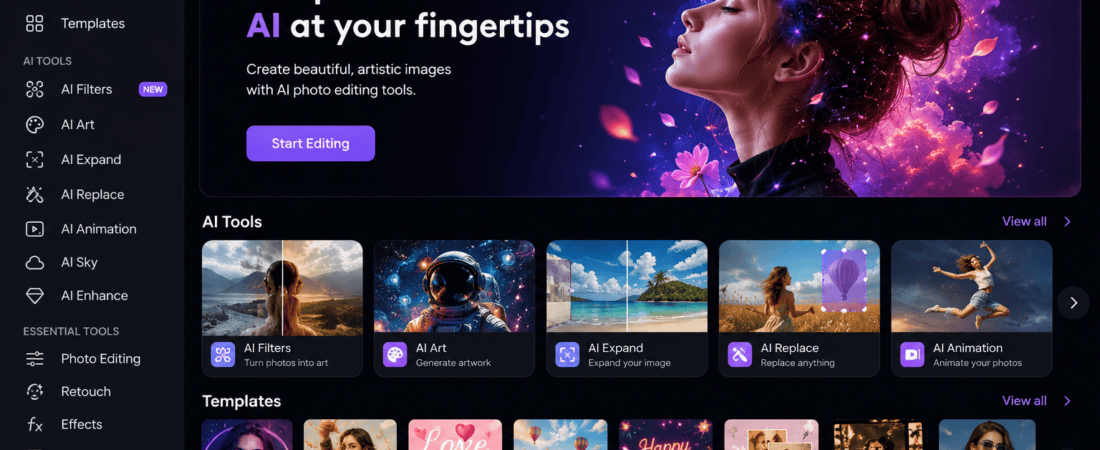
Best Free AI Caricature and Cartoon Avatar Makers from Photos
Cartoon Avatar Makers: Artificial Intelligence has completely transformed digital creativity. Today, anyone can convert a normal selfie into a professional-looking cartoon avatar or funny caricature in just a few seconds. Whether you’re creating a social media profile picture, YouTube mascot, gaming avatar, Discord profile, WhatsApp DP, or business branding image, AI-powered caricature generators make the entire process incredibly simple.
The best part? Many AI caricature makers are completely free or offer generous free plans that produce high-quality results without requiring advanced graphic design skills.
In this detailed guide, we’ll explore the best free AI caricature and cartoon avatar makers from photos, compare their features, discuss their strengths and weaknesses, and help you choose the perfect tool for your needs.
Why AI Cartoon Avatar Makers Are So Popular
Millions of users are replacing traditional profile photos with AI-generated cartoon avatars because they offer:
- Better privacy
- Unique identity
- Professional appearance
- Creative expression
- Social media engagement
- Brand consistency
- Fun artistic styles
- Fast creation process
Instead of spending hours drawing illustrations manually, AI creates professional cartoon portraits within seconds.
How AI Cartoon Avatar Makers Work
Modern AI avatar generators use deep learning models trained on millions of illustrations, cartoons, digital paintings, and portraits.
After uploading your photo, the AI:
- Detects facial landmarks
- Recognizes expressions
- Identifies hairstyle
- Detects accessories
- Maps facial proportions
- Applies artistic styles
- Enhances image quality
- Creates a stylized cartoon version
The entire process usually takes less than one minute.
What Makes a Good AI Cartoon Avatar Generator?
Before choosing an AI avatar maker, consider these important factors.
Image Quality
The AI should preserve:
- Facial identity
- Hair
- Eyes
- Smile
- Glasses
- Accessories
while transforming the image into a creative illustration.
Multiple Cartoon Styles
The best AI generators provide styles like:
- Disney
- Pixar
- Anime
- Comic Book
- Manga
- Watercolor
- Pop Art
- Sketch
- Caricature
- 3D Cartoon
- Digital Painting
- Chibi
- Fantasy
Fast Processing
Good AI tools create avatars within:
- 5 seconds
- 10 seconds
- 30 seconds
instead of several minutes.
High Resolution
High-resolution exports are useful for:
- YouTube
- Twitch
- Merchandise
- Business branding
- Printing
Best Free AI Caricature and Cartoon Avatar Makers
1. Canva AI
Canva has become one of the easiest platforms for creating AI avatars.
Features
- AI Magic Media
- Cartoon filters
- Avatar editing
- Background removal
- Templates
- Stickers
- Text effects
- Social media resizing
Best For
- Beginners
- Content creators
- Businesses
- Students
Pros
- Free version
- Easy interface
- Cloud storage
- Fast editing
Cons
- Premium styles require Canva Pro
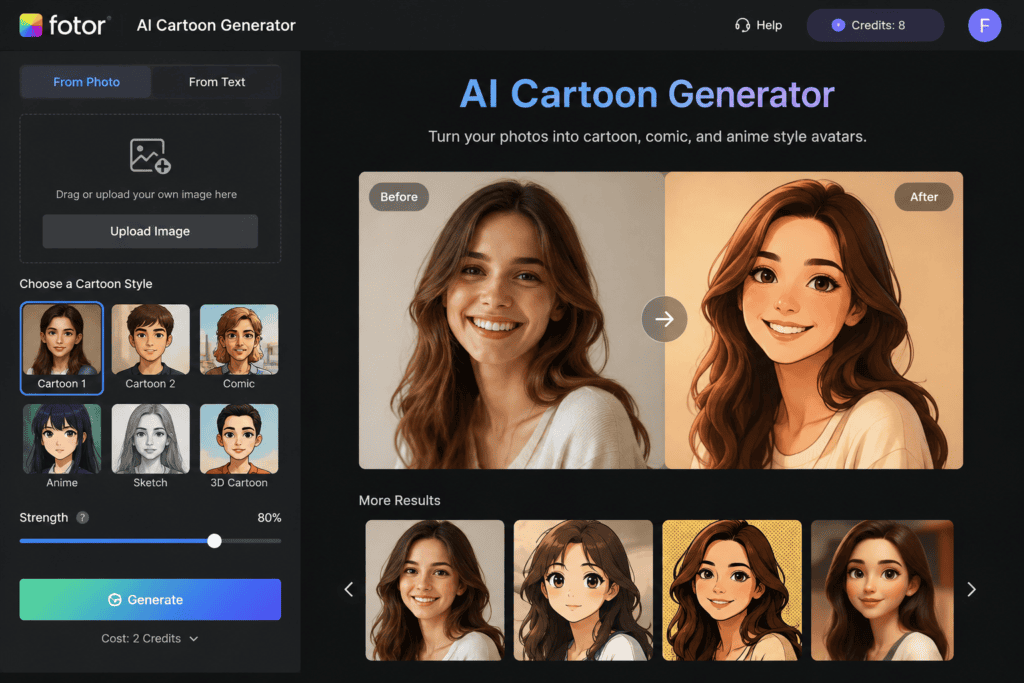
2. Fotor AI Cartoon Generator
Fotor is among the most popular AI cartoon generators online.
Features
- One-click cartoon effect
- AI portrait enhancement
- Anime filters
- Sketch styles
- Pencil drawing
- Digital art
Advantages
- High-quality rendering
- Fast processing
- Free plan
- Easy downloads
3. Media.io AI Avatar Generator
Media.io offers professional AI avatar generation with multiple artistic styles.
Highlights include:
- Cartoon portraits
- Anime avatars
- Professional headshots
- Fantasy artwork
- Digital painting
4. PhotoDirector AI Avatar
PhotoDirector provides premium-quality AI portrait generation.
Features include:
- AI avatars
- Cartoon portraits
- Artistic filters
- Background editing
- Face enhancement
- Lighting adjustments
5. CapCut AI Portrait
CapCut has expanded beyond video editing and now includes AI-powered image generation.
Its AI portrait features create:
- Cartoon selfies
- Anime avatars
- Artistic profile photos
- Gaming avatars
- Social media images
Best AI Tools for Funny Caricatures
If you want exaggerated facial expressions instead of realistic cartoons, these tools perform exceptionally well.
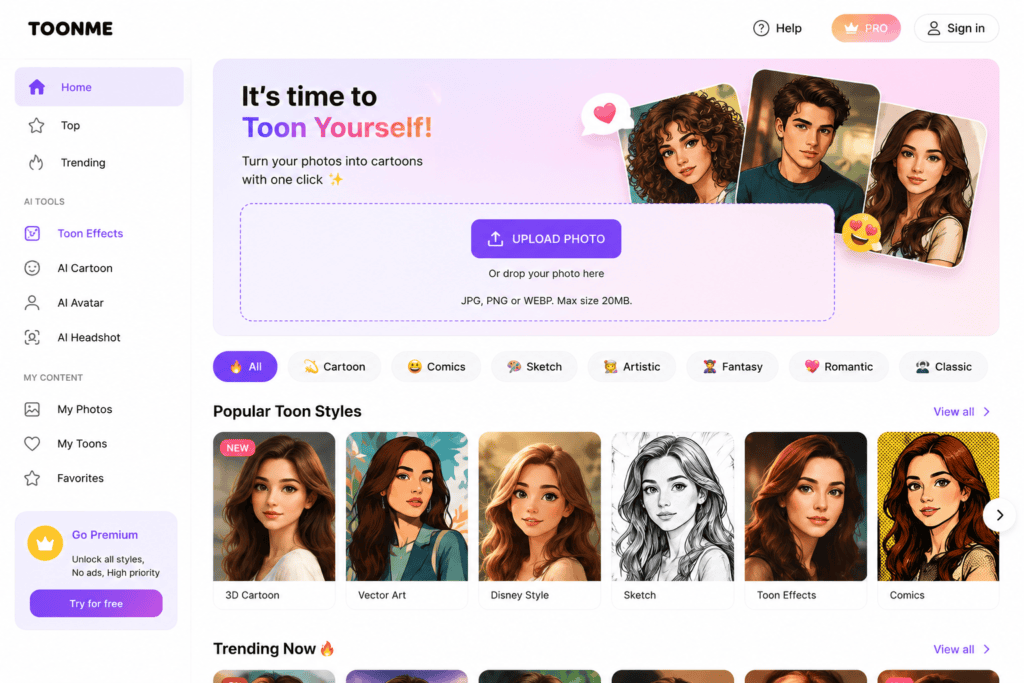
ToonMe
Known worldwide for:
- Disney effects
- Cartoon portraits
- Big-eye caricatures
- Comic-style artwork
LightX AI
LightX offers:
- AI caricatures
- Cartoon effects
- Artistic filters
- AI background generation
- Portrait enhancement
VanceAI
VanceAI combines image enhancement with artistic cartoon generation.
Useful for:
- Influencers
- Designers
- Business owners
- Students
Picsart AI Avatar
Picsart includes:
- AI filters
- Cartoon generator
- Avatar maker
- Anime effects
- Illustration tools
Best AI Avatar Styles
Different users prefer different artistic styles.
Popular options include:
Disney Style
Perfect for:
- Families
- Children
- Social media
Pixar Style
Ideal for:
- YouTube creators
- Personal branding
- Profile pictures
Comic Style
Great for:
- Gamers
- Streamers
- Comic lovers
Anime Style
Best for:
- Manga fans
- Gaming communities
- Discord users
Watercolor Style
Excellent for:
- Artists
- Bloggers
- Portfolio websites
Pencil Sketch
Perfect for:
- Professional branding
- Portfolio images
Benefits of AI Cartoon Avatar Makers
Save Time
Instead of hiring an illustrator, AI generates artwork in seconds.
Affordable
Many excellent tools offer completely free plans.
Professional Results
Modern AI creates artwork that rivals professional digital artists.
Great for Branding
Businesses use cartoon avatars for:
- Team profiles
- Mascots
- Customer support
- Marketing
- Websites
- Blogs
Privacy Protection
Using a cartoon avatar instead of a real photograph adds an extra layer of online privacy while maintaining a recognizable personal identity.
Common Uses of AI Cartoon Avatars
People create AI avatars for many purposes, including:
- Facebook profile pictures
- Instagram DP
- WhatsApp profile photos
- YouTube channels
- Twitch streaming
- Discord servers
- LinkedIn branding
- Gaming profiles
- Business logos
- Email signatures
- Digital business cards
- Blog author photos
Tips for Better AI Cartoon Results
To get the highest-quality avatar, follow these best practices:
- Upload a high-resolution photo.
- Use natural lighting.
- Face the camera directly.
- Avoid blurry images.
- Keep your face fully visible.
- Remove heavy filters before uploading.
- Use a plain background if possible.
- Try multiple AI styles to find the best match.
Mistakes to Avoid
Many users receive poor results because they:
- Upload low-quality selfies.
- Use group photos instead of solo portraits.
- Crop parts of the face.
- Wear large sunglasses that hide facial features.
- Expect identical results from every AI model.
Experimenting with different tools often produces much better outcomes.
More Free AI Cartoon Avatar Makers Worth Trying
Beyond the popular tools, there are many other AI-powered platforms that can transform your photos into unique cartoon avatars and caricatures. Each tool offers different artistic styles and customization options.
6. BeFunky Cartoonizer
BeFunky has been a trusted online photo editor for years and now includes AI-powered cartoon effects.
Key Features
- One-click cartoon filters
- Digital painting effects
- Pencil sketch conversion
- Oil painting style
- Easy drag-and-drop editor
- Photo enhancement tools
Pros
- Beginner-friendly interface
- No design experience required
- Multiple artistic filters
- Works directly in your browser
Cons
- Some premium effects require a paid subscription.
7. Vivid AI Avatar Generator
Vivid AI creates eye-catching cartoon portraits with advanced AI technology.
Features
- AI anime generator
- Cartoon portraits
- Fantasy avatars
- Digital illustration styles
- Artistic backgrounds
- Character customization
Best For
- Instagram creators
- TikTok influencers
- YouTubers
- Digital artists
8. AI Ease Cartoon Generator
AI Ease has quickly become popular thanks to its free AI image tools.
Highlights
- Upload photo
- Choose cartoon style
- Generate instantly
- Download HD images
- No editing skills required
Its simple workflow makes it perfect for beginners.
9. FlexClip AI Image Generator
Although known for video editing, FlexClip also offers AI-powered image generation.
Users can create:
- Cartoon avatars
- AI illustrations
- Social media profile pictures
- Creative digital portraits
10. Artguru AI
Artguru specializes in AI-generated portraits with artistic styles.
Available effects include:
- Cartoon
- Watercolor
- Anime
- Fantasy
- Oil painting
- Sketch
- Comic
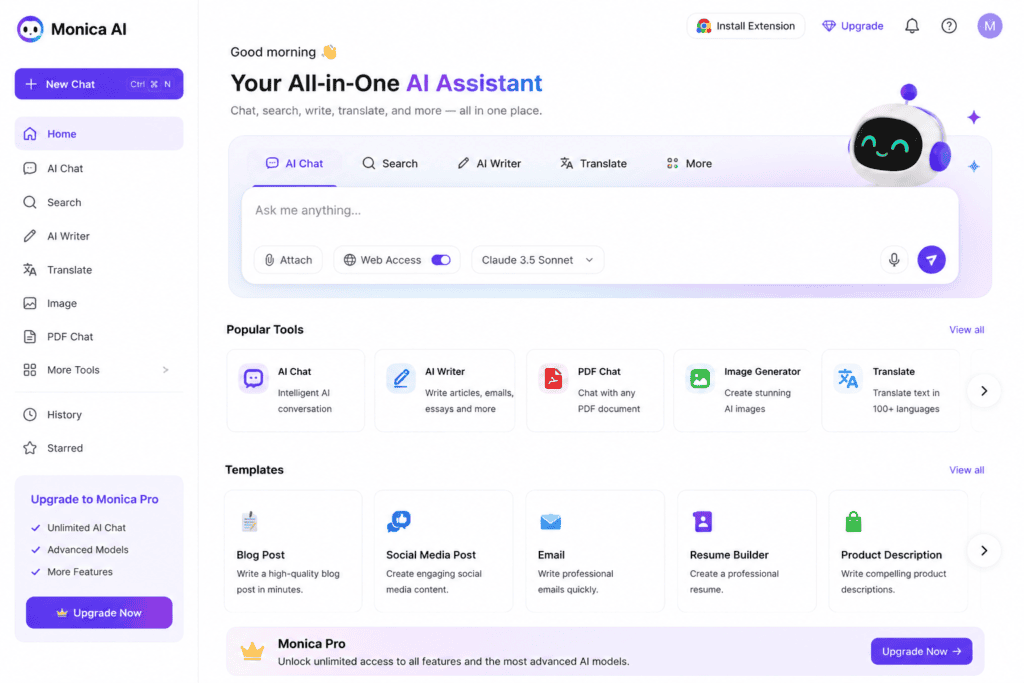
11. Monica AI Avatar
Monica AI includes creative portrait generation features suitable for both personal and professional use.
Features include:
- Cartoon conversion
- Artistic avatars
- Face enhancement
- AI image editing
- High-resolution exports
12. Photoleap AI
Photoleap provides powerful AI image editing tools that include cartoon avatar generation.
Popular options include:
- Comic portraits
- Digital painting
- AI stickers
- AI backgrounds
- Creative portrait editing
AI Caricature vs Cartoon Avatar
Many beginners confuse caricatures with cartoon avatars. Although both are AI-generated artistic portraits, they have different purposes.
| Feature | AI Caricature | Cartoon Avatar |
|---|---|---|
| Face Shape | Exaggerated | Natural |
| Expressions | Funny | Realistic |
| Art Style | Humorous | Professional |
| Social Media Use | Fun posts | Profile pictures |
| Branding | Less common | Highly recommended |
| Identity Preservation | Moderate | High |
If you’re creating a professional online identity, a cartoon avatar is usually the better choice. If you’re looking for entertainment or personalized gifts, caricatures offer a more playful style.
How to Create an AI Cartoon Avatar
Creating an AI avatar typically involves a few simple steps.
Step 1: Select an AI Tool
Choose one of the platforms listed above based on your preferred style and features.
Step 2: Upload Your Photo
Use a clear, front-facing image with good lighting.
Step 3: Choose an Art Style
Popular options include:
- Cartoon
- Pixar
- Anime
- Comic
- Watercolor
- Sketch
- Chibi
- Fantasy
Step 4: Generate
The AI processes your image, usually within a few seconds.
Step 5: Download
Save your finished avatar in the highest resolution available for the best quality.
Best Photo Types for AI Avatar Generation
For the best results, upload photos that meet these guidelines:
- High resolution
- Bright lighting
- Sharp focus
- Neutral background
- Single person
- Face fully visible
- Minimal accessories covering the face
- Natural facial expression
Avoid blurry or low-quality images, as they often lead to less accurate results.
AI Avatar Ideas for Different Users
For Students
- Cartoon profile picture
- Study group avatar
- School club mascot
- Portfolio illustration
For Professionals
- LinkedIn avatar
- Email profile image
- Business branding
- Website author photo
For Gamers
- Twitch profile
- Discord avatar
- Steam profile
- YouTube gaming mascot
For Content Creators
- Instagram profile
- TikTok branding
- YouTube channel icon
- Podcast artwork
For Businesses
Companies increasingly use AI cartoon avatars for:
- Customer support representatives
- Brand mascots
- Marketing campaigns
- Team member illustrations
- Social media branding
- Website graphics
Advantages of AI Cartoon Generators
There are many reasons why AI avatar makers continue to grow in popularity.
Fast Results
Most tools create avatars in under one minute.
Cost Effective
Many offer free plans that are sufficient for casual use.
Beginner Friendly
No graphic design knowledge is required.
Creative Freedom
Experiment with dozens of art styles without hiring an illustrator.
Consistent Branding
Using the same avatar across platforms helps strengthen your personal or business brand.
Limitations of Free AI Avatar Makers
Despite their benefits, free versions often have some restrictions.
Watermarks
Some platforms add a watermark to exported images.
Limited Daily Credits
Free users may only be allowed a certain number of avatar generations each day.
Lower Resolution
HD or 4K downloads may require a premium subscription.
Fewer Styles
Premium plans typically unlock additional artistic styles and customization options.
Tips to Make Your Avatar Stand Out
To create a memorable AI avatar:
- Use a colorful but simple background.
- Choose an art style that matches your personality or brand.
- Wear clothing with solid colors for better AI recognition.
- Try different facial expressions.
- Generate several versions and compare them before selecting your favorite.
Who Should Use AI Cartoon Avatar Makers?
These tools are suitable for:
- Bloggers
- Students
- Teachers
- Freelancers
- Graphic designers
- Social media managers
- YouTubers
- Gamers
- Business owners
- Influencers
- Digital marketers
- Streamers
- Authors
- Coaches
- Online educators
Whether for fun or professional branding, AI avatars offer an easy way to create unique digital identities.
Frequently Asked Questions (FAQs)
Are AI cartoon avatar makers free?
Many platforms provide free plans with limited features. Paid subscriptions generally offer higher resolutions, more styles, and additional customization options.
Can I use AI avatars commercially?
It depends on the tool’s licensing terms. Always review the platform’s usage policy before using AI-generated images for commercial purposes.
Which AI style looks the most realistic?
Pixar-inspired, digital painting, and 3D cartoon styles often produce highly realistic and polished results.
Can AI create avatars from old photos?
Yes. Most modern AI tools can process older images, though higher-quality photos usually yield better results.
Do I need graphic design skills?
No. Most AI avatar generators are designed for beginners and require only a few clicks.
Comparison Table of the Best Free AI Cartoon Avatar Makers
| AI Tool | Free Plan | Cartoon Styles | Ease of Use | HD Export | Best For |
|---|---|---|---|---|---|
| Canva AI | ✅ Yes | Cartoon, Illustration | ⭐⭐⭐⭐⭐ | Limited | Beginners |
| Fotor AI | ✅ Yes | Cartoon, Anime, Sketch | ⭐⭐⭐⭐⭐ | Yes | Social Media |
| Media.io | ✅ Yes | Cartoon, Fantasy | ⭐⭐⭐⭐☆ | Yes | Content Creators |
| PhotoDirector | ✅ Limited | Artistic Portraits | ⭐⭐⭐⭐☆ | Yes | Professionals |
| CapCut AI | ✅ Yes | Cartoon, Anime | ⭐⭐⭐⭐⭐ | Yes | Short Video Creators |
| ToonMe | ✅ Limited | Disney, Comic | ⭐⭐⭐⭐⭐ | Limited | Fun Avatars |
| Picsart AI | ✅ Yes | Cartoon, Illustration | ⭐⭐⭐⭐☆ | Yes | Designers |
| AI Ease | ✅ Yes | Cartoon, Anime | ⭐⭐⭐⭐⭐ | Yes | Beginners |
| Artguru AI | ✅ Yes | Fantasy, Cartoon | ⭐⭐⭐⭐☆ | Yes | Artists |
| Photoleap | ✅ Limited | Creative Portraits | ⭐⭐⭐⭐☆ | Yes | Mobile Users |
Which AI Cartoon Avatar Maker Is Best?
The right tool depends on your goals.
Best for Beginners
- Canva AI
- AI Ease
- Fotor AI
Best for Professional Branding
- PhotoDirector
- Canva AI
- Media.io
Best for Anime Lovers
- Fotor AI
- CapCut AI
- Artguru AI
Best for Funny Caricatures
- ToonMe
- LightX AI
- Picsart AI
Best for Content Creators
- Canva AI
- CapCut AI
- Media.io
Best for Mobile Editing
- Photoleap
- Picsart
- CapCut
How to Choose the Right AI Avatar Generator
Before selecting an AI tool, ask yourself the following questions:
What Will You Use the Avatar For?
Examples include:
- Social media profile
- Gaming account
- YouTube branding
- Business website
- Email profile
- Blog author image
- Online courses
- Team profiles
Your intended use can help determine which platform and style will work best.
Do You Need Commercial Usage?
If you’re planning to use the avatar for:
- Logos
- Branding
- Advertising
- Merchandise
- Business websites
Always review the tool’s commercial licensing terms before publishing your AI-generated artwork.
Do You Need High Resolution?
For printing or large-format designs, choose tools that offer HD or 4K downloads.
Tips for Better AI Cartoon Avatars
To achieve the best results:
- Upload a recent, high-quality portrait.
- Use bright, even lighting.
- Keep your face centered.
- Remove distracting backgrounds if possible.
- Avoid heavily filtered selfies.
- Try multiple art styles before deciding.
- Compare results from different AI tools.
- Save your favorite versions for future use.
Common Mistakes to Avoid
Many users are disappointed because they make simple mistakes:
- Uploading blurry photos
- Using low-resolution images
- Choosing extreme camera angles
- Uploading group photos
- Expecting every AI style to preserve every facial detail
- Ignoring lighting quality
- Not experimenting with different styles
Using a clean, well-lit image usually produces significantly better results.
Future of AI Cartoon Avatar Technology
AI image generation is evolving rapidly. In the coming years, users can expect:
- More realistic facial recognition
- Improved identity preservation
- Instant 4K avatar generation
- AI-generated animated avatars
- Voice-synced talking avatars
- Real-time avatar creation during video calls
- One-click avatar customization
- Better privacy controls
- Personalized art styles
- Cross-platform avatar integration
As AI models continue to improve, creating studio-quality avatars will become even faster and more accessible.
Final Recommendations
If you’re just getting started, Canva AI and Fotor AI are excellent choices because they combine ease of use with a generous set of free features.
For users seeking creative styles such as anime, comic book, or fantasy art, Artguru AI and CapCut AI offer a wide range of artistic options.
If your goal is professional branding, PhotoDirector and Media.io provide polished, high-quality results suitable for websites, portfolios, and business profiles.
The best approach is to test several platforms with the same photo and compare the outputs. Since each AI model interprets facial features differently, experimenting with multiple tools often leads to the most satisfying result.
Conclusion
AI caricature and cartoon avatar makers have made it possible for anyone to create unique digital portraits in seconds. Whether you’re building a personal brand, designing social media content, launching a YouTube channel, or simply having fun with creative artwork, these tools eliminate the need for advanced illustration skills.
Free AI avatar generators continue to improve every year, offering more realistic styles, faster processing, and higher-quality exports. By choosing the right platform and following best practices for photo quality, you can create eye-catching avatars that reflect your personality or brand with minimal effort.
Explore a few of the tools covered in this guide, experiment with different styles, and discover which one best matches your creative vision.
Frequently Asked Questions (SEO FAQs)
1. What is the best free AI caricature maker?
Popular options include Canva AI, Fotor AI, ToonMe, AI Ease, and Picsart AI, all of which offer free features for creating cartoon avatars and caricatures.
2. Can AI turn my photo into a cartoon?
Yes. AI-powered avatar generators analyze your facial features and transform your photo into various cartoon, comic, anime, or artistic styles in just a few seconds.
3. Are AI cartoon avatar makers safe?
Most reputable platforms use secure processing methods. Always read the privacy policy before uploading personal photos, especially if they contain sensitive information.
4. Can I use AI-generated avatars for YouTube or business branding?
In many cases, yes. However, check the specific licensing and commercial usage terms of the AI tool you use before publishing the generated images.
5. Which AI avatar generator is best for social media?
Canva AI, Fotor AI, CapCut AI, and Picsart AI are excellent choices for creating profile pictures and branded social media content.
6. Do free AI avatar makers add watermarks?
Some free versions include watermarks or limit download quality. Upgrading to a paid plan may remove these restrictions.
7. Can I create anime avatars with AI?
Yes. Many AI platforms support anime-inspired styles, including Fotor AI, CapCut AI, and Artguru AI.
8. Which AI tool is best for professional profile pictures?
PhotoDirector, Canva AI, and Media.io are strong options for creating polished, business-friendly avatar images.
9. Do I need design experience to use AI avatar generators?
No. Most platforms are designed for beginners and require only a photo upload and style selection.
10. Can AI create avatars for teams or businesses?
Yes. Many organizations use AI-generated avatars for employee profiles, customer support illustrations, websites, and marketing campaigns to maintain a consistent visual identity.
Final Thoughts
The demand for AI-generated caricatures and cartoon avatars continues to grow as individuals and businesses seek engaging, memorable, and professional digital identities. With free AI tools becoming more powerful and accessible, anyone can transform an ordinary photo into a creative work of art in minutes.
Choose a platform that matches your goals, upload a clear photo, explore different artistic styles, and enjoy the creative possibilities that modern AI technology has to offer.
Check out here if you want to know about How to Use Free AI to Expand Image Borders Online