
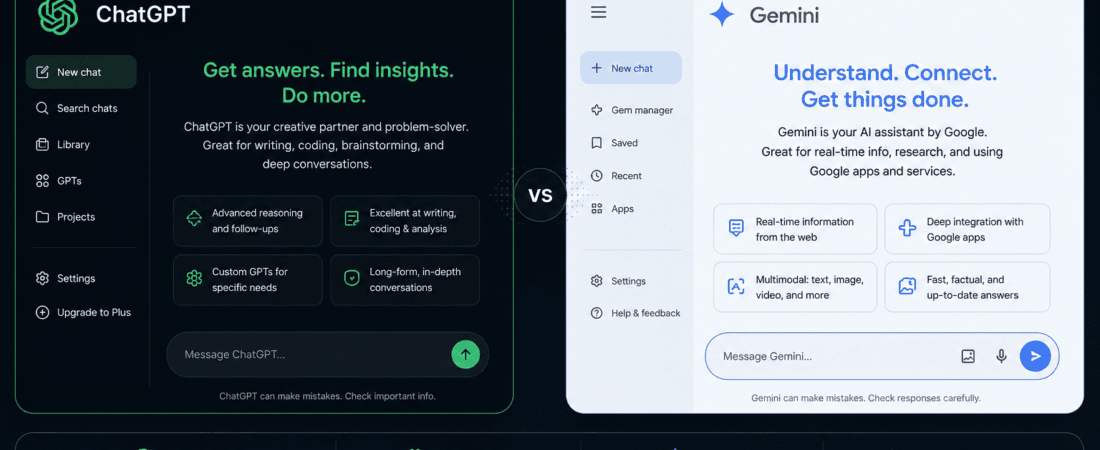
ChatGPT Free vs Google Gemini: If you’re running a blog, research can easily become one of the most time-consuming parts of content creation.
Writing the article itself may take a few hours, but finding reliable information, checking facts, comparing sources, identifying current statistics, understanding competitors, finding expert opinions, and organizing everything into a useful structure can take even longer.
This is where AI research assistants have become extremely useful.
Two of the biggest options available today are ChatGPT Free and Google Gemini.
Both can help bloggers brainstorm topics, research questions, summarize information, analyze documents, identify important points, create outlines, and turn research into readable content.
But they are not exactly the same.
ChatGPT has a strong research workflow built around conversational search, structured reasoning, files, projects, and deep research capabilities. Gemini has a major advantage when research benefits from Google’s search ecosystem and, in supported situations, can work with sources such as Google Search, uploaded files, Gmail, Drive, and NotebookLM notebooks.
So which one is better for blog research?
The answer depends on what kind of research you do.
If I were choosing a tool for a blogging workflow, I wouldn’t simply ask which AI gives the “better answer.” I’d compare how quickly each one helps me move from:
Topic → Research → Sources → Outline → Facts → Draft
In this guide, we’ll compare ChatGPT Free and Google Gemini for blog research, including research quality, web search, source handling, long-form research, competitor research, keyword research, PDF analysis, outlines, fact-checking, content planning, limitations, and practical workflows.
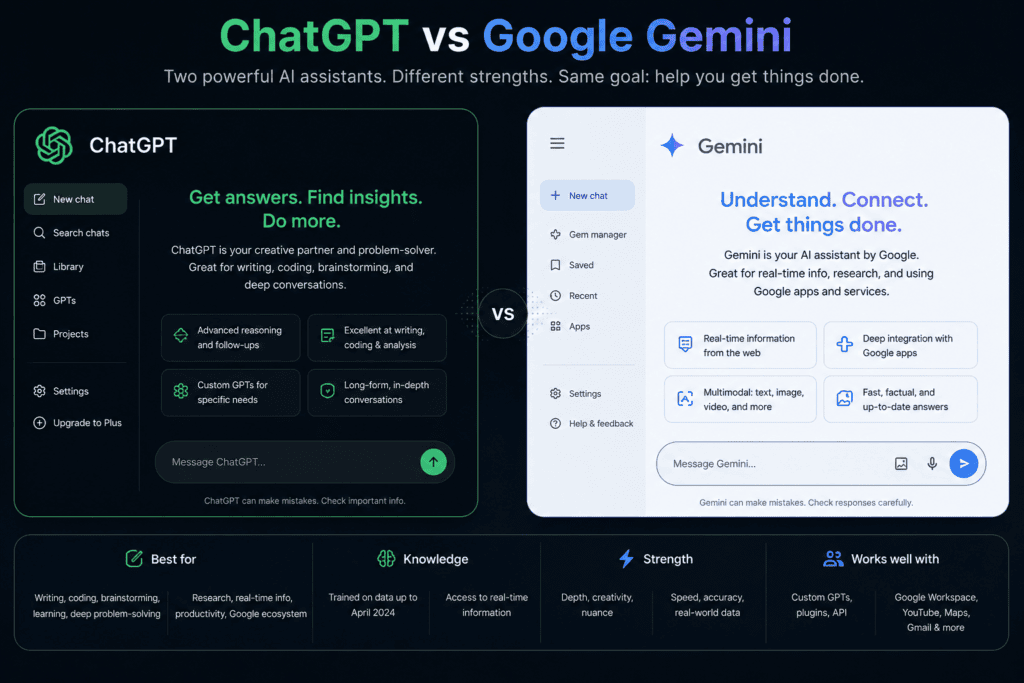
ChatGPT Free vs Google Gemini: Quick Comparison
| Feature | ChatGPT Free | Google Gemini Free |
|---|---|---|
| General research | Excellent | Excellent |
| Web search | Yes | Yes |
| Current information | Yes | Yes |
| Research summaries | Excellent | Excellent |
| Blog outlines | Excellent | Excellent |
| Brainstorming | Excellent | Excellent |
| PDF/file analysis | Yes, with limits | Yes, with limits |
| Deep research | Availability and limits vary | Available with limits; availability can vary |
| Google ecosystem | Good | Excellent |
| Gmail/Drive research | Via connected apps where available | Strong Google integration |
| Long research tasks | Strong | Strong |
| Citation-focused research | Strong | Strong |
| Conversational writing | Excellent | Excellent |
| Best for Google-centric workflows | Good | Excellent |
| Best overall for bloggers | Depends on workflow | Depends on workflow |
One important point is that free-plan limits change.
OpenAI says ChatGPT Free users can currently search the web, analyze data, upload files, create images, and use other capabilities, but usage limits apply.
Google also applies usage limits to Gemini, and some high-compute features can have tighter availability for users without a Google AI plan, particularly during periods of high demand.
So don’t treat “free” as meaning unlimited.
What Makes an AI Tool Good for Blog Research?
Before choosing between ChatGPT and Gemini, it’s useful to understand what bloggers actually need.
A good blog research assistant should help with:
- Finding current information
- Understanding complicated topics
- Comparing multiple sources
- Identifying important facts
- Generating research questions
- Finding gaps in existing content
- Organizing information
- Creating outlines
- Summarizing documents
- Checking claims
- Suggesting angles
- Separating facts from assumptions
The best tool isn’t necessarily the one that writes the longest answer.
It’s the one that helps you make better content decisions.
ChatGPT Free for Blog Research
ChatGPT has evolved from being primarily a conversational AI into a broader research and productivity environment.
ChatGPT Search can bring current information from the web directly into a conversation, while deep research is designed for more complex multi-step research tasks. OpenAI describes deep research as a system that plans, searches, evaluates information, and produces a documented report with citations or source links.
For bloggers, this distinction is important.
You don’t always need deep research.
If I’m checking something simple, I would use a normal search.
If I’m researching a topic that requires dozens of sources and comparisons, a deeper research workflow makes more sense.
How I Would Use ChatGPT for Blog Research
I would start by defining the article rather than simply typing:
“Research AI tools.”
That’s too broad.
Instead, I’d give it a specific research brief.
For example:
“I’m writing a 2,500-word article about free AI tools for small business social media marketing. Research current tools, their major free features, limitations, target users, and practical use cases. Prioritize official sources and clearly separate verified facts from recommendations.”
This gives the AI a research objective.
From there, I would break the research into smaller tasks.
ChatGPT for Finding Current Information
One of the biggest problems with AI-generated blog content is outdated information.
A tool may know what was true previously but not what is true today.
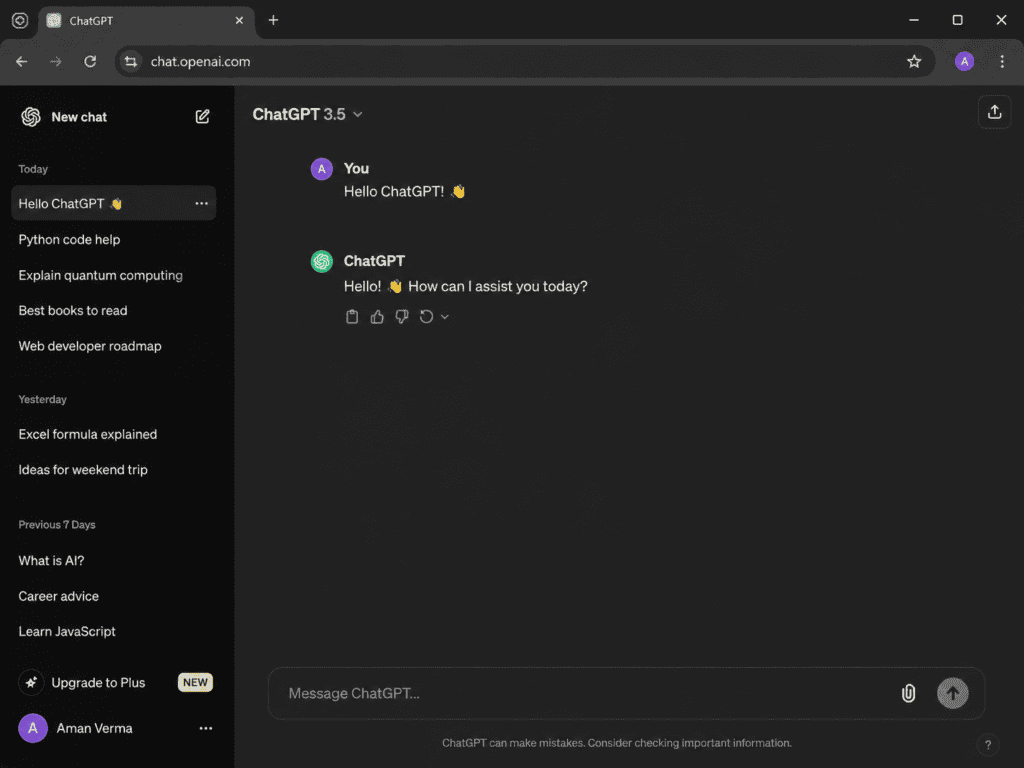
ChatGPT Search is designed to retrieve current information from the web, and OpenAI says it is available to Free users.
For a blog, that can be useful for topics such as:
- AI tool pricing
- Software features
- Social media trends
- SEO updates
- Google algorithm developments
- Product launches
- Current statistics
- Industry news
I would still open important sources myself.
AI research should reduce research time, not eliminate verification.
ChatGPT for Source-Based Research
One workflow I particularly recommend is giving the AI a source-first instruction.
For example:
“Research this topic using official documentation, government sources, academic publications, and reputable industry sources. Avoid relying on random blogs unless they provide unique first-hand information.”
This can dramatically improve the quality of research.
For SEO content, source quality matters because a blog filled with unsupported claims can look impressive while providing very little trustworthy information.
ChatGPT for Blog Topic Research
Before writing an article, I would ask ChatGPT to break the topic into research questions.
For example:
Main topic:
“Free AI tools for email marketing”
Research questions could include:
- What problems do email marketers commonly face?
- Which free AI tools help with email copy?
- Which tools provide subject-line generation?
- Which tools have free plans?
- What are their limitations?
- Which tools are suitable for beginners?
- Which tools support personalization?
- Which tools work with existing email platforms?
- What should marketers verify before publishing AI-generated emails?
This transforms a broad topic into a research framework.
ChatGPT for Building Blog Outlines
Once the research is complete, I would ask for an outline.
A useful prompt would be:
“Based on the verified research above, create an SEO-friendly outline for a 3,000-word article. Organize sections according to search intent rather than simply listing tools. Include comparison sections, practical examples, FAQs, and a conclusion. Do not add claims that weren’t supported by the research.”
This is much better than:
“Give me an SEO outline.”
The first prompt gives the AI a purpose.
ChatGPT for Competitor Content Research
Another useful application is analyzing existing search results.
I would ask:
“Analyze the leading articles covering this topic. Identify the questions they answer, information they repeat, topics they miss, and opportunities to create a more useful article. Do not copy their wording.”
The goal isn’t to rewrite competitors.
The goal is to identify content gaps.
For example, if ten competing articles list tools but none explain actual workflows, that’s an opportunity.
You could create an article focused on practical implementation.
ChatGPT for PDF Research
Bloggers frequently encounter PDFs:
- Research reports
- Government documents
- Whitepapers
- Industry reports
- Academic papers
- Product documentation
ChatGPT supports file uploads and can analyze documents such as PDFs.
A practical workflow would be:
Upload report → Ask for key findings → Ask for statistics → Verify important claims → Add relevant findings to article
For example:
“Analyze this report and identify five statistics relevant to an article about small-business AI adoption. For each statistic, provide the page or section where it appears.”
That is far more useful than simply asking:
“Summarize this PDF.”
ChatGPT Projects for Long-Term Blogging
For bloggers producing content consistently, Projects can be useful.
OpenAI describes Projects as workspaces where chats, files, and custom instructions can stay together for ongoing work. Projects are available to Free and paid users, with file limits varying by plan.
A blogging project could contain:
- Keyword research
- Brand guidelines
- Writing instructions
- Previous articles
- Content calendar
- Competitor notes
- Source documents
Then future research can happen within the same context.
This can be particularly useful when you’re building a large content library around one niche.
Google Gemini for Blog Research
Google Gemini approaches research from a different angle.
Its major advantage is Google’s ecosystem.
Gemini’s Deep Research can use Google Search as a source by default and can also use other sources such as uploaded files, Gmail, Drive, and NotebookLM notebooks when the relevant integrations are available.
For someone who already stores research inside Google’s ecosystem, this can be extremely convenient.
How I Would Use Gemini for Blog Research
I would start by giving Gemini a detailed research objective.
For example:
“Research the current state of AI writing tools for freelance writers. Compare free options, major features, limitations, target users, and practical applications. Prioritize official tool documentation and reputable sources. Organize the research so it can later become a 3,000-word SEO article.”
Gemini can create a research plan for Deep Research tasks, which can be reviewed and edited before the research begins. Google says the process can take around 5–10 minutes for typical research reports, with more complex research taking longer.
That planning stage can be useful because it lets me see how the research is being approached before the report is generated.
Gemini for Google Search-Based Research
This is one of Gemini’s most obvious strengths.
If I’m researching a topic that depends heavily on current web information, Gemini’s connection to Google Search can be valuable.
For example:
- Current SEO trends
- New software releases
- Industry developments
- Search trends
- Current company information
- Product comparisons
However, I still wouldn’t assume every result is automatically correct.
Search access doesn’t eliminate the need for source evaluation.
Gemini for Research Reports
Google’s Deep Research feature is designed for deeper, multi-source research.
The workflow is roughly:
Research question → Research plan → Source selection → Research → Report
This is useful when a topic requires aggregation rather than a single answer.
For example:
“Compare the major free AI image generators available in 2026 for bloggers. Analyze their free usage limits, commercial-use terms, image quality, editing options, and major restrictions.”
That’s a research question rather than a simple fact lookup.
Gemini for Large Research Contexts
Context length can matter when researching long documents.
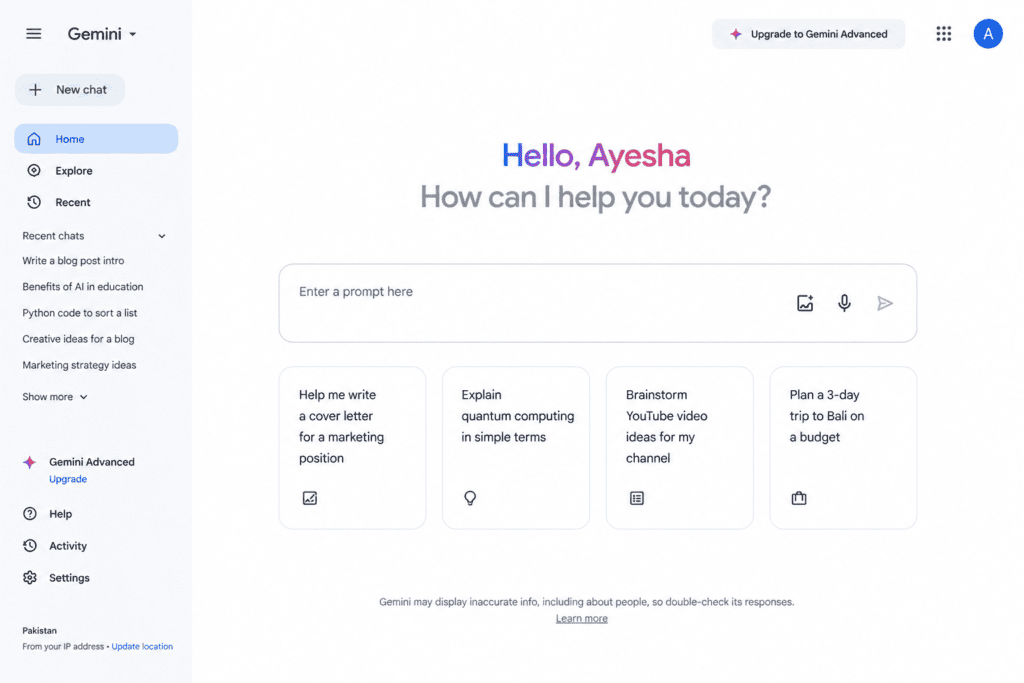
Google currently lists a 32K-token context window for Gemini users without a Google AI plan, while higher-tier plans can provide substantially larger context windows.
That means the free experience has limits.
Still, for ordinary blog research, you generally don’t need to load an entire library into one conversation.
A better approach is to divide research into logical sections.
Gemini for Google Drive Research
This can be particularly useful if your research already lives in Google Drive.
Imagine you have:
- A market research PDF
- A spreadsheet containing survey results
- Previous blog posts
- Client notes
- Research documents
If the relevant Google integrations are available to you, Gemini can incorporate sources such as Drive into research workflows.
That can reduce the need to manually copy and paste information between applications.
Gemini for Gmail-Based Research
For some workflows, Gmail can contain valuable information:
- Customer questions
- Feedback
- Interview responses
- Client requests
- Product questions
Google’s documentation says Gmail can be added as a research source when the appropriate Workspace connection is available.
For example, a business could research:
“What questions do customers repeatedly ask about our product?”
That information could then become an FAQ article or blog topic list.
ChatGPT vs Gemini for Keyword Research
Neither tool should be treated as a replacement for dedicated SEO platforms when you need accurate search-volume and keyword metrics.
However, both can help with keyword brainstorming.
I would ask either tool to generate keyword clusters around a topic.
For example:
Primary topic:
AI writing tools
Possible clusters:
- free AI writing tools
- AI blog writing tools
- AI paragraph generators
- AI rewriting tools
- AI proofreading tools
- AI SEO writing tools
- AI content research tools
Then I would validate the actual search demand using dedicated keyword research tools.
AI is excellent for idea generation.
It is not automatically a substitute for SEO data.
ChatGPT vs Gemini for Search Intent
This is an area where both can be useful.
Suppose your keyword is:
“best free AI writing tools.”
The search intent is likely commercial/investigational.
But:
“how does AI writing work?”
is more informational.
I would ask the AI:
“Classify the search intent behind these keywords and explain what type of article would best satisfy each query.”
Then I’d use that information to build content.
ChatGPT vs Gemini for Fact-Checking
This is where you need discipline.
Never assume:
AI answer = verified fact
Instead:
AI answer → Source → Verification → Article
For example, if AI says:
“Tool X offers unlimited AI generations.”
I would verify that claim on the official pricing page.
Software plans change frequently.
The same applies to:
- Prices
- Features
- Free limits
- Company statistics
- Product specifications
- Policy changes
Which AI Is Better for Research Citations?
Both can provide source links or citations in research workflows.
ChatGPT’s deep research is explicitly designed to produce documented reports with citations or source links.
Gemini’s Deep Research also works through sources and research reports, with Google Search included by default.
The important thing isn’t just whether citations exist.
The important question is:
Are the sources authoritative?
A citation to a weak blog isn’t automatically a strong source.
ChatGPT vs Gemini for Research Summaries
Both are very capable at summarization.
But I recommend asking for different types of summaries depending on your objective.
For a quick overview:
“Summarize this in 10 bullet points.”
For article research:
“Summarize the findings that are directly relevant to my article.”
For statistics:
“Extract only numerical claims and include their sources.”
For expert research:
“Identify the main arguments made by each source and where they disagree.”
This makes AI much more useful.
ChatGPT vs Gemini for Finding Content Gaps
This is one of my favorite research workflows.
Instead of asking:
“Write an article about this.”
I’d ask:
“What information would a reader still need after reading the top articles about this topic?”
That question shifts the focus from content production to content quality.
You can look for:
- Missing examples
- Outdated information
- Unanswered questions
- Poor explanations
- Missing comparisons
- Lack of practical instructions
That is how AI can help you create something more useful instead of another generic SEO article.
ChatGPT vs Gemini for Blog Research: Which Feels More Conversational?
Both are conversational AI systems.
For a long research workflow, the quality of your prompts matters enormously.
I wouldn’t judge either tool after one question.
Instead, test a complete workflow.
For example:
Prompt 1: Research topic.
Prompt 2: Identify gaps.
Prompt 3: Organize sources.
Prompt 4: Create outline.
Prompt 5: Challenge the outline.
Prompt 6: Identify unsupported claims.
Prompt 7: Create article brief.
This is much closer to real blogging.
A Better Research Workflow: Use Both
There’s no rule saying you have to choose only one.
For important articles, I would actually consider using both ChatGPT and Gemini.
For example:
Stage 1 — Topic discovery
Use ChatGPT to brainstorm angles.
Stage 2 — Search research
Use Gemini to explore current search-based information.
Stage 3 — Source verification
Open important sources manually.
Stage 4 — Research organization
Use ChatGPT to turn verified information into a structured research brief.
Stage 5 — Outline
Generate an SEO-focused outline.
Stage 6 — Draft
Write the article using the verified research.
Stage 7 — Fact check
Ask an AI tool to identify claims requiring verification.
This reduces dependence on a single model.
My Recommended Blog Research Prompt for ChatGPT
A useful prompt could be:
“Act as a research assistant for a professional SEO blog. Research [TOPIC] using current web sources. Prioritize official documentation, government sources, academic research, reputable publications, and first-party company information. Identify important facts, statistics, expert viewpoints, common questions, competing viewpoints, and content gaps. Clearly distinguish verified information from interpretation. Provide source links for important claims. Do not invent statistics or citations.”
This gives the AI a much stronger research framework.
My Recommended Blog Research Prompt for Gemini
You can use a similar prompt:
“Research [TOPIC] for a detailed SEO article. Focus on current information and prioritize authoritative sources, official websites, research papers, government sources, and reputable publications. Identify important facts, statistics, user questions, common misconceptions, competing perspectives, and content gaps. Organize the findings into sections that can later become a 3,000-word blog article. Do not invent facts or sources.”
The important part isn’t whether you use ChatGPT or Gemini.
It’s the quality of your research instructions.
How to Turn AI Research Into Human-Written Content
This is extremely important.
A research report shouldn’t simply be copied into your article.
Instead:
Research → Understand → Organize → Explain → Edit
For example, AI might tell you:
“AI tools can improve content production efficiency.”
That’s generic.
A human-written article could explain:
“The biggest advantage isn’t that AI writes an entire article for you. It’s that it can reduce the time spent on repetitive tasks such as collecting questions, organizing notes, comparing sources, and creating a first outline.”
The second version gives the reader an actual insight.
Don’t Let AI Write From Unverified Research
This is one of the biggest mistakes bloggers make.
Imagine AI gives you:
- A statistic
- A product feature
- A pricing figure
- A company claim
You put all of it into a 3,000-word article.
Later you discover half the information is outdated.
Now the entire article needs editing.
A better workflow is:
Research → Verify → Save trusted facts → Write
Not:
Research → Write → Hope it’s correct
Which Is Better for Long-Form Blog Research?
Both are capable.
For long-form research, I would focus on workflow rather than raw answer length.
ChatGPT’s deep research is explicitly designed for multi-step research and synthesis, and its Projects can keep related chats, files, and instructions together.
Gemini’s Deep Research is also designed for multi-source research and can incorporate Google Search and selected additional sources.
My practical verdict:
ChatGPT: Excellent for research organization, conversational refinement, synthesis, and turning research into structured content.
Gemini: Excellent for Google-centered research workflows and situations where Google Search and Google ecosystem sources are particularly useful.
Which Is Better for Bloggers?
Choose ChatGPT if:
- You want a strong conversational research assistant.
- You frequently turn research into outlines.
- You work with uploaded documents.
- You want structured research reports.
- You want to keep long-term blogging work organized.
- You like refining research through multiple prompts.
- You want research and writing in the same environment.
Choose Gemini if:
- You live inside Google’s ecosystem.
- You frequently use Google Search for research.
- Your documents are in Google Drive.
- Your research involves Gmail or Google Workspace information.
- You want Google’s ecosystem closely integrated into the workflow.
- You want to explore Deep Research with Google Search as a default source.
ChatGPT Free vs Gemini Free: The Biggest Limitation
The biggest limitation isn’t necessarily quality.
It’s usage limits.
Both platforms have free access restrictions that can change.
OpenAI says Free tier usage is limited and that some tools, including data analysis, file uploads, and image generation, can have separate limits.
Google similarly states that Gemini usage depends on factors such as prompt complexity, model, feature usage, and conversation length. Limits can refresh periodically, and availability can change during high-demand periods.
Therefore, if you’re running a high-volume content operation, don’t assume that a free plan will always support unlimited daily research.
Can ChatGPT or Gemini Replace an SEO Tool?
No.
They can complement SEO tools.
Dedicated SEO platforms can provide specialized information such as:
- Search volume
- Keyword difficulty
- Backlinks
- Ranking positions
- SERP features
- Competitor keywords
AI can then help interpret that information.
A strong workflow is:
SEO tool → Data → AI analysis → Content strategy
rather than:
AI → Guess keyword volume
Can AI Research Help a New Blog Rank?
It can improve your research process, but no AI tool can guarantee rankings.
Ranking depends on many factors, including:
- Search intent
- Content quality
- Topical relevance
- Competition
- Authority
- Links
- Technical SEO
- User experience
- Site history
- Search engine algorithms
AI can help you create better research and content.
It cannot promise a first-page ranking.
How I Would Research a 3,000-Word Blog in 30–60 Minutes
For a straightforward topic, I would use a structured process.
1. Define the keyword
Choose the main search query.
2. Understand intent
Determine what the reader actually wants.
3. Generate research questions
Break the topic into smaller questions.
4. Search current sources
Use ChatGPT Search, Gemini, or conventional search.
5. Collect authoritative sources
Prioritize first-party and reputable sources.
6. Identify content gaps
Look at what existing articles don’t explain.
7. Build a research brief
Turn the findings into organized notes.
8. Create the outline
Structure the article around reader needs.
9. Write
Use your own voice and examples.
10. Fact-check
Verify important claims before publishing.
This workflow is much more reliable than asking an AI:
“Write a 3,000-word SEO article.”
Final Verdict: ChatGPT Free vs Google Gemini for Blog Research
So, which is the best AI tool for blog research?
There isn’t a single winner for every blogger.
If I had to choose one general-purpose research assistant for a workflow that moves from research into outlining, analysis, and writing, ChatGPT would be my overall pick.
Its combination of web search, file analysis, conversational research, Projects, and deeper research workflows makes it particularly useful for building an article from an initial idea through a structured research process. OpenAI currently makes web search available to Free users, while access and limits for more advanced research features can vary by plan and availability.
But Gemini can be the better choice for Google-centered research.
If my research is already spread across Google Search, Drive, Gmail, or NotebookLM, Gemini’s ability to incorporate those sources can make the workflow much more convenient. Its Deep Research feature can also create a research plan and synthesize information from multiple sources.
So I’d summarize the comparison this way:
🏆 Best overall for a complete blogging workflow:
ChatGPT
🔎 Best for Google-centered research:
Gemini
📚 Best approach for important articles:
Use both
📝 Best for turning research into structured content:
ChatGPT
🌐 Best when Google Search and Google ecosystem sources are central:
Gemini
But there’s one thing more important than the choice between the two.
Don’t let AI become your researcher, writer, editor, and fact-checker without supervision.
Use AI to accelerate the work.
Read the sources.
Check the statistics.
Question the conclusions.
Add your own examples.
Bring your own perspective.
That’s how you avoid publishing another generic AI-generated article.
The strongest blogging workflow isn’t:
AI → Publish
It’s:
AI → Research → Verify → Think → Write → Edit → Publish
And whether you choose ChatGPT Free, Google Gemini, or both, that workflow will produce much better content than relying on the tool alone.
Frequently Asked Questions
Is ChatGPT Free better than Gemini for blog research?
ChatGPT is an excellent choice for bloggers who want research, analysis, outlining, file handling, and writing assistance in one workflow. Gemini can be particularly strong for Google-centered research workflows. The better option depends on your needs.
Is Gemini better than ChatGPT for Google research?
Gemini has a natural advantage when your workflow relies heavily on Google Search and Google ecosystem sources. Gemini Deep Research uses Google Search as a default source and can also incorporate sources such as Drive, Gmail, uploaded files, and NotebookLM notebooks when available.
Can ChatGPT Free search the internet?
Yes. OpenAI currently says ChatGPT Search is available to Free users, although usage limits apply.
Can Gemini research current information?
Yes. Gemini can conduct real-time, in-depth research through its Deep Research functionality, with Google Search included as a default source.
Can I use ChatGPT for keyword research?
Yes, ChatGPT can help brainstorm keywords, group them into clusters, understand search intent, and develop content ideas. However, dedicated SEO platforms are preferable when you need reliable search-volume and keyword-difficulty data.
Can Gemini create blog outlines?
Yes. Gemini can help organize research into sections and create detailed blog outlines. The quality of the final outline depends heavily on the research brief and instructions you provide.
Which is better for SEO content?
Neither AI tool automatically produces better SEO content. Search intent, research quality, originality, useful information, factual accuracy, structure, and editing matter more than which AI generated the first draft.
Can ChatGPT and Gemini analyze PDFs?
Both can work with uploaded documents, subject to current feature availability and usage limits. ChatGPT supports document uploads and analysis, while Gemini can incorporate uploaded files into its research workflow.
Should I use AI-generated research directly in my blog?
No. Treat AI output as research assistance. Verify important facts against the original sources before publishing.
Can AI guarantee that my blog will rank on Google?
No. AI can improve research and content production, but no AI tool can guarantee search rankings.
Is it worth using both ChatGPT and Gemini?
For important research-heavy articles, yes. Using both can provide a useful second perspective and help you cross-check findings rather than relying on a single AI system.
Check out here if you want to know about Leonardo AI vs Midjourney: Best Free AI Image Generator Comparison