
Best Free AI Alternatives to Grammarly Premium for Proofreading
Writing error-free content is essential whether you’re creating blog posts, emails, academic papers, social media content, or business documents. While Grammarly Premium is one of the most popular proofreading tools, many users look for free alternatives that offer strong grammar checking, spelling correction, sentence rewriting, and AI-powered writing assistance without requiring a paid subscription.
Fortunately, several free AI proofreading tools now provide impressive features that help writers improve clarity, readability, and overall writing quality.
In this guide, we’ll explore the best free AI alternatives to Grammarly Premium for proofreading, compare their features, advantages, limitations, and explain how to choose the right tool for your writing needs.
Why Look for a Grammarly Premium Alternative?
Although Grammarly Premium offers advanced writing suggestions, not everyone needs a paid subscription.
Many users prefer free alternatives because they:
- Save money
- Offer AI-powered proofreading
- Improve grammar and spelling
- Rewrite awkward sentences
- Enhance readability
- Support multiple writing styles
- Work directly in browsers or online editors
If your primary goal is creating clean, professional writing, several free AI tools can help.
What Makes a Great AI Proofreading Tool?
The best AI proofreading assistants should provide:
- Grammar correction
- Spelling checks
- Punctuation improvements
- Sentence rewriting
- Tone suggestions
- Readability analysis
- Vocabulary enhancements
- Fast processing
- Easy-to-use interface
Some tools also offer plagiarism checking or multilingual support, though these features may be limited on free plans.
1. ChatGPT Free
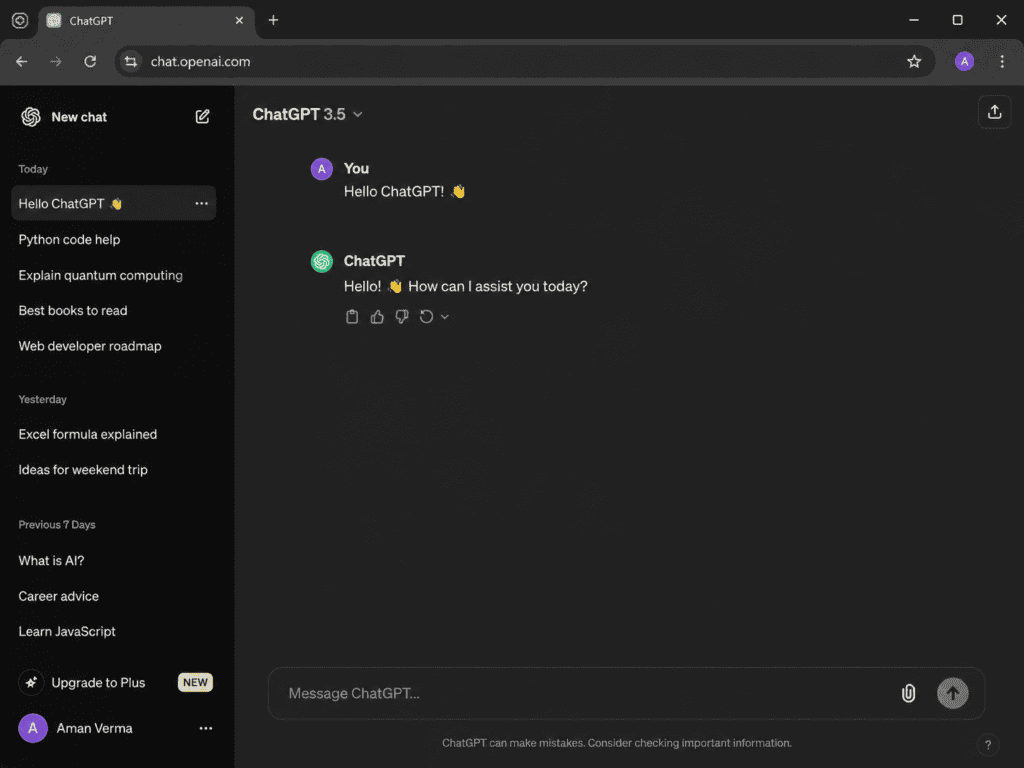
ChatGPT is one of the most versatile AI writing assistants available.
Unlike traditional grammar checkers, it understands context and can improve entire paragraphs instead of correcting individual words.
Best Features
- Grammar correction
- Sentence rewriting
- Tone adjustment
- Readability improvements
- Professional writing assistance
- Email editing
- Blog proofreading
Best For
- Bloggers
- Freelancers
- Students
- Copywriters
- Business owners
Example Prompt
Proofread the following article.
Correct grammar, punctuation, and spelling.
Improve clarity while preserving the original meaning.
Pros
- Context-aware editing
- Natural writing suggestions
- Multiple writing styles
- Supports long-form content
Cons
- Requires good prompts for best results
- No built-in browser extension like Grammarly
2. Google Gemini
Google Gemini combines AI writing assistance with Google’s ecosystem.
It helps improve writing while maintaining a natural tone.
Features
- Grammar correction
- Writing suggestions
- Sentence improvement
- Email proofreading
- Document editing
Advantages
- Free access
- Fast responses
- Great for business writing
Ideal Users
- Students
- Office workers
- Content creators
3. Microsoft Copilot
Microsoft Copilot is integrated with Microsoft products, making it an excellent proofreading assistant for Word users.
Features
- Grammar improvements
- Style suggestions
- Document editing
- Professional writing
- Summaries
Best For
- Reports
- Office documents
- Business emails
- Presentations
4. QuillBot
QuillBot has become one of the most popular free AI writing assistants.
Its proofreading tools include:
- Grammar checker
- Paraphrasing
- Fluency improvements
- Formal writing mode
- Sentence restructuring
Advantages
- Easy to use
- Fast editing
- Multiple rewriting modes
Limitations
Some advanced modes require a paid subscription.
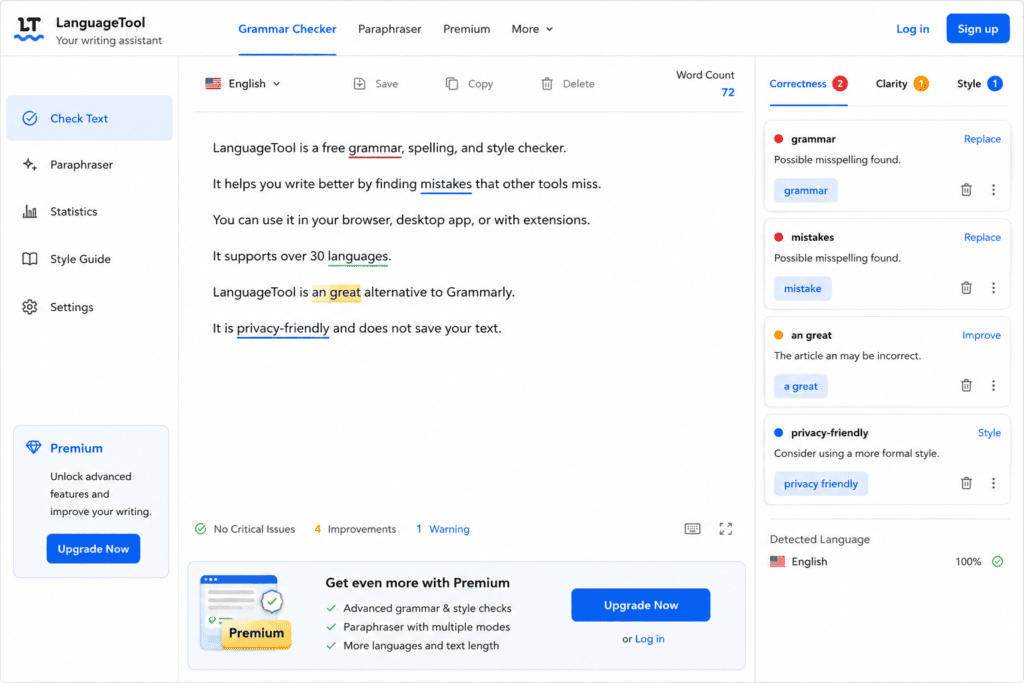
5. LanguageTool
LanguageTool is a strong alternative for users who need multilingual proofreading.
Features
- Grammar checking
- Style improvements
- Spelling correction
- Punctuation fixes
- Multiple language support
Best For
- International users
- Students
- Business professionals
Pros
- Supports many languages
- Browser extensions available
- Free version available
6. Hemingway Editor
Unlike Grammarly, Hemingway focuses primarily on readability.
It identifies:
- Long sentences
- Passive voice
- Complex wording
- Hard-to-read paragraphs
Perfect For
- Bloggers
- Journalists
- Copywriters
- Website owners
Benefits
Cleaner writing often improves user engagement.
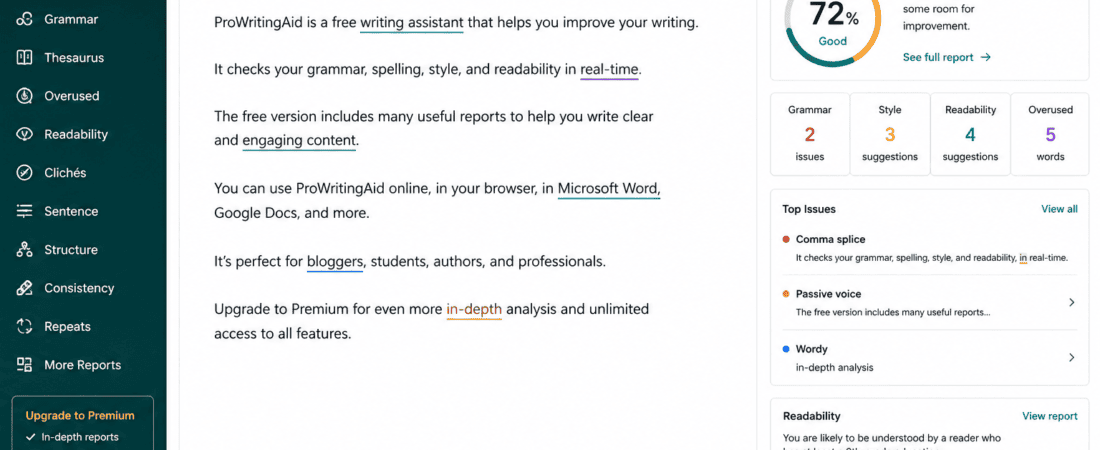
7. ProWritingAid Free
ProWritingAid offers detailed writing analysis beyond simple grammar checking.
Features
- Grammar reports
- Style analysis
- Readability scoring
- Repeated word detection
- Writing suggestions
Best For
- Long-form writers
- Authors
- Editors
8. Slick Write
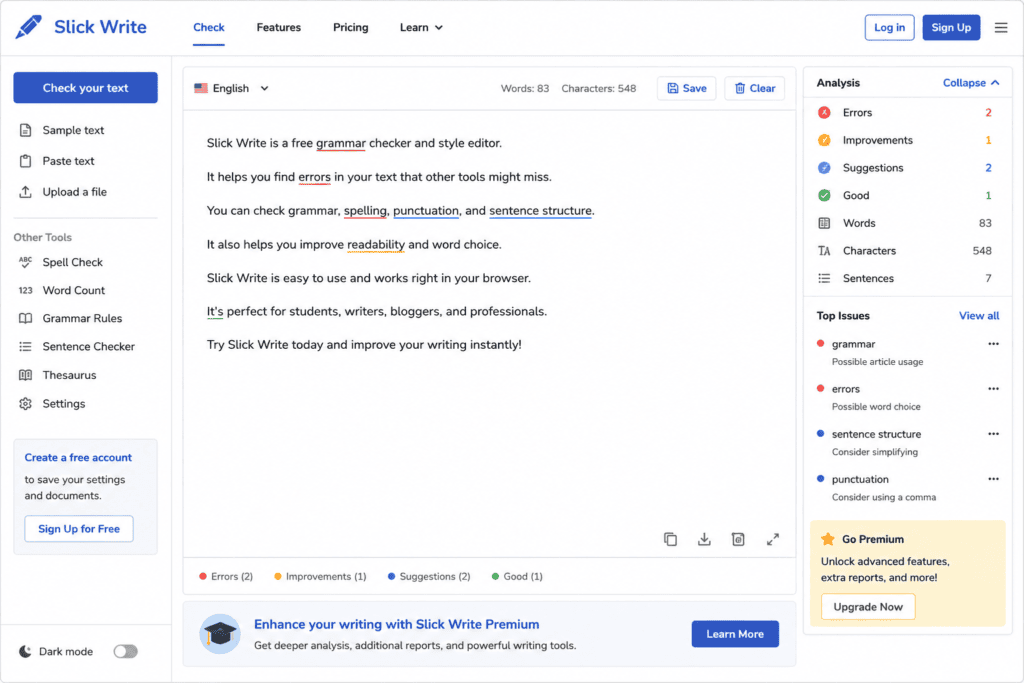
Slick Write is a free online proofreading platform.
It checks:
- Grammar
- Sentence flow
- Readability
- Passive voice
- Vocabulary
It’s lightweight and simple to use.
9. Writer.com Grammar Checker
Writer.com provides AI-powered proofreading for professional writing.
Features
- Grammar checking
- Tone consistency
- Business writing
- Clear communication
Ideal for workplace documents.
10. Reword AI (Free Features)
Reword AI focuses on improving content quality.
It assists with:
- Sentence improvements
- Grammar correction
- Content flow
- Reader engagement
It’s especially useful for bloggers and content marketers.
Comparison Table
| Tool | Grammar | Rewrite | Tone | Readability | Free Plan |
|---|---|---|---|---|---|
| ChatGPT | ✅ | ✅ | ✅ | ✅ | ✅ |
| Google Gemini | ✅ | ✅ | ✅ | ✅ | ✅ |
| Microsoft Copilot | ✅ | ✅ | ✅ | ✅ | ✅ |
| QuillBot | ✅ | ✅ | Limited | ✅ | ✅ |
| LanguageTool | ✅ | Limited | Limited | ✅ | ✅ |
| Hemingway Editor | Limited | ❌ | ❌ | ✅ | ✅ |
| ProWritingAid | ✅ | Limited | ✅ | ✅ | ✅ |
| Slick Write | ✅ | ❌ | ❌ | ✅ | ✅ |
| Writer.com | ✅ | Limited | ✅ | ✅ | ✅ |
| Reword AI | ✅ | ✅ | ✅ | ✅ | Limited |
Which Tool Is Best for Different Users?
Bloggers
Recommended:
- ChatGPT
- QuillBot
- Hemingway Editor
Students
Recommended:
- LanguageTool
- Google Gemini
- ChatGPT
Freelancers
Recommended:
- ChatGPT
- Microsoft Copilot
- QuillBot
Business Professionals
Recommended:
- Microsoft Copilot
- Writer.com
- Google Gemini
Can Free AI Replace Grammarly Premium?
For many users, yes.
If your primary needs are grammar correction, spelling, sentence improvements, and readability suggestions, combining one or two free AI tools can cover a large portion of everyday proofreading tasks.
However, premium tools may still offer additional features such as advanced style reports, plagiarism detection, or deeper writing analytics.
How AI Proofreading Works
AI proofreading tools use Natural Language Processing (NLP) and machine learning to analyze your writing beyond basic spell checking. Instead of simply identifying incorrect words, AI understands the context of a sentence and suggests improvements that make your writing clearer and more natural.
Most AI proofreading tools can detect:
- Grammar mistakes
- Spelling errors
- Punctuation issues
- Sentence structure problems
- Word repetition
- Passive voice
- Inconsistent tone
- Readability issues
- Awkward phrasing
This helps writers produce polished content more efficiently.
Best AI Prompts for Proofreading
If you’re using ChatGPT or another AI chatbot, the quality of your prompt affects the quality of the results.
Prompt 1: Basic Proofreading
Proofread the following text.
Correct grammar, spelling, punctuation, and sentence structure.
Do not change the original meaning.
Prompt 2: SEO Blog Editing
Proofread this SEO blog post.
Improve readability, grammar, and flow while preserving the focus keyword placement.
Avoid keyword stuffing.
Prompt 3: Professional Tone
Rewrite this article in a professional yet conversational tone.
Correct grammar and improve clarity.
Prompt 4: Academic Writing
Edit this academic paragraph for grammar, clarity, and formal writing style.
Keep the original meaning unchanged.
Prompt 5: Business Email
Proofread this business email.
Make it polite, concise, and professional.
Correct all grammar and punctuation errors.
Proofreading Workflow Using Free AI Tools
A simple workflow can help you get the best results without paying for premium software.
Step 1: Write Your First Draft
Focus on getting your ideas onto the page. Don’t worry about perfect grammar at this stage.
Step 2: Run It Through ChatGPT
Ask ChatGPT to:
- Fix grammar
- Improve sentence flow
- Remove repetitive wording
- Simplify complex sentences
Step 3: Check with LanguageTool
Use LanguageTool to identify any remaining grammar or punctuation issues, especially if you’re writing in multiple languages.
Step 4: Improve Readability
Paste your content into Hemingway Editor to:
- Shorten long sentences
- Reduce passive voice
- Improve clarity
Step 5: Final Review
Read your content aloud before publishing. This helps you catch awkward phrasing and ensures the text sounds natural.
Grammarly Premium vs Free AI Alternatives
| Feature | Grammarly Premium | Free AI Alternatives |
|---|---|---|
| Grammar Checking | ✅ | ✅ |
| Spelling Correction | ✅ | ✅ |
| Punctuation | ✅ | ✅ |
| AI Rewriting | ✅ | ✅ |
| Tone Suggestions | ✅ | ✅ (varies by tool) |
| Readability Analysis | ✅ | ✅ |
| Browser Support | ✅ | Some tools |
| Free Access | ❌ | ✅ |
For many everyday writing tasks, free AI tools provide enough functionality to produce high-quality content.
Best Tool for Different Writing Tasks
Blog Writing
Recommended:
- ChatGPT
- Hemingway Editor
- QuillBot
Academic Papers
Recommended:
- LanguageTool
- ChatGPT
- ProWritingAid
Emails
Recommended:
- Microsoft Copilot
- ChatGPT
- Google Gemini
Social Media Posts
Recommended:
- ChatGPT
- Gemini
- Writer.com
Business Documents
Recommended:
- Microsoft Copilot
- Writer.com
- LanguageTool
Common Proofreading Mistakes
Even with AI, avoid these common errors:
Ignoring Context
AI suggestions may not always fit your intended meaning. Always review changes before accepting them.
Accepting Every Suggestion
Not every recommendation improves your writing. Use your judgment to decide which edits are appropriate.
Forgetting Brand Voice
If you write for a brand or business, make sure the final text still matches its tone and style.
Overediting
Too many changes can make your writing sound unnatural. Aim for clarity rather than perfection.
Benefits of Combining Multiple Free AI Tools
No single free tool is perfect. Combining tools can produce better results.
For example:
- Draft and refine with ChatGPT.
- Check grammar with LanguageTool.
- Improve readability with Hemingway Editor.
- Paraphrase awkward sentences with QuillBot.
This layered approach often catches more issues than relying on one tool alone.
Tips for Better Proofreading
- Take a short break before reviewing your draft.
- Read the content aloud.
- Check one type of error at a time (grammar, punctuation, formatting).
- Use short paragraphs for better readability.
- Remove unnecessary words.
- Verify names, dates, and numbers manually.
- Keep your target audience in mind.
AI Proofreading for SEO Content
When editing SEO articles, remember that proofreading isn’t only about grammar.
Also check:
- Focus keyword placement
- Meta title
- Meta description
- Heading hierarchy (H2, H3)
- Internal linking opportunities
- Image alt text
- Readability
- Natural keyword usage
A well-proofread article is more likely to provide a good user experience and support your SEO efforts.
Who Should Use AI Proofreading Tools?
These tools are useful for:
- Bloggers
- Students
- Copywriters
- Freelancers
- Content marketers
- Digital agencies
- Social media managers
- Business owners
- Website editors
- Authors
Anyone who writes regularly can benefit from AI-assisted proofreading.
Expert Recommendations
To get the most from free AI proofreading tools:
- Write your own first draft.
- Use AI to improve—not replace—your writing.
- Verify important facts manually.
- Review AI suggestions carefully.
- Combine different tools based on your needs.
- Continue developing your writing skills over time.
Frequently Asked Questions (FAQs)
1. What is the best free AI alternative to Grammarly Premium?
There isn’t a single best option for everyone. It depends on your needs:
- ChatGPT – Best for rewriting, proofreading, and improving long-form content.
- Google Gemini – Great for emails, documents, and general writing assistance.
- Microsoft Copilot – Ideal for Microsoft Word and business documents.
- LanguageTool – Excellent for multilingual grammar checking.
- QuillBot – Best for paraphrasing and sentence rewriting.
- Hemingway Editor – Perfect for improving readability.
Many writers use a combination of these tools for the best results.
2. Are free AI proofreading tools accurate?
Most free AI proofreading tools are highly accurate for everyday writing tasks, including:
- Grammar correction
- Spelling checks
- Punctuation fixes
- Sentence restructuring
- Readability improvements
However, they are not perfect. Always review the final version yourself, especially for professional, academic, or legal documents.
3. Can AI proofreading tools detect plagiarism?
Some AI writing platforms offer plagiarism detection, but it is often available only in paid plans or as a separate feature. If plagiarism checking is important, verify whether your chosen tool includes it.
4. Which AI proofreading tool is best for bloggers?
For bloggers, a practical workflow is:
- Draft and edit with ChatGPT.
- Check grammar using LanguageTool.
- Improve readability with Hemingway Editor.
This combination can produce polished, reader-friendly articles.
5. Can students use free AI proofreading tools?
Yes. Students can use AI proofreading tools to:
- Improve grammar
- Correct spelling
- Rewrite awkward sentences
- Improve clarity
- Learn from suggested edits
Students should still ensure that any submitted work follows their institution’s academic integrity policies.
6. Do free AI tools support multiple languages?
Some tools, such as LanguageTool, support many languages. Others provide multilingual assistance to varying degrees, so it’s worth checking the supported languages if you write in more than one.
7. Is Grammarly Premium still worth it?
Grammarly Premium includes advanced writing suggestions and additional features that some professionals may find valuable. However, for many users, free AI tools provide enough proofreading and editing capability for everyday writing.
8. Can AI completely replace human proofreading?
No.
AI is excellent at identifying grammar and style issues, but humans are still better at evaluating:
- Context
- Creativity
- Brand voice
- Humor
- Emotional tone
- Cultural nuances
The best results usually come from combining AI assistance with human review.
Common Myths About AI Proofreading
Myth 1: AI Only Checks Grammar
False.
Modern AI tools also improve:
- Readability
- Tone
- Clarity
- Sentence flow
- Word choice
Myth 2: AI Makes Every Sentence Better
False.
Sometimes AI suggestions may alter your intended meaning or make writing less natural. Review each suggestion before accepting it.
Myth 3: Free AI Tools Are Useless
False.
Many free AI tools are capable of handling routine proofreading tasks effectively and are sufficient for many writers.
Myth 4: AI Can Replace Professional Editors
False.
Professional editors contribute expertise in structure, messaging, audience expectations, and editorial judgment that AI cannot fully replace.
Myth 5: AI Is Only for English
False.
Several AI proofreading tools support multiple languages, though features and accuracy may differ between languages.
Advanced Proofreading Checklist
Before publishing any article, review the following:
Grammar
- Correct verb tense
- Proper subject-verb agreement
- Accurate punctuation
- Correct capitalization
- No spelling mistakes
Readability
- Short paragraphs
- Simple sentence structure
- Clear transitions
- Logical flow
- Consistent tone
SEO Review
- Focus keyword included naturally
- SEO title optimized
- Meta description written
- Proper heading hierarchy
- Internal links added
- External links to trusted sources (where appropriate)
- Image alt text included
- No keyword stuffing
Content Quality
- Accurate information
- Consistent terminology
- No duplicate sentences
- Clear introduction
- Helpful conclusion
- Strong calls to action (when appropriate)
Best Workflow for Free AI Proofreading
A practical editing workflow:
- Write your first draft.
- Edit grammar and clarity with ChatGPT.
- Run a grammar check using LanguageTool.
- Improve readability with Hemingway Editor.
- Rewrite awkward sentences with QuillBot if needed.
- Read the content aloud.
- Perform a final manual review before publishing.
This process combines the strengths of multiple free tools while keeping you in control of the final content.
Key Takeaways
- Free AI proofreading tools can significantly improve grammar, spelling, and readability.
- Different tools specialize in different tasks, so combining them often produces better results.
- Always review AI-generated suggestions instead of accepting every change automatically.
- Maintain your own writing style and brand voice.
- For SEO articles, proofread both language and optimization elements.
- Human judgment remains essential for the highest-quality writing.
Final Thoughts
The growing availability of free AI proofreading tools means you no longer need an expensive subscription to produce polished, professional writing. Whether you’re creating blog posts, emails, academic assignments, marketing copy, or business documents, modern AI assistants can help you write more clearly and confidently.
Instead of searching for a single replacement for Grammarly Premium, consider building a workflow that combines the strengths of different tools. One tool might excel at grammar, another at readability, and another at rewriting. Together, they can help you create content that is accurate, engaging, and easy to read.
Remember that AI works best as a writing assistant rather than a replacement for your own judgment. Review every suggestion, preserve your intended meaning, and continue developing your writing skills over time.
Conclusion
Finding the best free AI alternatives to Grammarly Premium for proofreading is easier than ever. Tools like ChatGPT, Google Gemini, Microsoft Copilot, LanguageTool, QuillBot, Hemingway Editor, ProWritingAid, Slick Write, Writer.com, and Reword AI each offer valuable features that can improve your writing without requiring a premium subscription.
By understanding each tool’s strengths and using them together when appropriate, you can proofread faster, reduce errors, and create high-quality content for blogs, websites, academic work, and professional communication.
The most effective proofreading process combines AI efficiency with careful human review, ensuring your final content is clear, accurate, and tailored to your audience.
Check out here if you want to know about How to Write High Converting Upwork Proposals Using Free AI Tools