
Free AI Tattoo Design Generators from Text Prompts
Tattoo Design Generators: Tattoos have always been a powerful form of self-expression, allowing people to showcase their personalities, beliefs, memories, and creativity through permanent body art. Traditionally, designing a tattoo required working closely with a professional tattoo artist, often involving multiple sketches, revisions, and consultations. Today, Artificial Intelligence (AI) is transforming this creative process by enabling anyone to generate unique tattoo concepts simply by describing an idea in text.
Free AI tattoo design generators can turn text prompts into stunning tattoo artwork within seconds. Whether you’re looking for a minimalist symbol, an intricate sleeve concept, a Japanese dragon, a geometric mandala, or a realistic portrait, AI tools make it easier than ever to explore endless design possibilities before visiting a tattoo studio.
In this comprehensive guide, we’ll explore the best free AI tattoo design generators from text prompts, compare their features, discuss their strengths and limitations, and share practical tips for creating tattoo-ready AI artwork.
What Is an AI Tattoo Design Generator?
An AI tattoo generator is an artificial intelligence tool that creates tattoo concepts based on written descriptions (text prompts). Instead of drawing manually, users simply describe the desired tattoo, and the AI generates one or more visual interpretations.
For example, you can type prompts such as:
- Minimalist mountain tattoo with sunrise
- Black and grey wolf with geometric patterns
- Japanese dragon wrapping around an arm
- Floral butterfly with watercolor effect
- Viking compass with Nordic runes
- Phoenix rising from flames
- Mandala lotus flower
- Cyberpunk skull with neon accents
Within moments, the AI produces original tattoo-inspired artwork that can be refined, edited, or shared with a professional tattoo artist.
Why AI Tattoo Generators Are Becoming Popular
AI-powered tattoo tools are growing rapidly because they offer several advantages over traditional concept creation.
Instant Inspiration
Instead of spending hours searching through tattoo galleries, AI can generate fresh ideas in seconds.
Unlimited Variations
The same prompt can produce dozens of different artistic interpretations, helping users explore multiple creative directions.
Cost-Effective
Many AI tattoo generators offer free plans, allowing users to experiment without paying for custom sketches.
Beginner Friendly
No drawing or design experience is required. Simply write a clear prompt and let the AI handle the artwork.
Creative Exploration
AI makes it easy to combine different tattoo styles, symbols, and themes that might not have been considered otherwise.
How AI Tattoo Design Generators Work
Modern AI image generation models are trained on large datasets of artwork and illustrations. When you enter a prompt, the AI analyzes keywords such as:
- Subject
- Style
- Placement
- Color palette
- Composition
- Artistic technique
- Mood
- Fine details
It then creates an original image that matches your description as closely as possible.
For example, the prompt:
“Minimalist black line mountain tattoo with pine trees inside a circular frame”
may generate a clean line-art design suitable for forearm or wrist placement.
Benefits of Using AI for Tattoo Design
AI has introduced several benefits to the tattoo design process.
Faster Concept Development
Ideas that once took days to sketch can now be generated in under a minute.
More Creative Freedom
Experiment with fantasy, realism, tribal, watercolor, geometric, fine-line, or abstract concepts without starting from scratch.
Easier Communication
Showing AI-generated concepts to a tattoo artist helps communicate your vision more clearly.
Endless Experimentation
Change a few words in your prompt to generate completely different tattoo styles and layouts.
Best Free AI Tattoo Design Generators
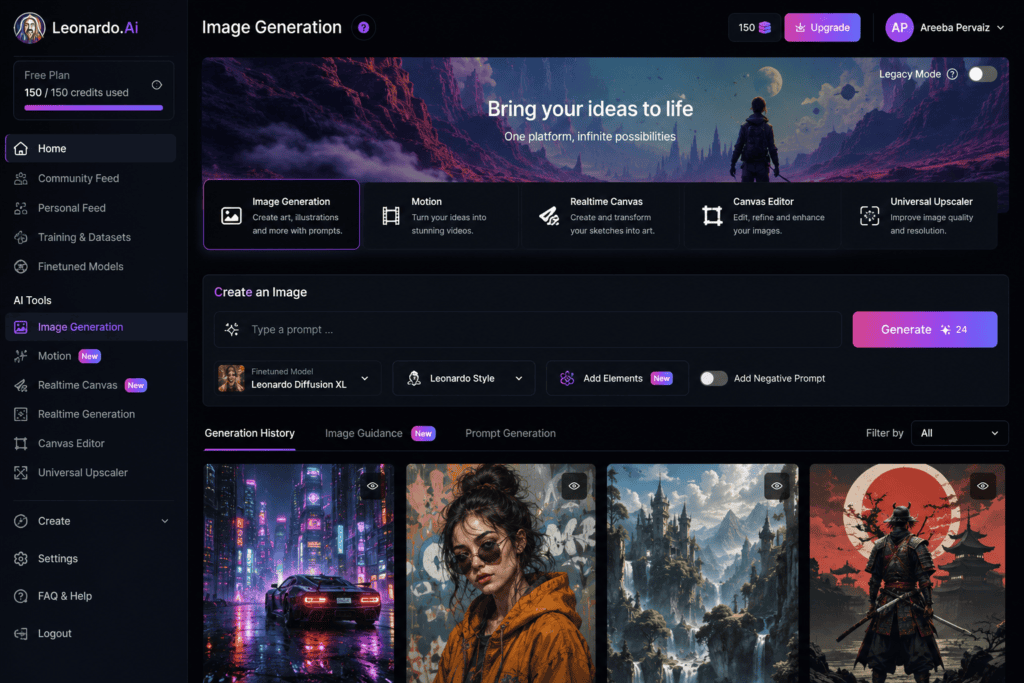
1. Leonardo AI
Leonardo AI is one of the most popular platforms for generating detailed tattoo concepts from text prompts.
Features
- High-quality AI image generation
- Fine-line tattoo concepts
- Black and grey illustrations
- Fantasy artwork
- Prompt customization
- Community models
- Daily free credits
Best For
- Professional-quality tattoo ideas
- Detailed sleeve concepts
- Creative exploration
Pros
- Excellent image quality
- Fast rendering
- Multiple styles
- Active community
Cons
- Daily generation limits on the free plan
2. Ideogram AI
Ideogram AI is known for its clean image generation and strong prompt understanding.
Features
- ccurate text prompt interpretation
- High-resolution artwork
- Line-art styles
- Symbolic designs
- Fast generation
- Free daily usage
Ideal For
- Minimalist tattoos
- Typography tattoos
- Symbol designs
- Fine-line concepts
3. Microsoft Designer
Microsoft Designer includes AI image generation capabilities that work well for creating tattoo inspiration.
Highlights
- Free AI image generation
- Easy prompt writing
- Multiple artistic styles
- High-quality illustrations
- Beginner-friendly interface
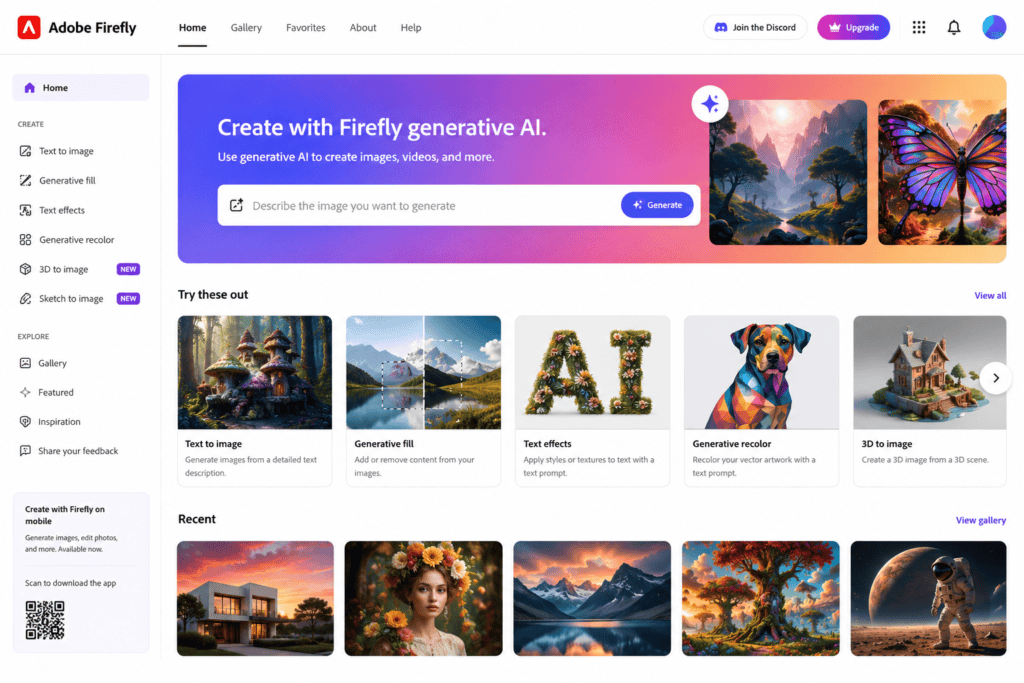
4. Adobe Firefly
Adobe Firefly allows users to generate artistic tattoo concepts using descriptive prompts.
Features
- Generative AI
- Artistic illustration styles
- High-quality outputs
- Commercial-friendly workflow
- Easy editing
It is particularly useful for users already familiar with Adobe’s creative ecosystem.
5. Canva AI Image Generator
Canva’s AI image generation tools make it simple to create tattoo concepts alongside editing and presentation features.
Features
- AI image creation
- Background editing
- Text integration
- Design templates
- Easy exporting
Best For
- Presenting tattoo ideas
- Mood boards
- Client consultations
Popular Tattoo Styles You Can Generate with AI
AI can create designs inspired by a wide variety of tattoo styles.
Minimalist Tattoos
Simple line-based artwork featuring clean shapes and subtle details.
Examples:
- Mountains
- Moon
- Sun
- Feather
- Heart
- Infinity symbol
Geometric Tattoos
Modern designs built from precise shapes and patterns.
Popular ideas include:
- Sacred geometry
- Mandalas
- Hexagons
- Triangles
- Polygon animals
Japanese Tattoos
Classic Japanese-inspired artwork often includes:
- Dragons
- Koi fish
- Samurai
- Cherry blossoms
- Tigers
- Waves
Watercolor Tattoos
These feature vibrant color splashes and painterly effects for a soft, artistic appearance.
Black and Grey Tattoos
Timeless monochrome designs known for shading, depth, and realism.
Fine-Line Tattoos
Thin, delicate lines create elegant tattoos ideal for small placements and minimalist aesthetics.
How to Write Better AI Tattoo Prompts
The quality of your AI-generated tattoo depends heavily on the prompt you provide.
Include details such as:
- Subject
- Style
- Color
- Placement
- Composition
- Mood
- Background
- Shading
- Line thickness
Example Prompt
“Fine-line black ink wolf tattoo with geometric mountains, realistic eyes, circular composition, forearm placement, minimalist background.”
A well-crafted prompt gives the AI more context and typically produces better results.
Common Uses for AI Tattoo Designs
People use AI-generated tattoo concepts for many purposes, including:
- Personal tattoo inspiration
- Sleeve planning
- Cover-up ideas
- Matching couple tattoos
- Family memorial tattoos
- Spiritual symbols
- Business logo inspiration
- Temporary tattoo designs
- Tattoo portfolio concepts
- Client consultations
More Free AI Tattoo Design Generators Worth Trying
In addition to the popular platforms mentioned earlier, several other AI tools can generate unique tattoo concepts from text prompts. Each platform offers different art styles, customization options, and free usage limits.
6. Mage.space
Mage.space is a free AI image generator that supports a wide variety of artistic styles, making it an excellent choice for tattoo inspiration.
Features
- Free AI image generation
- Multiple AI models
- Realistic and artistic styles
- Fast rendering
- Prompt customization
- Browser-based interface
Best For
- Fantasy tattoos
- Mythological artwork
- Animal tattoos
- Sleeve concepts
7. NightCafe Creator
NightCafe Creator is a well-known AI art platform with daily free credits.
Key Features
- Text-to-image generation
- Multiple AI models
- Style presets
- Community gallery
- High-quality artwork
- Prompt editing
Ideal For
- Creative tattoo inspiration
- Blackwork designs
- Fantasy illustrations
- Floral artwork
8. Playground AI
Playground AI provides generous free usage and supports highly detailed image generation.
Highlights
- Free image generation
- High-resolution outputs
- Prompt editing
- Multiple design styles
- Easy-to-use interface
This platform works particularly well for experimenting with different tattoo concepts before finalizing a design.
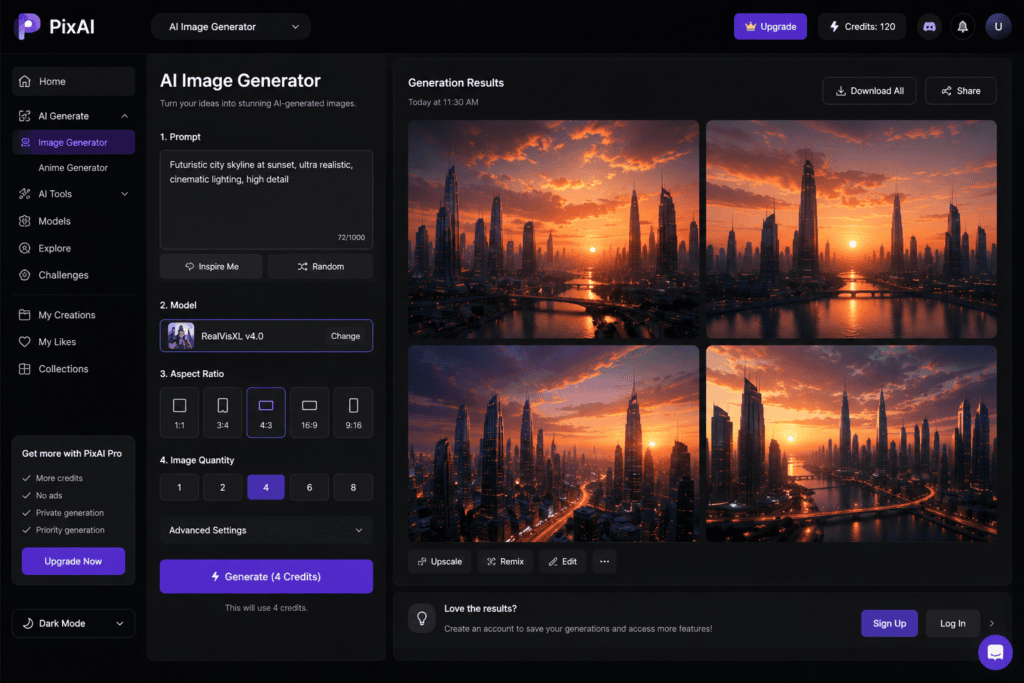
9. PixAI
PixAI specializes in anime-inspired artwork but can also create unique tattoo concepts with the right prompts.
Features
- Anime-style tattoos
- Character designs
- Fantasy themes
- Custom prompts
- High-quality rendering
Best For
- Anime fans
- Manga-inspired tattoos
- Character art
- Japanese-style concepts
10. SeaArt AI
SeaArt AI offers a large collection of AI models capable of generating detailed tattoo artwork.
Features
- Thousands of AI models
- Prompt templates
- Image enhancement
- Community gallery
- Fast generation
11. Tensor.Art
Tensor.Art gives users access to many community-trained AI models, making it a strong option for highly customized tattoo concepts.
Features
- Multiple art models
- Tattoo-focused prompts
- Fine-line styles
- Black and grey artwork
- Community-generated presets
12. Dream by WOMBO
Dream by WOMBO is popular for creating imaginative and artistic tattoo concepts.
Best Features
- One-click AI generation
- Vibrant artistic styles
- Fantasy themes
- Easy mobile experience
- Creative prompt interpretation
Best Tattoo Styles You Can Create with AI
AI can generate artwork inspired by nearly every tattoo style.
Traditional Tattoos
Classic bold outlines with vibrant colors and iconic imagery such as:
- Roses
- Anchors
- Eagles
- Daggers
- Ships
Neo-Traditional
A modern evolution of traditional tattoos with richer colors and greater detail.
Realistic Tattoos
Highly detailed designs featuring:
- Portraits
- Animals
- Nature scenes
- Religious imagery
Tribal Tattoos
Bold black patterns inspired by Polynesian, Maori, and other traditional cultures. Ensure cultural symbols are used respectfully and with an understanding of their significance.
Mandala Tattoos
Circular geometric designs symbolizing balance and harmony.
Popular elements include:
- Lotus flowers
- Sacred geometry
- Decorative circles
- Symmetrical patterns
Floral Tattoos
Common flower choices include:
- Rose
- Lily
- Lotus
- Cherry blossom
- Sunflower
- Lavender
- Peony
Animal Tattoos
Popular AI-generated animal tattoo ideas include:
- Wolf
- Lion
- Tiger
- Owl
- Fox
- Eagle
- Snake
- Bear
- Raven
- Elephant
Mythological Tattoos
Creative themes include:
- Phoenix
- Dragon
- Griffin
- Mermaid
- Kraken
- Pegasus
- Medusa
- Cerberus
How to Write Better AI Tattoo Prompts
The quality of your results depends on the detail in your prompt.
A good prompt should include:
- Main subject
- Tattoo style
- Color preference
- Placement
- Line thickness
- Shading style
- Background preference
- Artistic mood
Example Prompt
“Minimalist black ink mountain tattoo with pine trees inside a geometric triangle, fine-line style, forearm placement, clean white background.”
Advanced Prompt Example
“Highly detailed black and grey Japanese dragon tattoo wrapping around the forearm with cherry blossoms, traditional Japanese art style, realistic scales, bold line work, tattoo flash sheet.”
AI Prompt Tips
Instead of writing:
Dragon tattoo
Write:
Intricate black and grey Japanese dragon tattoo with smoke clouds, detailed scales, wrapping composition, sleeve design, bold outlines, tattoo flash style.
More descriptive prompts generally produce better artwork.
Choosing the Right Tattoo Placement
Different tattoo styles suit different body areas.
| Placement | Best Design Types |
|---|---|
| Wrist | Small symbols, initials, fine-line art |
| Forearm | Quotes, animals, geometric designs |
| Upper Arm | Portraits, mandalas, floral designs |
| Chest | Large symbolic artwork |
| Back | Full scenes, dragons, wings |
| Shoulder | Tribal, floral, geometric |
| Leg | Nature scenes, mythology, animals |
| Neck | Small minimalist tattoos |
| Hand | Tiny symbols, lettering |
| Finger | Simple icons and initials |
Benefits of AI Tattoo Design Before Visiting a Studio
Many people now create AI concepts before consulting a tattoo artist because it helps:
- Visualize ideas more clearly
- Compare multiple styles
- Save consultation time
- Improve communication with the artist
- Build mood boards
- Explore creative combinations
- Refine placement concepts
Remember that AI-generated artwork is best used as inspiration. A professional tattoo artist can adapt the concept to your anatomy, ensure clean line work, and create a custom design that suits your skin and long-term goals.
Common Mistakes to Avoid
Avoid these common errors when generating AI tattoo designs:
- Using very short prompts
- Requesting too many unrelated elements in one design
- Ignoring tattoo placement
- Forgetting to specify line style
- Not mentioning color preferences
- Choosing overly complex designs for very small tattoos
- Using low-quality reference images when combining image and text prompts
Who Should Use AI Tattoo Generators?
These tools are ideal for:
- Tattoo enthusiasts
- First-time tattoo clients
- Tattoo artists seeking inspiration
- Graphic designers
- Digital artists
- Content creators
- Cosplayers
- Fashion designers
- Illustrators
- Creative hobbyists
Frequently Asked Questions (Part 2)
Can AI design a full tattoo sleeve?
Yes. Many AI tools can generate concepts for full sleeves, though a professional tattoo artist should refine the artwork for proper flow and anatomical fit.
Are AI tattoo generators free?
Most platforms offer free plans with daily credits or limited generations, while premium subscriptions provide higher resolutions and additional features.
Can I edit AI-generated tattoo designs?
Yes. Many AI platforms allow prompt revisions, and you can further edit the images in graphic design software or collaborate with a tattoo artist to customize the final design.
Comparison Table of the Best Free AI Tattoo Design Generators
| AI Tool | Free Plan | Text-to-Image | Custom Styles | HD Downloads | Best For |
|---|---|---|---|---|---|
| Leonardo AI | ✅ Yes | ✅ | ⭐⭐⭐⭐⭐ | Limited | Professional Tattoo Concepts |
| Ideogram AI | ✅ Yes | ✅ | ⭐⭐⭐⭐⭐ | Yes | Fine-Line & Typography Tattoos |
| Adobe Firefly | ✅ Yes | ✅ | ⭐⭐⭐⭐☆ | Yes | Creative Illustrations |
| Canva AI | ✅ Yes | ✅ | ⭐⭐⭐⭐☆ | Limited | Beginners |
| Microsoft Designer | ✅ Yes | ✅ | ⭐⭐⭐⭐☆ | Yes | Simple Tattoo Ideas |
| Mage.space | ✅ Yes | ✅ | ⭐⭐⭐⭐⭐ | Yes | Fantasy Tattoos |
| NightCafe | ✅ Yes | ✅ | ⭐⭐⭐⭐☆ | Yes | Artistic Concepts |
| Playground AI | ✅ Yes | ✅ | ⭐⭐⭐⭐⭐ | Yes | Detailed Designs |
| SeaArt AI | ✅ Yes | ✅ | ⭐⭐⭐⭐⭐ | Yes | Complex Artwork |
| Tensor.Art | ✅ Yes | ✅ | ⭐⭐⭐⭐⭐ | Yes | Advanced Users |
Best AI Tattoo Generator by Category
Best Overall
- Leonardo AI
Best for Beginners
- Canva AI
- Microsoft Designer
Best for Fine-Line Tattoos
- Ideogram AI
Best for Black and Grey Designs
- Leonardo AI
- Playground AI
Best for Fantasy Tattoos
- Mage.space
- SeaArt AI
Best for Anime Tattoos
- PixAI
- SeaArt AI
Best for Sleeve Concepts
- Leonardo AI
- Tensor.Art
Best for Creative Experimentation
- NightCafe
- Playground AI
How to Get Better Results with AI Tattoo Prompts
Small improvements in your prompt can dramatically enhance the generated artwork.
Be Specific
Instead of:
Lion tattoo
Write:
Highly detailed black and grey roaring lion tattoo with realistic fur, geometric background, forearm placement, fine-line shading, tattoo flash style.
Mention the Tattoo Style
Examples include:
- Fine-line
- Minimalist
- Traditional
- Neo-traditional
- Japanese
- Blackwork
- Watercolor
- Tribal
- Geometric
- Dotwork
- Realism
Include Placement
Examples:
- Wrist
- Neck
- Shoulder
- Chest
- Forearm
- Sleeve
- Hand
- Leg
- Back
Placement helps the AI produce a composition better suited to the intended body area.
Specify Color Preferences
Examples:
- Black ink
- Black and grey
- Red ink
- Full color
- Watercolor
- Gold accents
- Minimal color palette
Describe the Mood
Words like these help shape the final artwork:
- Elegant
- Dark
- Mystical
- Spiritual
- Bold
- Vintage
- Futuristic
- Minimalist
- Delicate
- Dramatic
Sample AI Tattoo Prompts
Minimalist
Minimalist mountain tattoo with a rising sun, fine-line black ink, circular frame, forearm placement.
Dragon
Traditional Japanese dragon tattoo with cherry blossoms, black and grey shading, sleeve composition, highly detailed scales.
Floral
Elegant lotus flower tattoo with geometric mandala, fine-line style, black ink, wrist placement.
Wolf
Realistic wolf head tattoo with geometric triangles and pine forest, black and grey, forearm tattoo.
Phoenix
Phoenix rising from flames, detailed feather texture, black and grey realism, full back tattoo.
Compass
Viking compass tattoo with Nordic runes, blackwork style, chest placement, intricate line details.
Butterfly
Watercolor butterfly tattoo with soft blue and purple splashes, delicate fine-line outline, shoulder placement.
Snake
Coiled snake tattoo with roses and dagger, neo-traditional style, bold outlines, upper arm placement.
Can AI Designs Be Used for Real Tattoos?
Yes, but they should be treated as concept art rather than final tattoo stencils.
A professional tattoo artist can:
- Improve line thickness
- Adapt the design to body contours
- Simplify overly detailed elements
- Ensure the design ages well
- Adjust proportions for the chosen placement
- Make the artwork unique and personal
Working with an experienced artist helps ensure the tattoo is both visually appealing and technically suitable for long-term wear.
Future of AI Tattoo Design
AI tattoo technology is advancing rapidly. Future developments may include:
- Real-time body placement previews using augmented reality
- 3D tattoo visualization
- AI-assisted tattoo customization
- More precise prompt interpretation
- Personalized tattoo recommendations
- AI tools trained specifically for tattoo-friendly line work
- Improved collaboration between AI software and tattoo artists
These innovations could make planning and refining tattoo ideas even easier while still relying on professional artists for the final application.
Final Recommendations
If you’re looking for high-quality AI tattoo concepts, Leonardo AI is one of the strongest overall choices due to its detailed image generation and flexible prompting.
For clean typography, symbols, and minimalist tattoos, Ideogram AI performs particularly well.
If you’re new to AI image generation, Canva AI and Microsoft Designer offer intuitive interfaces that make creating tattoo ideas simple.
Users who enjoy fantasy, anime, or highly artistic concepts may prefer Mage.space, SeaArt AI, or PixAI, while Playground AI and NightCafe are excellent for experimenting with different visual styles.
Conclusion
Free AI tattoo design generators have made it easier than ever to explore creative tattoo ideas from simple text prompts. Whether you want a minimalist symbol, a detailed sleeve, a geometric mandala, or a bold Japanese dragon, AI can quickly generate multiple concepts that spark inspiration.
While these tools are powerful for brainstorming and visualization, the best results come from combining AI creativity with the expertise of a professional tattoo artist. An artist can refine the concept, adapt it to your body, and create a design that is both beautiful and practical for tattooing.
By experimenting with different prompts, styles, and AI platforms, you can develop a personalized tattoo concept that reflects your story, interests, and artistic vision.
Frequently Asked Questions (SEO FAQs)
1. What is the best free AI tattoo design generator?
Leonardo AI, Ideogram AI, Canva AI, Microsoft Designer, Playground AI, and NightCafe are among the most popular free tools for generating tattoo concepts from text prompts.
2. Can AI create tattoo designs from text?
Yes. Text-to-image AI models can generate original tattoo-inspired artwork based on descriptive prompts.
3. Are AI tattoo generators free?
Many platforms offer free plans with daily credits or limited generations. Premium subscriptions usually provide higher-resolution downloads and additional features.
4. Can I use AI-generated tattoo designs commercially?
Commercial use depends on each platform’s license and terms of service. Always review the usage policy before using AI-generated artwork for commercial purposes.
5. Which AI tool is best for realistic tattoo ideas?
Leonardo AI and Playground AI are strong choices for highly detailed and realistic tattoo concepts.
6. Can AI generate full tattoo sleeves?
Yes. AI can create full-sleeve concepts, but a tattoo artist should refine the design to fit your anatomy and ensure long-term readability.
7. How do I write a good tattoo prompt?
Include the subject, tattoo style, color palette, placement, line weight, shading, and mood. More detailed prompts generally produce more accurate and creative results.
8. Are AI tattoo designs ready to tattoo?
Not usually. They are best used as inspiration or concept art. A professional tattoo artist should adapt the design into a tattoo-ready stencil.
9. Which AI generator is best for minimalist tattoos?
Ideogram AI and Canva AI are excellent options for clean, simple, and fine-line tattoo concepts.
10. Can AI help me design a unique tattoo?
Yes. AI can generate original combinations of themes, symbols, and artistic styles, making it a valuable tool for brainstorming personalized tattoo ideas before consulting a tattoo artist.
Final Thoughts
AI tattoo generators are changing the way people explore body art by making custom concepts faster, more accessible, and highly creative. With the right prompts and a willingness to experiment, you can generate dozens of unique tattoo ideas in minutes.
Use AI as a powerful source of inspiration, collaborate with a skilled tattoo artist to refine the design, and you’ll be well on your way to creating meaningful body art that reflects your personality and stands the test of time.
Check out here if you want to know about Best Free AI Caricature and Cartoon Avatar Makers from Photos