
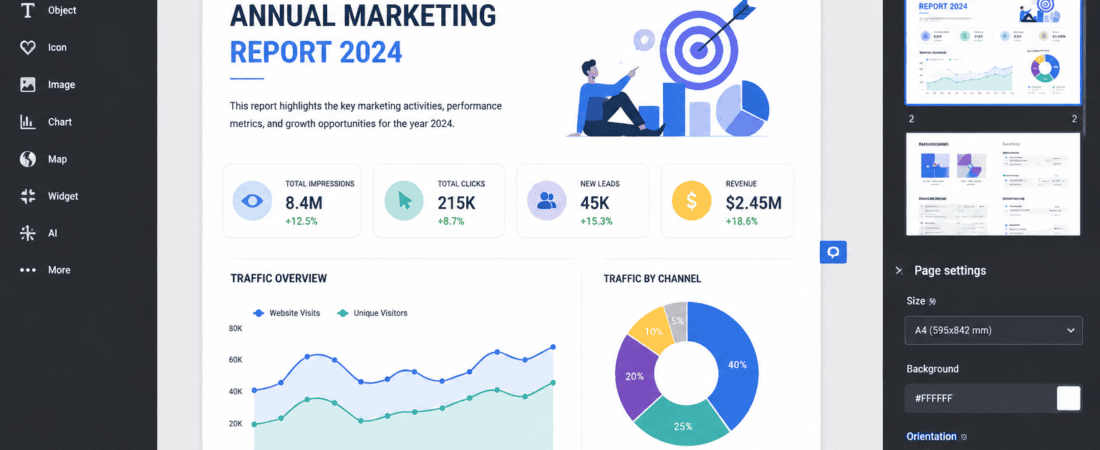
Free AI Tools to Design Professional Infographics in Minutes
Infographics are one of the most powerful ways to present information visually. Whether you’re a marketer, blogger, teacher, student, business owner, or social media creator, a well-designed infographic can simplify complex data, increase engagement, and make your content more shareable.
Traditionally, creating professional infographics required advanced graphic design skills and expensive software. Today, Artificial Intelligence (AI) has transformed the design process. With free AI infographic tools, anyone can create eye-catching visuals in just a few minutes using simple text prompts, drag-and-drop editors, and intelligent design suggestions.
In this comprehensive guide, you’ll discover the best free AI tools to design professional infographics, their key features, pros and cons, use cases, and tips for creating high-quality visuals that stand out.
What Are AI Infographic Generators?
AI infographic generators are online tools that use artificial intelligence to help users create visually appealing infographics automatically.
Instead of designing everything manually, users simply provide:
- A topic
- Text or data
- Keywords
- Preferred style
- Color preferences
- Target audience
The AI then suggests layouts, icons, illustrations, fonts, and color schemes to generate a polished infographic within minutes.
Why AI Infographic Tools Are Becoming Popular
AI-powered infographic creators save both time and effort.
Benefits include:
- No graphic design experience required
- Ready-made professional templates
- AI-generated layouts
- Automatic color combinations
- Smart typography suggestions
- Thousands of icons and illustrations
- Quick editing
- Cloud-based collaboration
- High-quality exports
Businesses and content creators now use AI infographics for blogs, presentations, social media, reports, and educational materials.
Features to Look for in an AI Infographic Tool
Before choosing a platform, consider whether it offers:
- Free plan
- AI design assistance
- Drag-and-drop editor
- Custom templates
- Charts and graphs
- Icon libraries
- Image generation
- Collaboration features
- Brand kit support
- High-resolution export
- PDF and PNG downloads
- Presentation mode
Best Free AI Tools to Design Professional Infographics
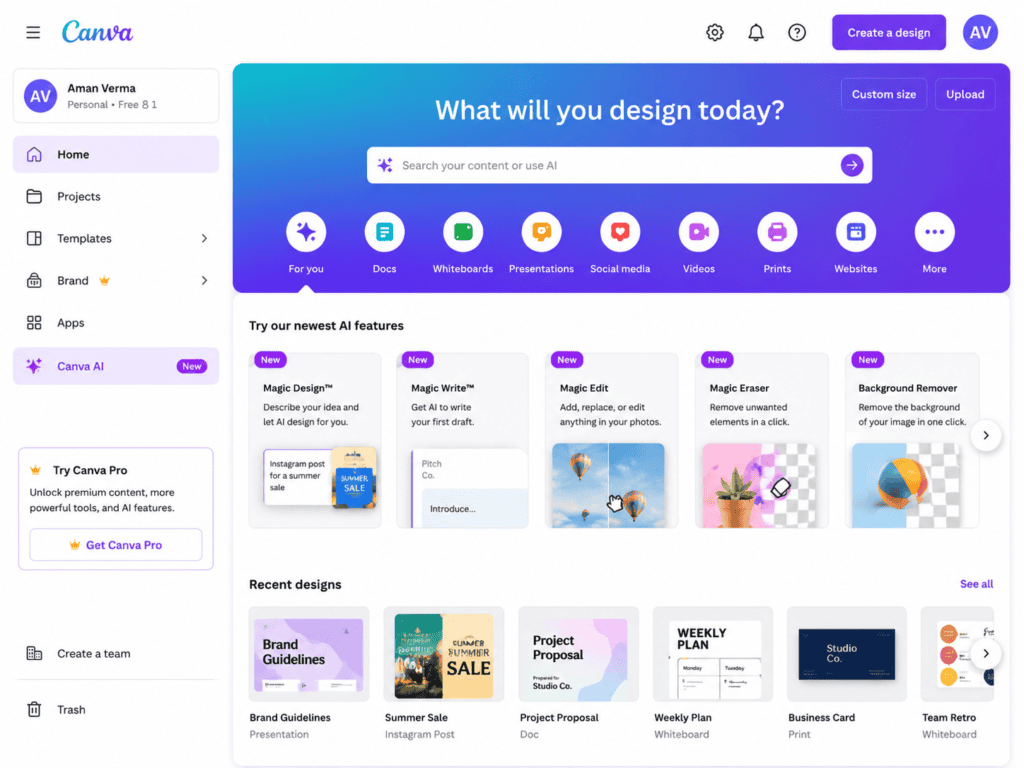
1. Canva AI
Canva AI is one of the most beginner-friendly platforms for infographic design.
Features
- Magic Design
- AI image generation
- Thousands of infographic templates
- Smart resize
- Drag-and-drop editing
- Charts and graphs
- Icon library
- Team collaboration
Best For
- Bloggers
- Social media creators
- Students
- Small businesses
Pros
- Very easy to use
- Large template library
- Excellent free version
- Fast editing
Cons
- Some premium templates require a paid plan
2. Adobe Express AI
Adobe Express combines AI-powered design with Adobe’s creative ecosystem.
Features
- AI text effects
- Text-to-image generation
- Professional templates
- Background removal
- Icon collections
- Brand customization
Best For
- Marketing graphics
- Business infographics
- Educational content
Pros
- Professional-quality output
- Easy customization
- Modern templates
Cons
- Some advanced features are premium
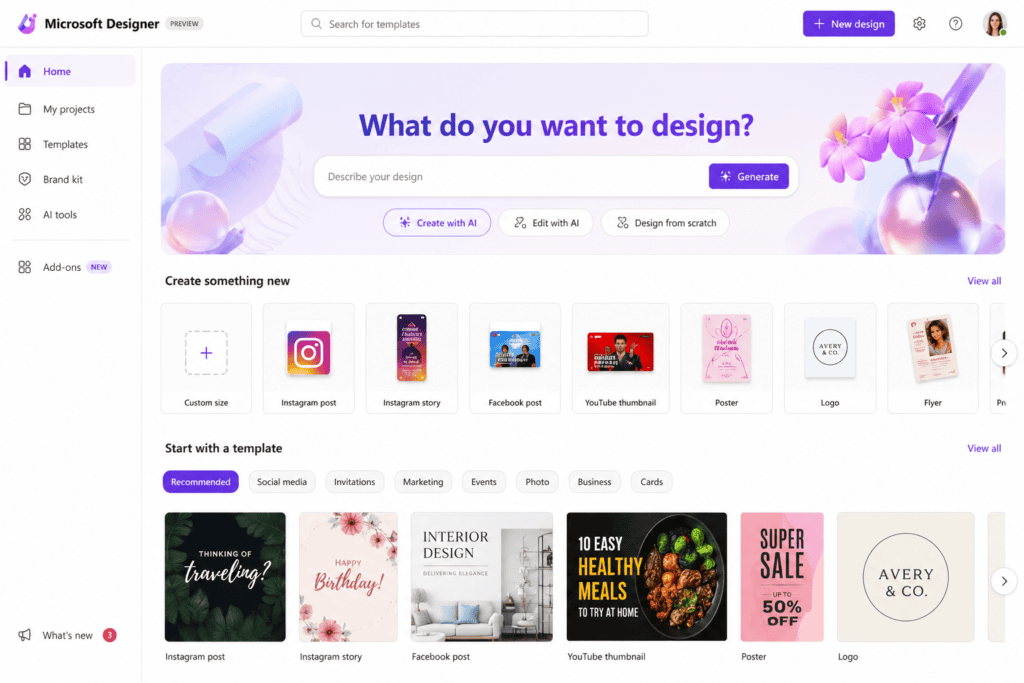
3. Microsoft Designer
Microsoft Designer uses AI to generate stunning visual designs from simple text prompts.
Features
- AI layout suggestions
- Automatic image generation
- Modern templates
- Social media optimization
- One-click editing
Best For
- Beginners
- Business presentations
- Blog graphics
4. Piktochart AI
Piktochart specializes in infographic creation.
Features include:
- AI infographic generator
- Charts
- Maps
- Timelines
- Reports
- Presentation templates
- Resume builder
Perfect for educators and businesses.
5. Venngage AI
Venngage is a dedicated infographic design platform.
Features:
- AI-powered design assistant
- Business templates
- Healthcare infographics
- Marketing visuals
- Flowcharts
- Comparison charts
Ideal for professional reports.
6. Visme AI
Visme combines infographic creation with presentations and data visualization.
Highlights include:
- AI Designer
- Interactive charts
- Animated graphics
- Icons
- Data widgets
- Presentation builder
Great for companies and educators.
7. Simplified AI
Simplified offers an all-in-one AI content creation suite.
Users can create:
- Infographics
- Social media graphics
- Presentations
- Posters
- Marketing visuals
Its AI also helps generate content for your designs.
8. Infogram
Infogram focuses on data-driven infographics.
Features:
- Charts
- Maps
- Dashboards
- Interactive reports
- Real-time data visualization
Excellent for journalists and analysts.
9. VistaCreate
VistaCreate provides a large collection of customizable infographic templates.
Highlights:
- Drag-and-drop editor
- AI design suggestions
- Animation support
- Brand kits
- Social media exports
Suitable for marketing teams and entrepreneurs.
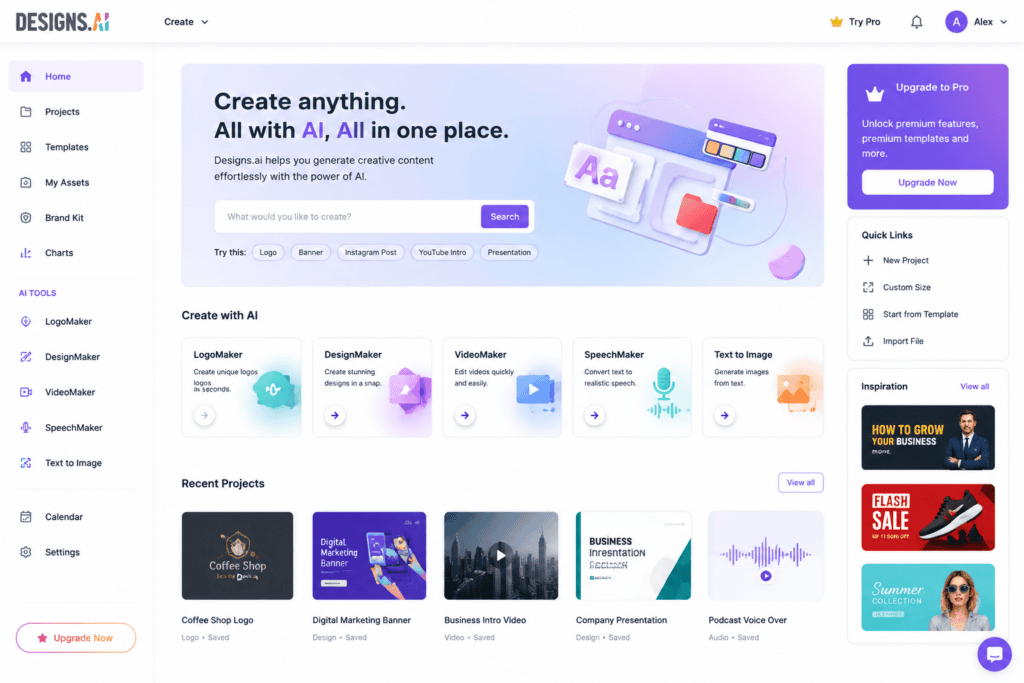
10. Designs.ai
Designs.ai uses artificial intelligence to automate graphic creation.
Features include:
- AI design assistant
- Logo creation
- Visual templates
- Smart editing
- Branding tools
Useful for startups and freelancers.
Why Businesses Use AI Infographics
Professional infographics improve communication and engagement.
Businesses commonly use them for:
- Marketing campaigns
- Product comparisons
- Sales reports
- Company presentations
- Employee training
- Social media posts
- Blog illustrations
- Customer education
Well-designed visuals often attract more attention than plain text and are more likely to be shared online.
How AI Simplifies Infographic Design
AI reduces the time spent on repetitive design tasks by:
- Recommending layouts based on content.
- Suggesting matching icons and illustrations.
- Balancing spacing and alignment.
- Creating color palettes automatically.
- Improving typography for readability.
- Generating images from text prompts.
As a result, users can focus on the message instead of the technical aspects of design.
AI Infographic Tools Comparison Table
| AI Tool | Free Plan | AI Features | Templates | Charts | Best For | Ease of Use |
|---|---|---|---|---|---|---|
| Canva AI | Yes | ⭐⭐⭐⭐⭐ | ⭐⭐⭐⭐⭐ | ⭐⭐⭐⭐ | Beginners | ⭐⭐⭐⭐⭐ |
| Adobe Express AI | Yes | ⭐⭐⭐⭐⭐ | ⭐⭐⭐⭐⭐ | ⭐⭐⭐⭐ | Marketing | ⭐⭐⭐⭐ |
| Microsoft Designer | Yes | ⭐⭐⭐⭐ | ⭐⭐⭐⭐ | ⭐⭐⭐ | Blog Graphics | ⭐⭐⭐⭐⭐ |
| Piktochart AI | Yes | ⭐⭐⭐⭐ | ⭐⭐⭐⭐⭐ | ⭐⭐⭐⭐⭐ | Reports | ⭐⭐⭐⭐ |
| Venngage AI | Yes | ⭐⭐⭐⭐ | ⭐⭐⭐⭐⭐ | ⭐⭐⭐⭐⭐ | Business | ⭐⭐⭐⭐ |
| Visme AI | Yes | ⭐⭐⭐⭐⭐ | ⭐⭐⭐⭐⭐ | ⭐⭐⭐⭐⭐ | Presentations | ⭐⭐⭐⭐ |
| Simplified AI | Yes | ⭐⭐⭐⭐ | ⭐⭐⭐⭐ | ⭐⭐⭐ | Social Media | ⭐⭐⭐⭐⭐ |
| Infogram | Yes | ⭐⭐⭐ | ⭐⭐⭐ | ⭐⭐⭐⭐⭐ | Data Visualization | ⭐⭐⭐⭐ |
| VistaCreate | Yes | ⭐⭐⭐⭐ | ⭐⭐⭐⭐ | ⭐⭐⭐ | Marketing | ⭐⭐⭐⭐⭐ |
| Designs.ai | Yes | ⭐⭐⭐⭐ | ⭐⭐⭐⭐ | ⭐⭐⭐ | Branding | ⭐⭐⭐⭐ |
How to Create an AI Infographic in Minutes
Even if you have no graphic design experience, AI makes the process simple.
Step 1: Choose Your Topic
Decide what your infographic will explain.
Examples:
- Digital Marketing Statistics
- AI Tools Comparison
- Healthy Diet Plan
- SEO Checklist
- Social Media Strategy
- Business Growth Tips
- Climate Change Facts
- Travel Guide
- Cybersecurity Tips
Having a clear topic helps AI recommend better layouts.
Step 2: Collect Your Information
Organize your content before designing.
Include:
- Title
- Headings
- Statistics
- Bullet points
- Icons needed
- Sources (if applicable)
- Call-to-action
Keeping information concise improves readability.
Step 3: Select an AI Template
Most AI design tools provide templates for:
- Timeline Infographics
- Comparison Charts
- Process Diagrams
- Step-by-Step Guides
- Business Reports
- Statistical Infographics
- Educational Posters
- Health Guides
- Marketing Funnels
- Flowcharts
Choose the layout that best matches your content.
Step 4: Let AI Generate the Layout
AI automatically:
- Arranges text
- Aligns elements
- Chooses colors
- Suggests icons
- Improves spacing
- Recommends fonts
This saves significant design time.
Step 5: Customize the Design
Make the infographic unique by editing:
- Colors
- Fonts
- Icons
- Illustrations
- Images
- Backgrounds
- Shapes
- Data visualization
Most AI tools allow full manual customization after generation.
Step 6: Add AI-Generated Images
Several platforms include AI image generation.
Examples include:
- Technology illustrations
- Medical graphics
- Business scenes
- Educational diagrams
- Nature artwork
- Abstract backgrounds
These visuals make your infographic more engaging.
Step 7: Export Your Design
Common export formats include:
- PNG
- JPG
- SVG (on some platforms)
- Presentation format
Choose high resolution for printing and web publishing.
Best AI Prompt Examples for Infographics
The quality of your prompt greatly influences the final design.
Business Prompt
Create a modern business infographic explaining digital marketing strategies using blue and white colors, flat icons, charts, and clean typography.
Health Prompt
Design an infographic about healthy eating habits using green colors, food illustrations, simple icons, and a clean medical style.
Education Prompt
Generate a colorful infographic explaining the solar system for students with planets, icons, timelines, and easy-to-read text sections.
Technology Prompt
Design a futuristic infographic comparing AI tools using neon blue accents, modern icons, and a professional layout.
Finance Prompt
Create an infographic explaining personal budgeting with charts, financial icons, and a minimalist design.
Best Color Combinations for Infographics
Color plays an important role in readability and visual appeal.
Popular combinations include:
- Blue + White
- Black + Gold
- Green + White
- Purple + Blue
- Orange + Gray
- Navy + Cyan
- Red + White
- Dark Gray + Yellow
- Teal + White
- Light Blue + Navy
Stick to two or three primary colors for a clean, professional appearance.
Typography Tips
Readable fonts improve user experience.
Use:
Headings
- Bold Sans Serif
- Modern Display Fonts
Body Text
- Clean Sans Serif Fonts
- Medium Weight Fonts
Avoid
- Decorative fonts
- Overly thin fonts
- Excessive font combinations
Using one heading font and one body font usually creates the best results.
Where AI Infographics Are Used
AI-generated infographics are valuable across many industries.
Marketing
- Social media campaigns
- Product promotions
- SEO reports
- Email newsletters
Education
- Classroom lessons
- Student assignments
- Research summaries
- Online courses
Business
- Annual reports
- Employee onboarding
- Sales presentations
- Company statistics
Healthcare
- Patient education
- Health awareness campaigns
- Medical reports
- Hospital presentations
Blogging
- Step-by-step tutorials
- Statistics posts
- Product comparisons
- How-to guides
Infographics increase reader engagement and make articles easier to understand.
AI Infographic Design Best Practices
Follow these guidelines for professional results:
- Focus on one main topic.
- Keep text concise and scannable.
- Use consistent colors and fonts.
- Highlight important statistics.
- Include relevant icons and illustrations.
- Leave enough white space.
- Maintain visual hierarchy.
- Optimize for both desktop and mobile viewing.
- Export in high resolution.
- Proofread all text before publishing.
Free vs Paid AI Infographic Tools
Free Versions
Advantages:
- No cost
- Beginner-friendly
- Access to basic templates
- AI-assisted layouts
- Suitable for personal projects
Limitations:
- Limited exports
- Watermarks on some platforms
- Restricted premium assets
- Fewer customization options
Paid Versions
Advantages:
- Unlimited templates
- Brand kits
- Premium icons
- Higher-quality exports
- Team collaboration
- Advanced AI features
- Commercial usage support
For many users, free plans are sufficient for creating professional-quality infographics.
Tips to Make Your Infographics Go Viral
To increase visibility and shares:
- Use compelling headlines.
- Include recent statistics.
- Design for mobile screens.
- Keep the layout uncluttered.
- Use strong visual contrast.
- Add your brand logo.
- Include a clear call-to-action.
- Share across multiple social media platforms.
- Optimize image file names and alt text for SEO.
- Repurpose infographics into carousels, reels, or presentation slides.
20 Expert AI Prompts for Professional Infographics
The quality of your infographic depends heavily on the prompt you provide. Below are examples you can adapt for different industries.
1. Digital Marketing
Create a modern infographic explaining the digital marketing funnel using blue and white colors, flat icons, clean typography, professional business style, and easy-to-read sections.
2. SEO Checklist
Design an infographic about on-page SEO with keyword research, meta titles, headings, internal links, image optimization, and technical SEO using a modern minimalist layout.
3. Artificial Intelligence
Create a futuristic infographic comparing the top AI tools in 2026 with feature comparison tables, technology icons, blue gradient colors, and a clean layout.
4. Healthy Lifestyle
Design an infographic about healthy daily habits using green colors, fitness icons, nutrition illustrations, and simple typography.
5. Cybersecurity
Create a cybersecurity awareness infographic with shield icons, lock illustrations, warning symbols, and a dark professional theme.
6. Climate Change
Design an infographic showing the effects of climate change using maps, charts, environmental icons, and green color palettes.
7. Business Growth
Create an infographic explaining business growth strategies using modern graphs, timelines, icons, and blue corporate colors.
8. Finance
Design a personal budgeting infographic with pie charts, financial icons, savings tips, and a clean professional layout.
9. Education
Generate an infographic explaining the solar system with colorful planet illustrations and educational diagrams.
10. Social Media
Create an infographic comparing Instagram, Facebook, LinkedIn, TikTok, and YouTube marketing strategies.
11. Email Marketing
Design an infographic showing the email marketing process from subscriber acquisition to conversion.
12. Remote Work
Create a productivity infographic for remote workers using modern office illustrations.
13. E-commerce
Design an infographic showing the online shopping customer journey from awareness to purchase.
14. Travel
Create a travel checklist infographic with luggage, passport, transportation, and destination icons.
15. Healthcare
Design a medical infographic explaining healthy eating habits using clean healthcare visuals.
16. Project Management
Create an infographic illustrating Agile project management with timelines, flowcharts, and task icons.
17. Cryptocurrency
Design an infographic comparing Bitcoin, Ethereum, and stablecoins using finance-themed icons and charts.
18. Productivity
Create a daily productivity infographic featuring time-blocking, prioritization, and focus techniques.
19. Technology Trends
Design an infographic showcasing the latest AI, robotics, blockchain, and cloud computing trends.
20. Content Marketing
Create an infographic outlining a complete content marketing strategy from planning to analytics.
Common Mistakes to Avoid
Many beginners make avoidable design mistakes that reduce the impact of their infographics.
Avoid these issues:
- Overloading the design with too much text.
- Using too many colors.
- Choosing unreadable fonts.
- Ignoring alignment and spacing.
- Using low-quality icons or images.
- Mixing unrelated visual styles.
- Forgetting to highlight key statistics.
- Publishing without proofreading.
- Exporting in low resolution.
- Designing without considering mobile users.
Keeping your design simple and focused improves readability and engagement.
Best Practices for High-Converting Infographics
To create professional visuals:
- Use one clear message per infographic.
- Organize content with headings and sections.
- Include high-quality icons and illustrations.
- Limit your color palette to two or three primary colors.
- Use charts instead of long paragraphs when presenting data.
- Leave enough white space to avoid clutter.
- Add your logo or brand identity.
- End with a clear call-to-action.
- Optimize file size for faster website loading.
- Write descriptive alt text for accessibility and SEO.
Can You Earn Money with AI Infographics?
Yes. AI infographic skills are in demand across many industries.
Popular monetization methods include:
- Selling infographic design services on freelance platforms.
- Creating custom business reports.
- Designing social media graphics for clients.
- Producing educational materials for schools and online courses.
- Selling infographic templates on digital marketplaces.
- Creating premium blog graphics for businesses.
- Offering infographic packages to marketing agencies.
- Building a portfolio and attracting long-term design clients.
Combining AI tools with strong design principles can help you deliver professional work efficiently.
Future of AI Infographic Design
AI continues to evolve rapidly. Future infographic tools are expected to include:
- Automatic data analysis and visualization.
- Real-time collaboration powered by AI.
- Voice-to-infographic generation.
- Interactive and animated infographic creation.
- AI-generated brand-specific design systems.
- Personalized infographic recommendations based on audience data.
- One-click multilingual infographic translation.
- Seamless integration with business intelligence platforms.
These advancements will further simplify the creation of engaging visual content.
Frequently Asked Questions (FAQs)
Are AI infographic tools free?
Many AI infographic tools offer free plans with access to templates and basic editing features. Premium subscriptions typically unlock advanced templates, branding options, and higher export quality.
Which AI tool is best for beginners?
Canva AI and Microsoft Designer are among the easiest platforms for beginners because of their intuitive interfaces and extensive template libraries.
Can AI create infographics from text?
Yes. Many AI tools can generate infographic layouts, icons, and visual elements based on a written prompt or uploaded content.
Which AI tool is best for business infographics?
Piktochart, Venngage, and Visme are excellent choices for business reports, presentations, and data visualization.
Can I use AI-generated infographics commercially?
In many cases, yes. However, always review the licensing terms of the AI platform and any assets used before publishing commercially.
Do AI infographic generators support team collaboration?
Several platforms include collaboration features, allowing multiple team members to edit and comment on designs in real time.
Are AI infographics SEO-friendly?
Yes. Optimizing image file names, alt text, captions, and surrounding content can improve SEO and increase discoverability.
Final Thoughts
AI infographic generators have transformed the way individuals and businesses communicate information. Instead of spending hours designing layouts manually, users can now create professional-quality infographics in minutes with the help of artificial intelligence.
Whether you’re a blogger, marketer, educator, entrepreneur, student, or content creator, tools like Canva AI, Adobe Express AI, Microsoft Designer, Piktochart AI, Venngage AI, Visme AI, Simplified AI, Infogram, VistaCreate, and Designs.ai provide powerful features that simplify the design process while maintaining professional results.
The key to successful infographic design lies in combining accurate information with clean layouts, effective typography, thoughtful color choices, and compelling visuals. AI accelerates the creative process, but your strategy, storytelling, and understanding of your audience remain essential for producing impactful content.
As AI technology continues to improve, infographic creation will become even more intuitive, enabling creators to generate interactive, data-driven, and personalized visuals with minimal effort. By learning these tools today, you’ll be well-equipped to create engaging visual content for blogs, websites, presentations, and social media campaigns in the years ahead.
Check out here if you want to know about Best Free AI Comic Book and Manga Panel Generators