
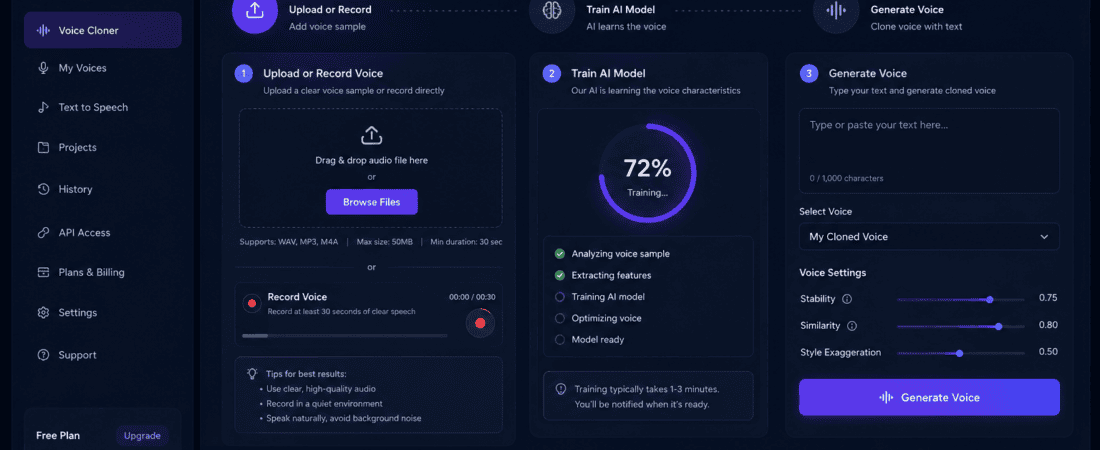
Free AI Voice Cloners for Faceless YouTube Channels
Starting a faceless YouTube channel has never been easier. Thanks to modern AI tools, you no longer need an expensive microphone or a professional recording studio. Today, free AI voice cloners can generate realistic, natural-sounding voiceovers in minutes, making content creation faster and more affordable.
Whether you’re creating educational videos, storytelling content, tech reviews, or YouTube Shorts, AI voice cloning software helps you produce professional-quality narration without recording your own voice. In addition, many tools allow you to clone your voice, saving time while giving your content a unique touch.
However, not every AI voice cloner delivers the same quality. While some produce robotic voices, others generate lifelike speech with natural emotions. Therefore, choosing the right tool is essential.
To help you decide, we’ve compared the best free AI voice cloners for faceless YouTube channels in 2026. Let’s explore the top options.
What Is an AI Voice Cloner?
An AI voice cloner is software that uses artificial intelligence to replicate a person’s voice. Instead of recording every script yourself, you simply type your text or upload a short voice sample, and the AI generates speech that sounds remarkably human.
Unlike traditional text-to-speech software, modern AI voice cloning tools capture tone, pronunciation, pacing, pauses, and emotional expression. This makes the generated audio suitable for YouTube videos, podcasts, online courses, audiobooks, and social media content.
Many platforms also allow creators to clone their own voices with permission, giving them a consistent brand identity while eliminating the need for repeated recordings.
Common Features of AI Voice Cloners
Most modern AI voice cloning tools include:
- Realistic human-like voices
- Text-to-speech generation
- Voice cloning from short recordings
- Multiple languages and accents
- Emotional voice styles
- MP3 or WAV downloads
- AI dubbing
- Commercial usage options
- Background noise removal
- Voice customization controls
These features make AI voice cloning an excellent solution for creators who want to publish videos consistently without spending hours recording voiceovers.
Why Faceless YouTube Channels Need AI Voice Cloning
Faceless YouTube channels have become one of the fastest-growing content models because creators can produce videos without appearing on camera. However, narration remains one of the most important parts of audience engagement.
A high-quality AI voice helps maintain viewer attention, improves watch time, and gives videos a more professional feel.
Here are some of the biggest benefits:
Save Time
Recording, editing, and re-recording voiceovers can take hours. AI voice generators produce finished narration within minutes.
Maintain Consistency
Your videos maintain the same voice quality and speaking style across every upload.
Reduce Costs
Instead of hiring voice actors for every project, creators can generate unlimited voiceovers using AI tools.
Publish More Videos
Faster production means you can upload consistently, which is essential for YouTube growth.
Support Multiple Languages
Many AI voice cloning platforms can generate voiceovers in several languages, helping creators reach international audiences.
Improve Audio Quality
Even beginners can produce studio-like narration without investing in expensive microphones or soundproof recording spaces.
For YouTube automation channels, these benefits can significantly streamline content production while maintaining professional standards.
How We Selected These AI Voice Cloners
With dozens of AI voice tools available online, selecting the right one can be overwhelming. We evaluated each platform based on the factors that matter most to YouTube creators.
Voice Quality
We prioritized tools that produce realistic, expressive, and natural-sounding voices instead of robotic speech.
Free Plan
Each platform offers a free option, allowing beginners to test features before purchasing a paid subscription.
Ease of Use
The tools should be beginner-friendly with simple interfaces and fast voice generation.
Language Support
Platforms supporting multiple languages and accents received higher rankings.
Commercial Usage
Since YouTube creators often monetize their videos, we considered whether the generated voices could be used commercially.
Voice Customization
We evaluated controls for speed, pitch, pauses, pronunciation, and emotional tone.
Export Quality
High-quality MP3 or WAV exports are important for professional video production.
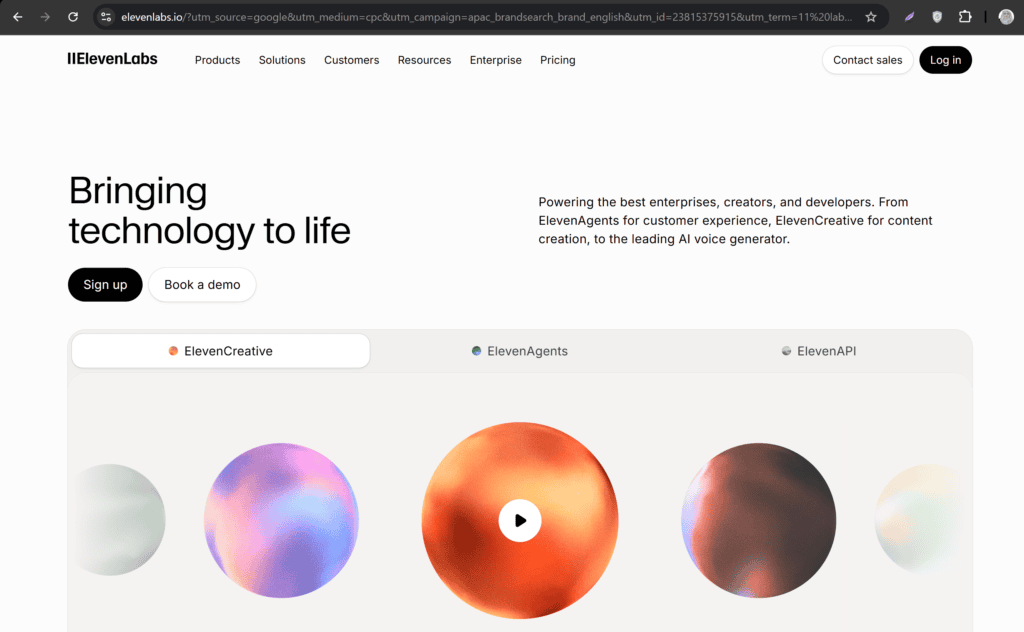
1. ElevenLabs
ElevenLabs continues to lead the AI voice industry in 2026 thanks to its exceptional voice realism and advanced cloning technology. It is widely used by YouTubers, audiobook creators, educators, marketers, and businesses.
Its AI voices sound incredibly natural, capturing subtle emotions, breathing patterns, and realistic pacing. Many listeners cannot distinguish between an ElevenLabs voice and a real human narrator.
Best For
- Faceless YouTube channels
- Storytelling videos
- Documentary channels
- Educational content
- Audiobooks
- Podcasts
Key Features
- Instant voice cloning
- High-quality AI voices
- Multilingual support
- Emotional speech generation
- Text-to-speech
- AI dubbing
- Voice library
- Commercial licensing
- API access
Free Plan
The free plan includes limited monthly character generation, making it suitable for testing or creating shorter YouTube videos.
Pros
- Extremely realistic voices
- Fast voice generation
- Supports dozens of languages
- Easy-to-use interface
- Excellent pronunciation
Cons
- Monthly free limit is relatively small
- Some premium voices require a paid subscription
Overall Rating: ⭐⭐⭐⭐⭐ (5/5)
2. PlayHT
PlayHT has become one of the most popular AI voice platforms for YouTube creators because of its extensive voice library and highly realistic speech synthesis.
It supports hundreds of AI voices across numerous languages and accents, making it ideal for creators targeting global audiences.
PlayHT also offers advanced voice cloning features that accurately reproduce tone and speaking style.
Best For
- YouTube automation
- Explainer videos
- Educational content
- Product reviews
- Marketing videos
Key Features
- AI voice cloning
- Text-to-speech
- Hundreds of realistic voices
- Multiple languages
- Emotion controls
- API integration
- Commercial licensing
Free Plan
Users receive limited free credits to explore the platform and generate voiceovers before upgrading.
Pros
- Very realistic voices
- Huge voice collection
- Fast processing
- Beginner-friendly dashboard
- High-quality exports
Cons
- Free credits run out quickly
- Premium plans can be expensive for heavy users
Overall Rating: ⭐⭐⭐⭐⭐ (4.9/5)
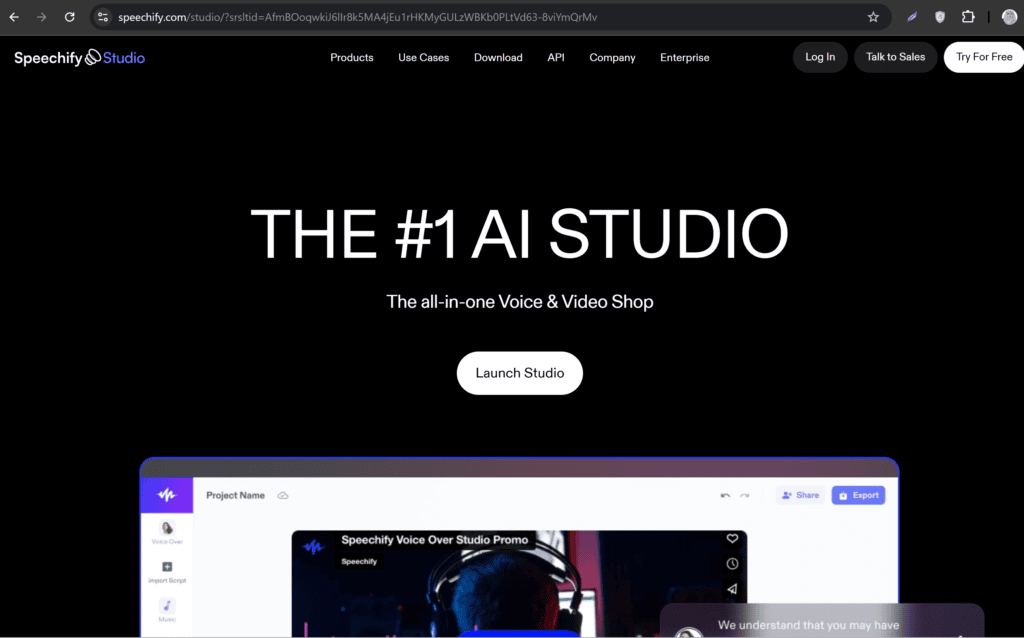
3. Speechify Studio
Speechify is widely known for its AI reading technology, but its Studio platform has evolved into a powerful AI voice generation solution for content creators.
The platform produces smooth, natural narration suitable for YouTube videos, online courses, tutorials, and presentations. Its intuitive interface allows users to generate professional-quality voiceovers without any prior experience.
Speechify also supports multiple voice styles, enabling creators to match the tone of their content—whether informative, conversational, or energetic.
Best For
- Educational YouTube channels
- Tutorials
- Business presentations
- Productivity content
- Online courses
Key Features
- Human-like AI voices
- Text-to-speech
- Voice customization
- Multiple accents
- Fast rendering
- High-quality audio exports
Free Plan
Speechify offers a free version with basic voice generation features, making it a solid option for beginners exploring AI voiceovers.
Pros
- Clean and user-friendly interface
- Natural-sounding narration
- Quick voice generation
- Suitable for beginners
- Reliable audio quality
Cons
- Advanced customization is limited on the free plan
- Some premium voices require a subscription
Overall Rating: ⭐⭐⭐⭐☆ (4.8/5)
4. Murf AI
Murf AI has become one of the most trusted AI voice generators for content creators, businesses, and educators. It offers studio-quality voiceovers with excellent pronunciation and realistic speech patterns, making it a strong choice for faceless YouTube channels.
One of Murf AI’s standout features is its built-in voice editor. Instead of generating audio and editing it in another application, you can adjust pauses, emphasis, pronunciation, speed, and pitch directly within the platform. This saves time and helps create more engaging voiceovers.
If you create explainer videos, tutorials, business content, or educational videos, Murf AI provides professional results with minimal effort.
Best For
- YouTube automation channels
- Educational videos
- Business presentations
- Product demonstrations
- Explainer videos
Key Features
- AI text-to-speech
- Studio-quality AI voices
- Voice cloning
- Voice editing tools
- Pronunciation control
- Multiple languages and accents
- Team collaboration
- Commercial usage
Free Plan
The free plan lets you test the platform and generate sample voiceovers. However, downloading high-quality audio requires a paid subscription.
Pros
- Professional voice quality
- Easy editing interface
- Excellent pronunciation
- Supports multiple languages
- Suitable for commercial projects
Cons
- Free version has limited export options
- Premium plans are comparatively expensive
Overall Rating: ⭐⭐⭐⭐☆ (4.8/5)
5. Kits AI
Kits AI is one of the fastest-growing AI voice cloning platforms in 2026. Unlike many traditional text-to-speech tools, it focuses on realistic voice cloning and creative voice transformation.
Creators can clone their own voice with permission or generate professional AI narration for YouTube videos, podcasts, music projects, and digital content.
Its clean interface makes it beginner-friendly while still offering advanced controls for experienced users.
Best For
- YouTube creators
- Voice cloning
- Podcast production
- Music creators
- AI content creators
Key Features
- Instant AI voice cloning
- High-quality voice generation
- Voice transformation
- Text-to-speech
- Cloud storage
- Fast rendering
- Commercial licensing
Free Plan
Kits AI includes a free plan with limited voice generation credits, allowing new users to explore its core features.
Pros
- Very realistic cloned voices
- Beginner-friendly interface
- Fast processing
- High-quality output
- Suitable for creative projects
Cons
- Limited free credits
- Advanced voice models require premium access
Overall Rating: ⭐⭐⭐⭐☆ (4.7/5)
6. Descript
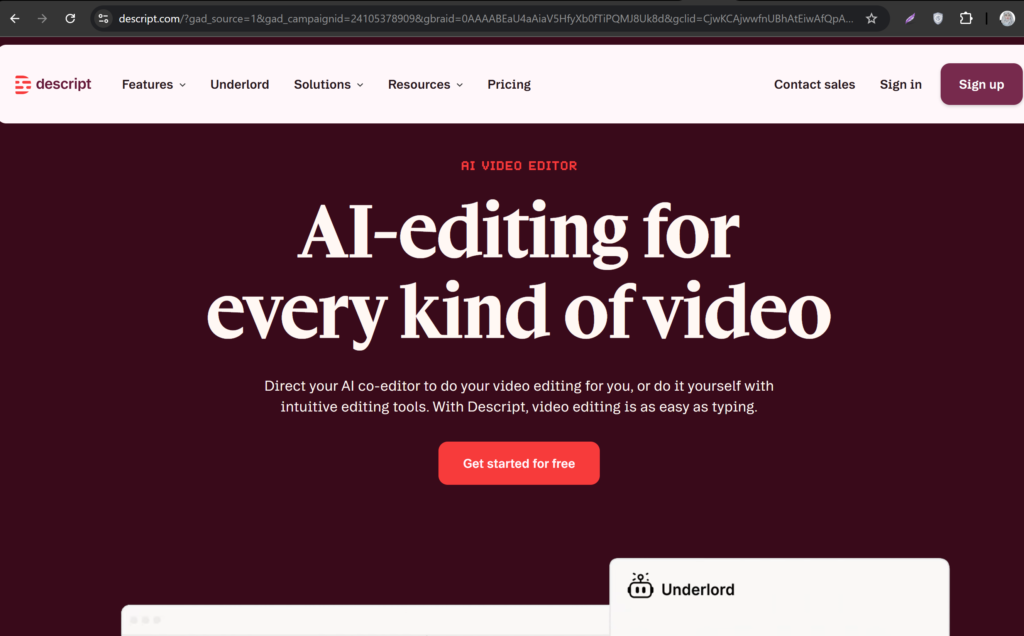
Descript is much more than an AI voice generator. It combines video editing, podcast editing, transcription, screen recording, and AI voice cloning into a single platform.
Its Overdub feature allows creators to generate speech using an AI version of their own voice. If you need to fix a mistake in your narration, you can simply edit the text instead of recording the entire audio again.
This feature saves countless hours for YouTubers who publish videos regularly.
Best For
- YouTube editing
- Podcasts
- Tutorials
- Interviews
- Educational content
Key Features
- AI voice cloning (Overdub)
- Text-based audio editing
- Video editing
- Screen recorder
- Automatic transcription
- Multi-track editing
- Team collaboration
Free Plan
The free version includes basic editing features and limited AI voice functionality.
Pros
- Complete video editing solution
- Excellent workflow
- Accurate transcription
- Easy voice corrections
- Beginner-friendly
Cons
- Voice cloning features are limited in the free plan
- Requires more system resources than browser-based tools
Overall Rating: ⭐⭐⭐⭐☆ (4.7/5)
7. LOVO AI
LOVO AI has earned a reputation for producing expressive AI voices with human-like emotions. It offers hundreds of realistic voices in multiple languages, making it a favorite among YouTubers, marketers, educators, and e-learning creators.
One of its biggest strengths is emotional speech synthesis. Instead of sounding flat or robotic, LOVO AI can deliver excitement, seriousness, happiness, or calmness depending on your content.
This makes it particularly useful for storytelling, motivational videos, documentaries, and educational content.
Best For
- Storytelling channels
- Documentary videos
- Motivation channels
- Educational creators
- Marketing videos
Key Features
- AI voice cloning
- Human-like AI voices
- Emotional speech
- Text-to-speech
- Multiple languages
- Voice customization
- Commercial licensing
Free Plan
The platform offers a limited free version for testing voices and generating short audio clips.
Pros
- Excellent emotional voice quality
- Large voice library
- User-friendly interface
- High-quality audio exports
- Great for storytelling
Cons
- Monthly limits on the free plan
- Premium voices require a subscription
Overall Rating: ⭐⭐⭐⭐⭐ (4.9/5)
Comparison Table: Best Free AI Voice Cloners for Faceless YouTube Channels
| Tool | Voice Cloning | Free Plan | Languages | Best For | Overall Rating |
|---|---|---|---|---|---|
| ElevenLabs | ✅ | Yes | 30+ | Overall Best | ⭐⭐⭐⭐⭐ |
| PlayHT | ✅ | Yes | 140+ | YouTube Automation | ⭐⭐⭐⭐⭐ |
| Speechify Studio | Limited | Yes | Multiple | Tutorials & Courses | ⭐⭐⭐⭐☆ |
| Murf AI | ✅ | Yes | 20+ | Explainer Videos | ⭐⭐⭐⭐☆ |
| Kits AI | ✅ | Yes | Multiple | Voice Cloning | ⭐⭐⭐⭐☆ |
| Descript | ✅ | Yes | Multiple | Video Editing | ⭐⭐⭐⭐☆ |
| LOVO AI | ✅ | Yes | 100+ | Storytelling | ⭐⭐⭐⭐⭐ |
Quick Comparison Based on Your Needs
Choose ElevenLabs if:
- You want the most realistic AI voices.
- You run a faceless YouTube automation channel.
- You create storytelling or documentary content.
Choose PlayHT if:
- You need hundreds of voice options.
- You publish videos in multiple languages.
- You want highly customizable AI narration.
Choose Speechify Studio if:
- You create tutorials or educational videos.
- You want a simple, beginner-friendly platform.
Choose Murf AI if:
- You need built-in voice editing tools.
- You create business presentations or explainers.
Choose Kits AI if:
- Your focus is high-quality voice cloning.
- You want creative voice transformation features.
Choose Descript if:
- You want video editing and AI voice generation in one tool.
- You regularly edit podcasts or YouTube videos.
Choose LOVO AI if:
- You need expressive, emotional AI voices.
- You create storytelling, motivational, or documentary-style content.
How to Choose the Best AI Voice Cloner for Your YouTube Channel
With so many AI voice cloning tools available in 2026, choosing the right one depends on your content style, budget, and production workflow. While every tool on this list can generate AI voiceovers, each one has strengths that make it better suited for different types of creators.
Here are the most important factors to consider before making your decision.
1. Voice Quality
Voice quality should always be your top priority. A realistic, natural-sounding voice keeps viewers engaged and increases watch time, while robotic narration may cause viewers to leave your video early.
Look for tools that offer:
- Human-like pronunciation
- Natural pauses
- Emotional expression
- Clear speech
- Smooth pacing
If your videos focus on storytelling, documentaries, or educational content, investing in a tool with high-quality voice synthesis can significantly improve the viewer experience.
2. Free Plan Limitations
Most AI voice cloning platforms offer free plans, but they often come with restrictions. Before choosing a tool, compare:
- Monthly character limits
- Audio download options
- Watermarks
- Voice cloning availability
- Commercial usage rights
If you’re just starting a faceless YouTube channel, a free plan is usually enough to test the software. As your channel grows, you can upgrade to unlock additional features.
3. Language and Accent Support
If you plan to reach an international audience, choose an AI voice cloner that supports multiple languages and accents. This allows you to create localized content and expand your channel beyond English-speaking viewers.
Many leading platforms now support dozens of languages, making it easier to connect with a global audience.
4. Commercial Usage
Not every AI-generated voice can be used in monetized YouTube videos. Before publishing content, always review the platform’s licensing terms to ensure that commercial use is allowed under your chosen plan.
This is especially important if you plan to monetize your channel through ads, sponsorships, or affiliate marketing.
5. Ease of Use
A beginner-friendly interface can save hours of learning and editing. The best AI voice tools allow you to generate professional-quality narration in just a few clicks.
Features such as drag-and-drop editing, text-to-speech conversion, and pronunciation controls can make your workflow much more efficient.
Tips for Creating Natural-Sounding AI Voiceovers
Even the best AI voice generator needs the right input to produce realistic narration. By following these simple techniques, you can make your AI voiceovers sound more human and engaging.
Write Conversational Scripts
Avoid long, complex sentences. Instead, write as if you’re speaking directly to your audience.
Use Proper Punctuation
Commas, periods, question marks, and exclamation points help AI understand where to pause and how to adjust the tone naturally.
Break Long Paragraphs
Short sentences improve pacing and make the narration easier to follow.
Adjust Voice Speed
A slightly slower speaking speed often sounds more natural, especially for educational and storytelling videos.
Test Different Voices
Each AI platform offers multiple voices. Try a few before deciding which one best matches your content style.
Edit Pronunciation
If the AI mispronounces names, brands, or technical terms, use the pronunciation editor provided by the platform.
Listen Before Exporting
Always preview your audio before downloading it. Fix any awkward pauses or pronunciation errors to ensure a polished final result.
Common Mistakes to Avoid
Many beginners make simple mistakes that reduce the quality of their AI-generated voiceovers. Avoid these common issues:
- Using robotic default voices without testing alternatives.
- Writing scripts with long, difficult-to-read sentences.
- Ignoring punctuation, which affects natural pauses.
- Publishing audio without reviewing it first.
- Choosing a voice that doesn’t match your content style.
- Speaking too quickly or using unnatural pacing.
- Violating licensing rules by using voices without proper commercial rights.
By avoiding these mistakes, you’ll create more professional videos that keep viewers engaged.
Frequently Asked Questions (FAQs)
What is the best free AI voice cloner for YouTube?
ElevenLabs is widely considered one of the best free AI voice cloners due to its realistic voice quality, easy-to-use interface, and excellent voice cloning capabilities.
Can I monetize YouTube videos with AI voices?
Yes. Most AI voice generators allow commercial use under specific plans. However, always review the platform’s licensing terms before publishing monetized content.
Are AI voice cloners free?
Most platforms offer free plans with monthly usage limits. Premium subscriptions unlock additional voices, longer audio generation, and advanced features.
Is AI voice cloning legal?
Yes, AI voice cloning is legal when you have permission to clone the voice or use voices provided by the platform. Cloning someone’s voice without consent may violate privacy, publicity, or copyright-related laws depending on your jurisdiction.
Which AI voice sounds the most realistic?
ElevenLabs and PlayHT are widely recognized for producing some of the most natural-sounding AI voices available today.
Can I clone my own voice for free?
Yes. Several platforms, including ElevenLabs, Kits AI, and Descript, allow users to clone their own voices with varying limits on their free plans.
Do AI voice generators support multiple languages?
Yes. Many modern AI voice tools support dozens of languages and accents, making them suitable for creators with a global audience.
Final Verdict
AI voice cloning has transformed the way faceless YouTube channels create content. Instead of spending hours recording and editing voiceovers, creators can now produce professional-quality narration in minutes using AI-powered tools.
Among the platforms we reviewed, ElevenLabs stands out for its exceptional voice realism and overall performance, making it an excellent choice for most creators. PlayHT is ideal for multilingual content, while LOVO AI excels in expressive storytelling. If you need an all-in-one editing solution, Descript offers powerful voice cloning alongside video and audio editing features.
Ultimately, the best AI voice cloner depends on your goals, content type, and budget. Start with a free plan, test a few voices, and choose the platform that delivers the most natural and engaging narration for your audience.
Whether you’re launching your first faceless YouTube channel or scaling an existing one, the right AI voice tool can help you save time, maintain consistency, and publish high-quality videos more efficiently.
If you want to know AI Tools to convert youtube videos into shorts check it now 10 Free AI Tool to Convert YouTube Videos into Shorts (2026 Guide)