

Free AI Presentation Tool: Creating a presentation for college or university sounds simple until you actually start doing it.
First, you have to understand the topic. Then you need to decide what information belongs on each slide, write the content, find images, choose a design, arrange everything properly, fix fonts, adjust spacing, and finally check whether the presentation looks good enough to show in front of your class.
A presentation that might take 20 minutes to explain can easily take several hours to create.
This is exactly why AI presentation tools have become so interesting for students.
Instead of starting with a blank PowerPoint file, students can give an AI tool a topic, outline, document, or set of notes and let it help organize the material into a presentation.
Two names that have been associated with AI-powered presentations are Gamma and Tome.
Both took a different approach from traditional presentation software. Instead of simply giving users blank slides and templates, they aimed to help turn ideas and written material into visually structured presentations.
But there is an important issue students should know before choosing between them.
Gamma currently has a genuine free plan with AI presentation generation. Tome’s current official help documentation says that its free tier does not include AI access, while AI presentation generation is associated with its paid Pro offering.
That changes the answer considerably if your question is specifically:
Which is the best free AI presentation tool for students?
For students who need AI generation without paying, Gamma is the clear winner of this particular comparison.
However, Tome is still worth understanding because its AI presentation workflow introduced several useful ideas, especially around generating an outline first, choosing layouts, adding AI-generated images, and transforming written material into visual content.
In this guide, we’ll compare Gamma AI vs Tome for students, including presentation generation, design quality, ease of use, research projects, assignments, PowerPoint export, free plans, customization, AI images, group projects, and academic presentations.
Gamma AI vs Tome: Quick Comparison
| Feature | Gamma | Tome |
|---|---|---|
| AI presentation generation | Yes on free plan | AI generation available in paid workflow |
| Free AI generation | Yes | No according to current Tome help documentation |
| Beginner friendly | Excellent | Excellent |
| Student presentations | Excellent | Good |
| Generate from prompt | Yes | Yes |
| Generate from written content | Yes | Yes |
| Outline generation | Yes | Yes |
| AI images | Yes | Yes |
| Templates/themes | Yes | Yes |
| PDF import | Yes | — |
| PPTX import | Yes | — |
| PowerPoint export | Yes | No, according to Tome’s help documentation |
| PDF export | Yes | Pro feature |
| Google Slides export | Yes | Not supported as a native export |
| Interactive presentation | Yes | Yes |
| Manual editing | Yes | Yes |
| Free plan | Yes | Yes, but without AI access |
| Best for students on zero budget | Gamma | — |
| Best for AI-generated decks | Gamma | — |
| Best overall in this comparison | Gamma | — |
Gamma’s current free plan includes AI creation, up to 10 slides per prompt, PDF/PPTX/PNG/Google Slides export, and PDF/PPTX import.
Tome’s own help center currently states that its free tier does not provide AI access, while its Pro plan adds AI features and PDF export. It also says Tome does not currently support exporting to PowerPoint.
That makes Gamma much more practical for students who want to create presentations without paying.
What Is Gamma AI?
Gamma is an AI-powered content and presentation platform that can turn an idea, prompt, document, or existing material into a structured presentation.
The interesting thing about Gamma is that it doesn’t treat a presentation as simply a collection of rectangular slides.
It uses cards, layouts, text, images, and other content blocks to create a more web-native presentation experience.
For students, this means you don’t necessarily have to begin with:
Slide 1 → Slide 2 → Slide 3 → Slide 4
You can begin with your actual information.
For example, you could provide:
Create a 10-slide university presentation about the causes and effects of climate change. Include an introduction, major causes, environmental effects, economic effects, solutions, conclusion, and references.
Gamma can then turn that direction into a presentation structure.
Gamma’s official product information says users can start with a prompt, outline, or uploaded document and then edit, present, share, or export the resulting deck.
What Is Tome?
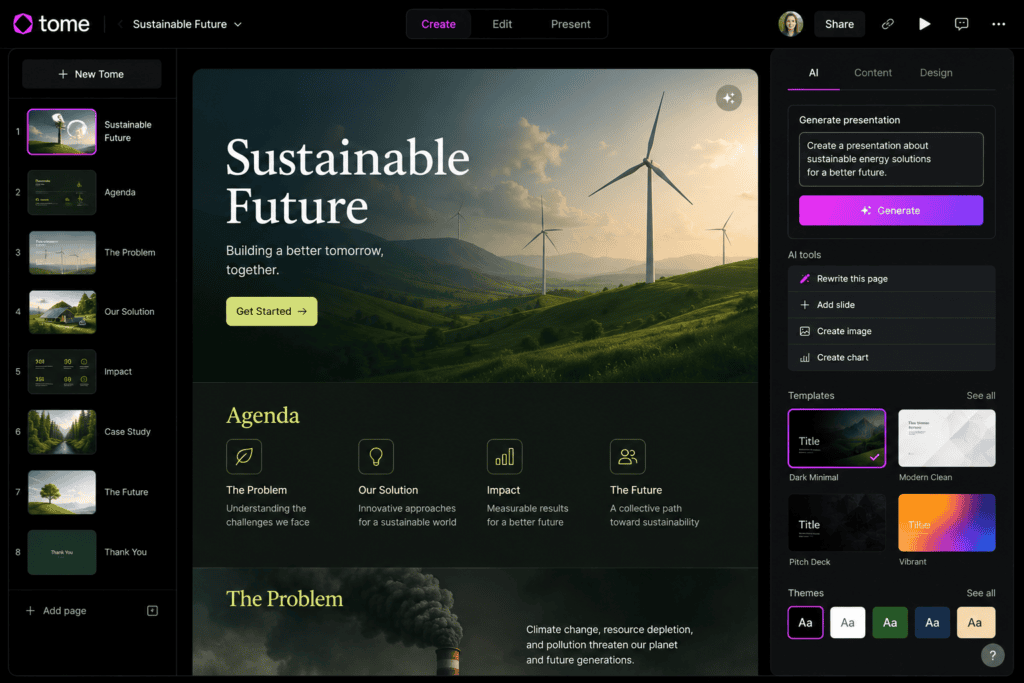
Tome was designed as an AI-native canvas for creating presentations and other visual content.
Its presentation workflow allowed users to describe what they wanted, generate an outline, adjust that outline, and then generate pages based on the selected structure.
The official Tome documentation describes a workflow where students or other users could enter a prompt, generate an outline, edit the topics, and either choose layouts manually or let the AI generate the pages.
Tome also supported AI-assisted rewriting, references, image generation, document-to-presentation workflows, and other visual content features.
The problem for a student comparing free AI presentation tools today is the pricing model.
Tome’s official documentation currently says:
The free tier does not grant AI access.
That means students shouldn’t assume that because Tome has a free account, they can automatically use its AI presentation generator without paying.
My Practical Gamma Workflow for Student Presentations
When I approach an AI presentation tool from a student’s perspective, the most useful feature isn’t actually the AI writing.
It’s the ability to start with information I already have.
For example, imagine I have five pages of class notes about marketing.
Instead of copying everything slide by slide, I can turn those notes into a structured presentation.
My preferred workflow would be:
Notes → outline → AI-generated presentation → fact check → edit → present
That distinction matters.
I wouldn’t want the AI inventing the academic content from scratch if I already have reliable course material.
I’d rather give the tool my information and let it help with structure and visual presentation.
Gamma is particularly useful for this because its current free plan supports importing PDF and PPTX files and exporting presentations to PDF, PPTX, PNG, and Google Slides.
My Practical Tome Workflow
Tome’s presentation workflow is conceptually appealing.
I can start with a topic, provide context, and ask the AI to create an outline.
The outline-first approach is actually something I like for academic presentations because it lets me think about the story before generating every page.
For example:
Topic: Digital Marketing
The outline could be:
- Introduction
- What is digital marketing?
- Major channels
- Social media marketing
- Search engine optimization
- Email marketing
- Benefits
- Challenges
- Case example
- Conclusion
I can then decide whether the structure makes sense before the full presentation is created.
Tome’s official documentation specifically describes this outline-first workflow and allows users to edit, reorder, remove, or add topics before generating the final pages.
The problem is that if my priority is free AI presentation creation, Tome’s current free tier doesn’t meet that requirement.
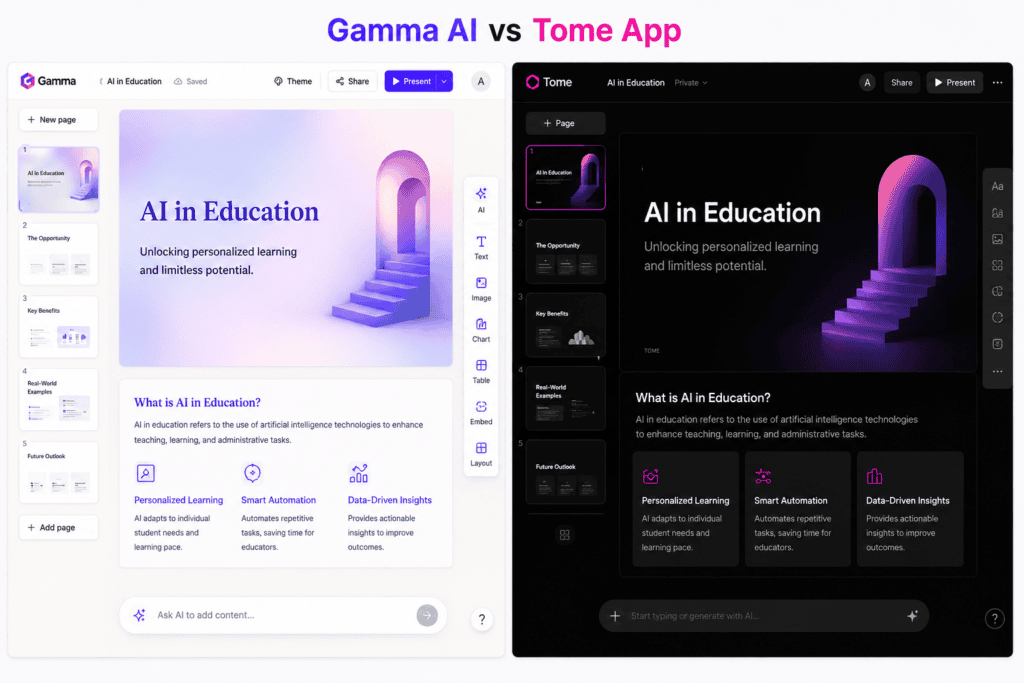
Gamma vs Tome for Students
This is probably the most important section.
Students generally have different needs from businesses.
A student might need:
- Class presentations
- Assignment slides
- Research presentations
- Thesis presentations
- Group projects
- Seminar presentations
- Project proposals
- Case studies
- Book presentations
- Internship presentations
Most students also want to avoid unnecessary software costs.
That makes the free plan extremely important.
Gamma currently offers AI creation on its free plan, while Tome’s current help documentation says AI is not included in the free tier.
Winner: Gamma
Gamma vs Tome for Class Assignments
Suppose your professor says:
Prepare a 10-slide presentation about renewable energy.
You could spend several hours manually building it.
Or you could use Gamma to create a first draft.
The important part is that the AI-generated presentation should be treated as a starting point.
I’d still:
- Read every slide
- Verify facts
- Replace generic examples
- Add course-specific information
- Add references
- Correct terminology
- Rewrite awkward sentences
This is especially important for academic work.
AI can help with presentation design.
It shouldn’t replace your understanding of the assignment.
Winner: Gamma
Gamma vs Tome for Research Presentations
Research presentations are more demanding.
You don’t just need attractive slides.
You need:
- Accurate information
- Research questions
- Evidence
- Citations
- Methodology
- Findings
- Analysis
- Conclusions
Gamma can help turn an existing research document into a visual presentation.
Its current product information says users can upload documents and transform them into presentations.
Tome also had a document-to-presentation workflow, allowing users to turn written material into presentations.
For students, however, Gamma’s free accessibility gives it the practical advantage.
Winner: Gamma
Gamma vs Tome for PowerPoint
This is another major difference.
Many universities expect students to submit:
.PPTX
rather than a web link.
Gamma’s current free plan supports PPTX export.
Tome’s help center currently states that it does not support exporting to PowerPoint and offers PDF export for Pro users.
That alone can influence the decision.
If your professor says:
Submit the PowerPoint file before Friday.
Gamma is considerably more convenient.
Winner: Gamma
Gamma vs Tome for PDF
PDF is useful when:
- Uploading assignments
- Sending presentations
- Printing slides
- Sharing with classmates
- Submitting work through an LMS
Gamma’s free plan includes PDF export.
Tome’s documentation currently identifies PDF export as a Pro feature.
Winner: Gamma
Gamma vs Tome for Google Slides
Google Slides is popular among students because group members can collaborate online.
Gamma’s current free plan supports export to Google Slides.
This can be useful when you need to make further edits in a familiar presentation environment.
Tome’s current documentation does not list Google Slides as a native export option.
Winner: Gamma
Which Is Easier for Beginners?
Both were designed to reduce the complexity of presentation creation.
But Gamma has a particularly simple starting point.
You can essentially provide:
What you want + your content + your preferred style
and let the system generate a first version.
The advantage for students is that you don’t need advanced graphic-design skills.
You can then modify the generated result manually.
Winner: Gamma
Gamma vs Tome for Presentation Design
This category is subjective.
Gamma tends to emphasize clean, modern layouts and content blocks.
Tome’s approach is also visually oriented and was designed around a flexible canvas rather than conventional PowerPoint-style slides.
For students, however, visual quality should never come at the expense of readability.
A university presentation doesn’t need:
- Excessive animation
- Giant decorative graphics
- Too many colors
- Complex transitions
The goal is to make the information easy to understand.
Gamma’s professional, relatively clean layout approach works particularly well for academic presentations.
Winner: Gamma
Which Has Better AI Images?
Both tools have offered AI-assisted image creation.
Tome’s documentation specifically describes AI image generation from text prompts.
Gamma also includes AI image capabilities, with current plan differences between basic and advanced image models.
For student presentations, however, you don’t need an AI-generated image on every slide.
A better strategy is to use visuals where they explain something.
For example:
- A timeline
- A process
- A comparison
- A diagram
- A concept illustration
Don’t use AI images merely to fill empty space.
Winner: Tie
Gamma vs Tome for Presentation Outlines
This is one area where Tome’s workflow was particularly interesting.
Tome’s AI presentation system generated an outline before producing the final pages.
That is a good academic workflow because structure matters.
Before generating the presentation, you can ask:
Does this presentation actually make sense?
A presentation about a scientific study, for example, should have a logical sequence.
You don’t want random facts scattered across ten slides.
Gamma can also help structure presentations, but Tome’s documented outline-first workflow is a particularly clear example of this approach.
Winner: Tome for outline-first workflow
But because AI access is not currently included in Tome’s free tier, Gamma remains the better free choice for students.
Gamma vs Tome for Group Projects
Group projects create another problem.
Five students might be working on one presentation.
One student handles:
- Research
Another:
- Design
Another:
- References
Another:
- Speaking notes
Another:
- Conclusion
A web-based workflow can make collaboration easier.
Gamma allows presentations to be shared and exported into common formats.
Tome was also designed as a collaborative canvas, but its current free-tier AI limitations make Gamma more attractive for students who don’t want to pay.
Winner: Gamma
Gamma vs Tome for Thesis Presentations
A thesis defense is different from a normal class assignment.
The presentation needs to be much more structured.
A typical thesis presentation may include:
- Title
- Background
- Problem statement
- Research gap
- Objectives
- Research questions
- Methodology
- Results
- Discussion
- Conclusion
- Recommendations
- References
For this type of project, I’d recommend using your actual thesis document as the source material rather than asking AI to invent the presentation.
Gamma’s document-import workflow can be useful for this. Its current product information says users can upload documents such as PDFs and turn them into presentations.
Winner: Gamma

How to Use Gamma for a Student Presentation
Here’s a practical workflow.
Step 1: Prepare your material
Collect:
- Class notes
- Research
- Assignment instructions
- Important statistics
- References
Step 2: Create a clear outline
Before using AI, decide what the presentation should cover.
Step 3: Open Gamma
Create a new presentation.
Step 4: Give Gamma your content
You can start with a prompt or existing material.
Gamma’s current product workflow supports prompts and uploaded documents.
Step 5: Choose a visual style
Pick something appropriate for your subject.
Step 6: Generate the presentation
Let Gamma create the first version.
Step 7: Check every slide
Look for:
- Incorrect facts
- Missing information
- Repetition
- Generic statements
- Awkward wording
Step 8: Add academic references
Do not assume that an AI-generated presentation automatically contains sufficient citations.
Step 9: Export
Gamma’s current free plan supports PDF, PPTX, PNG, and Google Slides export.
Best Gamma Prompt for Students
Instead of writing:
Create a presentation about artificial intelligence.
give the AI more context.
Try:
Create a 10-slide university presentation about the impact of artificial intelligence on digital marketing. The audience is undergraduate business students. Keep the language clear and academic but not overly technical. Include an introduction, five major impacts, real-world examples, challenges, future implications, conclusion, and a final references slide. Keep each slide concise and avoid paragraphs.
The second prompt gives the AI much more useful information.
Best Prompt Structure for Student Presentations
A useful formula is:
Topic + audience + number of slides + structure + style + content limitations
For example:
Create a 12-slide presentation about renewable energy for undergraduate students. Use a clean academic design. Cover the definition, major renewable sources, benefits, limitations, environmental impact, economic impact, real-world examples, future trends, conclusion, and references. Keep each slide concise and use bullet points instead of long paragraphs.
This gives the AI clear boundaries.
Don’t Let AI Write Your Entire Assignment
This is an important point.
AI presentation tools are excellent at formatting and structuring information.
But if you simply type:
Make my university presentation about economics.
and submit whatever comes out, you’re taking unnecessary risks.
The presentation may contain:
- Incorrect facts
- Generic explanations
- Missing citations
- Outdated information
- Unsupported claims
More importantly, you may not actually understand what you’re presenting.
Your professor can ask:
Why did you choose this methodology?
or:
What does this statistic mean?
If you don’t know the answer, the beautiful slides won’t help.
Use AI to make your work better organized, not to avoid learning the material.
How to Make AI Presentations Look Human
One common problem with AI-generated presentations is that they can look too polished in a generic way.
You can fix this.
Add your own examples
Instead of generic examples, include examples from your course or country.
Add your own explanation
If your professor expects a particular perspective, include it.
Change generic headings
Replace:
The Future of Technology
with something more specific.
For example:
How AI May Change Entry-Level Marketing Jobs
Use your own visuals
If you conducted a survey, use your actual data.
If you photographed an experiment, use your own photo.
If you created a chart, use the real numbers.
Add speaker notes
Your spoken explanation should add information rather than simply reading the slide.
Gamma Free Plan: What Students Get
Gamma’s current official pricing information lists the following free-plan features:
- AI creation
- Up to 10 slides per prompt
- Simple presentations
- Documents
- Websites
- Social content
- Images
- PDF import
- PPTX import
- PDF export
- PPTX export
- PNG export
- Google Slides export
The free plan currently starts with 400 credits, according to Gamma’s pricing information.
One limitation is that Gamma branding remains on the free plan; its paid Plus plan adds removal of Gamma branding.
For a normal classroom presentation, this may be perfectly acceptable.
But if your professor specifically requires completely unbranded slides, check the output before submitting.
Tome Free Plan: What Students Should Know
This is where older articles can be misleading.
You may find blog posts claiming that Tome offers free AI presentation generation.
However, Tome’s own current help documentation says that users automatically start on the free tier but the free tier does not grant AI access.
The same documentation describes AI presentation creation as part of Tome’s paid Pro offering.
Therefore, if you’re specifically looking for:
Free AI presentation generation for students
Tome should not currently be your first choice.
Always check the official pricing and help documentation rather than relying on an old comparison article.
Gamma vs Tome: Pros and Cons
Gamma Pros
- Genuine free AI presentation generation
- Beginner friendly
- Modern presentation design
- Prompt-to-presentation workflow
- Document-to-presentation workflow
- PDF import
- PPTX import
- PDF export
- PPTX export
- PNG export
- Google Slides export
- AI-assisted editing
- Useful for student assignments
Gamma Cons
- Free plan has AI-credit limits
- Free presentations include Gamma branding
- AI-generated content still needs fact-checking
- Complex academic formatting may require manual editing
- The free plan generates up to 10 slides per prompt
Tome Pros
- Strong AI presentation concept
- Outline-first generation workflow
- Flexible canvas
- AI image generation
- AI writing and rewriting
- Document-to-presentation workflow
- Reference-search features
- Useful presentation structure
Tome Cons
- Current free tier does not include AI access
- AI presentation generation requires a paid workflow
- PowerPoint export isn’t currently supported according to Tome’s documentation
- PDF export is associated with Pro
- Older articles may give outdated information about its free AI capabilities
Gamma AI vs Tome: Which Is Better for Students?
If we’re talking specifically about free AI presentation tools, the answer is straightforward.
Best free AI presentation tool: Gamma
Gamma currently gives students access to AI presentation creation without requiring a paid subscription.
Its free plan is particularly useful because it also supports common academic formats such as PPTX and PDF.
Tome has an interesting AI presentation workflow, particularly its outline-first approach.
But its current free tier does not provide AI access, which makes it a weaker choice for students who are trying to avoid subscription costs.
Final Verdict: Gamma AI vs Tome App
After comparing the two specifically from a student’s perspective, Gamma is the clear winner for free AI presentation creation.
The biggest reason isn’t simply that Gamma produces attractive slides.
It’s the combination of:
AI generation + free access + document import + PowerPoint export + PDF export + Google Slides export.
That’s a very practical package for students.
If I were preparing a university presentation, I’d use Gamma as a starting point rather than trying to build every slide manually.
I’d give it my actual research material, generate the structure, review the slides, replace generic content, add references, and then export the presentation in the format required by my university.
Tome’s presentation workflow is still interesting from a design and AI perspective, especially because its documented process lets users generate an outline before committing to the final pages.
But for a student who asks:
“I need a free AI presentation maker. Which one should I use?”
I’d choose Gamma.
Best free AI presentation generator: Gamma
Best for students: Gamma
Best for PowerPoint export: Gamma
Best for PDF export on free plan: Gamma
Best for Google Slides export: Gamma
Best for AI-generated presentations without paying: Gamma
Best for outline-first AI presentation workflow: Tome
Best overall in this comparison: Gamma
The bigger lesson is that AI presentation tools should be treated as presentation assistants, not academic shortcuts.
Give them your research.
Let them organize the information.
Let them suggest layouts.
Let them save you hours of formatting.
But keep the important human work with yourself:
Research the topic. Verify the facts. Understand the material. Add your own examples. Check the references. Practice your presentation.
That’s what turns an AI-generated deck into a genuinely good student presentation.
Frequently Asked Questions
Is Gamma free for students?
Yes. Gamma currently has a free plan that includes AI creation, with limits on AI usage and generation size. The free plan can generate up to 10 slides per prompt and supports several export formats.
Is Tome free for students?
Tome has a free account tier, but its current official help documentation says that the free tier does not include AI access. AI presentation generation is associated with its paid offering.
Which is better, Gamma or Tome?
For students looking for a free AI presentation generator, Gamma is the better option because its current free plan includes AI presentation creation.
Can Gamma export PowerPoint files?
Yes. Gamma’s current free plan includes PPTX export.
Can Gamma export to PDF?
Yes. PDF export is included in Gamma’s current free plan.
Can Gamma convert documents into presentations?
Yes. Gamma supports using uploaded documents as source material for presentation creation, including PDF and PPTX imports.
Does Tome export to PowerPoint?
According to Tome’s current help documentation, Tome does not currently support exporting presentations to PowerPoint.
Can students use Gamma for university assignments?
Yes, but students should review and fact-check the generated content and follow their institution’s academic-integrity rules regarding AI use.
Can Gamma make a presentation from my notes?
Yes. You can provide your own content and use Gamma to help turn it into a structured presentation. This is often better than asking AI to invent the entire presentation from a topic alone.
Is Gamma better than PowerPoint for students?
Not necessarily. PowerPoint provides deeper manual control and is widely accepted academically. Gamma is particularly useful when you want AI to accelerate the first draft and design process.
Is Tome still an AI presentation tool?
Tome has documented AI presentation capabilities, but its current product documentation indicates that AI access is not included in its free tier.
Can AI presentations be submitted directly to professors?
Technically, you can export them, but you should first check your professor’s requirements. Always review the content, citations, formatting, and academic-integrity rules before submission.
Check out here if you want to know about Runway Gen 2 vs Pika Labs: Free Plan Comparison for AI Video