
Introduction
generate seamless background patterns using free AI: Seamless background patterns are widely used in graphic design, web design, branding, packaging, textiles, wallpapers, social media graphics, and digital products. Unlike regular images, seamless patterns repeat continuously without visible edges or gaps, creating a smooth and professional appearance.
Traditionally, creating seamless patterns required advanced design software like Adobe Photoshop or Illustrator and considerable design expertise. Designers had to carefully align edges, adjust tiles, and manually fix repeating areas. Today, artificial intelligence (AI) has simplified this process dramatically.
Free AI-powered pattern generators can create high-quality seamless backgrounds in seconds. By simply entering a text prompt or uploading an image, AI can generate unique repeating patterns suitable for websites, product packaging, print-on-demand products, presentations, mobile apps, and marketing materials.
Whether you’re a graphic designer, content creator, online seller, web developer, or small business owner, AI can help you create professional seamless background patterns quickly without expensive software.
In this guide, you’ll learn how to generate seamless background patterns using free AI, explore the best free AI tools, understand how they work, and discover expert tips for creating stunning repeating designs.
What Are Seamless Background Patterns?
A seamless background pattern is a design that repeats continuously without visible seams or breaks. Each edge of the pattern connects perfectly with the opposite edge, allowing it to tile infinitely.
Seamless patterns are commonly used for:
- Website backgrounds
- Mobile app interfaces
- Packaging designs
- Fabric and textile printing
- Wallpaper designs
- Social media graphics
- Presentation backgrounds
- Digital scrapbooking
- Product mockups
- Print-on-demand merchandise
Because the repeating edges blend perfectly, seamless patterns create a polished and professional look.
Why Use AI to Generate Seamless Background Patterns?
Artificial intelligence has transformed pattern design by automating repetitive and time-consuming tasks.
Instead of manually creating repeat tiles, AI analyzes textures, shapes, colors, and design styles to generate perfectly repeating patterns almost instantly.
AI allows users to:
- Create unique patterns from text prompts
- Convert sketches into repeating designs
- Generate endless variations
- Experiment with different artistic styles
- Save significant design time
This makes AI an excellent solution for beginners and professionals alike.
Benefits of AI Pattern Generators
AI-powered pattern generators offer several advantages over traditional design methods.
1. Save Time
Designing seamless patterns manually can take hours.
AI generates high-quality repeating designs in just a few seconds.
2. No Advanced Design Skills Required
Most AI tools feature simple interfaces where users only need to enter a prompt or upload an image.
No knowledge of Photoshop or Illustrator is required.
3. Generate Unlimited Variations
AI can create multiple versions of the same pattern with different:
- Colors
- Shapes
- Styles
- Textures
- Layouts
This helps designers explore more creative ideas quickly.
4. Improve Creativity
AI can suggest unique combinations and artistic concepts that users may not have considered, making it easier to develop original designs.
5. Cost-Effective Solution
Many AI pattern generators offer free plans, making professional-quality design accessible without purchasing expensive software.
How AI Creates Seamless Background Patterns
AI pattern generation combines machine learning with image synthesis to create repeatable designs.
Step 1: Prompt Analysis
The AI interprets your description, such as:
- Floral pattern
- Geometric design
- Watercolor texture
- Abstract art
- Minimalist icons
- Tropical leaves
Step 2: Style Generation
Based on the prompt, the AI generates shapes, textures, colors, and decorative elements that match the requested style.
Step 3: Seamless Tiling
The AI automatically aligns the edges so that each side connects perfectly with the opposite side, creating a continuous repeating pattern.
Step 4: Pattern Refinement
Many AI tools optimize:
- Colors
- Contrast
- Symmetry
- Texture consistency
- Tile alignment
for a polished result.
Step 5: Image Export
The finished seamless pattern can be downloaded in formats such as:
- PNG
- JPG
- SVG (on supported platforms)
- PDF (for some print workflows)
Best Free AI Tools to Generate Seamless Background Patterns
Below are some of the best free AI-powered tools available for creating seamless repeating backgrounds.
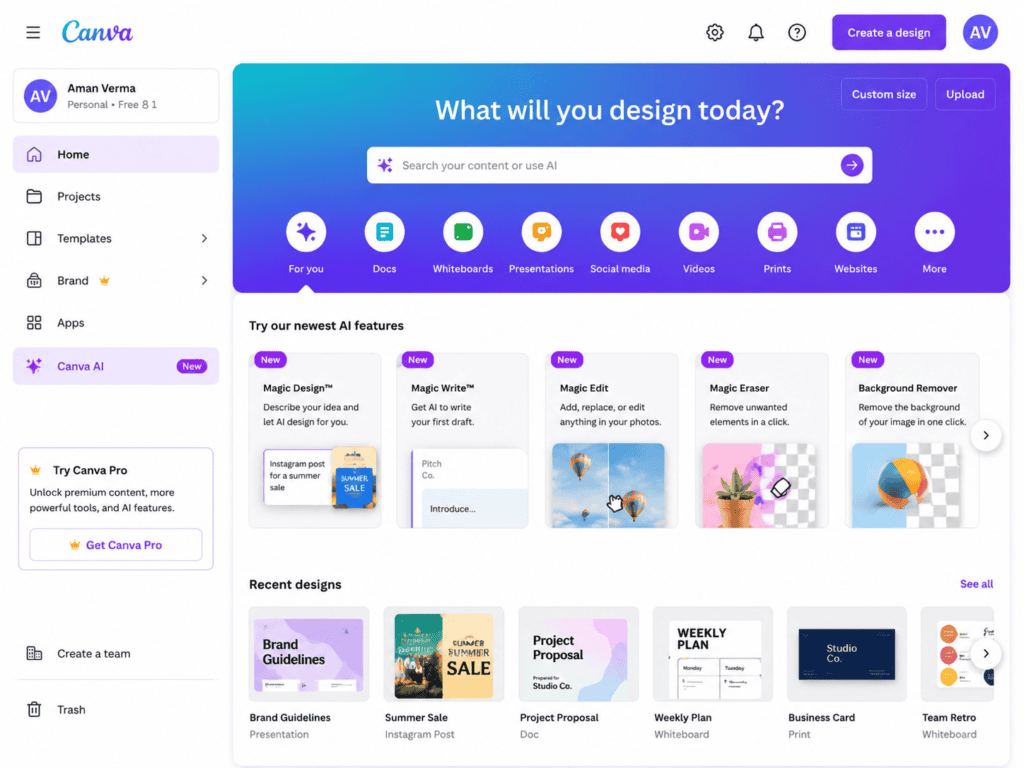
1. Canva AI Pattern Generator
Canva includes AI-powered design features that allow users to create custom repeating backgrounds for presentations, social media graphics, websites, and marketing materials. It combines text-to-image generation with a user-friendly design editor.
Key Features
- AI text-to-image generation
- Pattern creation
- Drag-and-drop editor
- Large template library
- Brand kit integration
- Cloud-based editing
Pros
- Beginner-friendly
- Fast design workflow
- Free plan available
- Extensive design assets
- Great collaboration features
Cons
- Some AI features require Canva Pro
- Limited advanced pattern controls
Best For
- Social media graphics
- Website backgrounds
- Marketing materials
- Business presentations
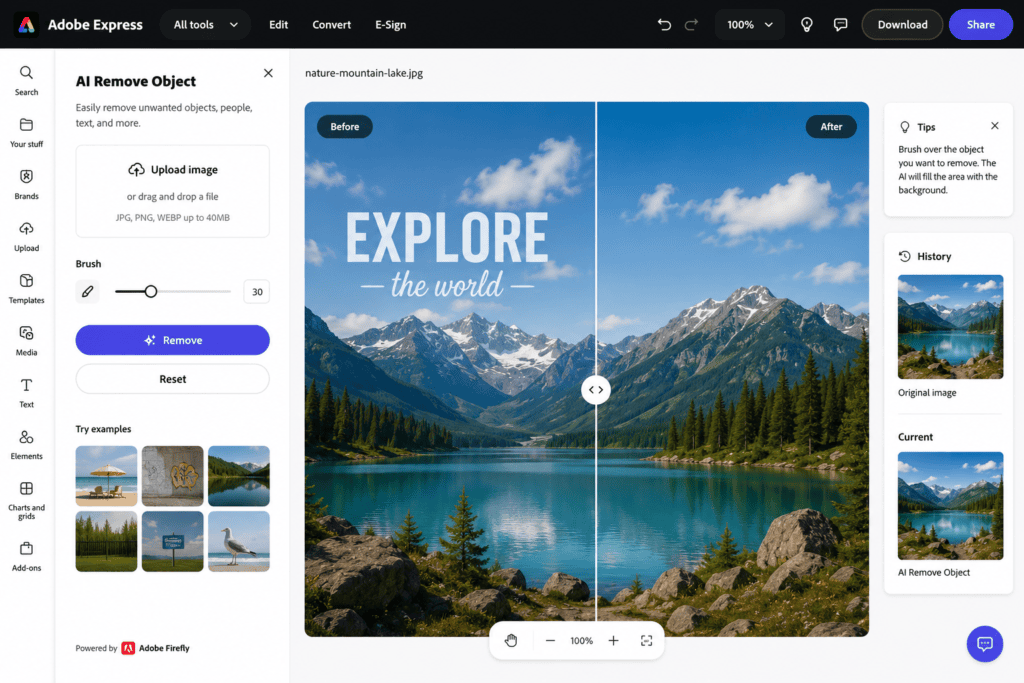
2. Adobe Express AI
Adobe Express provides AI-powered image generation and editing tools that can be used to create repeating background elements for branding, digital content, and promotional designs. Its integration with Adobe’s ecosystem makes it a powerful option for creative professionals.
Key Features
- AI image generation
- Pattern-friendly editing tools
- Background creation
- Text-to-image prompts
- Cloud-based workflow
- Design templates
Pros
- High-quality image generation
- Easy-to-use interface
- Excellent for branding
- Trusted Adobe technology
Cons
- Premium AI features require an Adobe subscription
- Limited free AI credits
Best For
- Marketing graphics
- Website assets
- Branding
- Content creation
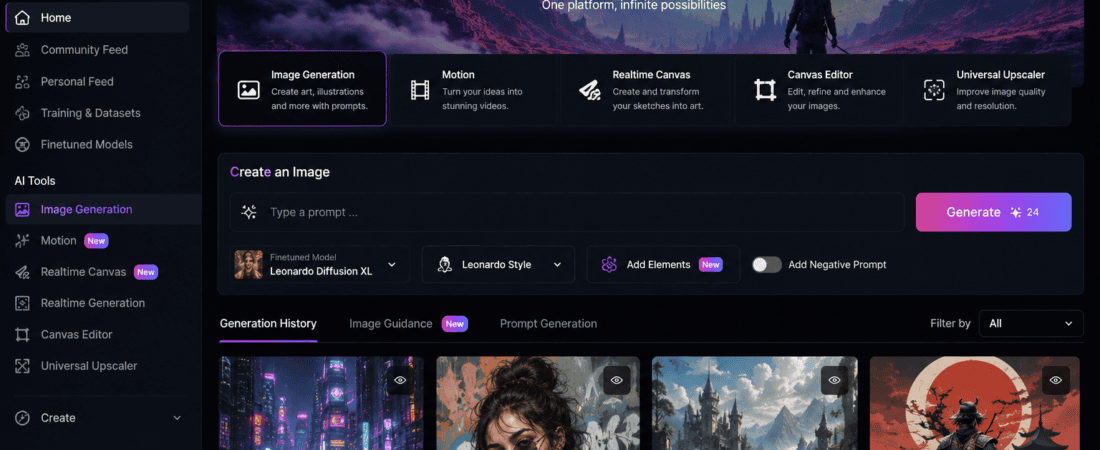
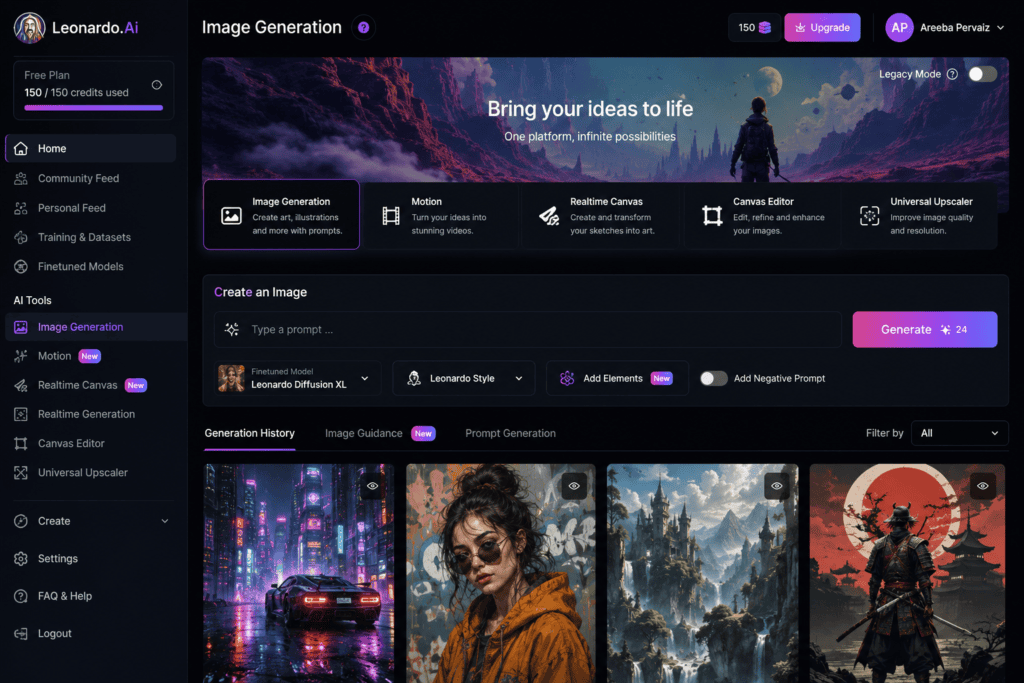
3. Leonardo AI
Leonardo AI is one of the most popular AI art generators for creating detailed illustrations, textures, and seamless pattern concepts. Its prompt-based workflow allows users to generate highly customized designs in a variety of artistic styles.
Key Features
- AI image generation
- Texture creation
- Pattern design
- Prompt customization
- High-resolution exports
- Community models
Pros
- Outstanding image quality
- Highly customizable prompts
- Free daily tokens
- Excellent artistic styles
Cons
- Learning curve for advanced prompting
- Token limits on the free plan
Best For
- Textile designers
- Print-on-demand products
- Wallpapers
- Digital artwork
4. Microsoft Designer
Microsoft Designer uses AI to create graphics, backgrounds, and design assets from simple text prompts. It can be used to generate repeating elements that can be turned into seamless background patterns for digital and print projects.
Key Features
- AI image generation
- Smart design suggestions
- Background creation
- Browser-based editor
- Brand-friendly templates
Pros
- Free to use
- Clean interface
- Fast generation
- Easy for beginners
Cons
- Limited advanced customization
- Fewer artistic controls than dedicated AI art platforms
Best For
- Business graphics
- Social media
- Website design
- Marketing materials
5. Recraft AI
Recraft AI is a powerful AI design platform that specializes in creating scalable graphics, icons, illustrations, and repeatable visual assets. It is particularly useful for generating seamless patterns for branding, packaging, and digital products.
Key Features
- AI vector generation
- Pattern creation
- SVG export
- Brand asset generation
- Color customization
- High-resolution downloads
Pros
- Excellent for vector designs
- Professional-quality output
- Supports scalable graphics
- Free plan available
Cons
- Advanced exports may require a paid plan
- Fewer photo-realistic options
Best For
- Logo designers
- Packaging design
- Textile patterns
- Print-on-demand products
6. Kittl AI Pattern Generator
Kittl is a popular AI-powered graphic design platform that allows users to create decorative backgrounds, vintage-style patterns, illustrations, and repeatable designs. It includes AI image generation alongside an intuitive design editor.
Key Features
- AI image generation
- Pattern design tools
- Typography editor
- Background creator
- High-resolution export
- Cloud-based workflow
Pros
- Beginner-friendly
- Professional templates
- Excellent for branding
- Free plan available
Cons
- Some AI features require a premium subscription
- Limited free AI credits
Best For
- Branding
- Packaging
- Print-on-demand products
- Social media graphics
7. Mage.space
Mage.space is an AI art generator capable of producing unique textures, decorative backgrounds, and creative pattern concepts from text prompts. It supports multiple artistic styles, making it useful for generating seamless pattern ideas.
Key Features
- Text-to-image generation
- Multiple AI models
- High-resolution output
- Prompt customization
- Browser-based editor
Pros
- Free generation options
- Wide variety of artistic styles
- Fast rendering
- No software installation required
Cons
- Some models require paid access
- Seamless tiling may require additional editing depending on the prompt
Best For
- Digital artists
- Wallpaper concepts
- Creative backgrounds
- Textile inspiration
8. OpenArt AI
OpenArt AI is an AI image generation platform that enables users to create illustrations, textures, decorative elements, and repeatable design assets. With well-crafted prompts, it can generate visuals suitable for seamless background patterns.
Key Features
- AI image generation
- Prompt templates
- Style customization
- Community models
- High-resolution downloads
Pros
- Excellent image quality
- Beginner-friendly
- Active creative community
- Free daily credits
Cons
- Advanced features require a paid plan
- Creating perfectly seamless tiles may need extra refinement
Best For
- Graphic designers
- Branding
- Digital products
- Decorative backgrounds
Comparison of the Best Free AI Pattern Generators
| Tool | Free Version | AI Image Generation | Pattern Design Support | Best For |
|---|---|---|---|---|
| Canva AI | Yes | ✔ | ✔ | Social Media |
| Adobe Express | Yes | ✔ | ✔ | Marketing |
| Leonardo AI | Yes | ✔ | ✔ | Digital Art |
| Microsoft Designer | Yes | ✔ | Limited | Business Graphics |
| Recraft AI | Yes | ✔ | ✔ | Vector Patterns |
| Kittl AI | Yes | ✔ | ✔ | Branding |
| Mage.space | Yes | ✔ | Moderate | Creative Artwork |
| OpenArt AI | Yes | ✔ | Moderate | Decorative Designs |
Step-by-Step Guide to Generate Seamless Background Patterns Using AI
Creating seamless patterns with AI is quick and beginner-friendly.
Step 1: Choose an AI Pattern Generator
Select a platform based on your project requirements.
Popular choices include:
- Leonardo AI
- Recraft AI
- Canva AI
- Kittl
- Adobe Express
Step 2: Write a Detailed Prompt
Describe the pattern you want to create.
Example prompts:
- “Minimal blue geometric seamless pattern”
- “Watercolor tropical leaves repeating background”
- “Cute pastel floral seamless pattern”
- “Luxury gold marble texture with repeating design”
The more specific your prompt, the better the AI output.
Step 3: Generate the Pattern
The AI creates one or more pattern concepts based on your description.
Many tools allow you to generate multiple variations to choose the best result.
Step 4: Check the Seamless Repeat
Inspect the edges of the generated image.
Ensure:
- No visible seams
- Matching edges
- Consistent colors
- Balanced spacing
- Smooth repetition
If necessary, regenerate the design or refine the prompt.
Step 5: Download the Pattern
Export your finished design in the format that suits your workflow.
Common formats include:
- PNG
- JPG
- SVG (supported by some tools)
- PDF (for print-ready assets)
Best Practices for Professional Seamless Patterns
Following these tips will improve the quality of your AI-generated designs.
Use Detailed Prompts
Instead of writing “flowers,” try:
- “Small pastel watercolor flowers with green leaves, evenly spaced, seamless repeating pattern.”
Detailed prompts produce more accurate results.
Maintain a Consistent Style
Choose one artistic style throughout the design, such as:
- Minimalist
- Vintage
- Watercolor
- Flat illustration
- Hand-drawn
- Geometric
Consistency creates a more professional appearance.
Limit the Color Palette
Using three to five complementary colors often results in cleaner and more visually appealing patterns.
Test the Repeat
Before using your pattern commercially, tile it several times to ensure the repeat is seamless and free of noticeable lines.
Create Multiple Variations
Generate several versions with different colors, scales, and layouts to expand your design library and offer clients more options.
Common Mistakes to Avoid
Avoid these common errors when generating seamless background patterns.
Using Vague Prompts
General prompts often produce inconsistent or cluttered designs.
Provide clear details about style, colors, spacing, and subject matter.
Ignoring Edge Alignment
Even AI-generated patterns should be checked to ensure the edges connect perfectly when repeated.
Overcomplicating the Design
Too many decorative elements can make a repeating pattern look crowded and distracting.
Aim for balance and readability.
Choosing Too Many Colors
An excessive number of colors can reduce visual harmony and make the pattern less versatile.
Forgetting the Intended Use
Different applications require different pattern styles:
- Websites benefit from subtle, lightweight backgrounds.
- Fabric printing often uses larger, more detailed motifs.
- Packaging may require brand-specific colors and motifs.
Design with the final application in mind.
Frequently Asked Questions (FAQs)
1. What is a seamless background pattern?
A seamless background pattern is a repeating design that connects perfectly on all sides, allowing it to tile continuously without visible seams or gaps.
2. Which free AI tool is best for generating seamless patterns?
Some of the best free AI tools include Leonardo AI, Recraft AI, Canva AI, Adobe Express, Kittl, Microsoft Designer, OpenArt AI, and Mage.space. The best option depends on whether you need raster images, vector graphics, or branding assets.
3. Can AI automatically create repeating patterns?
Yes. Many AI design tools can generate repeating visual elements, while some platforms also provide seamless tiling or editing features to help create continuous patterns.
4. Are AI pattern generators free?
Most AI platforms offer free plans with daily credits, limited downloads, or restricted premium features. Paid plans generally unlock more AI generations and higher-resolution exports.
5. Can I use AI-generated patterns commercially?
Many AI tools allow commercial use under specific licensing terms. Always review the platform’s licensing agreement before using generated patterns in products, branding, or client work.
6. Can AI generate vector patterns?
Some platforms, such as Recraft AI, support vector-based outputs, while others primarily generate raster images that may need to be converted into vector format if required.
7. What file formats can I download?
Depending on the platform, common export formats include:
- PNG
- JPG
- SVG
Vector formats are especially useful for scalable print and branding projects.
8. Do I need Photoshop or Illustrator?
No. Most AI pattern generators work directly in your web browser and don’t require Adobe Photoshop or Illustrator.
9. Can AI generate textile patterns?
Yes. AI can create floral, geometric, abstract, vintage, and decorative patterns suitable for fabrics, clothing, upholstery, and home décor.
10. How can I improve the quality of AI-generated patterns?
You can improve results by:
- Writing detailed prompts.
- Limiting the color palette.
- Choosing a consistent artistic style.
- Testing the repeat before finalizing.
- Refining the design if needed.
11. Can I create patterns from my own artwork?
Many AI tools allow you to upload existing artwork or sketches and use them as a starting point for generating new pattern variations.
12. Are AI-generated patterns unique?
AI typically generates new designs based on your prompts and the model’s training. However, originality and licensing vary by platform, so review each service’s terms if uniqueness is important.
13. Which AI tool is best for beginners?
Canva AI, Microsoft Designer, and Adobe Express are excellent choices because they offer intuitive interfaces and simple workflows.
14. Can AI create backgrounds for websites?
Yes. AI-generated seamless patterns are commonly used for website backgrounds, landing pages, mobile apps, presentations, and user interface designs.
15. Can AI generate print-ready seamless patterns?
Yes. With the right resolution and export format, AI-generated patterns can be used for packaging, wallpapers, textiles, business stationery, and print-on-demand products.
Best AI Tool Based on Your Needs
| Use Case | Recommended Tool |
|---|---|
| Best Overall | Leonardo AI |
| Best Free Option | Canva AI |
| Best for Beginners | Microsoft Designer |
| Best for Vector Patterns | Recraft AI |
| Best for Branding | Kittl |
| Best for Professional Designers | Adobe Express |
| Best for Digital Artwork | OpenArt AI |
| Best for Creative Concepts | Mage.space |
| Best for Social Media Graphics | Canva AI |
| Best for Textile Design | Leonardo AI |
Pro Tips for Creating High-Quality Seamless Patterns
Follow these expert tips to create professional-looking AI-generated patterns:
- Write clear and descriptive prompts with colors, style, spacing, and subject details.
- Use a consistent artistic theme across the pattern.
- Keep the color palette simple for a cleaner and more versatile design.
- Test the pattern by tiling it several times before publishing or printing.
- Create multiple variations with different scales and layouts.
- Export in the highest available resolution for professional-quality results.
- Save both editable and final versions of your designs for future use.
These practices help ensure visually appealing patterns that work well across digital and print projects.
Final Verdict
AI-powered pattern generators have transformed the way designers create seamless backgrounds. Instead of spending hours aligning tiles manually, you can now generate professional repeating patterns within minutes using simple text prompts or uploaded artwork.
For the best overall experience, Leonardo AI provides exceptional creative flexibility and image quality. Recraft AI is ideal for scalable vector graphics, while Canva AI and Microsoft Designer offer simple workflows for beginners. Adobe Express and Kittl are excellent choices for branding and marketing projects, and OpenArt AI delivers impressive artistic styles for creative designs.
Choose the tool that best matches your workflow, project goals, and preferred output format.
Conclusion
Creating seamless background patterns no longer requires advanced design software or extensive graphic design experience. Thanks to free AI-powered tools, anyone can generate beautiful repeating patterns for websites, branding, textiles, packaging, social media, and print-on-demand products.
Whether you’re a designer, entrepreneur, content creator, or online seller, AI can help you save time, boost creativity, and produce professional-quality patterns with minimal effort.
As AI technology continues to evolve, seamless pattern generation will become even more powerful, offering greater customization, higher quality, and faster workflows for creators worldwide.
Key Takeaways
- AI simplifies the creation of seamless background patterns.
- Leonardo AI, Recraft AI, Canva AI, Adobe Express, Kittl, Microsoft Designer, OpenArt AI, and Mage.space are among the top free options.
- Detailed prompts improve the quality and accuracy of generated patterns.
- Always test pattern repeats before using them in commercial projects.
- AI-generated seamless patterns are ideal for websites, branding, packaging, textiles, wallpapers, and digital products.
Check out here if you want to know about Best Free AI Product Photography Background Changers for E-commerce (2026 Guide)