
Automated Internal Linking: Internal linking is one of the most powerful yet often overlooked SEO strategies for WordPress websites. While many bloggers focus on creating new content and building backlinks, they frequently miss opportunities to strengthen their site’s internal link structure. A well-planned internal linking strategy helps search engines understand your website, distributes page authority, and guides visitors to relevant content.
For websites with dozens or even hundreds of blog posts, manually adding internal links can become a time-consuming task. Fortunately, free AI tools have made the process much easier. They can analyze your content, identify related topics, suggest relevant anchor text, and recommend the best pages to link together—all in a fraction of the time it would take manually.
Whether you’re a beginner running a personal blog or an experienced WordPress publisher managing a large content library, AI-powered internal linking can save hours of work while improving your site’s SEO performance.
In this guide, you’ll learn why internal linking matters, how AI can automate the process, the best free AI tools to use, and how to implement an effective internal linking strategy in WordPress.
What Is Internal Linking?
Internal links are hyperlinks that connect one page on your website to another page on the same domain. Unlike external links, which point to other websites, internal links help users and search engines navigate your own content.
For example, if you have a blog post about AI image generators, you can naturally link it to another article about AI photo editing tools or AI graphic design software. This creates a logical connection between related topics.
A strong internal linking structure helps readers discover more useful content and encourages them to spend more time on your website.
Why Internal Linking Is Important for SEO
Search engines use internal links to understand the relationship between your pages. A well-connected website is easier to crawl and index, allowing important pages to gain more visibility.
Some of the biggest SEO benefits include:
- Helps search engines discover new pages
- Improves website crawlability
- Distributes link authority across your site
- Increases page views
- Reduces bounce rate
- Improves user experience
- Supports topical authority
- Encourages visitors to explore more content
- Helps important pages rank higher
- Strengthens website architecture
For WordPress websites with many blog posts, internal linking is essential for long-term organic growth.
Why Manual Internal Linking Becomes Difficult
When your website contains only a few articles, adding internal links manually is straightforward. However, as your content grows, managing links becomes increasingly challenging.
Common problems include:
- Forgetting to link older posts
- Missing opportunities to connect related content
- Using repetitive anchor text
- Linking to outdated pages
- Spending hours searching for relevant articles
- Inconsistent internal linking across the site
These issues can reduce the effectiveness of your SEO strategy.
How AI Automates Internal Linking
Artificial intelligence simplifies the process by analyzing the content of your posts and identifying relationships between them.
AI tools can:
- Detect related topics
- Recommend relevant internal links
- Suggest natural anchor text
- Identify orphan pages (pages with few or no internal links)
- Recommend pillar content
- Improve site structure
- Highlight linking opportunities
- Save significant editing time
Instead of reviewing hundreds of articles manually, AI provides intelligent suggestions within minutes.
Benefits of AI-Powered Internal Linking
Using AI for internal linking offers several advantages:
Saves Time
AI can analyze dozens or even hundreds of posts much faster than manual review.
Improves SEO
Better internal linking helps search engines understand your content hierarchy and topical relevance.
Enhances User Experience
Readers can easily navigate to related articles, increasing engagement and time spent on your website.
Reduces Orphan Pages
AI identifies pages that receive little or no internal links, helping ensure valuable content isn’t overlooked.
Supports Content Clusters
By connecting related articles, AI helps build topical authority around specific subjects, which can improve search visibility.
Features to Look for in AI Internal Linking Tools
When choosing an AI-powered solution, look for features such as:
- Automatic link suggestions
- Relevant anchor text recommendations
- Content relationship analysis
- WordPress compatibility
- Orphan page detection
- Link reporting
- SEO recommendations
- Easy integration
- User-friendly interface
- Free or freemium plan
Selecting a tool with these capabilities can streamline your internal linking workflow.
Best Free AI Tools for Automated Internal Linking
1. ChatGPT
ChatGPT is a versatile AI assistant that can help identify internal linking opportunities by analyzing your article content.
You can ask it to:
- Suggest related blog posts
- Recommend anchor text
- Build topic clusters
- Improve content flow
- Identify missing internal links
Example Prompt
Analyze this article and suggest ten natural internal linking opportunities based on a website about AI tools and WordPress.
Best Features
- Content analysis
- Anchor text suggestions
- Topic clustering
- Link placement recommendations
- Workflow planning
Pros
- Free version available
- Easy to use
- High-quality suggestions
- Flexible prompts
Cons
- Doesn’t scan your live WordPress site automatically
- Requires you to provide article content or a list of URLs
2. Google Gemini
Google Gemini is useful for understanding semantic relationships between articles and generating intelligent linking recommendations.
It can help you:
- Find related content
- Suggest contextual anchor text
- Improve article organization
- Identify missing supporting topics
- Expand content clusters
Gemini is particularly effective when working with large groups of related articles.
Advantages
- Strong contextual understanding
- Fast idea generation
- Free access for many users
- Useful for content planning
3. Claude AI
Claude AI excels at analyzing long-form articles and recommending logical internal links without disrupting the natural reading experience.
It can:
- Review lengthy guides
- Suggest supporting articles
- Improve content hierarchy
- Recommend contextual links
- Organize topic clusters
This makes it especially valuable for websites that publish comprehensive tutorials and evergreen content.
4. Rank Math SEO (Free Features)
Rank Math is one of the most popular SEO plugins for WordPress. While many advanced features are available in the premium version, the free version still provides valuable on-page SEO guidance that supports an effective internal linking strategy.
It helps by:
- Highlighting SEO improvements
- Managing internal linking structure
- Optimizing content organization
- Improving page hierarchy
- Supporting better crawlability
When combined with AI writing assistants, Rank Math can help you create a more organized and SEO-friendly website.
5. Link Whisper (Limited Free/Trial Features)
Link Whisper is designed specifically to simplify internal linking in WordPress. It analyzes your content and recommends relevant internal links as you write or edit posts.
Some key capabilities include:
- Automatic link suggestions
- Anchor text recommendations
- Orphan page identification
- Link reports
- Internal link management
For larger websites, tools like Link Whisper can significantly reduce the time spent maintaining internal links.
Best Practices Before Using AI
Before relying on AI-generated suggestions, make sure your website is well organized:
- Use descriptive post titles.
- Create clear content categories.
- Maintain consistent tags where appropriate.
- Remove broken links.
- Update outdated articles.
- Ensure cornerstone content is comprehensive.
- Publish high-quality, relevant content.
AI performs best when your content library is accurate, organized, and up to date.
6. Perplexity AI
Perplexity AI is an excellent research assistant that helps you discover related topics and identify articles that should be connected through internal links. It provides quick, context-aware answers and can inspire additional supporting content for your website.
Best Features
- Finds related content ideas
- Suggests supporting topics
- Helps build topic clusters
- Provides current information
- Easy-to-use interface
Pros
- Free plan available
- Fast research capabilities
- Useful for content planning
- Great for expanding topical authority
Cons
- Does not automatically add links to WordPress
- Requires manual implementation
7. QuillBot
Although QuillBot is mainly known as a paraphrasing tool, it can also improve the readability of anchor text and linked paragraphs.
You can use it to:
- Rewrite repetitive anchor text
- Improve surrounding sentences
- Make links appear more natural
- Enhance readability
Natural anchor text creates a better user experience and helps avoid over-optimization.
8. Grammarly
Grammarly improves grammar, clarity, and sentence flow around your internal links.
Benefits include:
- Better readability
- More natural transitions
- Improved writing quality
- Stronger user engagement
Well-written content encourages visitors to continue reading and click relevant internal links.
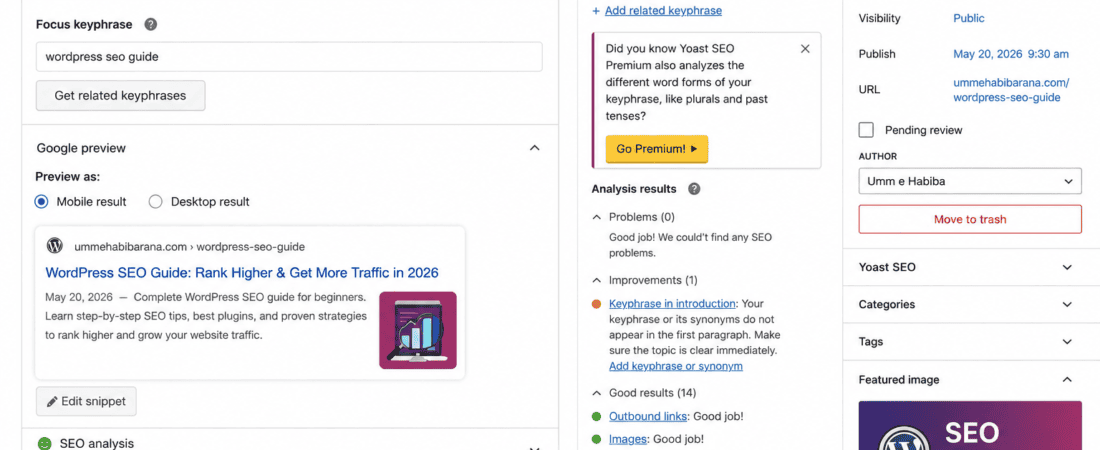
9. Yoast SEO (Free)
Yoast SEO helps WordPress users optimize content structure and reminds writers about internal linking opportunities.
Its free version helps with:
- SEO analysis
- Readability checks
- Basic internal linking recommendations
- Content organization
Many WordPress bloggers combine Yoast with AI writing tools for better optimization.
10. Microsoft Copilot
Microsoft Copilot can analyze your articles and recommend where internal links would naturally fit.
It is useful for:
- Content summaries
- Topic analysis
- Anchor text suggestions
- Supporting article recommendations
- Improving article flow
It works particularly well for bloggers managing a large content library.
Step-by-Step Guide to Automating Internal Linking in WordPress
Step 1: Organize Your Existing Content
Before adding links, review your published articles.
Create a spreadsheet that includes:
- Blog title
- URL
- Main keyword
- Category
- Publish date
- Related topics
This makes it easier for AI tools to identify logical relationships between posts.
Step 2: Identify Pillar Content
Pillar pages are comprehensive articles that cover a broad topic in depth.
Examples include:
- Complete WordPress SEO Guide
- Beginner’s Guide to AI Tools
- Ultimate Blogging Guide
- Digital Marketing Handbook
These pages should receive the highest number of internal links because they act as central resources.
Step 3: Build Topic Clusters
Group articles around a shared subject.
For example:
Pillar Article
Best Free AI Tools
Supporting Articles
- AI Writing Tools
- AI Image Generators
- AI Video Editors
- AI Logo Makers
- AI Productivity Tools
- AI SEO Tools
Each supporting article should link back to the pillar page and to other relevant supporting articles where appropriate.
Step 4: Ask AI for Linking Suggestions
Use prompts like:
Suggest ten relevant internal links for this article.
Recommend the best anchor text.
Identify related topics from my website.
Which older blog posts should link to this article?
AI can quickly identify opportunities that might otherwise be missed.
Step 5: Add Links Naturally
Avoid inserting links randomly.
Instead:
- Place links where they add value.
- Use descriptive anchor text.
- Keep the reading flow smooth.
- Link only when the destination genuinely helps the reader.
Natural placement improves both usability and SEO.
Step 6: Review Anchor Text
Good anchor text should:
- Clearly describe the destination page
- Include keywords naturally
- Avoid generic phrases like “click here”
- Match the surrounding content
Good Examples
- AI image editing tools
- WordPress SEO guide
- free AI writing software
- AI logo generators
Poor Examples
- lick here
- Read this
- More info
- Visit page
Step 7: Link New Posts to Older Articles
Whenever you publish a new blog:
- Link to 3–5 older relevant articles.
- Update older articles to include links back to the new post.
- Strengthen the relationship between related topics.
This keeps your entire website interconnected and helps search engines discover fresh content.
Step 8: Monitor Internal Link Performance
Use tools such as:
- Google Search Console
- Google Analytics
- Rank Math
- Yoast SEO
Monitor:
- Organic traffic
- Average time on page
- Bounce rate
- Indexed pages
- Crawl errors
- Click-through rates
Use these insights to refine your internal linking strategy over time.
Internal Linking Best Practices
To maximize SEO benefits:
- Link to relevant content only.
- Use descriptive anchor text.
- Avoid excessive links on a single page.
- Update old posts regularly.
- Prioritize linking to important pages.
- Fix broken internal links promptly.
- Review your internal links every few months.
- Ensure every important page receives multiple internal links.
A thoughtful linking strategy helps both users and search engines navigate your website more effectively.
Common Types of Internal Links
Contextual Links
These are links placed naturally within the body of your content and are the most valuable for SEO.
Navigation Links
Found in menus, headers, and sidebars, these help users access key sections of your website.
Footer Links
Useful for linking to essential pages such as contact information, privacy policy, categories, or cornerstone content.
Related Posts
Displaying related articles at the end of a post encourages readers to continue exploring your site.
Category Links
Organizing content into categories allows users and search engines to browse related topics efficiently.
Internal Linking Mistakes to Avoid
Avoid these common errors:
- Linking unrelated pages
- Using the same anchor text repeatedly
- Creating orphan pages with no internal links
- Overloading pages with too many links
- Linking to outdated or low-quality content
- Ignoring new content when updating older posts
- Forgetting to check for broken links
These mistakes can reduce the effectiveness of your SEO efforts and negatively impact user experience.
AI Prompts for Better Internal Linking
Here are some useful prompts you can use with AI assistants:
- Analyze this article and suggest ten relevant internal links.
- Recommend descriptive anchor text for each suggested link.
- Identify pages that should link back to this article.
- Group my blog posts into logical topic clusters.
- Find orphan pages that need additional internal links.
- Suggest ways to improve my website’s internal linking structure.
- Recommend pillar pages based on my existing content.
- Create an internal linking plan for a WordPress website about AI tools.
These prompts can help streamline your workflow and uncover linking opportunities that improve SEO.
Advanced Tips to Maximize Internal Linking with AI
Once you’ve built a basic internal linking structure, you can use AI to refine and scale your strategy for even better SEO results.
1. Prioritize High-Authority Pages
Identify the pages on your website that already receive the most organic traffic and backlinks. AI can help recommend opportunities to link from these authoritative pages to newer or lower-performing posts, helping distribute link equity across your site.
2. Refresh Older Articles Regularly
Instead of only linking from new posts, revisit older articles every few months.
AI can help you:
- Find outdated content
- Suggest newly published related posts
- Recommend better anchor text
- Identify missing internal links
Updating older posts keeps your website interconnected as your content library grows.
3. Create Comprehensive Topic Clusters
Google increasingly rewards websites that demonstrate topical authority.
For example, if your website focuses on AI tools, create a central pillar page such as Complete Guide to Free AI Tools, then connect it with supporting articles like:
- AI image generators
- AI writing assistants
- AI video editors
- AI logo makers
- AI SEO tools
- AI productivity software
This cluster structure helps search engines understand your expertise on the topic.
4. Balance Link Distribution
Avoid sending all internal links to just a few popular pages.
Instead:
- Link to newer articles.
- Support evergreen content.
- Strengthen category pages.
- Ensure important pages receive links from multiple relevant posts.
A balanced structure improves crawlability and overall SEO performance.
5. Audit Your Internal Links Periodically
As your website grows, internal links can become outdated.
Review your site every few months to:
- Remove broken links
- Replace outdated destinations
- Add links to newly published content
- Improve anchor text where needed
Regular maintenance keeps your internal linking strategy effective over time.
Measuring the Success of Your Internal Linking Strategy
After implementing AI-powered internal linking, monitor your results using analytics tools.
Track metrics such as:
- Organic traffic
- Average session duration
- Pages per session
- Bounce rate
- Indexed pages
- Crawl statistics
- Keyword rankings
- Click-through rate (CTR)
- Conversion rate (if applicable)
Improvements in these metrics often indicate that users and search engines are navigating your website more effectively.
AI Prompts for Internal Link Optimization
These prompts can help generate better recommendations from AI tools:
Prompt 1
Analyze this article and suggest the best internal linking opportunities based on related topics.
Prompt 2
Recommend descriptive and natural anchor text for each suggested internal link.
Prompt 3
Identify any orphan pages in this content list and suggest where they should be linked.
Prompt 4
Create a topic cluster strategy for a WordPress website focused on AI tools.
Prompt 5
Suggest five older blog posts that should link to this newly published article.
Prompt 6
Recommend improvements to make my internal linking structure more SEO-friendly.
Prompt 7
Review this article and identify missing contextual internal links.
Prompt 8
Build an internal linking plan for a website with over 200 blog posts.
Common Mistakes to Avoid
Even with AI assistance, avoid these common issues:
Linking Irrelevant Pages
Only connect pages that are genuinely related. Irrelevant links can confuse readers and weaken your SEO strategy.
Overusing the Same Anchor Text
Repeatedly using identical anchor text can look unnatural.
Instead, vary your anchor text while keeping it descriptive and relevant.
Ignoring Orphan Pages
Pages with no internal links are difficult for search engines and visitors to discover.
Regularly identify and connect orphan pages to the rest of your content.
Adding Too Many Links
Excessive internal links can overwhelm readers.
Focus on quality rather than quantity, linking only where it adds value.
Forgetting to Update Older Content
As your website expands, revisit older articles to add links to newly published posts.
This helps maintain a healthy internal linking structure.
Frequently Asked Questions (FAQs)
What is automated internal linking?
Automated internal linking uses AI tools or WordPress plugins to identify related content and recommend or create internal links, reducing the need for manual linking.
Does internal linking improve SEO?
Yes. Internal links help search engines crawl your website, distribute authority between pages, improve user navigation, and strengthen topical relevance.
Are free AI tools enough for internal linking?
For many bloggers and small websites, free AI tools provide excellent suggestions for identifying related content, improving anchor text, and planning topic clusters. Larger websites may benefit from premium automation features, but free tools are a strong starting point.
How many internal links should a blog post include?
There is no fixed number. Add links naturally where they enhance the reader’s experience. A comprehensive article often includes several relevant contextual links, depending on its length and topic.
Which AI tool is best for internal linking?
ChatGPT is highly effective for analyzing content and suggesting link opportunities. Combining it with Google Gemini, Claude AI, and WordPress SEO plugins such as Rank Math or Yoast provides a well-rounded workflow.
Can AI automatically insert internal links into WordPress?
Some WordPress plugins offer automated or semi-automated internal linking features. AI assistants, however, generally recommend links that you review and add manually, giving you greater control over quality and relevance.
Final Thoughts
Internal linking is one of the simplest yet most effective ways to improve your WordPress site’s SEO. It helps search engines understand your website’s structure while guiding readers toward more valuable content.
Free AI tools make the process faster by identifying related articles, recommending descriptive anchor text, and helping you build logical content clusters. Instead of spending hours manually searching for linking opportunities, you can use AI to streamline the process and focus on creating high-quality content.
Remember that AI suggestions should always be reviewed before implementation. Prioritize relevance, maintain a natural user experience, and update your internal links regularly as your website grows.
By combining AI-assisted recommendations with sound SEO practices, you’ll build a stronger website architecture, improve crawlability, increase engagement, and create a better experience for both users and search engines.
Conclusion
An effective internal linking strategy is essential for long-term SEO success. Whether you’re managing a small blog or a large WordPress website, free AI tools can simplify the process by helping you discover relationships between your articles and optimize your site’s structure.
Start by organizing your existing content, identifying pillar pages, creating topic clusters, and using AI to recommend meaningful internal links. Monitor your results through analytics, refine your strategy over time, and continue updating older articles to keep your content interconnected.
With consistent effort and smart use of AI, your WordPress website will be better positioned to improve search visibility, increase organic traffic, and deliver a more engaging experience for your readers.
Check out here if you want to know about Free AI Tools to Update and Refresh Old Blog Posts for SEO