
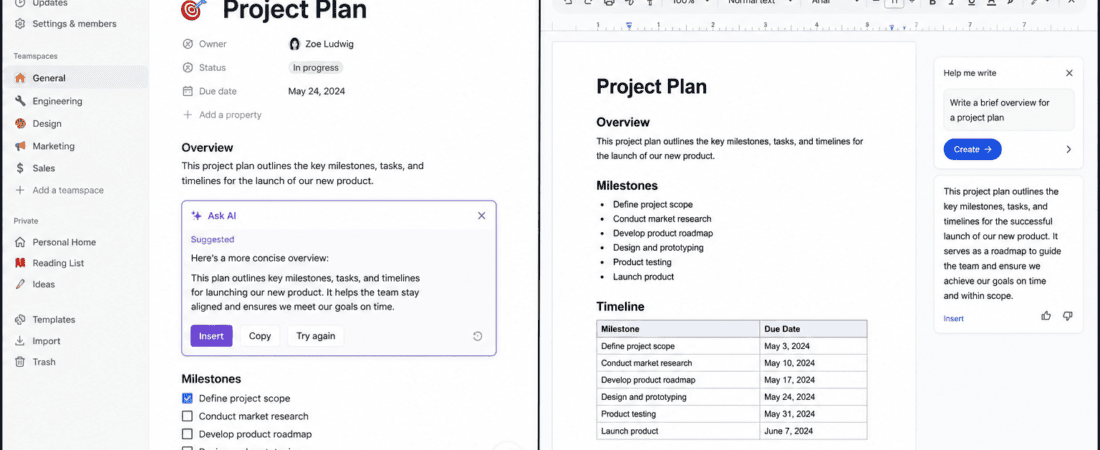
Notion AI vs Google Docs: Choosing the right workspace can make a surprisingly big difference to a content creator’s daily routine.
At first, Notion AI and Google Docs may look like similar tools. Both can be used to write articles, organize information, collaborate with other people, and manage content. But once you start using them for an actual content workflow, the differences become much clearer.
Google Docs has traditionally been the simple, reliable choice for writing and collaboration. It is familiar, fast, easy to share, and deeply connected to the Google ecosystem. Notion, meanwhile, takes a broader approach. It combines documents, databases, project management, knowledge management, calendars, and AI-powered features inside one workspace.
For content creators, that creates an interesting question:
Is Notion AI or Google Docs the better free workspace for creating and managing content?
The answer depends on what you actually need.
If your main requirement is writing articles and sharing documents with clients or editors, Google Docs remains extremely difficult to beat.
If you want to build a complete content system containing ideas, keywords, outlines, drafts, publishing schedules, research notes, content calendars, and databases, Notion can be much more powerful.
And there is another important factor in 2026: AI.
Notion has AI built directly into its workspace, while Google Docs now sits inside Google’s broader AI ecosystem, including Gemini-powered document features on eligible plans. Google’s official Docs page describes Gemini in Docs as capable of helping create structured drafts and using information from Drive, Gmail, and Chat for supported workflows.
So let’s compare them properly.
Notion AI vs Google Docs: Quick Comparison
| Feature | Notion AI | Google Docs |
|---|---|---|
| Main purpose | Workspace + knowledge management + documents | Online document editor |
| Writing | Excellent | Excellent |
| AI assistance | Built into Notion | Gemini features available depending on plan |
| Content calendar | Excellent | Basic/manual |
| Databases | Excellent | Limited |
| Project management | Excellent | Basic |
| Real-time collaboration | Yes | Excellent |
| Client sharing | Yes | Excellent |
| Templates | Excellent | Excellent |
| Research organization | Excellent | Good |
| SEO content workflow | Excellent | Good |
| Long-form writing | Very good | Excellent |
| Content library | Excellent | Good |
| Simplicity | Moderate | Excellent |
| Learning curve | Higher | Very low |
| Best for individual writers | Excellent | Excellent |
| Best for teams | Excellent | Excellent |
| Best for simple writing | Good | Excellent |
| Best all-in-one content system | Excellent | Good |
One thing to keep in mind is that “free” does not mean exactly the same thing for both platforms.
Notion currently offers a Free plan at $0 per member per month, with core workspace functionality and trial AI capabilities. However, Notion’s documentation says AI usage on Free and Plus plans is limited; after complimentary AI responses are used, continued AI access requires an eligible paid plan.
That distinction matters if you’re specifically searching for a free AI workspace.
What Is Notion AI?
Notion is more than a traditional document editor.
It combines:
- Notes
- Documents
- Databases
- Wikis
- Project management
- Content calendars
- Task management
- Knowledge bases
- AI assistance
Notion AI sits inside that environment.
According to Notion’s documentation, AI can help with writing and editing, summaries, brainstorming, translations, database tasks, research, and other workspace-related activities.
This makes the experience different from simply opening a blank document.
Instead of having one page called “Blog Post,” you can create an entire content system around that blog post.
For example, a content creator could have:
Content Ideas → Keyword Research → Article Outline → Draft → Editing → SEO → Published
Each stage can be represented using pages, databases, properties, tags, and views.
That’s where Notion starts becoming much more interesting.
What Is Google Docs?
Google Docs is primarily an online word processor.
Its biggest strength is simplicity.
You open a document and start writing.
You can:
- Write articles
- Format text
- Add images
- Insert tables
- Leave comments
- Suggest edits
- Share documents
- Collaborate in real time
- Track document history
- Download documents in different formats
For content creators who simply need a reliable place to write, that simplicity is a major advantage.
Google Docs also has a massive ecosystem around it.
Many writers already use:
- Google Drive
- Gmail
- Google Sheets
- Google Calendar
- Google Meet
So Docs naturally fits into an existing workflow.
Google’s current Docs product also highlights AI-powered features through Gemini for eligible users, including generating structured documents and using information from connected Google services in supported workflows.
Notion AI vs Google Docs: The Biggest Difference
The easiest way to understand the difference is this:
Google Docs is primarily a document.
Notion is primarily a workspace.
That distinction sounds small, but it changes everything.
Imagine you’re writing 30 blog posts.
In Google Docs, you might create:
- Blog 1
- Blog 2
- Blog 3
- Blog 4
Then put them inside folders.
That’s perfectly workable.
In Notion, you could create a database with columns such as:
- Title
- Keyword
- Search intent
- Category
- Writer
- Status
- Deadline
- Word count
- Editor
- Publishing date
- URL
Then create different views:
Ideas
Writing
Editing
Scheduled
Published
Now your content isn’t simply stored.
It’s managed.
Notion AI for Content Creators: Practical Workflow
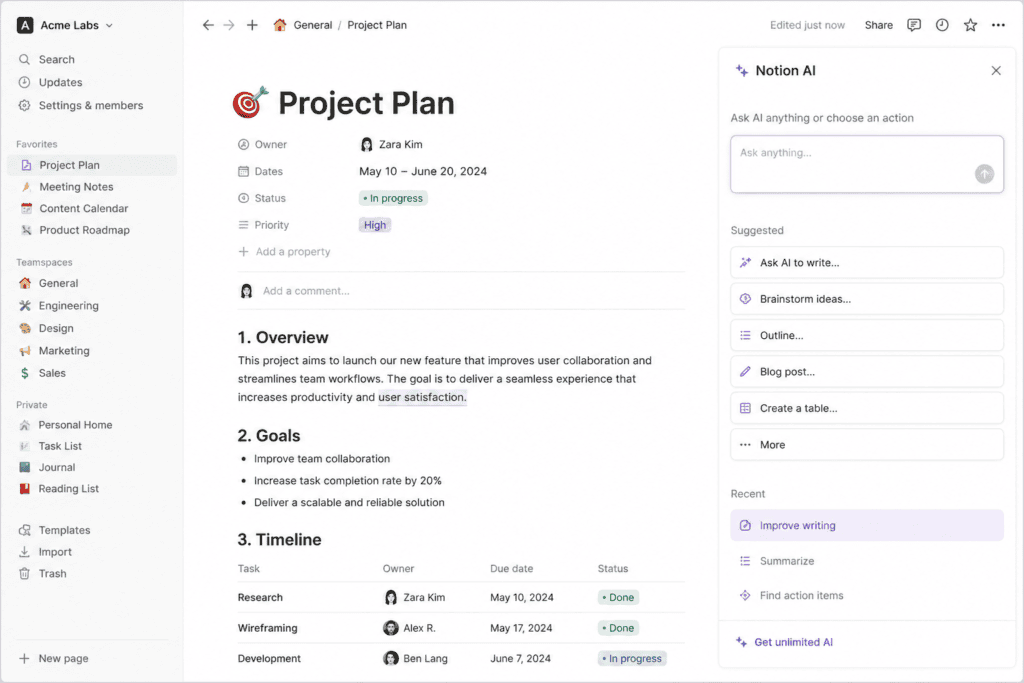
When approaching Notion AI from a content creator’s perspective, its biggest advantage is how closely the AI sits alongside the rest of the workspace.
Instead of moving between a document and a separate AI assistant, you can work with AI within your Notion pages.
Notion says AI can edit selected content, generate new content, create outlines, brainstorm, summarize pages, translate content, and work with contextual information from the workspace.
A practical workflow could look like this:
Step 1: Create a content database
Create a database called:
Blog Content Calendar
Add properties for:
- Title
- Primary keyword
- Secondary keywords
- Category
- Status
- Deadline
- Writer
- Word count
Step 2: Add ideas
Every time you think of an article idea, add it to the database.
You don’t have to create a complete document immediately.
Step 3: Build the outline
Create a page for the article and use AI to help develop an outline.
Step 4: Write the article
Draft directly inside the page.
Step 5: Edit
Use AI to identify:
- Repetition
- Grammar issues
- Weak transitions
- Long sentences
- Unclear sections
Step 6: Publish
Once the article is complete, change the status to “Published.”
This creates a complete content pipeline.
That’s the part of Notion that can be difficult to reproduce in a simple document editor.
Google Docs for Content Creators: Practical Workflow
Google Docs takes a different approach.
The workflow is much more linear:
Idea → Document → Draft → Edit → Share → Publish
That simplicity is useful.
Suppose a client sends you a brief.
You open Google Docs.
You paste the brief.
You start writing.
Then you share the document with your editor or client.
They leave comments.
You make changes.
Done.
There isn’t much setup.
And for many content creators, that’s exactly what they want.
Which Has the Better Writing Experience?
This category is surprisingly close.
Google Docs feels like a traditional word processor.
The interface stays focused on the document.
That makes it excellent for long-form writing.
If I’m writing a 3,000-word article, I don’t necessarily want to see databases, project boards, calendars, and dozens of other workspace elements.
Sometimes I just want:
A blank page and a keyboard.
Google Docs does this extremely well.
Notion’s editor is more flexible because almost everything is built from blocks.
You can place:
- Text
- Headings
- Images
- Tables
- Databases
- Callouts
- Checklists
- Embeds
inside the same page.
This is great for structured content.
But writers who prefer a traditional document experience may find Google Docs more comfortable.
Winner for pure writing: Google Docs
Which Has Better AI for Content Creation?
This comparison requires an important qualification.
Notion AI is directly integrated into the Notion workspace. Its documented capabilities include writing assistance, editing, summaries, brainstorming, translations, database-related tasks, and workspace-aware assistance.
Google Docs has Gemini features for supported users and plans. Google describes Gemini in Docs as helping users generate professional, structured documents and work with information from Google’s ecosystem.
For a content creator, the difference is less about “which AI is smarter” and more about where the AI gets its context.
Notion’s advantage is its workspace structure.
Google’s advantage is the Google ecosystem.
Winner for workspace-integrated content systems: Notion AI
Winner for traditional document workflows: Google Docs
Notion AI vs Google Docs for Blog Writing
Blog writing involves more than typing paragraphs.
A serious blog workflow usually includes:
- Topic research
- Keyword research
- Search intent
- Outline
- Draft
- Editing
- SEO optimization
- Images
- Internal links
- Publishing
- Promotion
Notion can store all of these elements in one connected workspace.
For example:
Article title: Best Free AI Writing Tools
Keyword: free AI writing tools
Status: Editing
Writer: Assigned writer
Deadline: August 15
Meta description: Added
Featured image: Ready
Social captions: Pending
This is much more organized than having separate documents scattered around a Drive folder.
Google Docs can still handle the actual article beautifully, but you’ll probably need Google Sheets, Calendar, Drive, or another project-management system for the rest.
Winner: Notion
Notion AI vs Google Docs for Content Calendars
This is one of Notion’s strongest categories.
A Notion database can function as a content calendar.
You can create views such as:
- Calendar
- Table
- Board
- List
For example:
| Date | Content | Platform | Status |
|---|---|---|---|
| Aug 10 | AI Writing Tools | Blog | Editing |
| Aug 11 | Instagram Tips | Blog | Draft |
| Aug 12 | AI Design Tools | Scheduled |
This makes it much easier to see the overall content strategy.
Google Docs can store a content calendar, but it doesn’t naturally behave like a content database.
You would probably use Google Sheets instead.
Winner: Notion
Notion AI vs Google Docs for SEO Writers
SEO writers usually manage lots of information.
One article might have:
- Primary keyword
- Secondary keywords
- Questions
- Competitors
- Search intent
- Word count
- Title
- Meta description
- Slug
- Internal links
- External sources
Notion is excellent for storing these details.
You could create a database template for every new blog post.
Whenever you create a new article, the template automatically provides the same structure.
That saves time.
Google Docs is better for the actual writing experience, but Notion is better for organizing the SEO workflow around the article.
Winner: Notion
Notion AI vs Google Docs for Freelance Writers
Freelancers have another problem:
Client management.
You don’t only write.
You may also need to track:
- Clients
- Projects
- Deadlines
- Payments
- Content
- Revisions
- Deliverables
Notion can combine these into one workspace.
You might create:
Clients database
Projects database
Content database
Invoice tracker
Editorial calendar
These can be connected.
Google Docs isn’t designed to be a complete freelance management system.
You can use Google Sheets alongside Docs, but then you’re working with multiple applications.
Winner: Notion
Google Docs for Client Collaboration
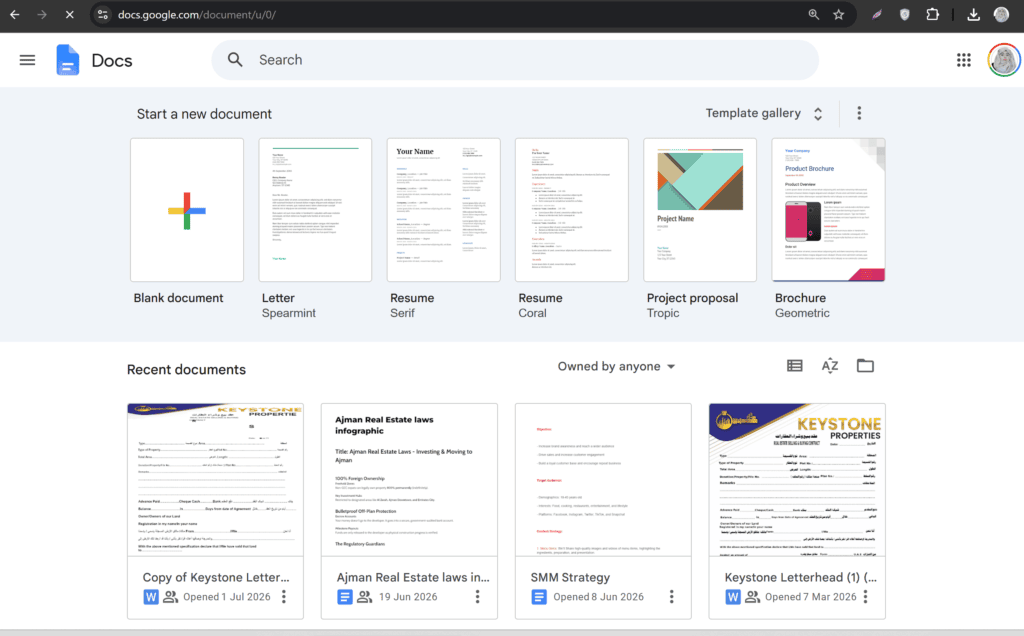
This is where Google Docs remains extremely strong.
Many clients already know how to use it.
You send a link.
They open it.
They comment.
You respond.
They suggest changes.
You accept or reject them.
The workflow is familiar.
That familiarity matters.
If a client says:
“Please send the article in Google Docs.”
you don’t want to force them into a completely different workspace.
For agencies and freelancers working with many clients, compatibility can be more important than having extra features.
Winner: Google Docs
Notion AI vs Google Docs for Team Collaboration
Both support collaboration, but they approach it differently.
Google Docs is excellent for collaborative document editing.
Notion is excellent for collaborative workspaces.
If five people are editing one article simultaneously, Google Docs feels natural.
If ten people are managing dozens of content projects, Notion’s databases and workspace structure become more valuable.
One article: Google Docs
Entire content operation: Notion
Which Is Better for Organizing Research?
Notion has a major advantage here.
You can create a research database containing:
- Source
- URL
- Topic
- Key finding
- Category
- Notes
- Article
- Status
You can then connect research pages to specific articles.
This creates a personal knowledge library.
Notion’s current AI features can also work with information stored in the workspace and, on eligible plans/features, connected sources.
Google Docs can store research notes, but the organization is more document-oriented.
Winner: Notion
Notion AI vs Google Docs for Long-Form Articles
For writing a long article, Google Docs has an important advantage:
It feels like writing.
There are fewer distractions.
You can concentrate on:
- Paragraphs
- Headings
- Formatting
- Comments
- Editing
Notion can absolutely handle long-form content, but its additional workspace features can make the experience feel more like a knowledge-management environment.
If your entire workflow happens inside Notion, that isn’t necessarily a disadvantage.
But if you’re comparing only the writing interface, Google Docs gets the advantage.
Winner: Google Docs
Which Is Better for Content Templates?
Notion is particularly powerful for templates.
You can create a standard article template containing:
Title
Introduction
Main Section
Supporting Section
Examples
FAQs
Conclusion
SEO Information
Primary keyword:
Meta title:
Meta description:
Slug:
Every new article can start from this structure.
Google Docs also offers templates, but Notion’s database templates can be tied directly to a content management workflow.
Winner: Notion
Notion AI vs Google Docs for Social Media Content
A content creator rarely works on blogs alone.
You may also create:
- Instagram captions
- LinkedIn posts
- Facebook posts
- Pinterest descriptions
- TikTok scripts
- Email newsletters
Notion can store all of these content types inside one database.
You could create a “Content Type” property:
Blog
Then filter your content calendar based on platform.
That’s extremely useful for social media managers.
Google Docs can store all of these too, but the organization requires more manual work.
Winner: Notion
Notion AI vs Google Docs for Email Newsletters
Google Docs has a natural relationship with Gmail.
If your workflow already revolves around Google Workspace, creating an email draft in Docs and moving it into Gmail is straightforward.
Notion can organize newsletters more systematically.
For example:
| Newsletter | Subject | Status | Date |
|---|---|---|---|
| #01 | AI Tools | Draft | Aug 10 |
| #02 | SEO Tips | Editing | Aug 17 |
| #03 | Content Ideas | Scheduled | Aug 24 |
Winner for organization: Notion
Winner for Google-based workflow: Google Docs
Is Notion AI Really Free?
This is an important question because many articles describe Notion AI as completely free without explaining the current limitations.
Notion’s Free plan is currently $0 per member per month and includes trial AI capabilities. However, Notion’s help documentation states that Free and Plus users receive a limited amount of complimentary AI usage. Once those complimentary responses are exhausted, continued AI use requires an eligible upgrade.
So it’s more accurate to call Notion:
A free workspace with limited AI trial access
rather than:
Unlimited free Notion AI.
This distinction is important for anyone planning a high-volume AI writing workflow.
Is Google Docs Free?
Google Docs has long offered a free personal web-based document workflow through a Google account.
The basic document editor is one of the reasons it became so popular.
However, Google’s newer AI capabilities are not necessarily equivalent to the basic free Docs experience. Gemini features can depend on the Google Workspace plan or product access available to the user.
So again, don’t confuse:
Free Google Docs
with:
Every Gemini feature being free.
Which Tool Is Better for a Solo Blogger?
If you’re a solo blogger, I’d make the choice based on how you work.
Choose Google Docs if:
- You mainly write articles.
- You want simplicity.
- You share documents with editors.
- You already use Google Drive.
- You don’t want to build a complicated system.
Choose Notion if:
- You publish frequently.
- You manage many topics.
- You need a content calendar.
- You want keyword tracking.
- You want a content database.
- You want research organized with articles.
For a serious content operation, Notion’s organizational advantage is hard to ignore.
Which Tool Is Better for Social Media Managers?
Notion is usually the stronger option.
Social media managers work with multiple platforms, clients, deadlines, content formats, and approval stages.
A Notion database can track all of these.
For example:
Client: Brand A
Platform: Instagram
Content: Reel
Caption: Ready
Creative: Pending
Approval: Waiting
Publish date: August 12
That’s much more useful than simply having a folder full of documents.
Winner: Notion
Which Tool Is Better for Content Agencies?
Again, Notion has the advantage as a workspace.
An agency can create systems for:
- Client onboarding
- Content planning
- Editorial calendars
- Writing
- Editing
- Approvals
- Publishing
- Reporting
Google Docs can remain part of the system for clients who prefer it.
In fact, the two don’t necessarily have to compete.
A practical agency workflow could be:
Notion = internal content management
Google Docs = client-facing document editing
This can actually be better than choosing only one.
Notion AI vs Google Docs: Best Workflow for Content Creators
If I were designing a content system from scratch, I’d structure it around stages.
Stage 1: Idea collection
Use Notion as an idea database.
Capture every topic immediately.
Stage 2: Keyword research
Add:
- Primary keyword
- Search intent
- Related terms
- Target audience
Stage 3: Outline
Create an article page and build the outline.
Stage 4: Drafting
Write the first version.
Stage 5: AI editing
Use available AI features to improve clarity, structure, and readability.
Stage 6: Human editing
Check:
- Facts
- Tone
- Originality
- Examples
- Sources
Stage 7: SEO
Add:
- Title
- Meta description
- Slug
- Internal links
Stage 8: Publication
Change the status to:
Published
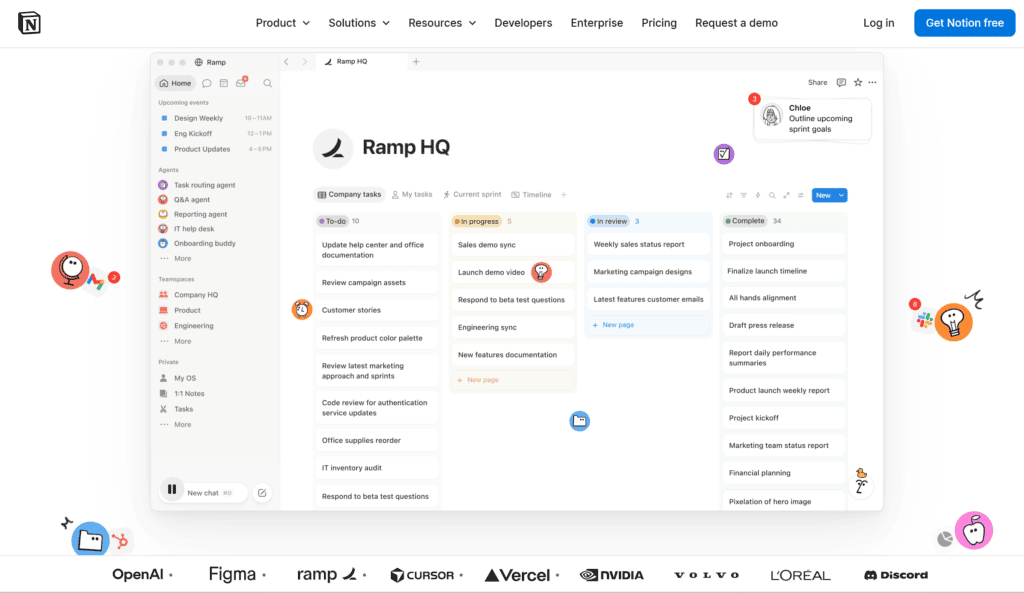
This workflow turns Notion into a content operating system rather than simply a place to store articles.
Best Notion AI Prompts for Content Creators
Here are some practical prompts you can adapt.
Blog outline
Create a detailed outline for a 2,500-word article targeting this keyword. Organize the outline logically and avoid unnecessary sections.
Introduction
Write a concise introduction that explains the reader’s problem, establishes relevance, and previews the solution without using generic filler.
Editing
Improve this section for clarity and readability. Preserve the original information and do not introduce unsupported claims.
Content expansion
Expand this section with useful explanations and examples while avoiding repetition.
Summary
Summarize this article into five key takeaways that a reader can understand quickly.
SEO editing
Review this article for keyword placement, headings, readability, search intent, and unnecessary repetition. Suggest improvements without keyword stuffing.
Notion’s documentation specifically describes AI functionality for editing, expanding or shortening writing, creating outlines, brainstorming, summaries, and other writing tasks.
Best Google Docs Workflow for Content Creators
Google Docs can be extremely efficient if you don’t overcomplicate it.
Create a folder:
Content 2026
Inside it:
- Ideas
- Drafts
- Editing
- Published
- Client Work
Then create a standard article template.
At the top:
Title
Primary keyword
Search intent
Target audience
Word count
Then:
Introduction
H2 sections
FAQs
Conclusion
SEO information
This gives Google Docs some of the structure that Notion naturally provides.
Can Notion Replace Google Docs?
For some users, yes.
For others, no.
Notion can handle long-form documents, collaboration, templates, and content organization.
But Google Docs remains extremely strong when the main requirement is straightforward document creation and collaborative editing.
If your clients expect Google Docs, replacing it entirely may create unnecessary friction.
Can Google Docs Replace Notion?
Technically, you can build a lot of systems using Google Docs, Sheets, Drive, Calendar, and other Google products.
But you’ll be spreading your workflow across several applications.
Notion’s biggest advantage is that it puts multiple functions into one workspace.
That’s the real comparison.
It’s not:
Notion vs one Google Doc.
It’s closer to:
Notion workspace vs a collection of Google productivity tools.
Notion AI vs Google Docs: Pros and Cons
Notion AI Pros
- Powerful workspace structure
- Databases
- Content calendars
- Flexible templates
- AI integrated into pages
- Knowledge management
- Excellent for content systems
- Useful for organizing research
- Multiple views for content workflows
Notion AI Cons
- Higher learning curve
- Can feel overwhelming initially
- Free AI usage is limited
- Some advanced AI functionality requires paid access
- More setup than Google Docs
Google Docs Pros
- Extremely easy to use
- Excellent writing experience
- Excellent collaboration
- Familiar to clients
- Simple sharing
- Strong Google ecosystem
- Great for long-form writing
- Minimal setup
Google Docs Cons
- Less powerful content management
- Limited database functionality
- Content calendars require other Google tools
- Research organization is less structured
- Advanced AI features depend on access/plan
Final Verdict: Notion AI vs Google Docs
So, which is the best free workspace for content creators?
My answer is:
Notion is better as a complete content workspace.
Google Docs is better as a simple writing workspace.
If you’re a blogger who writes one or two articles occasionally, Google Docs may actually be the better choice.
You don’t need a complicated content management system.
Open a document.
Write.
Edit.
Share.
Done.
But if you’re producing content every day, managing multiple blogs, tracking keywords, working with writers, maintaining a content calendar, collecting research, and planning social media, Notion becomes much more attractive.
Its database system changes the way content can be organized.
Instead of asking:
“Where did I save that article?”
you can ask:
“Show me all articles assigned to Writer A that are currently in editing.”
That’s a completely different workflow.
There is also no reason to treat these tools as enemies.
A very practical setup is:
Notion for planning and organization
Google Docs for client-facing writing and collaboration
This hybrid workflow gives you the strengths of both.
And if AI is your main priority, remember that “free” has limitations. Notion currently provides trial AI usage on its Free and Plus plans rather than unlimited AI access, while Google Docs’ advanced Gemini capabilities depend on the relevant Google product or Workspace access.
Ultimately, the best workspace isn’t the one with the longest feature list.
It’s the one that makes your content process easier.
If your biggest problem is writing, choose Google Docs.
If your biggest problem is organizing content, choose Notion.
If your biggest problem is managing an entire content operation, Notion is probably the stronger choice.
And if you want the best of both worlds, use them together.
Frequently Asked Questions
Is Notion AI better than Google Docs for bloggers?
Notion AI is generally better for bloggers who need content organization, databases, calendars, research management, and structured workflows. Google Docs is better for writers who mainly need a clean document editor.
Is Notion completely free?
Notion has a free plan, but Notion AI is not unlimited on the Free plan. Notion currently provides complimentary AI responses for trial use, after which an eligible paid plan is required for continued AI usage.
Is Google Docs completely free?
The basic Google Docs experience is available free for personal use with a Google account. Some advanced Google Workspace and Gemini features require additional access or eligible plans.
Can Notion AI write blog posts?
Yes. Notion documents that its AI can generate content, create outlines, edit writing, summarize information, brainstorm ideas, and perform other writing-related tasks.
Can Google Docs be used for SEO writing?
Yes. Google Docs is an excellent environment for writing and editing SEO articles. You can manually manage keywords, headings, links, metadata, and content briefs.
Which is better for content calendars?
Notion is generally better because its databases can be displayed as calendar, board, table, and other views.
Which is better for freelance writers?
Google Docs is excellent for client collaboration, while Notion is stronger for managing clients, projects, deadlines, content calendars, and internal workflows.
Can Notion replace Google Docs?
For many individual users, yes. However, Google Docs can remain preferable for clients and teams that already rely heavily on Google Workspace.
Can Google Docs replace Notion?
It can replace some Notion functions when combined with Google Sheets, Drive, Calendar, and other Google tools, but Notion provides a more unified workspace for databases and knowledge management.
Which is better for long-form writing?
Google Docs has the advantage if your priority is a focused, traditional writing environment. Notion is better when the article is part of a larger content management system.
Which is better for AI content creation?
Notion AI is deeply integrated into the Notion workspace. Google Docs offers Gemini-powered features for supported users. The better choice depends on whether you value workspace context or Google’s ecosystem more.
Should content creators use both Notion and Google Docs?
Yes. A hybrid setup can be highly effective: use Notion for planning, organization, research, content calendars, and workflow management, then use Google Docs for writing and client collaboration.
What is the best free workspace for a solo content creator?
For simple writing, Google Docs is one of the easiest choices. For managing a large content pipeline, Notion is generally more powerful. The best option depends on whether your main challenge is writing or organization.
Check out here if you want to know about CapCut Auto Captions vs Clipchamp: Best Free Subtitle Generator Tool