
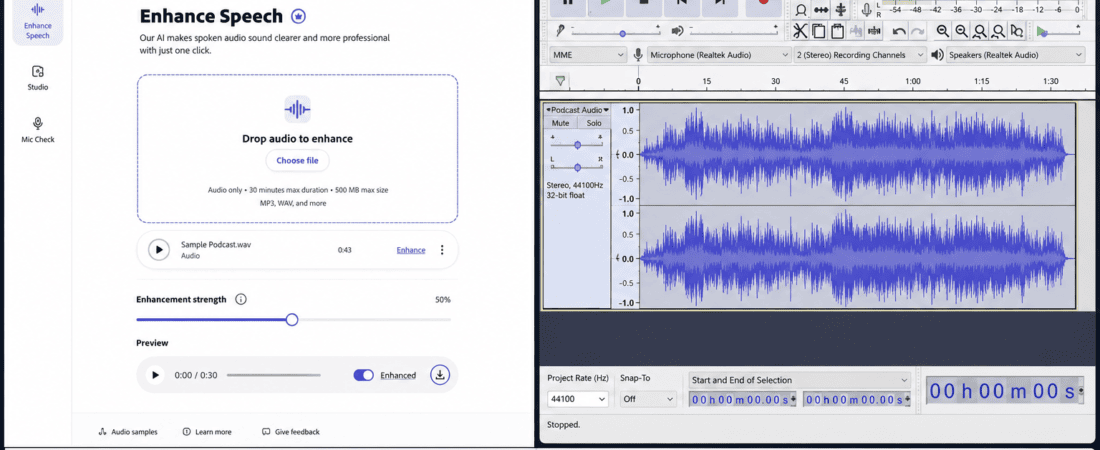
Adobe Podcast AI vs Audacity: A great video can survive average visuals.
It is much harder for a video, podcast, interview, tutorial, or voice-over to survive bad audio.
If your recording contains background noise, room echo, keyboard sounds, fan noise, inconsistent volume, or a muffled voice, viewers may leave before they even understand what you’re saying.
Fortunately, you don’t necessarily need an expensive audio studio or professional sound engineer to improve a recording.
Two tools that frequently come up for free or low-cost audio enhancement are Adobe Podcast AI and Audacity.
Both can make voice recordings sound better, but they approach audio enhancement in completely different ways.
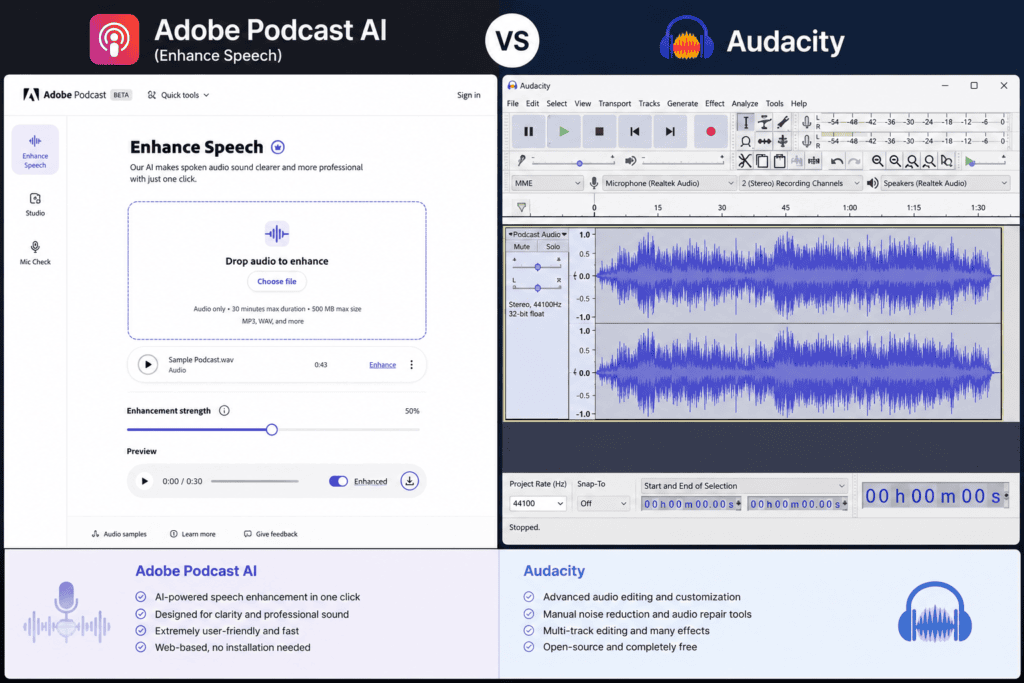
Adobe Podcast uses AI-powered processing to automatically improve spoken audio. Audacity is a traditional open-source audio editor that gives you much more manual control over the recording.
So which one is better?
Adobe Podcast AI vs Audacity: which is the best free audio enhancer?
For beginners who simply want a voice recording to sound cleaner with minimal effort, Adobe Podcast can be incredibly convenient.
For users who want detailed control over noise reduction, equalization, compression, volume, effects, and editing, Audacity is much more flexible.
The interesting part is that neither tool completely replaces the other.
One is focused heavily on making speech sound polished quickly.
The other gives you the editing controls to decide exactly how the audio should be processed.
In this detailed comparison, we’ll compare Adobe Podcast AI and Audacity for voice enhancement, podcasting, YouTube videos, voice-overs, interviews, noise reduction, echo removal, audio editing, beginner-friendliness, professional control, and everyday content creation.
Adobe Podcast AI vs Audacity: Quick Comparison
| Feature | Adobe Podcast AI | Audacity |
|---|---|---|
| Automatic voice enhancement | Excellent | Manual |
| Background noise cleanup | Excellent for supported speech workflows | Excellent with manual processing |
| Echo reduction | Excellent for supported recordings | Possible with manual processing |
| Ease of use | Excellent | Good |
| Manual control | Limited | Excellent |
| Multitrack editing | Limited compared with a DAW | Excellent |
| Audio effects | Limited/simple workflow | Extensive |
| EQ control | Limited | Excellent |
| Compression | Automated/limited workflow | Excellent |
| Podcast editing | Excellent for voice cleanup | Excellent |
| Voice-over cleanup | Excellent | Excellent |
| Music production | Not its main purpose | Excellent |
| Advanced audio editing | Limited | Excellent |
| Beginner friendly | Excellent | Good |
| Fast results | Excellent | Moderate |
| Open-source | No | Yes |
| Desktop software | Web-based workflow | Yes |
| Best for beginners | Adobe Podcast | — |
| Best for advanced editing | — | Audacity |
| Best for quick speech enhancement | Adobe Podcast | — |
| Best for manual control | — | Audacity |
The winner depends on what you want to accomplish.
What Is Adobe Podcast AI?
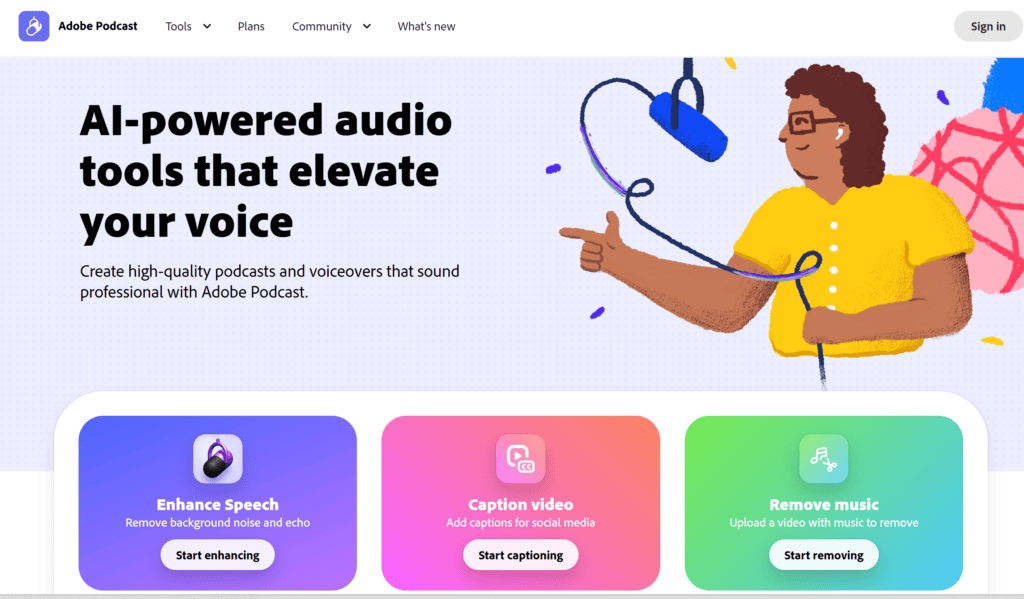
Adobe Podcast is an audio-focused tool designed around improving spoken recordings.
Its appeal is easy to understand.
Instead of opening a complicated audio editor and adjusting dozens of settings, you can upload a voice recording and let AI processing improve the sound.
The goal is generally to make speech clearer and more polished.
This can be especially useful when you’re recording:
- Podcasts
- YouTube narration
- Interviews
- Voice-overs
- Online courses
- Social media videos
- Tutorials
- Presentations
The biggest attraction is simplicity.
You don’t need to understand audio engineering before trying to improve a recording.
What Is Audacity?
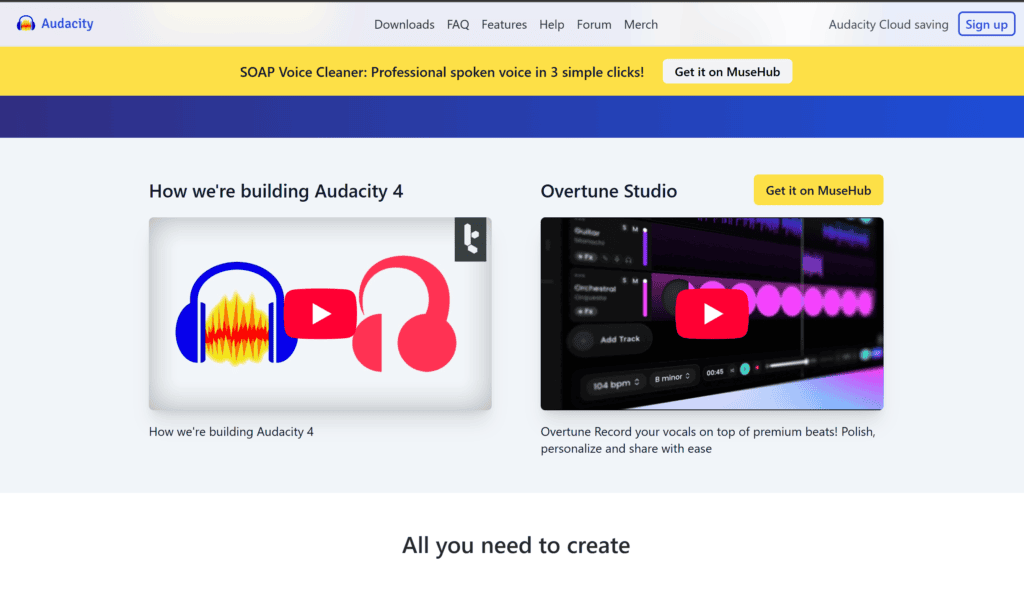
Audacity is a free, open-source audio editor.
It has been around for years and remains popular because it gives users a surprising amount of control without requiring expensive software.
You can use Audacity to:
- Record audio
- Cut clips
- Remove unwanted sections
- Reduce noise
- Adjust volume
- Apply EQ
- Compress audio
- Normalize recordings
- Add effects
- Edit multiple tracks
- Export audio in different formats
Audacity isn’t an AI-first tool.
Instead, it gives you the controls and expects you to decide what processing your recording needs.
That’s both its greatest strength and its biggest learning curve.
Adobe Podcast AI vs Audacity: The Biggest Difference
The easiest way to understand the difference is this:
Adobe Podcast asks: “How can we improve this voice automatically?”
Audacity asks: “What exactly do you want to do with this audio?”
That distinction matters.
If you’re a beginner who has recorded a voice-over on a laptop microphone and simply wants it to sound cleaner, Adobe Podcast can be much faster.
If you’re an editor who wants to remove a specific noise, adjust frequencies, compress dynamic range, cut breaths, balance multiple speakers, and process individual tracks, Audacity gives you much more control.
My Practical Adobe Podcast AI Experience
When I use an AI voice-enhancement workflow, what I appreciate most is the reduction in technical decision-making.
With traditional audio editing, I may need to ask:
- How much noise reduction should I apply?
- Should I use compression?
- Do I need EQ?
- Is the room echo too strong?
- Should I normalize the track?
- Did processing create artifacts?
With Adobe Podcast’s speech enhancement approach, much of that complexity is handled automatically.
I can start with a recording that sounds somewhat ordinary and see how much cleaner the processed version becomes.
That makes it particularly useful when I’m dealing with a large number of voice recordings.
For example, if I have several short social media voice-overs to process, I don’t necessarily want to spend ten minutes manually adjusting every recording.
The AI-first workflow can save a significant amount of time.
That said, I don’t treat the enhanced output as automatically perfect.
If the original recording is extremely distorted or contains severe noise, AI enhancement has limits.
Sometimes the result can sound overly processed or unnatural, especially when the original recording is very poor.
So I still listen carefully before using the final file.
My Practical Audacity Experience
Audacity feels completely different.
When I open a recording in Audacity, I have much more control over what happens to the waveform.
For simple recordings, I can start with noise reduction, then use EQ, compression, and normalization where appropriate.
The advantage is that I can make decisions based on what I’m hearing.
For example, if a voice sounds muddy, I can experiment with EQ.
If the volume changes too much between sentences, compression can help.
If there’s a constant background hum, noise-reduction tools may help reduce it.
The downside is that I have to know what I’m doing.
It’s very easy for a beginner to over-process a recording.
Too much noise reduction can produce strange artifacts.
Too much compression can make a voice sound unnatural.
Aggressive EQ can make speech harsh.
That’s why Audacity rewards patience.
Which Is Easier for Beginners?
Adobe Podcast wins this category.
A beginner doesn’t need to understand:
- Frequency bands
- Compression ratios
- Thresholds
- Attack and release
- Noise profiles
- Normalization
to start improving a voice recording.
The AI approach handles much of the technical work.
Audacity is still beginner-friendly compared with many professional DAWs, but there is more to learn.
Winner: Adobe Podcast AI
Which Gives Better Manual Control?
Audacity wins easily.
You can decide exactly how to process your recording.
For someone who understands audio editing, this is extremely valuable.
You can build a complete processing chain around your specific recording.
For example:
Noise reduction → EQ → Compression → Normalization → Limiting
The exact chain depends on the audio.
Adobe Podcast doesn’t offer the same level of manual control because automation is part of its appeal.
Winner: Audacity
Adobe Podcast AI vs Audacity for Background Noise
Background noise is one of the most common problems in home recordings.
Examples include:
- Fans
- Air conditioners
- Traffic
- Computer noise
- Room ambience
- Keyboard sounds
- Electrical hum
Adobe Podcast is attractive because it attempts to clean spoken audio automatically.
For a creator who doesn’t know audio processing, that’s a major advantage.
Audacity can also reduce background noise, but the user needs to apply the appropriate processing.
The advantage is control.
The disadvantage is learning.
Best for automatic cleanup: Adobe Podcast
Best for manual cleanup: Audacity
Which Is Better for Echo Removal?
Room echo can make a recording sound distant.
This commonly happens when recording in:
- Empty rooms
- Large bedrooms
- Offices
- Kitchens
- Rooms with hard surfaces
AI speech enhancement can be particularly useful for recordings affected by room sound.
Audacity can improve certain aspects of problematic audio, but traditional editing isn’t always a magic solution for severe room reverberation.
If your primary problem is a voice recorded in a poor acoustic environment, an AI speech enhancement workflow can be extremely convenient.
Winner for ease: Adobe Podcast
Adobe Podcast vs Audacity for Voice-Overs
Voice-over creators usually want:
- Clear speech
- Consistent volume
- Minimal background noise
- Pleasant tone
- Easy workflow
Adobe Podcast is very appealing for this.
You can focus more on recording your script and less on technical processing.
Audacity is also excellent if you’re comfortable creating your own processing chain.
For professional voice-over work, manual control can be useful because different voices need different treatment.
Beginner voice-over creator: Adobe Podcast
Experienced audio editor: Audacity
Which Is Better for YouTube Videos?
Both can work extremely well.
The right choice depends on your workflow.
If you record narration separately and want to clean it quickly, Adobe Podcast can be convenient.
If you’re editing a complicated YouTube project with multiple audio tracks, music, sound effects, and detailed editing, Audacity becomes more useful.
For example, a YouTube tutorial might contain:
- Voice-over
- Intro music
- Screen-recording audio
- Sound effects
- Background music
Audacity gives you more flexibility in managing those elements.
Winner for simple narration: Adobe Podcast
Winner for detailed audio editing: Audacity
Adobe Podcast AI vs Audacity for Podcasting
Podcasters have different needs.
A solo podcast may need:
- Voice cleanup
- Noise reduction
- Volume adjustment
- Intro/outro editing
Adobe Podcast can simplify the voice-cleanup part.
But a podcast with multiple guests and several tracks may benefit from Audacity’s editing environment.
You can edit separate tracks and move sections around more precisely.
Solo beginner podcast: Adobe Podcast
Multi-track editing: Audacity
Which Is Better for Interviews?
Interviews can be difficult because you’re often dealing with different microphones.
One speaker might sound loud.
Another might sound quiet.
One microphone might record room noise.
Another might sound clean.
Audacity gives you the ability to edit and balance different recordings manually.
Adobe Podcast can be helpful when improving speech quality, but it doesn’t replace detailed multitrack editing.
Winner for complex interviews: Audacity
Adobe Podcast AI vs Audacity for Audio Quality
This is not as simple as choosing the tool with “better quality.”
The quality of the final recording depends heavily on the original audio.
A poor microphone in a noisy room cannot always be transformed into studio-quality audio.
AI can improve intelligibility.
Manual processing can improve tonal balance.
But neither tool can magically recreate information that was never captured.
That’s why recording technique matters.
How to Get Better Audio Before Enhancement
Before opening either tool, improve the recording itself.
Record close to the microphone
The closer your voice is to a suitable microphone, the stronger the voice signal is relative to room noise.
Reduce background noise
Turn off unnecessary fans, televisions, and noisy appliances.
Avoid empty rooms
Soft furnishings can reduce reflections.
Maintain consistent microphone distance
Moving dramatically closer and farther from the microphone creates inconsistent volume.
Monitor your recording
If possible, listen through headphones while recording.
Fixing a bad recording at the source is almost always easier than repairing it afterward.
Which Is Better for Noise Reduction?
Audacity gives you more traditional noise-reduction control.
A typical workflow might involve selecting a section containing only background noise and using it to help identify the noise profile.
Then you can apply reduction to the recording.
This can work very well when the unwanted noise is relatively consistent.
Adobe Podcast takes a different approach by using AI processing to enhance speech and reduce unwanted audio characteristics automatically.
Winner for simplicity: Adobe Podcast
Winner for control: Audacity
Adobe Podcast AI vs Audacity for Compression
Compression helps reduce excessive differences between loud and quiet parts of a recording.
This can make speech feel more consistent.
Audacity provides traditional compression controls.
That means you can experiment with settings depending on the recording.
Adobe Podcast’s automated enhancement approach is easier for users who don’t want to understand compression settings.
For advanced audio editing, however, manual control is valuable.
Winner: Audacity
Which Is Better for EQ?
EQ allows you to adjust different frequency ranges.
For example, you might use EQ to reduce muddiness or improve clarity.
Audacity gives you direct control over this process.
Adobe Podcast focuses more on automated speech improvement.
If you’re an audio editor who enjoys shaping the sound of a voice manually, Audacity is clearly the better choice.
Winner: Audacity
Which Is Better for Removing Silence?
Audacity gives you detailed editing control.
You can manually remove:
- Long pauses
- Mistakes
- Repeated sentences
- Unwanted sections
- Dead air
This is useful for podcasts and long-form recordings.
AI enhancement and audio editing are different tasks.
A tool can make your voice sound better without necessarily making the entire episode shorter.
Winner: Audacity
Adobe Podcast vs Audacity for Podcast Editing
A podcast production workflow often looks like:
Record → Edit → Clean → Balance → Add music → Export
Audacity is designed to support this kind of detailed workflow.
Adobe Podcast is particularly useful for the cleaning and enhancement part.
That’s why the tools can actually complement each other.
You could record and edit in Audacity, then use an AI enhancement workflow when appropriate.
Whether that combination makes sense depends on your recording and the features available in the current Adobe product.
Which Tool Uses Less Technical Knowledge?
Adobe Podcast.
That’s one of its biggest advantages.
You don’t need to become an audio engineer to get started.
Audacity requires more understanding.
But that isn’t necessarily a negative.
Learning audio fundamentals gives you skills you can apply across many editors and recording situations.
Which Is Better for Professional Audio Editors?
Audacity.
Professional editors often need control.
They may want to decide:
- Exactly where noise reduction happens
- How much compression is applied
- Which frequencies are changed
- How tracks are balanced
- How edits are arranged
AI tools are useful, but automation can become limiting when a project has very specific requirements.
Winner: Audacity
Which Is Better for Social Media Creators?
For creators producing lots of short videos, Adobe Podcast can be extremely attractive.
If you’re recording:
- Instagram Reel narration
- TikTok voice-overs
- YouTube Shorts
- Facebook videos
- Product videos
you probably don’t want to spend 15 minutes processing a 30-second recording.
A quick enhancement workflow can save time.
Winner: Adobe Podcast
Adobe Podcast AI vs Audacity for Beginners
If your main question is:
“I have a bad voice recording. How can I make it sound better?”
I’d start with Adobe Podcast.
If your question is:
“I want to learn audio editing and control every part of my recording.”
I’d choose Audacity.
The best tool depends on whether your priority is speed or control.
Free Plan and Feature Considerations
It’s important to check current pricing and feature availability before choosing either tool for a production workflow.
AI tools can change their free limits.
Features may be:
- Limited by usage
- Limited by file length
- Available only on certain plans
- Updated over time
Audacity has a major advantage because its core application is open-source and free to use.
Adobe Podcast may offer free access to certain features while placing limits on some capabilities.
Because these policies can change, always check the current official product information before planning a large workflow around a specific feature.
Adobe Podcast AI vs Audacity: My Recommended Workflow
You don’t necessarily have to choose one.
A practical workflow can be:
Step 1: Record clean audio
Start with the best recording possible.
Step 2: Remove obvious mistakes
Use an editor such as Audacity when detailed cutting is required.
Step 3: Enhance speech
Use an AI enhancement workflow when appropriate.
Step 4: Listen critically
Check whether the voice still sounds natural.
Step 5: Make final adjustments
If necessary, return to manual editing for volume, EQ, or other adjustments.
Step 6: Export
Choose the format appropriate for your final platform.
The key is not to over-process.
Common Audio Enhancement Mistakes
Mistake 1: Too much noise reduction
Heavy processing can create robotic or watery artifacts.
Mistake 2: Over-compression
Too much compression can make speech tiring to listen to.
Mistake 3: Excessive EQ
Boosting frequencies aggressively can create harshness.
Mistake 4: Ignoring room noise
The best solution is often improving the recording environment.
Mistake 5: Assuming AI fixes everything
AI enhancement can help, but it can’t perfectly repair every recording.
Mistake 6: Not listening with headphones
Small audio problems can be difficult to notice through laptop speakers.
Adobe Podcast AI vs Audacity: Pros and Cons
Adobe Podcast AI Pros
- Extremely easy to use
- Fast speech enhancement
- Beginner friendly
- Useful for voice-overs
- Useful for podcasts
- Good for social media creators
- Reduces the need for technical audio knowledge
- Convenient for improving spoken recordings
Adobe Podcast AI Cons
- Less manual control
- AI processing isn’t perfect
- Poor source recordings can still produce artifacts
- Some capabilities may depend on the current plan
- Not designed to replace a complete traditional audio editor
Audacity Pros
- Free and open-source
- Powerful audio editing
- Excellent manual control
- Noise-reduction tools
- EQ
- Compression
- Multitrack editing
- Recording capabilities
- Useful for podcasts
- Useful for music and sound editing
- Works well for detailed workflows
Audacity Cons
- Steeper learning curve
- Manual processing takes more time
- Beginners may not understand all effects immediately
- Easy to over-process audio
- Doesn’t provide the same one-click AI speech-enhancement experience
Adobe Podcast AI vs Audacity: Which One Should You Choose?
Here’s the simplest way to decide.
Choose Adobe Podcast AI if:
- You’re a beginner
- You mainly record speech
- You want quick enhancement
- You create voice-overs
- You produce social media videos
- You don’t understand audio engineering
- You want to reduce editing time
Choose Audacity if:
- You want detailed control
- You edit podcasts
- You work with multiple tracks
- You want to learn audio editing
- You need EQ and compression
- You edit music
- You need precise manual editing
- You want an open-source audio editor
Final Verdict: Adobe Podcast AI vs Audacity
So, which is the best free audio enhancer?
If your definition of “best” is:
I want my voice to sound cleaner with as little effort as possible.
I’d choose Adobe Podcast AI.
Its biggest strength is simplicity.
You can focus on your content instead of spending time learning complicated audio-processing techniques.
For YouTubers, podcasters, social media managers, freelancers, online teachers, and voice-over creators, that can be a huge productivity advantage.
But if your definition of “best” is:
I want complete control over my audio.
I’d choose Audacity.
It gives you the tools to understand and shape your recording manually.
You can clean noise, edit tracks, adjust EQ, compress dynamics, normalize volume, remove unwanted sections, and build a detailed audio workflow.
So my final ranking is:
Best for beginners: Adobe Podcast AI
Best for one-click speech enhancement: Adobe Podcast AI
Best for voice-over cleanup: Adobe Podcast AI
Best for social media creators: Adobe Podcast AI
Best for manual audio editing: Audacity
Best for multitrack editing: Audacity
Best for learning audio production: Audacity
Best for advanced control: Audacity
Best overall for quick voice enhancement: Adobe Podcast AI
Best overall for complete audio editing: Audacity
The most important lesson is that software isn’t the first thing that determines audio quality.
Your recording environment matters.
A reasonably good microphone in a quiet room will usually give both tools much better material to work with than a poor microphone surrounded by noise.
Use AI when you want speed.
Use Audacity when you want control.
And when necessary, use both.
That’s a much more practical approach than trying to find one tool that does everything.
Frequently Asked Questions
Is Adobe Podcast better than Audacity?
For automatic speech enhancement and beginner-friendly workflows, Adobe Podcast can be better. For detailed manual editing and audio production, Audacity offers considerably more control.
Is Adobe Podcast free?
Adobe Podcast provides free access to certain functionality, while some features may have usage restrictions or require a paid plan. Current limits can change, so check the latest Adobe information before relying on a specific feature.
Is Audacity completely free?
Audacity is free and open-source audio software. Its core editing capabilities don’t require a subscription.
Which is better for podcast audio?
Both can be useful. Adobe Podcast is convenient for quickly improving spoken recordings, while Audacity is better suited to detailed podcast editing, especially when working with multiple tracks.
Which is better for YouTube voice-overs?
Adobe Podcast is particularly convenient for creators who want to improve voice recordings quickly. Audacity is better if you want to manually fine-tune the recording.
Can Adobe Podcast remove background noise?
Its AI-powered speech enhancement can reduce unwanted background sound and improve speech clarity in supported recordings. Results depend heavily on the quality of the original recording.
Can Audacity remove background noise?
Yes. Audacity includes traditional noise-reduction tools that can be useful when unwanted noise is reasonably consistent.
Which is easier for beginners?
Adobe Podcast is generally easier because it automates much of the enhancement process. Audacity requires more manual decisions.
Which is better for professional audio editing?
Audacity provides more manual control and is therefore better suited to users who need detailed editing and processing.
Can AI make a bad microphone sound professional?
AI can improve clarity and reduce some unwanted characteristics, but it cannot completely replace a good microphone, good recording technique, and a suitable recording environment.
Should I use Adobe Podcast and Audacity together?
You can. Audacity can handle detailed editing while AI enhancement can help with speech cleanup. Just avoid repeatedly processing the same audio because excessive processing can introduce unwanted artifacts.
What is the best free audio enhancer for beginners?
For spoken audio, Adobe Podcast is one of the easiest options because it minimizes the technical work. Audacity is the stronger choice if you want to learn and control the audio-processing process yourself.
Check out here if you want to know about Gamma AI vs Tome App: Best Free AI Presentation Tool for Students