
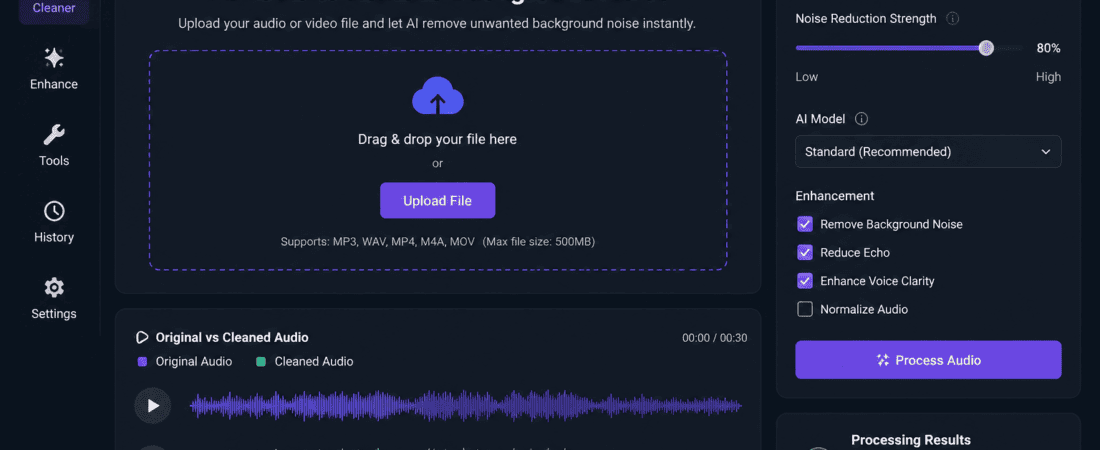
best free AI tools to remove background noise from video audio:
Have you ever recorded the perfect video only to discover annoying background noise ruining the audio?
Whether it’s traffic, fans, air conditioners, keyboard clicks, barking dogs, or wind, unwanted sounds can make your content sound unprofessional. Fortunately, you no longer need expensive editing software or advanced audio engineering skills. Thanks to artificial intelligence (AI), removing background noise has become faster, easier, and often completely free.
In this comprehensive guide, you’ll discover the best free AI tools to remove background noise from video audio, compare their features, learn when to use each one, and understand how AI noise removal works.
Whether you’re a YouTuber, podcaster, freelancer, teacher, marketer, or social media creator, these AI tools can dramatically improve your audio quality in just a few clicks.
Why Background Noise Matters
Audio quality is one of the biggest factors affecting viewer engagement. People are surprisingly forgiving of average video quality, but poor audio often causes viewers to stop watching within seconds.
Common sources of background noise include:
- Fan noise
- Air conditioner hum
- Wind
- Traffic
- Office conversations
- Construction sounds
- Keyboard typing
- Microphone hiss
- Electrical buzz
- Echo and room reverb
Poor audio can reduce:
- Viewer retention
- Watch time
- Audience trust
- Professional appearance
- Podcast quality
- Course completion rates
That is why many successful creators use AI-powered noise reduction before publishing content.
How AI Removes Background Noise
Traditional noise reduction required manually selecting noise profiles and adjusting multiple settings.
Modern AI works differently.
The AI model has been trained on millions of audio samples. It automatically identifies:
- Human speech
- Environmental sounds
- Wind
- Electrical noise
- Echo
- Static
- Keyboard clicks
Instead of removing all sound, AI separates your voice from unwanted noises while keeping speech natural.
Most AI tools complete the entire process in less than a minute.
Benefits of Using AI Noise Removal Tools
Using AI-powered audio enhancement provides several advantages:
- One-click processing
- No technical knowledge required
- Professional-quality voice
- Saves editing time
- Improves YouTube videos
- Better podcast sound
- Higher engagement
- Free versions available
- Works directly in the browser
- Supports multiple video formats
Best Free AI Tools to Remove Background Noise from Video Audio
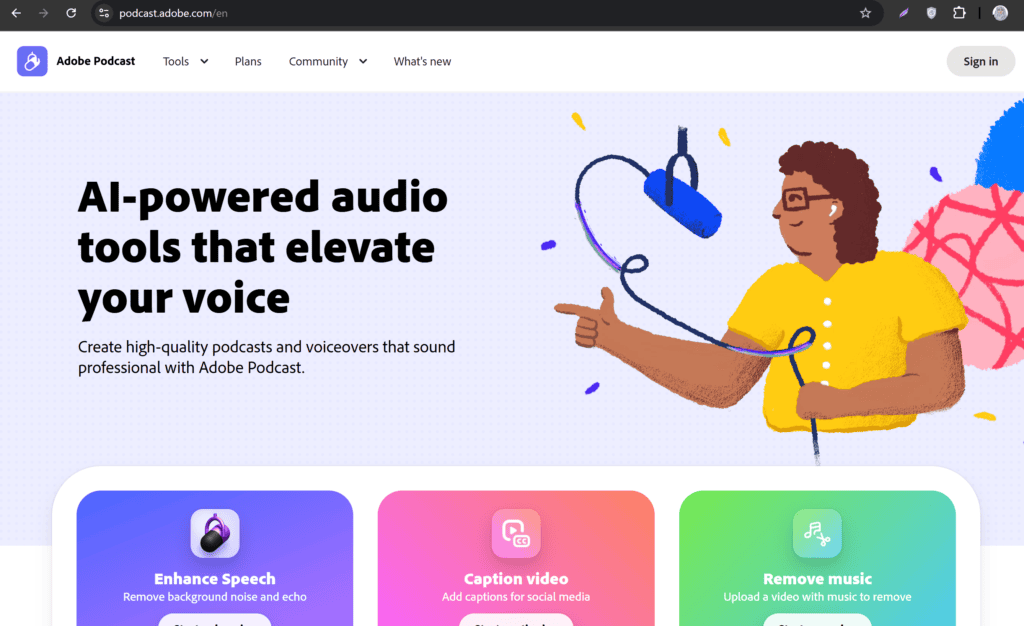
1. Adobe Podcast Enhance
Adobe Podcast Enhance is widely considered one of the best AI audio enhancement tools available today.
It uses Adobe’s advanced AI model to remove background noise, reduce echo, and improve speech clarity automatically.
Best For
- YouTubers
- Online teachers
- Interview videos
- Podcasts
- Voiceovers
Features
- AI voice enhancement
- Automatic noise removal
- Echo reduction
- Browser-based
- No editing skills required
- High-quality output
Pros
- Extremely easy to use
- Excellent voice quality
- Fast processing
- Professional results
- Free version available
Cons
- Monthly usage limits on free plans
- Works best for spoken voice rather than music
2. Krisp AI
Krisp AI is famous for removing background noise during live calls, but it also cleans recorded audio.
It uses machine learning to isolate human speech while removing distractions like keyboard clicks, barking dogs, traffic, and fan noise.
Best For
- Zoom meetings
- Google Meet
- Teams
- Recorded presentations
- Interviews
Features
- Live AI noise cancellation
- Echo removal
- Voice isolation
- AI meeting assistant
- Recording cleanup
Pros
- Excellent live performance
- Works with many apps
- Easy setup
- Natural voice output
Cons
- Limited free usage
- Premium features require subscription
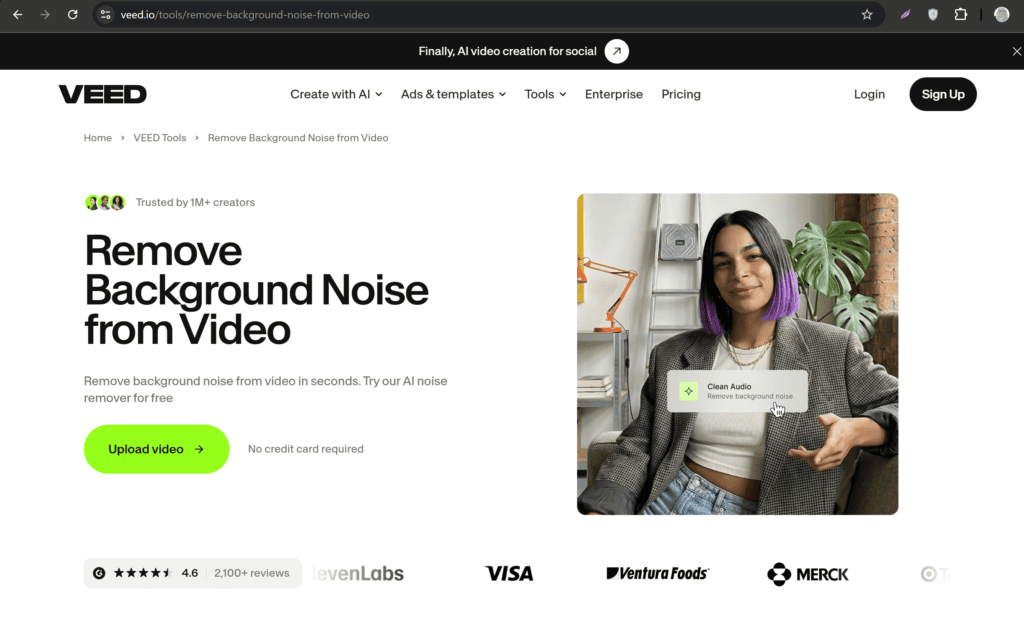
3. VEED.io AI Noise Remover
VEED.io combines video editing with AI audio enhancement.
You can upload your video directly, remove background noise, add subtitles, trim clips, and export everything from one browser window.
Features
- AI noise removal
- Online video editor
- Auto subtitles
- Screen recording
- Audio cleanup
- Video compression
Best For
- Social media creators
- Instagram Reels
- TikTok videos
- YouTube Shorts
Pros
- Beginner friendly
- Browser-based
- Multiple editing tools
- Fast export
Cons
- Watermark on some free exports
- Export limitations
4. CapCut AI Audio Enhancement
CapCut has become one of the most popular free editors for short-form video content.
Its AI Audio Enhancement feature automatically removes unwanted sounds and improves speech.
Best For
- TikTok
- Instagram Reels
- Facebook Reels
- YouTube Shorts
Features
- AI voice enhancement
- Noise reduction
- Video editing
- Auto captions
- Background music
- Mobile and desktop support
Pros
- Free
- Easy interface
- Great for beginners
- Excellent social media workflow
Cons
- Internet required for some AI features
- Advanced tools may vary by region
5. Descript Studio Sound
Descript is an all-in-one audio and video editing platform powered by AI. One of its standout features is Studio Sound, which enhances voice recordings by removing background noise, reducing echo, and making recordings sound like they were captured in a professional studio.
Unlike traditional audio editors, Descript lets you edit audio by editing text. Once your recording is transcribed, you can delete words, remove filler sounds, and clean up the audio simultaneously.
Best For
- Podcasters
- YouTubers
- Online educators
- Interview recordings
- Business presentations
Key Features
- AI Studio Sound enhancement
- Automatic transcription
- Remove filler words
- Screen recording
- Multitrack editing
- Video editing
Pros
- Professional-quality voice enhancement
- Beginner-friendly interface
- Excellent transcription accuracy
- Saves significant editing time
- Multiple content creation tools in one platform
Cons
- Some premium features require a paid plan
- May take longer to process large projects
6. Auphonic
Auphonic is a favorite among podcasters because it goes beyond simple noise removal. It automatically balances audio levels, reduces noise, normalizes loudness, and improves overall sound quality.
If you’re recording podcasts, webinars, or online courses, Auphonic can save hours of manual editing.
Best For
- Podcasts
- Audiobooks
- Interviews
- Educational videos
- Voice recordings
Features
- AI noise reduction
- Loudness normalization
- Automatic leveling
- Audio repair
- Multi-format export
Pros
- High-quality processing
- Great for long recordings
- Consistent audio levels
- Free monthly processing time
Cons
- Processing limits on the free plan
- Interface is more technical than some competitors
7. Media.io AI Noise Reducer
Media.io is a browser-based AI tool designed for quick audio cleanup. It supports both video and audio uploads, making it convenient for users who don’t want to install software.
The AI automatically detects unwanted sounds and enhances voice clarity.
Best For
- Beginners
- Freelancers
- Students
- Social media creators
- Small businesses
Features
- AI noise remover
- Voice enhancer
- Audio converter
- Video editor
- Browser-based editing
Pros
- No software installation
- Fast processing
- User-friendly interface
- Supports many file formats
Cons
- Upload limits on free accounts
- Advanced editing options are limited
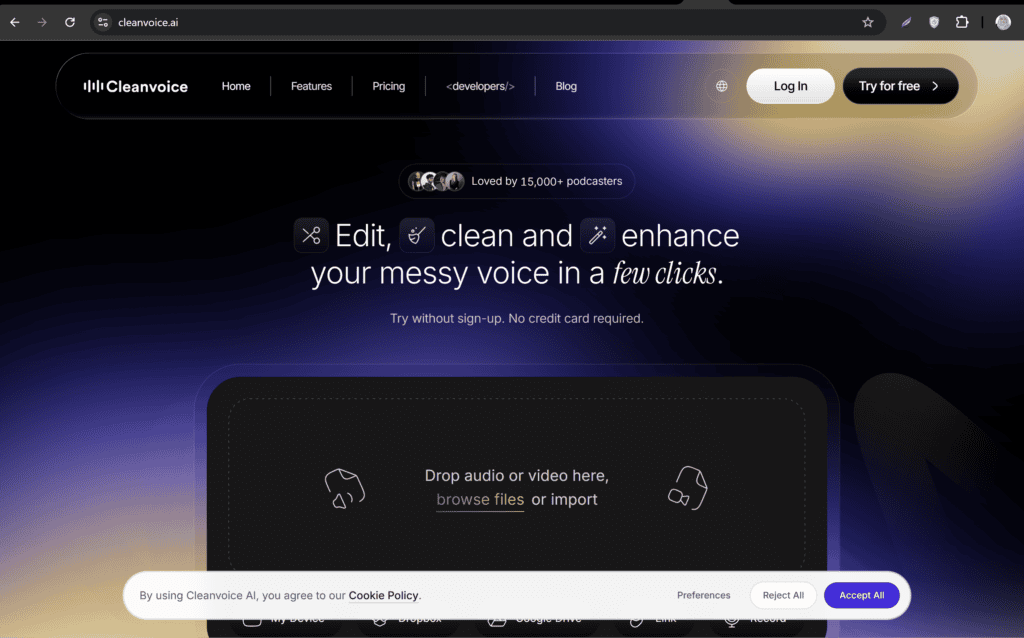
8. Cleanvoice AI
Cleanvoice AI specializes in spoken content. Besides removing background noise, it automatically removes filler words like “um,” “uh,” and long pauses.
This makes it an excellent tool for podcasts, interviews, online courses, and professional presentations.
Best For
- Podcasts
- Online courses
- Interviews
- Voiceovers
- Business presentations
Features
- Background noise removal
- Filler word removal
- Silence trimming
- Voice enhancement
- Automatic editing
Pros
- Saves editing time
- Excellent speech cleanup
- Natural-sounding output
- Easy workflow
Cons
- Limited free usage
- Primarily designed for speech recordings
9. LALAL.AI Voice Cleaner
LALAL.AI is widely known for stem separation, but its Voice Cleaner also performs impressive AI-powered noise reduction.
It isolates vocals from background sounds while preserving natural voice quality.
Best For
- Voice recordings
- Interviews
- Podcasts
- Music creators
- YouTube videos
Features
- AI voice isolation
- Noise reduction
- Audio enhancement
- Vocal extraction
- Multiple export formats
Pros
- High-quality AI processing
- Fast results
- Simple interface
- Great voice clarity
Cons
Limited free processing Better suited for shorter recordings
| Tool | Free Version | Browser-Based | Best For |
|---|---|---|---|
| Adobe Podcast Enhance | Yes | Yes | Podcasts & voiceovers |
| Krisp AI | Yes | Yes | Live meetings & recordings |
| VEED.io | Yes | Yes | Social media videos |
| CapCut | Yes | Yes/Desktop/App | Reels & Shorts |
| Descript | Yes | Desktop/Web | Content creators |
| Auphonic | Yes | Yes | Podcasts |
| Media.io | Yes | Yes | Beginners |
| Cleanvoice AI | Limited | Yes | Speech editing |
| LALAL.AI | Limited | Yes | Voice isolation |
How to Remove Background Noise Using AI
The exact steps vary slightly depending on the tool, but the general process is similar.
Step 1: Record Your Video
Record your video using the best microphone available. Even a smartphone can produce good results if you record in a quiet environment.
Step 2: Upload the File
Open your chosen AI tool and upload your video or audio file.
Step 3: Enable AI Noise Removal
Most tools include options such as:
- Remove Noise
- Enhance Speech
- Voice Cleaner
- Audio Enhancement
Simply select the feature and let the AI process your recording.
Step 4: Preview the Result
Listen to the processed audio before downloading it. If available, compare the original and enhanced versions.
Step 5: Export Your File
Download the cleaned audio or enhanced video and use it in your project.
Tips for Recording Better Audio
AI tools work best when the original recording is reasonably clear. To achieve better results:
- Record in a quiet room.
- Turn off fans and air conditioners when possible.
- Place the microphone close to your mouth.
- Avoid touching the microphone during recording.
- Use a pop filter for voiceovers.
- Speak at a consistent volume.
- Record a short test before creating the full video.
- Reduce echo with curtains, carpets, or cushions.
These simple practices help AI produce cleaner and more natural-sounding audio.
Common Mistakes to Avoid When Using AI Noise Removal Tools
Although AI-powered tools are highly effective, certain mistakes can reduce the quality of your final audio. Here are the most common ones to avoid:
1. Overprocessing the Audio
Applying too much noise reduction can make your voice sound robotic or unnatural. Always preview the result before exporting.
2. Recording in Extremely Noisy Environments
AI can remove many unwanted sounds, but it can’t perform miracles. If your voice is completely drowned out by traffic or loud music, the results may still be disappointing.
3. Using a Poor-Quality Microphone
Even the best AI tools work better when the original recording is clear. If possible, use a dedicated microphone or a quality smartphone mic.
4. Ignoring Echo
Background noise and echo are different issues. Choose a tool that can reduce both for the best results.
5. Compressing the File Too Much
Uploading heavily compressed audio can reduce AI accuracy. Whenever possible, upload the highest-quality version of your recording.
How to Choose the Best AI Noise Removal Tool
Not every tool is ideal for every type of content. Consider your needs before choosing one.
Choose Adobe Podcast Enhance if:
- You record podcasts.
- You create YouTube videos.
- You want studio-quality voice enhancement.
- You prefer one-click processing.
Choose CapCut if:
- You create Instagram Reels.
- You post TikTok videos.
- You make YouTube Shorts.
- You already edit videos in CapCut.
Choose Krisp AI if:
- You attend online meetings.
- You record interviews.
- You teach online classes.
- You need live noise cancellation.
Choose VEED.io if:
- You want video editing and audio cleanup in one place.
- You don’t want to install software.
- You create marketing or social media videos.
Choose Auphonic if:
- You produce podcasts regularly.
- You need consistent audio levels.
- You work with long-form audio content.
Frequently Asked Questions (FAQs)
1. What is the best free AI tool to remove background noise from video audio?
Adobe Podcast Enhance is widely regarded as one of the best free AI tools for improving speech quality and removing background noise. CapCut, VEED.io, and Krisp AI are also excellent free options depending on your workflow.
2. Can AI remove wind noise from videos?
Yes. Many AI tools can significantly reduce wind noise, though the final quality depends on how loud the wind is compared to the speaker’s voice.
3. Are AI noise removal tools really free?
Most tools offer free plans with monthly usage limits or limited features. Paid plans generally unlock higher processing limits and additional editing capabilities.
4. Can AI improve old recordings?
Yes. AI can reduce hiss, background noise, and echo in many older recordings. However, if the original audio is severely damaged, it may not be fully recoverable.
5. Do I need editing experience?
No. Most AI tools are designed for beginners and work with just a few clicks.
6. Which AI tool is best for YouTube creators?
Adobe Podcast Enhance and Descript are excellent for long-form YouTube videos, while CapCut is ideal for YouTube Shorts.
7. Can AI remove background music?
Some AI tools can reduce or isolate background music, but complete removal depends on the recording. Tools like LALAL.AI are specifically designed for voice and music separation.
8. Is it safe to upload videos to online AI tools?
Most reputable services use encryption and have privacy policies explaining how uploaded files are handled. If you’re working with confidential content, review the provider’s privacy policy before uploading.
Final Verdict
Artificial intelligence has transformed audio editing by making professional-quality noise reduction accessible to everyone. Whether you’re a content creator, podcaster, educator, freelancer, or business owner, AI can help you produce clearer and more engaging videos without expensive software or advanced technical skills.
For most users, Adobe Podcast Enhance is the best overall choice because of its outstanding voice enhancement and simple workflow. If you’re creating short-form content, CapCut is an excellent free option thanks to its integrated editing tools. VEED.io is a great browser-based alternative for quick projects, while Descript and Auphonic are perfect for podcasting and long-form audio production.
The best approach is to test a few tools and choose the one that fits your content style and editing workflow.
Conclusion
High-quality audio is essential for creating professional videos that capture and retain your audience’s attention. Background noise from fans, traffic, keyboards, or wind can reduce the impact of your content, but AI-powered tools make it easier than ever to fix these issues.
The tools featured in this guide offer fast, user-friendly solutions for improving voice clarity and removing unwanted sounds. Many of them provide free plans, making professional audio enhancement accessible to beginners and experienced creators alike.
Whether you’re recording YouTube videos, podcasts, online courses, interviews, or social media content, investing a few extra minutes in AI audio enhancement can significantly improve the overall quality of your work and create a better experience for your audience.
checkout here if you want to know about 7 Best Free AI Voice Cloners for Faceless YouTube Channels (2026)