
Writing a newsletter is only half the job. Moreover, the other half is convincing people to actually open it using free AI tools for email subject lines.
Many hours are spent researching a topic, writing useful content, and designing the perfect email layout.
However, free AI tools for email subject lines can help prevent your newsletters from remaining unopened.
Consequently, free AI tools for email subject lines show why the subject line deserves more attention than many beginners give.
A good newsletter subject line should quickly tell readers what they are getting. It should highlight free AI tools for email subject lines that can help them open the message.
However, sometimes that reason is curiosity. Sometimes it is a useful benefit. A limited-time offer, a surprising fact, a personal message, or a topic the reader already cares about.
The problem is that coming up with fresh subject lines every week can become exhausting.
Additionally, free AI tools for email subject lines can streamline ideas and reduce fatigue.
Additionally, this is where free AI tools for email subject lines can help. They streamline subject creation across campaigns.
Rather than staring at a blank screen, think of ten variations for This Week’s Newsletter.
Provide your topic and audience; free AI tools for email subject lines can generate ideas.
The important part is not copying the first suggestion blindly. I personally find AI much more useful as a brainstorming partner. It can give me 10, 20, or even 50 starting points, and then I can choose the strongest idea and make it sound more natural for my audience.
In this guide, we will look at some of the best free AI tools for generating catchy email newsletter subject lines, how I would use each one, what makes each tool useful, and how to turn generic AI suggestions into subject lines that actually sound human.
What Is an AI Email Subject Line Generator?
An AI email subject line generator is a tool that uses artificial intelligence to create subject line ideas based on information you provide.
For example, you might enter:
“Weekly newsletter about five free AI tools for graphic designers.”
The AI may generate ideas such as:
- 5 Free AI Tools Designers Should Try
- Designers: These 5 AI Tools Are Free
- Your New AI Design Toolkit
- 5 AI Tools That Could Save You Hours
- Stop Designing Everything Manually
The quality of the results depends heavily on the information you provide.
If your prompt is vague, the results will usually be vague too.
Instead of saying:
“Write a subject line about AI.”
I would give the tool something more specific:
“Create subject lines for a weekly newsletter aimed at beginner graphic designers. This week’s newsletter introduces five free AI tools that can remove backgrounds, generate images, and create vector graphics. Keep the tone friendly, useful, and slightly curious.”
That gives the AI considerably more material to work with.
Why Newsletter Subject Lines Matter
The subject line is one of the first things subscribers see when your email arrives.
It has a simple job: make the reader interested enough to open the email.
But that does not mean every subject line needs to be dramatic.
A subject line such as:
“Your July Design Resources”
might work perfectly well for an audience that already expects a monthly resource email.
Meanwhile, a curiosity-driven subject line such as:
“I didn’t expect this AI tool to be free”
might work better for a creator-focused newsletter.
There is no universal subject line that works for every audience.
That is one reason I like generating several options with AI rather than asking it for one “perfect” subject line.
Research into automated email subject-line generation treats the task as different from ordinary headline writing because an effective subject line often has to summarize or represent the email in a very compact way.
Best Free AI Tools for Email Newsletter Subject Lines
1. HubSpot AI Email Subject Line Generator
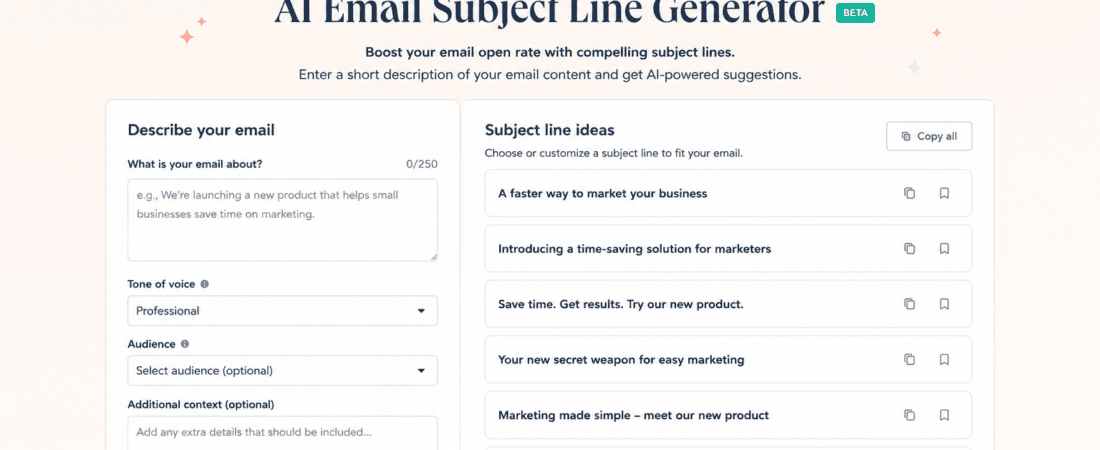
HubSpot AI Email Subject Line Generator is one of the first tools I would try if I wanted a straightforward way to brainstorm newsletter subject lines.
HubSpot’s current Campaign Assistant includes a free AI email subject line generator. You can provide the email topic, key points, and preferred tone, and the tool generates subject line suggestions.
My experience using HubSpot
What I like about HubSpot’s approach is that it encourages me to provide context instead of simply entering a keyword.
For example, if my newsletter is about AI writing tools, I wouldn’t just type:
“AI writing tools.”
I’d explain what the newsletter actually contains.
I might enter:
“Weekly newsletter for freelance writers. This week’s edition covers five free AI tools for proofreading, rewriting, research, and generating ideas. Tone should be friendly and useful, not overly promotional.”
The resulting ideas give me several directions to work with.
Some may be immediately usable. Others may sound too promotional or generic. I simply discard those.
I also like using the tool when I have already written the newsletter but haven’t decided on the subject line. I can summarize the email’s main points, generate several options, and then select the one that best represents the actual content.
HubSpot also supports AI-generated preview text for marketing emails, which is useful because the subject line and preview text work together in many inboxes.
Best for
- Newsletter creators
- Small businesses
- Marketers
- Bloggers
- Email campaigns
- Beginners
My tip
Don’t ask HubSpot for “a catchy subject line.”
Ask for 10 different approaches.
For example:
“Give me options using curiosity, benefit, urgency, personalization, and straightforward descriptions.”
That usually gives me a much more useful range.
2. Omnisend Free AI Subject Line Generator
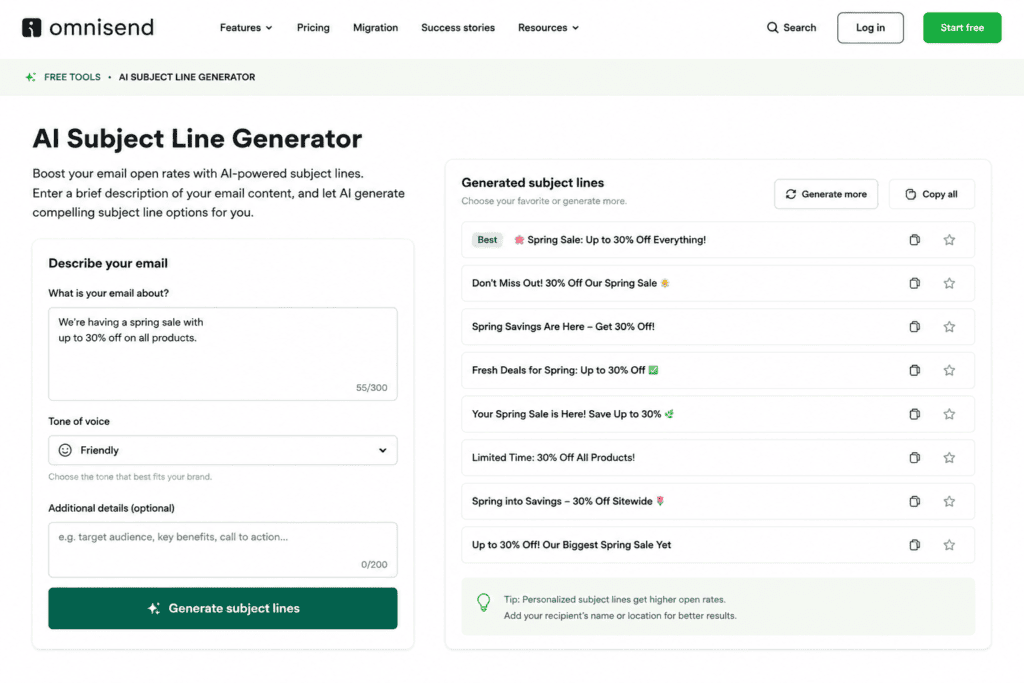
Omnisend Free AI Subject Line Generator is another excellent option, particularly if your newsletter is connected to ecommerce or promotional campaigns.
Omnisend’s free online generator allows users to enter information about their email and generate multiple subject-line suggestions without requiring sign-up. The tool also supports additional options and emojis.
My experience using Omnisend
I find Omnisend particularly useful when I want several variations quickly.
For example, suppose I’m preparing a newsletter announcing a new collection.
Instead of writing:
“New Products Are Here”
and stopping there, I can give the tool the campaign details and ask it to generate alternatives.
This is useful because AI may come up with angles I wouldn’t immediately think of.
One subject line might emphasize the product.
Another might emphasize the benefit.
Another might create curiosity.
Another might focus on urgency.
I can then take the strongest idea and rewrite it in my own voice.
Omnisend itself recommends being specific about the email, campaign type, tone, and audience, and it explicitly advises treating AI-generated suggestions as drafts rather than automatically using them unchanged.
That is exactly how I would use the tool.
A feature I particularly like
The ability to request more options is useful.
If the first batch feels repetitive, I can simply generate another set rather than starting the whole process again.
Omnisend also has AI subject-line and preheader generation inside its email platform, with most AI features available across plans, including Free, although some features have additional requirements.
Best for
- Ecommerce newsletters
- Product launches
- Promotional emails
- Online stores
- Marketing campaigns
- Newsletter subject-line brainstorming
3. ChatGPT
ChatGPT is probably the most flexible option on this list because I can control exactly how I want the subject lines written.
Instead of using a fixed generator, I can have a conversation with the AI.
My experience using ChatGPT
This is the tool I would personally use when I want creative variations rather than just basic subject lines.
For example, I could paste my newsletter introduction and say:
“Give me 20 subject lines for this newsletter. Make five curiosity-driven, five benefit-focused, five conversational, and five slightly humorous. Avoid clickbait.”
Then I can continue:
“The humorous ones sound forced. Make them more natural.”
Or:
“These are too generic. Include the specific benefit of saving three hours per week.”
That ability to keep refining the ideas is what makes a conversational AI assistant useful.
I also like asking ChatGPT to identify the strongest three options instead of trying to choose from 30 suggestions myself.
Example workflow
I might provide:
Newsletter topic: Free AI tools for social media managers.
Audience: Freelancers and small-business marketers.
Main benefit: Save time creating social content.
Then ask:
“Create 15 subject lines under 55 characters. Avoid fake urgency and exaggerated claims.”
After receiving the suggestions, I can ask:
“Which five sound most natural and least like AI-generated marketing copy?”
Then:
“Rewrite those five to sound like something a real social media manager would send.”
This makes the process much more practical.
Best for
- Bloggers
- Newsletter writers
- Freelancers
- Creators
- Agencies
- Personalized newsletters
- Creative subject lines
4. Google Gemini
Google Gemini can also be used to brainstorm newsletter subject lines and rewrite existing ideas.
My experience using Gemini
I would use Gemini when I want to experiment with different tones.
For example, I could give it one subject line:
“5 Free AI Tools for Better Blog Writing”
and ask it to rewrite the idea as:
- Professional
- Friendly
- Casual
- Curious
- Funny
- Minimalist
This gives me a useful collection of different directions without changing the underlying message.
I also like using an AI assistant for subject-line cleanup.
Sometimes I already have an idea but it feels too long.
For example:
“Here Are Five Completely Free AI Tools That Can Help You Write Better Blog Posts Faster”
That’s informative, but it’s unnecessarily long.
I can ask Gemini to shorten it while keeping the main benefit.
The resulting options might include:
“5 Free AI Tools for Faster Blog Writing”
or:
“Write Blogs Faster With These 5 Free AI Tools”
The important thing is that the core promise stays intact.
Best for
- Rewriting subject lines
- Shortening long headlines
- Tone variations
- Newsletter brainstorming
- Content creators
5. Claude
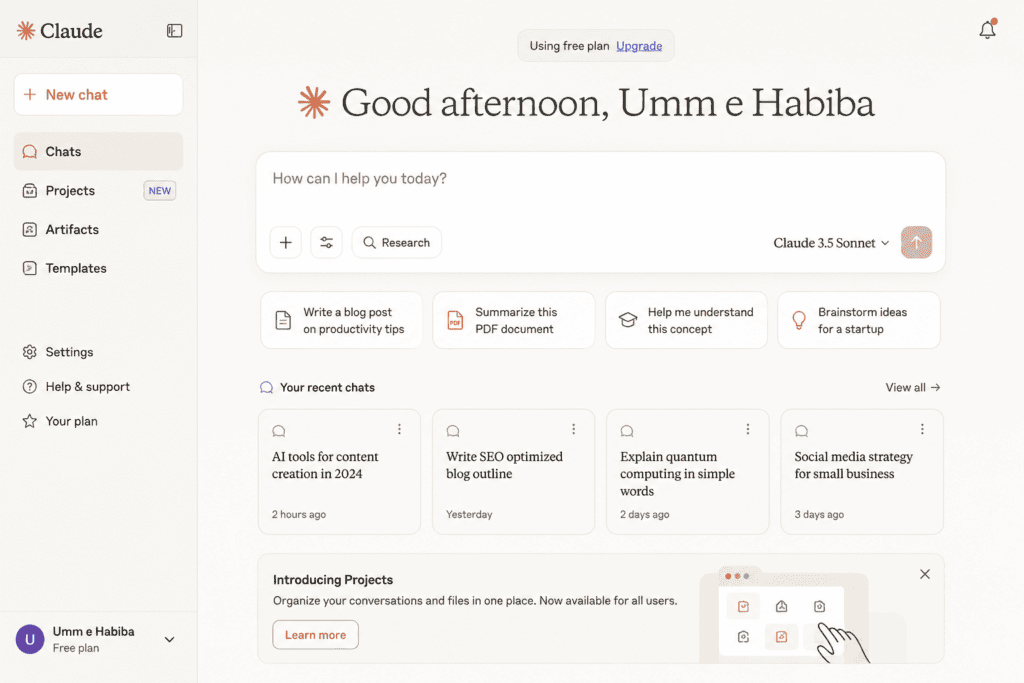
Claude is particularly useful when I want the AI to understand the actual newsletter content rather than just a short topic.
My experience using Claude
If I’ve already written a 1,500-word newsletter, I can give Claude the content and ask it to identify the most interesting ideas inside it.
For example:
“Read this newsletter and identify the three most compelling pieces of information. Then create 15 subject lines based on those specific details.”
This approach is much better than asking for generic subject lines from a keyword.
Why?
Because the AI now has the actual material.
If my newsletter contains a surprising statistic, a useful tutorial, or an unusual story, Claude can use those details to create more specific subject lines.
I also like asking it to avoid common AI phrases.
For example:
“Avoid phrases such as ‘unlock,’ ‘discover,’ ‘ultimate guide,’ and ‘don’t miss out.’ Make the subject lines sound conversational.”
This can make the output feel less like generic marketing copy.
Best for
- Long newsletters
- Content-heavy emails
- Storytelling newsletters
- Editing
- Subject-line brainstorming
- Natural-sounding copy
6. Mailchimp’s AI Features
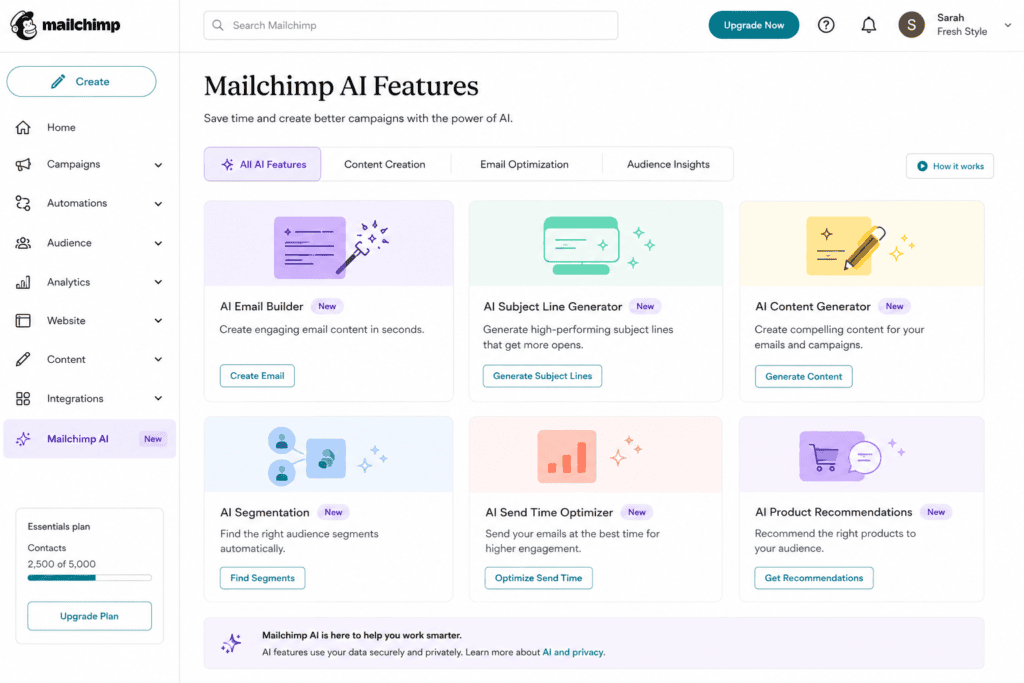
Mailchimp has been incorporating generative AI into its email creation workflow.
Mailchimp’s newer email-building features include AI-generated newsletter content that can be edited before sending, including content such as blog summaries, promotions, announcements, and updates.
My experience using Mailchimp
I would consider Mailchimp when I already use it for sending newsletters because keeping the writing and email creation process in the same platform is convenient.
Instead of jumping between several websites, I can work directly inside my email workflow.
The biggest advantage for me is convenience.
Suppose I already have a newsletter containing three blog articles.
I can use AI to help turn those articles into newsletter content and then work on the subject line within the same campaign environment.
I would still edit the generated copy manually.
AI-generated email content can sometimes sound polished but generic, and that is exactly what I don’t want in a newsletter.
A newsletter should sound like it came from a person or brand that actually understands its audience.
Best for
- Existing Mailchimp users
- Newsletter creators
- Bloggers
- Small businesses
- Automated email campaigns
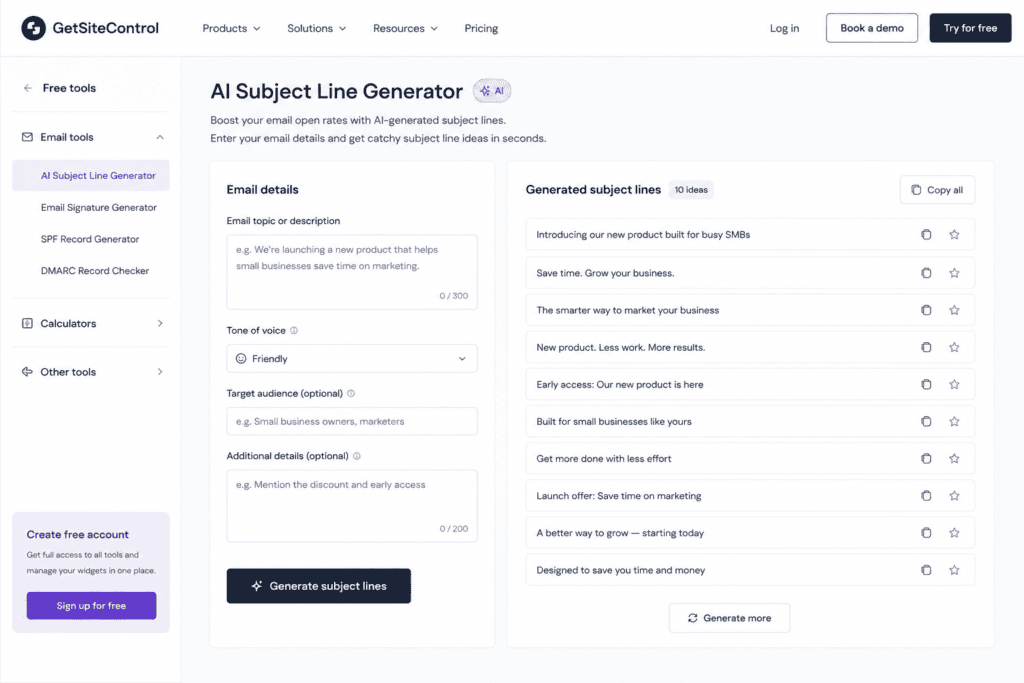
7. GetSiteControl AI Subject Line Generator
GetSiteControl AI Subject Line Generator is another option for quickly generating subject-line ideas.
My experience using it
I would use a simple dedicated generator like this when I don’t want to open a full AI chatbot.
Sometimes I don’t need a conversation.
I simply need:
“Give me 10 catchy subject lines for this newsletter.”
That’s where dedicated generators can be convenient.
They are especially useful when I’m working quickly and need several ideas before moving on to designing the actual email.
I would still review the results carefully because speed doesn’t automatically mean quality.
If the generated options all sound similar, I would take the best one and rewrite it myself.
Best for
- Quick brainstorming
- Beginners
- Short newsletters
- Marketing emails
- Fast subject-line variations
How I Would Choose the Right AI Subject Line Tool
Different tools work better for different situations.
| Tool | Best Use | My Rating |
|---|---|---|
| ChatGPT | Creative brainstorming | ⭐⭐⭐⭐⭐ |
| HubSpot | Marketing newsletters | ⭐⭐⭐⭐⭐ |
| Omnisend | Ecommerce campaigns | ⭐⭐⭐⭐⭐ |
| Claude | Long newsletters | ⭐⭐⭐⭐⭐ |
| Gemini | Rewriting and variations | ⭐⭐⭐⭐ |
| Mailchimp | Existing Mailchimp users | ⭐⭐⭐⭐ |
| GetSiteControl | Quick generation | ⭐⭐⭐⭐ |
The rating is based on usefulness for subject-line creation rather than a guarantee of campaign performance.
How to Write Better Prompts for AI Subject Lines
The quality of an AI-generated subject line often depends on your prompt.
Instead of:
“Write newsletter subject lines.”
Try:
“Write 15 subject lines for a weekly newsletter about free AI tools for graphic designers. The audience is beginner and intermediate designers. Focus on practical benefits. Keep them concise, natural, and curiosity-driven. Avoid clickbait, excessive emojis, and generic phrases.”
That gives the AI considerably more direction.
Include These Five Things
1. Newsletter topic
Tell the AI exactly what the newsletter is about.
2. Audience
A subject line for teenagers should not necessarily sound like one written for corporate executives.
3. Main benefit
Tell the AI what the reader gains.
4. Tone
Examples include:
- Friendly
- Professional
- Funny
- Casual
- Bold
- Educational
- Conversational
5. Restrictions
Tell it what you don’t want.
For example:
- No clickbait
- No fake urgency
- No excessive emojis
- No all caps
- No exaggerated claims
- Under 50 characters
15 Prompt Ideas for Generating Newsletter Subject Lines
Here are prompts I would actually use.
Prompt 1: General newsletter
Create 15 catchy subject lines for this newsletter. Keep them concise, natural, and curiosity-driven without using clickbait.
Prompt 2: Educational newsletter
Create 20 subject lines for an educational newsletter. Focus on the practical benefit readers will get from opening the email.
Prompt 3: Ecommerce
Generate 15 promotional subject lines for this product newsletter. Make them persuasive but avoid fake urgency.
Prompt 4: Personal newsletter
Write conversational subject lines that sound like a message from a real person rather than a marketing department.
Prompt 5: Curiosity
Create subject lines that create curiosity without hiding what the email is actually about.
Prompt 6: Funny
Write 15 short, witty subject lines. Keep the humor subtle and natural.
Prompt 7: Newsletter roundup
Generate subject lines for a weekly roundup containing five useful articles, three tools, and one major industry update.
Prompt 8: Product launch
Write subject lines for a new product announcement. Highlight the main benefit without sounding overly promotional.
Prompt 9: Discount
Create subject lines for a limited promotional offer. Avoid spammy language and excessive punctuation.
Prompt 10: Re-engagement
Generate friendly subject lines for inactive newsletter subscribers. Avoid guilt-tripping the reader.
Prompt 11: Personalization
Create subject lines that can naturally include the subscriber’s first name without making the personalization feel forced.
Prompt 12: Short subject lines
Give me 20 subject lines under 40 characters while keeping the main benefit clear.
Prompt 13: A/B testing
Create two groups of subject lines: one curiosity-focused and one benefit-focused. Keep the email content identical.
Prompt 14: Storytelling
Create subject lines based on the most interesting story in this newsletter. Make them intriguing but truthful.
Prompt 15: Human style
Rewrite these AI-generated subject lines so they sound like they were written by an experienced newsletter creator. Remove generic marketing language.
Catchy Subject Line Formulas You Can Use
AI tools work particularly well when you give them a framework.
The Number Formula
5 AI Tools I Wish I Knew Earlier
Numbers make the promise immediately understandable.
The Question Formula
Are You Still Doing This Manually?
Questions can create curiosity when they are relevant to the reader.
The Benefit Formula
Write Your Next Blog in Half the Time
The focus is directly on the reader’s potential benefit.
The Curiosity Formula
This Free AI Tool Surprised Me
The reader has a reason to wonder what happened.
The Mistake Formula
You’re Probably Making This Newsletter Mistake
This can work when the email genuinely explains a common mistake.
The Personal Formula
What I Learned After Testing 10 AI Tools
This works especially well for newsletters built around personal experiences.
The Direct Formula
5 Free AI Tools for Better Newsletters
There is nothing mysterious about it—and sometimes that is exactly what works.
How Long Should an Email Subject Line Be?
There is no single character count that guarantees better performance.
Different inboxes display different amounts of subject-line text.
For example, Omnisend’s current guidance shows that different email clients can display significantly different character counts, with mobile displays often showing less text than desktop inboxes.
That is why I don’t obsess over one exact number.
Instead, I try to put the most important information near the beginning.
Compare:
“Here Are 10 Free AI Tools That Every Beginner Graphic Designer Should Know About”
with:
“10 Free AI Tools for Graphic Designers”
The second one communicates the core idea much faster.
If the email client cuts off the rest, the reader still understands the topic.
Don’t Make AI Subject Lines Too Perfect
This might sound strange, but sometimes an overly polished subject line feels less human.
AI loves phrases such as:
- Unlock your potential
- Discover the ultimate
- Don’t miss out
- Take your business to the next level
- Transform your workflow
- The ultimate guide
These phrases aren’t automatically bad, but using them repeatedly can make every newsletter sound identical.
When I edit AI-generated subject lines, I often replace marketing cliches with specific details.
Instead of:
“Unlock the Ultimate AI Productivity Toolkit”
I might write:
“7 AI Tools That Saved Me Hours This Week”
The second one feels more specific and personal.
Why You Should Generate Multiple Subject Lines
I don’t recommend generating one subject line and immediately using it.
Generate at least 10.
Why?
Because your first idea isn’t necessarily your strongest one.
For example, imagine your newsletter is about free AI image generators.
Your first thought might be:
“Best Free AI Image Generators”
That’s fine.
But after generating more ideas, you might find:
“I Tested 12 Free AI Image Generators”
or:
“Which Free AI Image Generator Is Actually Good?”
or:
“12 Free AI Image Tools Worth Trying”
Now you have different angles.
You can choose the one that best fits your audience.
AI Subject Lines Should Not Replace A/B Testing
An AI tool can generate an attractive subject line, but that does not mean it will automatically produce better results.
The only way to know what your audience responds to is to test.
For example, you could compare:
A: 7 Free AI Tools for Bloggers
B: I Tested 7 Free AI Tools for Bloggers
The first is straightforward.
The second emphasizes personal experience.
If your email platform supports A/B testing, you can compare the two versions with your audience.
Omnisend also recommends selecting strong candidates and A/B testing them rather than simply assuming the AI-generated option will perform best.
Common Mistakes to Avoid
Using Too Many Emojis
One emoji can sometimes add personality.
Five emojis can make a professional newsletter look like spam.
Use them intentionally.
Making False Claims
Don’t write:
“This AI Tool Will Make You Rich”
unless you can genuinely substantiate such a claim.
Using Fake Urgency
Avoid:
“LAST CHANCE!!!”
when there is no actual deadline.
Hiding the Topic
Curiosity is useful, but readers should still have some idea what the email contains.
Writing Extremely Long Subject Lines
Long subject lines may be truncated, particularly on mobile devices.
Using the Same Formula Every Week
If every newsletter starts with:
“Don’t Miss These…”
your subscribers will eventually stop noticing it.
My Favorite AI Workflow for Newsletter Subject Lines
If I were creating a newsletter every week, I would use this process.
Step 1: Finish the newsletter first
I don’t start with the subject line.
I first finish the actual email.
Step 2: Identify the strongest idea
I ask myself:
“What is the most useful, surprising, funny, or interesting thing in this email?”
Step 3: Give that information to AI
I paste the relevant content into ChatGPT, Claude, Gemini, HubSpot, or another tool.
Step 4: Generate multiple angles
I ask for:
- Curiosity
- Benefit
- Personal
- Direct
- Conversational
Step 5: Remove generic options
If a subject line could apply to 10,000 different newsletters, I probably won’t use it.
Step 6: Rewrite the winner
I add my own wording.
Step 7: Test when possible
If my email platform supports A/B testing, I test two strong variations.
This workflow gives me the speed of AI without losing the human element.
Final Thoughts
Writing a different newsletter subject line every week can become surprisingly difficult.
After you’ve sent dozens of newsletters, you eventually run out of obvious variations.
That’s where free AI subject line generators become useful.
Tools such as HubSpot, Omnisend, ChatGPT, Gemini, Claude, Mailchimp, and GetSiteControl can help you brainstorm ideas much faster.
But I wouldn’t treat any of them as a magic “high open rate” button.
The best subject line still depends on the actual newsletter, the audience, the relationship you have with subscribers, the value of the email, and the quality of your mailing list.
AI is most useful when it gives you options.
Instead of spending 20 minutes trying to invent one clever subject line, I can generate 20 possibilities in seconds, identify the strongest three, and then use my own judgment to make one sound natural.
That final editing step matters.
A newsletter should not feel like it was written by an AI trying to sell something. It should feel like something worth opening because the sender understands what the reader wants.
So my preferred formula is simple:
Use AI for ideas. Use your experience for judgment. Use testing for proof.
That’s a much better strategy than blindly copying whatever the AI generates.
And if you are publishing newsletters regularly, don’t focus only on making your subject lines “catchy.” Make them specific, relevant, honest, and useful.
A clever subject line might earn one open.
A consistently valuable newsletter earns a subscriber’s attention week after week.
Check out here if you want to know about Ultimate Free AI Tools for New Blog Legal Pages