
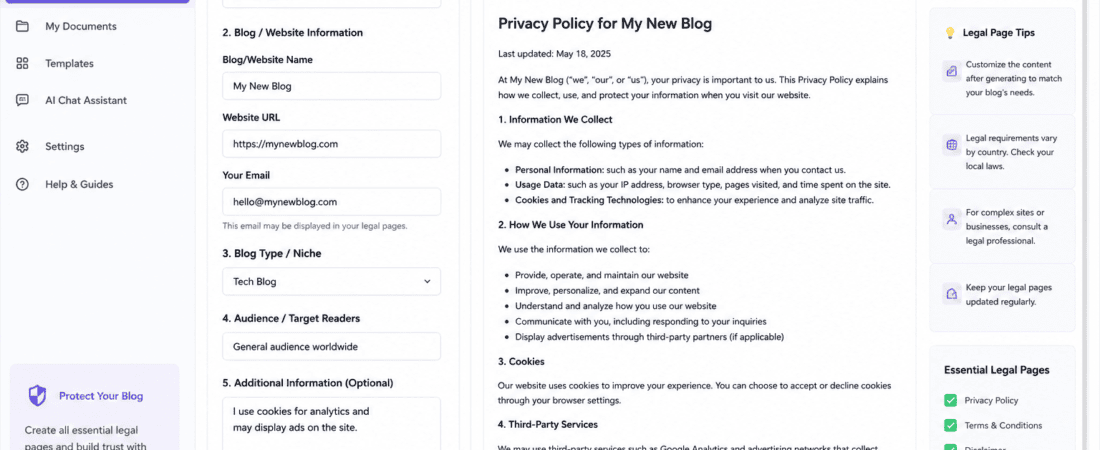
Starting a new blog is exciting. First, you choose a niche, buy a domain, design the site, and publish your first articles. Then you begin thinking about traffic and monetization. However, there is one part of launching a blog that many beginners ignore until the last minute: legal pages. Free AI writing assistants for legal pages can help you draft them quickly.
Pages such as a Privacy Policy, Terms and Conditions, Disclaimer, Cookie Policy, and Affiliate Disclosure may not be as exciting as writing blog posts. Nevertheless, they are important for building a trustworthy website and, in many cases, meeting certain legal or platform requirements.
Fortunately, you do not always need to spend a lot of money hiring someone to draft basic website policies. For example, several free AI writing assistants and legal policy generators can help new bloggers create a starting draft in minutes.
However, it is important to understand the difference between using AI to help write a legal page and having a lawyer review a legal document. AI can organize information, explain complicated wording, and create a useful first draft. Nevertheless, it cannot guarantee that a policy is legally appropriate for every country, business model, or situation. This is where free AI writing assistants for legal pages can support you, providing clarity while preserving professional oversight.
In this guide, I will examine the best free AI writing assistants and legal policy generators for new blogs.
Furthermore, I will explain what each tool can do.
I would use free AI writing assistants for legal pages when setting up a new website.
Important: This article is for general informational purposes and is not legal advice. Legal requirements vary depending on your country, audience, business model, and the type of data your website processes. Therefore, if your website handles sensitive information, sells products, serves customers in multiple jurisdictions, or has significant legal risk, consider getting professional legal advice.
What Are Legal Pages on a Blog?
Legal pages are website pages that explain important rules, disclosures, privacy practices, and responsibilities connected with your website.
For a typical blog, these may include:
- Privacy Policy
- Terms and Conditions
- Disclaimer
- Cookie Policy
- Affiliate Disclosure
- Contact information
- Refund or Return Policy, if you sell products or services
Not every blog needs every document. A simple informational blog may need fewer pages than an e commerce store, SaaS website, membership platform, or online course business.
A Privacy Policy, for example, generally explains what personal information a website collects, why it collects it, how it is used, and whether it is shared with third parties.
This becomes especially relevant when your blog uses contact forms, email newsletters, analytics, advertising platforms, cookies, comments, or other services.
Why New Bloggers Should Create Legal Pages
When I set up a new blog, I consider legal pages part of the website foundation rather than something to add after the site becomes successful.
One reason is transparency.
Suppose a visitor subscribes to your newsletter. They should be able to understand what happens to their email address. Similarly, if you use analytics or advertising cookies, visitors should have access to information about those practices.
Legal pages can also make a website look more complete and professional.
They are particularly important if you plan to monetize your blog through:
- Google AdSense or other advertising networks
- Affiliate marketing
- Sponsored content
- Email marketing
- Digital products
- Online courses
- Services
- e commerce
- Paid memberships
For example, an affiliate-focused blog should clearly disclose affiliate relationships rather than making readers guess whether a recommendation could generate a commission.
Can AI Really Write Legal Pages?
Yes, AI can help create a draft of a legal page.
But I would not treat an AI-generated document as automatically legally compliant.
There is a major difference between:
“Create a Privacy Policy for my blog.”
and
“Create a Privacy Policy based on exactly what data my website collects, which third-party services it uses, where its users are located, and the legal requirements applicable to those users.”
The second approach gives the AI much better information to work with.
Research into automated privacy-policy generation has also highlighted a major problem: automated generators can produce incomplete policies or include statements that do not accurately match a website’s actual practices.
That is why I recommend using AI as an assistant, not as your lawyer.
Best Free AI Writing Assistants for Legal Pages
1. ChatGPT
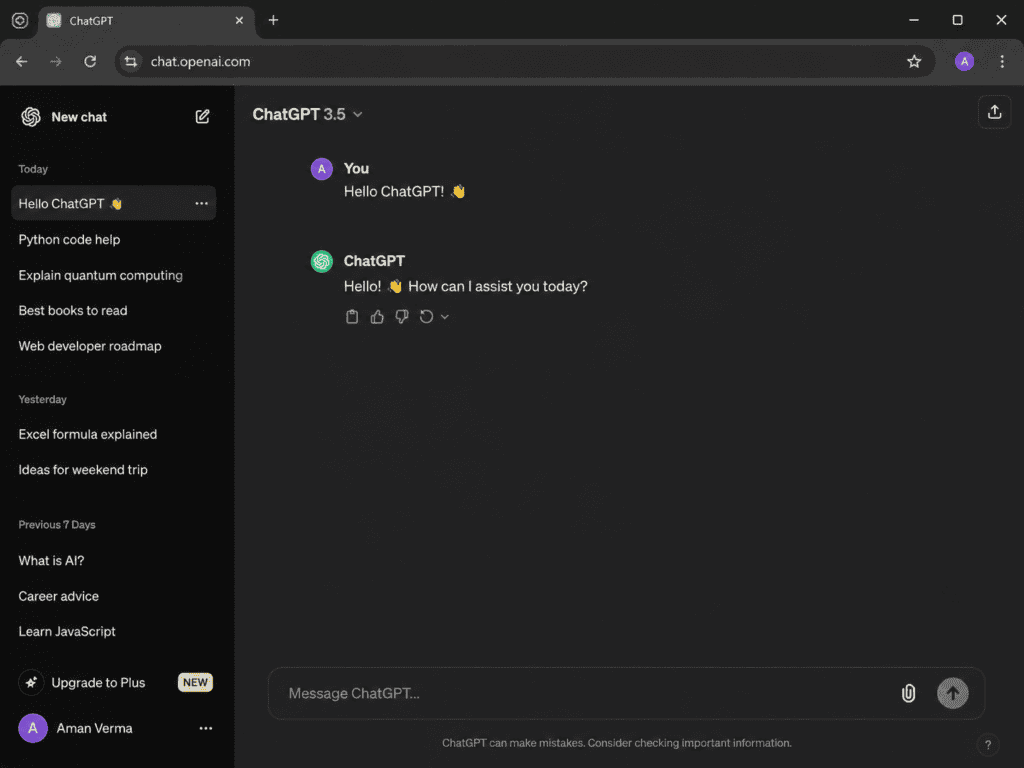
ChatGPT is one of the most flexible options if you want to create customized drafts for a new blog.
Unlike a traditional questionnaire-based generator, an AI writing assistant lets you explain your website in your own words.
For example, I can tell it:
- My blog’s niche
- My website URL
- My country
- Whether I collect emails
- Whether I use Google Analytics
- Whether I use advertising
- Whether I use affiliate links
- Whether visitors can leave comments
- Whether I sell anything
- Which third-party services I use
Then I can ask it to organize those details into a draft Privacy Policy.
My experience using ChatGPT for legal pages
What I like most about using ChatGPT for this task is the ability to ask follow-up questions and revise the document.
For example, if the first Privacy Policy sounds too complicated, I can ask:
“Rewrite this in clear, easy-to-understand language without removing important information.”
If I later remember that my blog uses an email marketing service, I can ask the assistant to add that information.
I also find AI useful for checking whether the document contains obvious gaps.
For example, I can ask:
“Review this draft and identify information I may have forgotten to provide.”
That makes ChatGPT more useful as a writing assistant than simply asking it to produce a generic legal page.
Best use
I would use ChatGPT when I want:
- Custom wording
- Easy-to-understand language
- Multiple revisions
- Explanations of complicated sections
- Privacy Policy drafts
- Affiliate disclosures
- Disclaimer drafts
- Terms and Conditions drafts
The biggest limitation is that you must provide accurate information. If you tell the AI that your website does not collect data when it actually does, the resulting policy can be inaccurate.
2. Google Gemini
Google Gemini is another useful AI writing assistant for creating and improving website documents.
Gemini can be useful when you already have a rough legal page and want to make the language clearer and more organized.
My experience with Gemini
I particularly like the idea of using Gemini as a second-pass editor.
Instead of relying on one AI tool to generate everything, I can create a first draft and then ask another assistant to review the structure.
For example, I could give Gemini a draft and ask:
“Identify sections that are unclear to an average blog visitor and suggest simpler wording.”
This approach is useful because legal pages can easily become difficult to read.
A Privacy Policy does not have to sound like a textbook full of complicated legal terminology. Visitors should be able to understand what information is collected and why.
What Gemini is useful for
I would consider Gemini for:
- Drafting basic website policies
- Simplifying legal language
- Creating affiliate disclosure text
- Reviewing document structure
- Generating FAQs about privacy practices
- Creating plain-language explanations
However, just like other general-purpose AI assistants, Gemini should not be treated as a substitute for legal review.
3. Claude
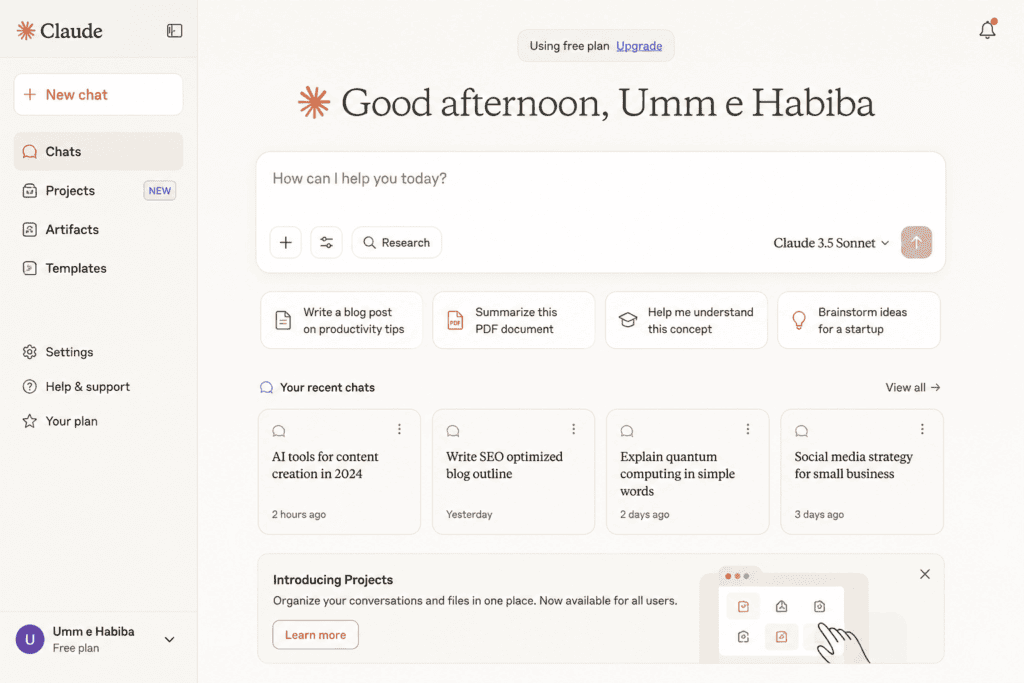
Claude is another AI assistant that can be useful for long-form document drafting and editing.
Legal pages are usually more structured than ordinary blog posts, so an AI assistant that can work with lengthy text can be particularly useful.
My experience with Claude
If I already have a long Privacy Policy, I would use Claude more as an editor and reviewer than simply as a generator.
For example, I could ask it to examine the document for:
- Repeated information
- Contradictory statements
- Unclear wording
- Missing headings
- Inconsistent terminology
- Extremely complicated sentences
I find this workflow more practical than asking an AI to magically produce a “100% legally compliant” policy.
I would first collect my real website information, create the document, and then use Claude to improve readability.
Best use
Claude can be helpful for:
- Editing long legal documents
- Simplifying complicated sentences
- Organizing sections
- Comparing two drafts
- Finding inconsistencies
- Creating plain-English explanations
Again, the final responsibility is yours to ensure the policy actually describes your website.
4. Termly
Terms and Privacy Policy Generator is different from general AI assistants because it is specifically designed around website legal and privacy documents.
Termly currently offers a free Basic plan that allows users to create one custom legal policy, including options such as a Privacy Policy, Terms and Conditions, Disclaimer, or Return Policy.
My experience with Termly
For a new blog, I would probably choose a specialized generator like Termly before trying to manually write every legal clause with a general AI chat bot.
The biggest advantage is the guided process.
Instead of staring at a blank page and wondering what information belongs in a Privacy Policy, the generator walks you through questions.
That is much easier for beginners.
I also like that term’s generator is designed for different types of websites, including blogs and websites using advertising or other services.
What I would use Termly for
I would consider it for:
- Privacy Policy
- Terms and Conditions
- Disclaimer
- Return Policy
- Cookie-related documentation
For a simple new blog, this can save considerable time.
My recommendation
If you are uncomfortable writing legal documents from scratch, start with the specialized generator and then use an AI writing assistant to make the final wording easier to understand.
5. GetTerms
GetTerms is another interesting option for bloggers who want several basic legal documents.
According to its current website, GetTerms provides free generators for Privacy Policy, Terms of Service, Cookie Policy, Refund Policy, and Disclaimer documents. It also offers free generation without requiring sign up and provides downloadable documents.
My experience with GetTerms
What stands out to me is the simplicity.
If I am launching a small blog and simply need the basic legal-document structure, I don’t necessarily want to spend an entire afternoon researching every type of policy.
A guided generator can make that process much faster.
I would start by selecting the document I need and answering the questions about my website.
Then I would carefully read the generated document rather than immediately copying it into WordPress.
That last step is important.
A generator can only work with the information I provide.
If I forgot to mention an email newsletter, affiliate links, analytics, or another service, I would want to correct the policy before publishing it.
Best for
GetTerms is worth considering if you want several different legal documents from one place.
6. iubenda
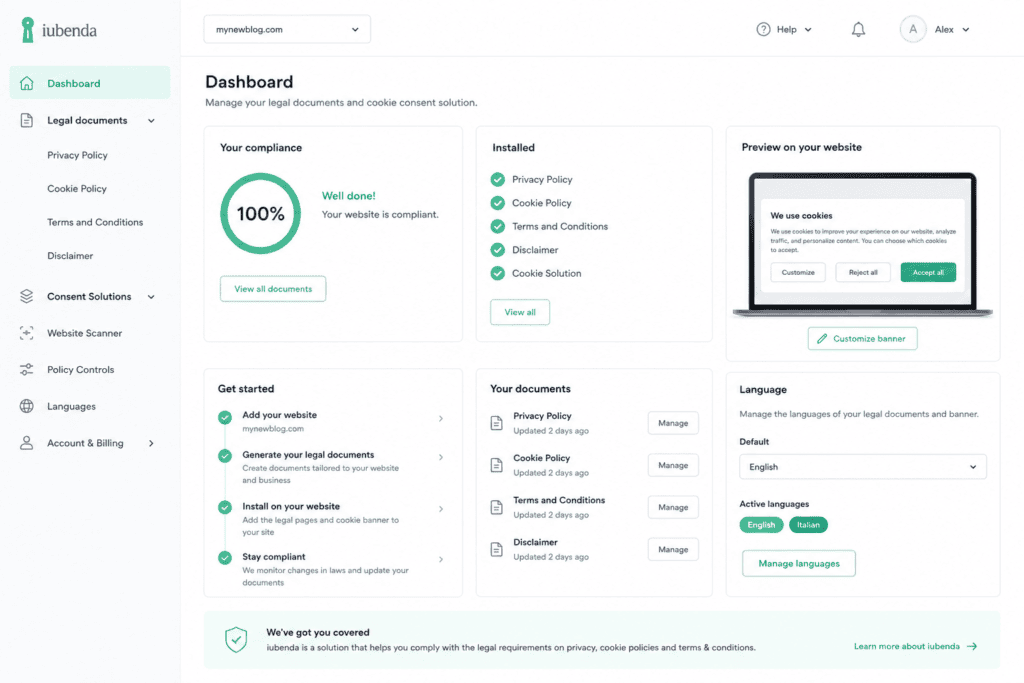
iubenda is another specialized privacy and cookie-policy platform.
Its free Privacy Policy Generator is designed to help websites and apps create customizable policies. The service says its generator can identify services used by a site and recommend relevant clauses.
My experience with iubenda
I would consider iubenda when a blog becomes more complicated.
For example, imagine my website uses:
- Analytics
- Advertising
- Newsletter subscriptions
- Embedded videos
- Social media tools
- Multiple third-party services
At that point, manually remembering every service becomes harder.
The automated approach is useful because it encourages me to think about the actual technologies running on my website rather than simply copying a generic Privacy Policy.
I also like the fact that iubenda focuses heavily on privacy and cookie documentation rather than being just a generic AI writing tool.
Best use
I would consider iubenda for:
- Privacy Policies
- Cookie Policies
- Websites with multiple third-party services
- International audiences
- More advanced privacy requirements
The free version has limitations, so I would check the current plan before relying on it for a larger website.
7. TermsFeed
TermsFeed is another specialized legal-policy generator worth considering.
TermsFeed currently provides free tools for Privacy Policies and other agreements, including Terms and Conditions, Disclaimer, Return and Refund Policy, EULA, and Cookie Policy.
My experience with TermsFeed
I like TermsFeed for one particular reason: it is not limited to Privacy Policies.
If I am building a blog that will eventually become a business, I may need several different legal documents.
For example, a basic content blog may start with:
Privacy Policy + Disclaimer + Affiliate Disclosure
Later, if I begin selling products, I may need:
Terms and Conditions + Refund Policy
Having multiple generators available from the same platform makes the workflow easier.
TermsFeed also states that its Privacy Policy generator supports downloadable formats such as HTML, DOCX, plain text, and Markdown.
WordPress users
TermsFeed also documents a free WordPress plugin for generating and managing legal pages, including Privacy Policy, Terms and Conditions, and Cookie Policy pages.
For WordPress bloggers, that can make implementation more convenient.
AI Assistants vs Legal Policy Generators
So which type should you choose?
It depends on what you are trying to accomplish.
| Feature | AI Writing Assistant | Legal Generator |
|---|---|---|
| Custom writing | Excellent | Good |
| Guided questions | Depends on tool | Usually yes |
| Privacy Policy | Yes | Yes |
| Terms & Conditions | Yes | Yes |
| Disclaimer | Yes | Yes |
| Plain-language editing | Excellent | Moderate |
| Legal-specific structure | Depends on prompt | Stronger |
| Follow-up revisions | Excellent | Depends on platform |
| Beginner-friendly | Good | Excellent |
| Legal guarantee | No | No |
Personally, I would combine both.
A specialized generator can help me create the basic structure, while an AI writing assistant can help me edit the document and explain confusing sections.
How to Use AI to Create a Privacy Policy for Your Blog
If I were launching a new blog today, I would follow this process.
Step 1: List Everything Your Website Uses
Before opening an AI tool, I would create a simple list.
For example:
- WordPress
- Google Analytics
- Contact form
- Newsletter
- Google AdSense
- Affiliate links
- YouTube embeds
- Social media buttons
- Comment section
This information is more important than the AI prompt itself.
Step 2: Tell the AI What Your Website Does
Instead of saying:
“Write a Privacy Policy for my blog.”
I would give detailed information.
For example:
“I operate a technology blog. Visitors can read articles without creating an account. The website uses analytics, a contact form, newsletter subscriptions, advertising, and affiliate links. Explain what personal information may be collected, why it is collected, how third-party services may process information, and how visitors can contact the website.”
The more accurate the information, the more useful the draft.
Step 3: Generate the First Draft
Now I would ask the AI or specialized generator to create the document.
I would not publish it immediately.
First, I would read every section.
Step 4: Check Every Statement
This is probably the most important step.
Suppose the generated document says:
“We do not share your information with third parties.”
But my website uses Google Analytics, advertising networks, an email service, and a contact-form provider.
That statement could be misleading.
I would therefore compare every claim against my actual website setup.
Step 5: Make the Language Human-Friendly
This is where AI writing assistants are especially useful.
Legal pages often sound robotic.
I would ask the AI:
“Rewrite this Privacy Policy in clear, professional language that an ordinary website visitor can understand. Do not remove important legal information or make unsupported claims.”
The result should be professional without sounding unnecessarily complicated.
What Legal Pages Does a New Blog Usually Need?
There is no universal list because requirements depend on the website and applicable laws.
But many blogs consider the following pages.
Privacy Policy
Explains privacy and data practices.
It may discuss:
- Personal information
- Cookies
- Analytics
- Contact forms
- Email subscriptions
- Advertising
- Third-party services
- Data retention
- User rights
- Contact information
Terms and Conditions
Sets rules for using your website.
It may cover:
- Acceptable use
- Intellectual property
- Website content
- User responsibilities
- Liability limitations
- External links
- Changes to terms
Disclaimer
A disclaimer can be especially important for blogs publishing advice.
For example:
- Finance blogs
- Health blogs
- Legal blogs
- Technology tutorials
- Business blogs
- Product review websites
The exact wording should reflect the actual content and legal context.
Affiliate Disclosure
If you use affiliate links, make the relationship clear.
Don’t hide the disclosure at the bottom of a page where nobody will notice it.
Cookie Policy
If your website uses cookies and tracking technologies, a Cookie Policy may explain what cookies are used and how visitors can manage them.
The exact requirements depend on applicable laws and your implementation.
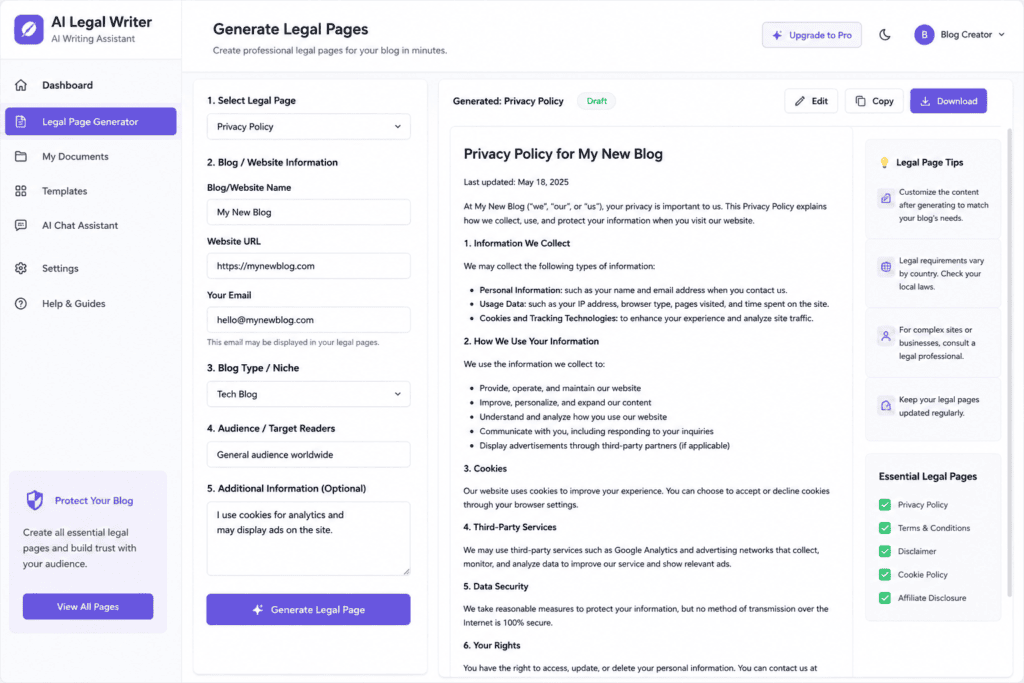
How to Make AI-Generated Legal Pages Look Human
One problem with AI-generated documents is that they can sound extremely generic.
I use several techniques to make them more natural.
Use your real website name
Don’t leave placeholders such as:
[Website Name]
Replace them with the actual business or blog name.
Mention actual services
If you use Google Analytics, an email platform, advertising network, payment processor, or another service, accurately reflect it where appropriate.
Avoid unnecessary legal jargon
A legal page can be professional without becoming unreadable.
Use short paragraphs
Visitors are more likely to understand information when it is presented in manageable sections.
Add useful headings
For example:
- Information We Collect
- How We Use Information
- Cookies
- Third-Party Services
- Advertising
- Affiliate Links
- Your Rights
- Contact Us
Remove irrelevant sections
This is extremely important.
If your blog does not sell physical products, there is no reason to leave a long e commerce refund section in your document simply because an AI generated it.
Common Mistakes When Using AI for Legal Pages
1. Copying the First AI Output
Never assume the first generated version is perfect.
Read it.
2. Giving AI Incomplete Information
AI cannot know what technologies your website uses unless you tell it or the tool has a reliable way to identify them.
3. Claiming Compliance Without Verification
Avoid statements such as:
“This document guarantees GDPR compliance.”
No AI assistant should be treated as a guarantee of legal compliance.
4. Copying Another Website’s Policy
Don’t simply copy a competitor’s Privacy Policy.
Your website may collect different information, use different services, target different users, or operate under different legal requirements.
TermsFeed specifically warns against copying someone else’s Privacy Policy word-for-word.
5. Forgetting to Update the Policy
Your legal pages should change when your website changes.
For example, if you later add:
- Google Analytics
- AdSense
- Email marketing
- e commerce
- User accounts
- Payments
- Comments
- New tracking technologies
you should review whether your existing policies still accurately describe your practices.
My Recommended Workflow for New Bloggers
If I were starting a new blog with almost no budget, this would be my workflow:
For Privacy Policy
I would start with Termly, TermsFeed, GetTerms, or iubenda to create a structured draft.
For Terms and Conditions
I would use a specialized generator such as TermsFeed, Termly, or GetTerms, depending on the website’s requirements.
For Disclaimer
I would use a specialized generator and then edit the wording with an AI writing assistant.
For Affiliate Disclosure
I would use AI to create a short, clear disclosure based on my actual affiliate relationships.
For Editing
I would use ChatGPT, Gemini, or Claude to improve readability and identify inconsistencies.
For Final Review
I would manually compare every statement with my actual website.
For a higher-risk business or complex international website, I would have a qualified legal professional review the documents.
Are Free AI Legal Page Generators Safe to Use?
They can be useful, but “free” does not mean “automatically correct.”
Automated privacy-policy research has shown that generated documents can have completeness and accuracy problems when the generator does not have enough information about the actual application or website.
Therefore, I would think about these tools as time-saving drafting assistants.
They can help me avoid starting from a completely blank page.
They can help organize information.
They can help explain difficult wording.
But I would still be responsible for making sure the final document reflects reality.
Best Free AI Writing Assistants for Legal Pages: Quick Comparison
| Tool | Best For | Free Option | My Take |
|---|---|---|---|
| ChatGPT | Custom drafts and editing | Yes | Best flexible AI assistant |
| Gemini | Editing and rewriting | Yes | Good second opinion |
| Claude | Long documents | Yes | Great for document review |
| Termly | Guided legal policies | Yes | Beginner-friendly |
| GetTerms | Multiple legal documents | Yes | Simple and fast |
| iubenda | Privacy and cookies | Free plan | Better for more complex privacy needs |
| TermsFeed | Multiple website agreements | Yes | Strong all-around option |
| FreePrivacyPolicy.ai | AI-assisted privacy policies | Free option | Useful for quick drafts |
Final Thoughts
Creating legal pages is not the most exciting part of launching a blog, but it is something I would take care of early rather than leaving it until the website starts receiving significant traffic.
The good news is that beginners no longer have to write every document from a completely blank page.
ChatGPT, Gemini, and Claude can help with drafting, rewriting, organizing, and explaining website policies. Meanwhile, specialized platforms such as Termly, GetTerms, iubenda, and TermsFeed are designed specifically around privacy policies and other legal documents.
For me, the best approach is not to ask one AI tool to “make my website legally compliant.”
Instead, I would use a simple workflow:
Understand my website → collect the actual data practices → generate a structured draft → review every statement → simplify the language → publish → update when the website changes.
That approach is much safer and more useful than blindly copying an AI-generated legal page.
Most importantly, remember that legal requirements depend on your website, business model, users, location, and applicable laws. A free generator can give a new blogger an excellent starting point, but it should not be confused with individualized legal advice.
If your blog is simple and you are just getting started, these tools can save you hours of work. If your website collects sensitive information, sells products, handles payments, serves users across multiple jurisdictions, or operates in a legally complex industry, professional legal review is a much better investment.
In other words, use AI to make the legal-page process easier—not to pretend that legal expertise is unnecessary.
Check out here if you want to know about Best Free AI Alternatives to Grammarly Premium for Proofreading