
How to Create Unique Typography Designs Using Free AI Vector Tools
Typography is one of the most powerful elements of graphic design. From logos and posters to social media graphics, t-shirts, websites, and product packaging, creative typography can instantly capture attention and communicate a brand’s personality.
In the past, creating custom typography required advanced knowledge of vector software like Adobe Illustrator. Today, free AI vector tools have made it possible for beginners and professionals alike to generate stunning typography designs in minutes using simple text prompts.
Whether you’re designing a bold logo, an elegant quote, a gaming title, or a modern social media post, AI-powered vector tools can help you create scalable, editable typography without drawing every letter by hand.
In this comprehensive guide, you’ll learn how AI typography generators work, discover the best free AI vector tools, and follow a step-by-step workflow for producing unique vector typography.
What Is AI Typography Design?
AI typography design uses artificial intelligence to generate, enhance, or customize text-based artwork. Instead of manually shaping every letter, users describe the desired style, and AI suggests layouts, fonts, decorative elements, and artistic effects.
Examples include:
- Minimalist wordmarks
- 3D lettering
- Graffiti text
- Retro typography
- Neon lettering
- Vintage logos
- Calligraphy-inspired titles
- Geometric typography
- Abstract letter art
- Luxury branding text
Many AI tools can also convert raster artwork into editable vector graphics, making designs scalable without losing quality.
Why Use AI Vector Tools for Typography?
AI vector tools offer several advantages over traditional manual workflows.
Faster Design Process
Generate multiple typography concepts within seconds instead of spending hours sketching.
Editable Vector Graphics
Vector designs can be resized for:
- Business cards
- Billboards
- Websites
- T-shirts
- Stickers
- Packaging
- Social media posts
without losing quality.
Beginner Friendly
Most AI tools require no illustration experience. Simply enter a text prompt and customize the generated design.
Creative Inspiration
AI can suggest layouts, compositions, and decorative styles that may not have been considered manually.
How AI Vector Typography Works
AI typography generators analyze prompts that include:
- Text content
- Font style
- Design theme
- Color preferences
- Layout
- Decorative elements
- Artistic style
The AI then creates one or more typography concepts, which can often be refined or converted into vector graphics for editing.
Best Free AI Vector Tools for Typography
1. Canva AI
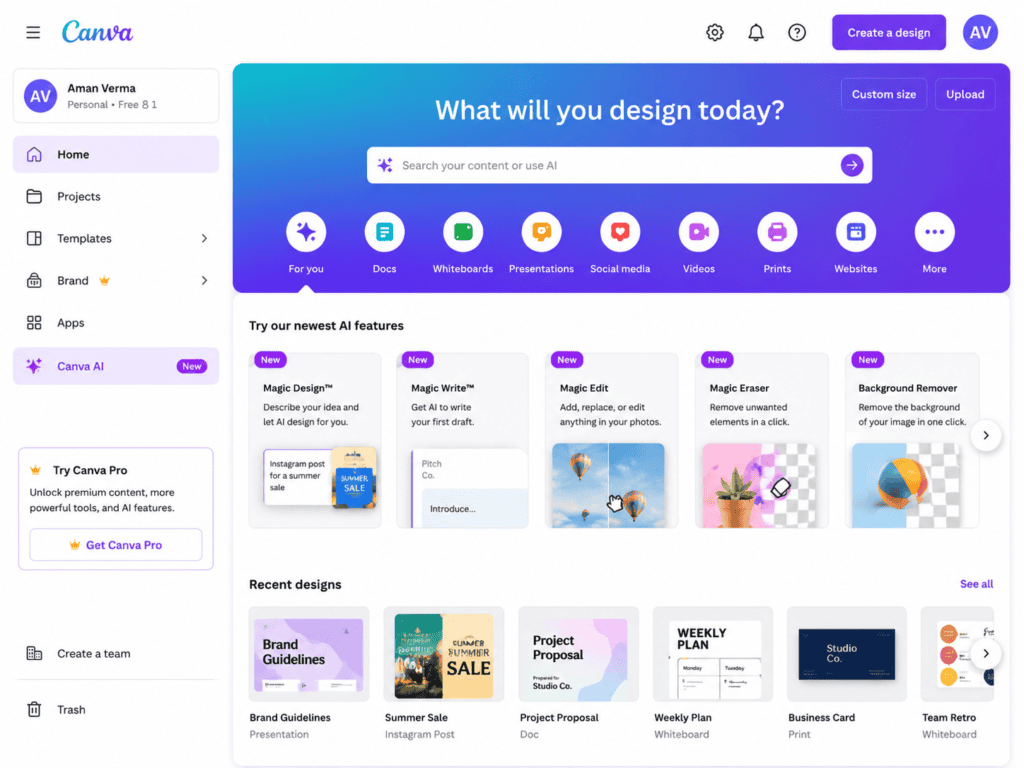
Canva AI combines text generation with an intuitive drag-and-drop editor.
Features
- Magic Design
- AI text effects
- Editable templates
- Font pairing
- Brand kit support
- Vector exports (depending on format and plan)
- Easy collaboration
Best For
- Social media graphics
- Posters
- Marketing materials
- Presentation titles
Pros
- Beginner-friendly
- Large template library
- Cloud-based editing
- Fast workflow
Cons
- Some advanced features require Canva Pro.
2. Adobe Express AI
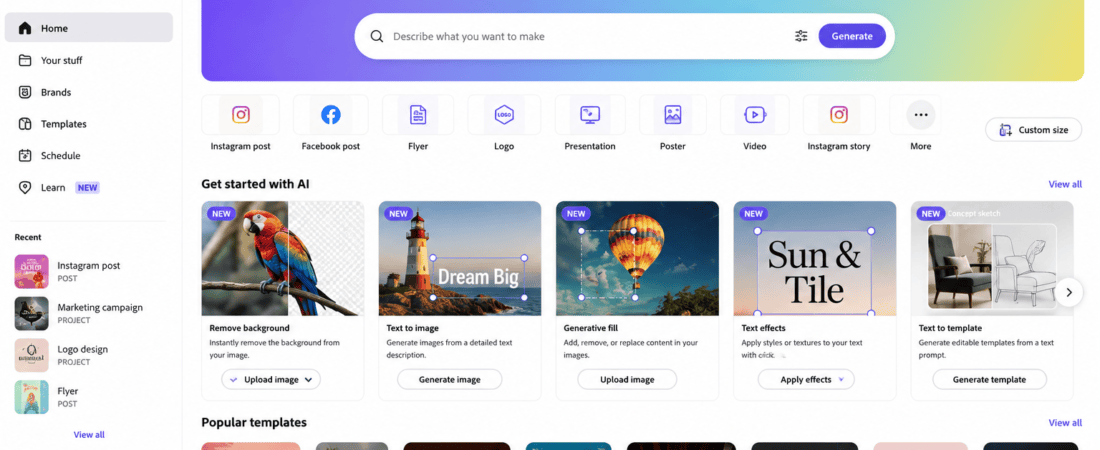
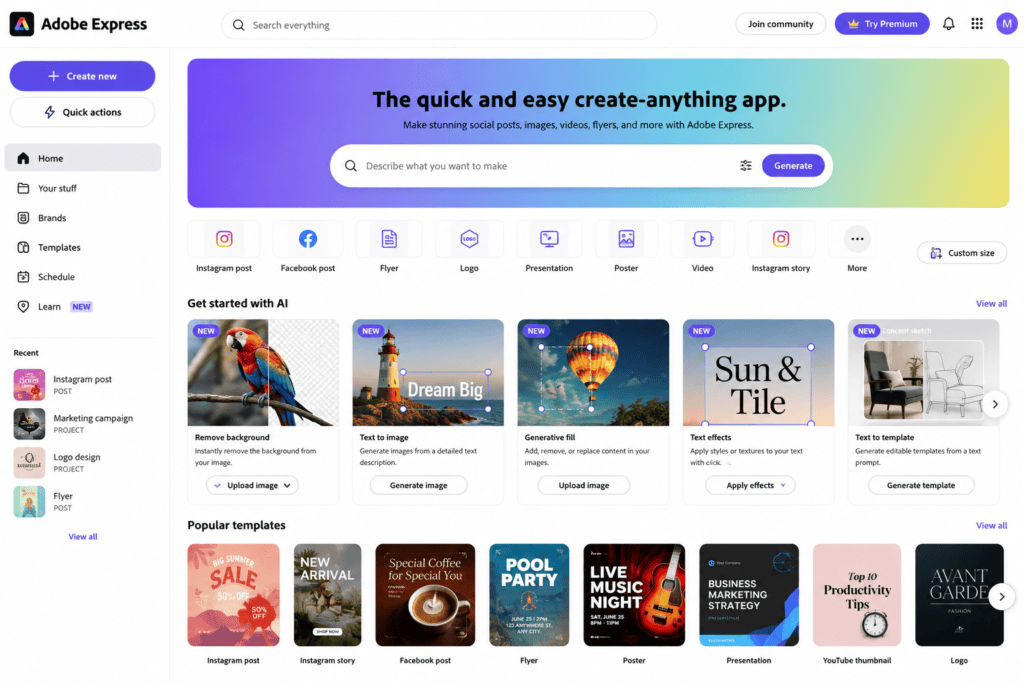
Adobe Express offers AI-powered text effects and design tools suitable for creating typography concepts.
Features
- AI text effects
- Font recommendations
- Quick branding tools
- Editable layouts
- Background removal
- Design templates
Best For
- Branding
- Promotional graphics
- Business content
3. Microsoft Designer
Microsoft Designer uses AI to generate creative layouts and stylish text-based graphics.
Highlights
- AI-generated compositions
- Modern typography
- Social media templates
- Marketing assets
- Beginner-friendly interface
4. Kittl
Kittl is a favorite among designers for creating professional typography with AI-assisted features.
Features
- Advanced text effects
- Vintage typography
- Curved text
- Shadow effects
- Editable vector elements
- Decorative frames
Ideal For
- Logo design
- Merchandise
- Posters
- Apparel graphics
5. Vectorizer.AI
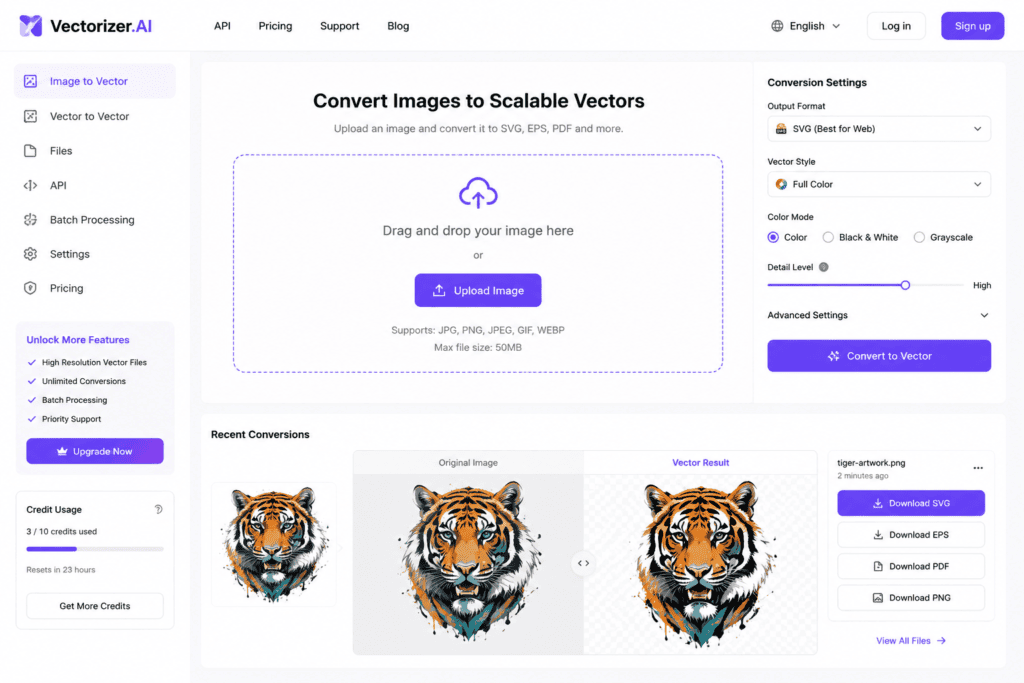
Vectorizer.AI specializes in converting raster images into clean vector graphics.
Features
- Automatic vector conversion
- Smooth curves
- SVG export
- EPS support
- High-quality scaling
Best For
- Cleaning AI-generated lettering
- Preparing typography for printing
- Logo refinement
Popular Typography Styles You Can Create
AI tools support a wide variety of typography styles.
Minimalist Typography
Perfect for:
- Modern brands
- Startups
- Websites
- Mobile apps
Characteristics include:
- Clean fonts
- Simple layouts
- Plenty of white space
Vintage Typography
Ideal for:
- Coffee shops
- Restaurants
- Clothing brands
- Posters
Common features:
- Ornamental lettering
- Retro textures
- Decorative borders
3D Typography
Adds depth and realism through:
- Shadows
- Extrusions
- Perspective
- Metallic effects
- Lighting
Graffiti Typography
Popular for:
- Streetwear
- Music branding
- Gaming
- Youth-focused campaigns
Neon Typography
Creates glowing text suitable for:
- Gaming thumbnails
- Event posters
- Music promotions
- Nightlife branding
Luxury Typography
Common in:
- Fashion brands
- Jewelry businesses
- Beauty products
- High-end packaging
Typically uses elegant serif fonts, refined spacing, and minimalist compositions.
How to Write Better AI Typography Prompts
The quality of AI-generated typography depends largely on the prompt.
Include details such as:
- Text content
- Font style
- Mood
- Color palette
- Layout
- Decorative effects
- Background
- Intended use
Example Prompt
“Create elegant gold serif typography reading ‘Royal Studio’ with luxury branding style, black background, minimalist composition, editable vector appearance.”
The more descriptive your prompt, the more accurate and creative the AI output is likely to be.
Common Uses of AI Typography
Designers use AI typography for:
- Logo design
- Posters
- YouTube thumbnails
- Instagram posts
- Website headers
- Product packaging
- T-shirt graphics
- Stickers
- Business cards
- Book covers
- Event invitations
- Digital advertisements
More Free AI Vector Tools for Typography Design
In addition to Canva AI, Adobe Express AI, Microsoft Designer, Kittl, and Vectorizer.AI, several other free AI tools can help you create eye-catching typography and editable vector artwork.
6. Recraft AI
Recraft AI is one of the best free AI tools for generating vector graphics, icons, logos, and typography.
Features
- Native AI vector generation
- SVG export
- Editable vector objects
- Multiple typography styles
- Brand color customization
- High-resolution downloads
Best For
- Logo design
- Vector typography
- Brand identity
- Marketing graphics
7. Inkscape
Although not an AI generator itself, Inkscape is a free open-source vector editor that works perfectly with AI-generated typography.
Features
- SVG editing
- Path editing
- Font customization
- Shape Builder tools
- Gradient editing
- Node editing
Ideal For
- Refining AI-generated typography
- Preparing files for print
- Logo editing
8. Figma AI
Figma AI speeds up UI and branding workflows with intelligent design assistance.
Features
- AI-powered design suggestions
- Collaborative editing
- Typography systems
- Auto layouts
- Brand consistency
Best For
- Web designers
- UI designers
- Product designers
- Brand systems
9. Corel Vector
Corel Vector is a browser-based vector design platform with professional editing features.
Features
- Precision vector editing
- Typography controls
- SVG compatibility
- Cloud storage
- Layer management
10. VistaCreate
VistaCreate includes AI-powered design features and ready-made templates for typography-based marketing materials.
Features
- Social media templates
- AI design assistance
- Animated typography
- Poster layouts
- Marketing graphics
Step-by-Step Workflow for AI Typography Design
A structured workflow helps produce better results.
Step 1: Define Your Goal
Decide what you’re designing:
- Logo
- T-shirt
- Poster
- Banner
- Sticker
- YouTube thumbnail
- Business card
- Packaging
- Social media post
How to Create Unique Typography Designs Using Free AI Vector Tools (Part 3)
Comparison of the Best Free AI Vector Typography Tools
| AI Tool | Free Plan | Vector Support | AI Features | Best For | Beginner Friendly |
|---|---|---|---|---|---|
| Canva AI | ✅ Yes | Limited | ⭐⭐⭐⭐⭐ | Social Media & Marketing | ⭐⭐⭐⭐⭐ |
| Adobe Express AI | ✅ Yes | Limited | ⭐⭐⭐⭐☆ | Branding & Promotions | ⭐⭐⭐⭐⭐ |
| Recraft AI | ✅ Yes | ✅ Native SVG | ⭐⭐⭐⭐⭐ | Vector Typography & Logos | ⭐⭐⭐⭐☆ |
| Kittl | ✅ Yes | ✅ | ⭐⭐⭐⭐⭐ | Vintage & Decorative Typography | ⭐⭐⭐⭐☆ |
| Microsoft Designer | ✅ Yes | Limited | ⭐⭐⭐⭐☆ | Marketing Graphics | ⭐⭐⭐⭐⭐ |
| Vectorizer.AI | ✅ Limited | ✅ | ⭐⭐⭐⭐⭐ | Converting Artwork to Vectors | ⭐⭐⭐⭐☆ |
| Inkscape | ✅ Completely Free | ✅ | Manual Editing | Professional Vector Editing | ⭐⭐⭐⭐☆ |
| Figma AI | ✅ Limited | ✅ | ⭐⭐⭐⭐☆ | UI & Brand Systems | ⭐⭐⭐⭐☆ |
| Corel Vector | Free Trial | ✅ | ⭐⭐⭐⭐☆ | Professional Illustration | ⭐⭐⭐☆☆ |
| VistaCreate | ✅ Yes | Limited | ⭐⭐⭐⭐☆ | Social Content | ⭐⭐⭐⭐⭐ |
Best AI Typography Tool by Category
Best Overall
Recraft AI offers one of the strongest combinations of AI-generated vector artwork, editable SVG exports, and branding-focused features.
Best for Beginners
- Canva AI
- Microsoft Designer
- VistaCreate
These platforms are easy to learn and provide ready-made templates for quick typography projects.
Best for Logo Design
- Recraft AI
- Kittl
- Inkscape (for editing and refinement)
Best for Social Media Graphics
- Canva AI
- Adobe Express AI
- Microsoft Designer
Best for Printable Designs
- Recraft AI
- Inkscape
- Vectorizer.AI
These tools help prepare scalable artwork suitable for merchandise, packaging, and print production.
Advanced Prompt Examples
Using detailed prompts significantly improves AI-generated typography.
Luxury Brand
Elegant serif typography reading “LUXORIA” in gold foil with embossed lettering, black marble background, premium branding, editable vector logo style.
Streetwear Brand
Bold graffiti typography reading “Urban Motion”, colorful spray paint texture, dripping paint effect, vector illustration, street art aesthetic.
Gaming Logo
Futuristic chrome typography reading “Cyber Titan”, glowing blue neon outline, sci-fi theme, esports logo, sharp geometric edges, vector artwork.
Café Branding
Vintage hand-lettered typography reading “Daily Roast”, warm brown and cream palette, retro badge layout, editable vector style.
Fitness Brand
Strong sans-serif typography reading “Power Core”, bold uppercase lettering, black and red color scheme, minimalist vector logo.
Music Festival
Colorful psychedelic typography reading “Summer Vibes”, retro 70s-inspired lettering, vibrant gradients, festival poster design.
Tips for Better Typography Designs
Keep It Simple
Avoid adding excessive decorative elements that reduce readability. A clean design often leaves a stronger impression.
Use Strong Hierarchy
Emphasize the most important words using differences in size, weight, spacing, or color.
Choose Colors Carefully
Match the color palette to your audience and brand identity. Ensure there is enough contrast between the text and the background.
Experiment with Styles
Generate several variations using different prompts, fonts, and effects before choosing the final version.
Refine in a Vector Editor
After generating an AI concept, edit the artwork in a vector editor to:
- Smooth curves
- Improve alignment
- Adjust spacing
- Simplify shapes
- Optimize for print and digital use
Common Typography Projects
AI vector typography is useful for a wide range of creative work:
- Business logos
- Restaurant branding
- YouTube thumbnails
- Social media posts
- Product packaging
- Book covers
- Event posters
- Album artwork
- T-shirt graphics
- Stickers
- Website banners
- Mobile app branding
- Podcast cover art
- Email headers
- Presentation titles
Future of AI Typography
AI typography tools continue to evolve. In the near future, users can expect:
- More accurate vector generation
- Real-time font customization
- AI-assisted kerning and spacing
- Automatic brand guideline generation
- Better multilingual typography support
- One-click logo refinement
- Interactive 3D text editing
- AI-powered animation for typography
- Smarter print optimization
- Improved collaboration between AI and professional design software
These advancements will make it even easier to create high-quality typography for both digital and print projects.
Final Recommendations
If you’re just starting out, Canva AI and Microsoft Designer provide a simple way to create attractive typography for social media, presentations, and marketing materials.
For users focused on scalable vector artwork and logo creation, Recraft AI is a standout choice because of its native vector generation capabilities.
Designers who enjoy decorative and vintage typography should explore Kittl, while Inkscape remains an excellent free option for refining AI-generated vector graphics before final production.
Combining AI-generated concepts with manual adjustments in a vector editor is often the best workflow for creating professional, original typography.
Conclusion
Free AI vector tools have made custom typography design faster, more accessible, and more creative than ever before. Whether you’re building a brand, designing merchandise, creating social media graphics, or developing marketing materials, AI can generate high-quality typography concepts in just a few minutes.
The most effective results come from writing detailed prompts, exploring multiple design variations, and refining the chosen concept in a vector editor. By combining AI’s speed with thoughtful design principles, you can produce unique typography that is visually appealing, scalable, and suitable for a wide variety of creative projects.
As AI technology continues to improve, typography design will become even more intuitive, giving creators powerful new ways to express ideas through lettering and visual communication.
Frequently Asked Questions (SEO FAQs)
1. What are AI vector typography tools?
AI vector typography tools use artificial intelligence to generate or enhance text-based designs that can often be edited and scaled as vector graphics.
2. Which free AI tool is best for typography design?
Recraft AI, Canva AI, Kittl, Adobe Express AI, and Microsoft Designer are among the most popular options, depending on your workflow and design goals.
3. Can AI create editable vector typography?
Some platforms can generate native vector graphics or export editable SVG files, while others produce raster artwork that can be converted into vectors using tools such as Vectorizer.AI or refined in Inkscape.
4. Are AI typography generators suitable for commercial projects?
Many platforms allow commercial use under specific licensing terms. Always review the platform’s current license and usage policy before using AI-generated typography for logos, branding, merchandise, or client work.
5. Do I need graphic design experience?
No. Most AI typography tools are designed for beginners and provide templates, suggestions, and easy editing features.
6. Can AI create logo typography?
Yes. AI can generate creative wordmarks, monograms, and logo concepts that you can further customize for a polished brand identity.
7. Which AI tool is best for vector logos?
Recraft AI is a strong choice for native vector artwork, while Inkscape is excellent for refining and preparing vector logos.
8. Can AI generate 3D typography?
Yes. Many AI image generators can create 3D text concepts with shadows, lighting, and depth effects suitable for posters, thumbnails, and branding inspiration.
9. Is SVG better than PNG for typography?
Yes. SVG is a vector format that scales without losing quality, making it ideal for logos, signage, print materials, and responsive web graphics.
10. How can I make AI typography look more professional?
Use detailed prompts, maintain consistent spacing, limit unnecessary decorative effects, ensure strong contrast and hierarchy, and refine the final design in a vector editor before publishing.
Final Thoughts
AI vector typography tools have transformed the way designers create custom lettering by making professional-quality concepts accessible to everyone. Whether you’re a beginner exploring creative ideas or an experienced designer streamlining your workflow, these tools can significantly reduce production time while expanding your creative possibilities.
Experiment with different prompts, compare outputs from multiple AI platforms, and refine your favorite designs using vector editing software. With the right workflow, you can create distinctive typography that strengthens your brand, engages your audience, and stands out across digital and print media.
Check Out here if you want to know about Free AI Tattoo Design Generators from Text Prompts